Kling Motion Control: transfer motion and facial expression onto your character

Kling Motion Control is a video mode where the model does not invent movement but transfers it from an existing clip onto your character: you upload a picture of the character and a short reference video, and you get that same character repeating the motion and facial expression from the sample. On NeuralSpace the mode is offered through two models — Kling 2.6 Motion Control and Kling 3.0 Motion Control — and it is the fastest way to bring a photo to life without shooting anyone again. Below we cover how it works, which files fit, where motion transfer really pays off, and how to run it on the site.
How Motion Control differs from regular video models
A regular video model (Kling 3.0, SeeDance, Sora) invents the scene from text: who is in frame, how they move, where the camera looks. Motion Control works the other way around — the movement is already set, taken from a reference video. The model's job narrows to one thing: not to imagine, but to reproduce the trajectory of the body, arms and face while swapping in your character's look.
Two practical consequences follow. First, the result is nearly predictable — if you need a specific dance, gesture or emotion, you control it instead of hoping the model understands words. Second, the requirements for your materials are higher than for ordinary generation, because both inputs — the photo and the video — have to be usable.
How it works: character image plus reference video
There are two input files. The character image sets the appearance: face, hair, clothing. The reference video sets the motion: the person in the sample dances, gestures, turns their head. The model reads poses and expressions frame by frame and transfers them onto the character from the picture. The finished clip matches the length of the reference, so you trim the sample to the seconds you need first and pay for those.
The word motion is literal here: the model handles the motorics, not the plot. Camera, background and composition mostly come from the reference — what changes is the character.
Which files fit
- Character image — JPEG or PNG, up to 10 MB, at least 300 pixels on a side. A portrait or a waist-up shot with a clearly visible face works best.
- Reference video — MP4 or MOV, up to 100 MB, 3–30 seconds long. The key requirement: a person must be clearly visible in frame — head, shoulders and torso.
This is where most attempts stumble: according to the site's data, the most common reason a Motion Control run is refused is that no upper body was detected in the reference. If the person is far away, shot from behind, or the frame is cropped at the chest, the model cannot recognise the figure.
Kling 2.6 vs Kling 3.0 Motion Control
Both models do the same job, but 3.0 is more accurate and more flexible.
- Kling 2.6 Motion Control — the basic motion transfer. Reference video 3–30 seconds, resolution 720p or 1080p. Cheaper, good for tests and series.
- Kling 3.0 Motion Control — holds the character's face and details more accurately through complex movement and lets you choose the character orientation: from the video (up to 30 seconds) or from the image (up to 10 seconds). The second mode helps when the pose should come from the picture rather than the clip.
A practical rule: start with 2.6 to test the idea and your materials, and build the final clips for publishing on 3.0.
Where motion transfer pays off
- Dance and trends. Recreate a popular move on your own character or mascot — with no shoot and no choreographer.
- Bringing photos to life. A portrait, a historical photo or an artwork starts moving like the reference.
- Ads and brand. A product mascot repeats a gesture or emotion from a commercial sample.
- Social and memes. Quick clips under a trending move — a new post for the feed in a couple of minutes.
- Education and presentations. A presenter character shows a movement that is hard to describe in words.
How to run it on NeuralSpace
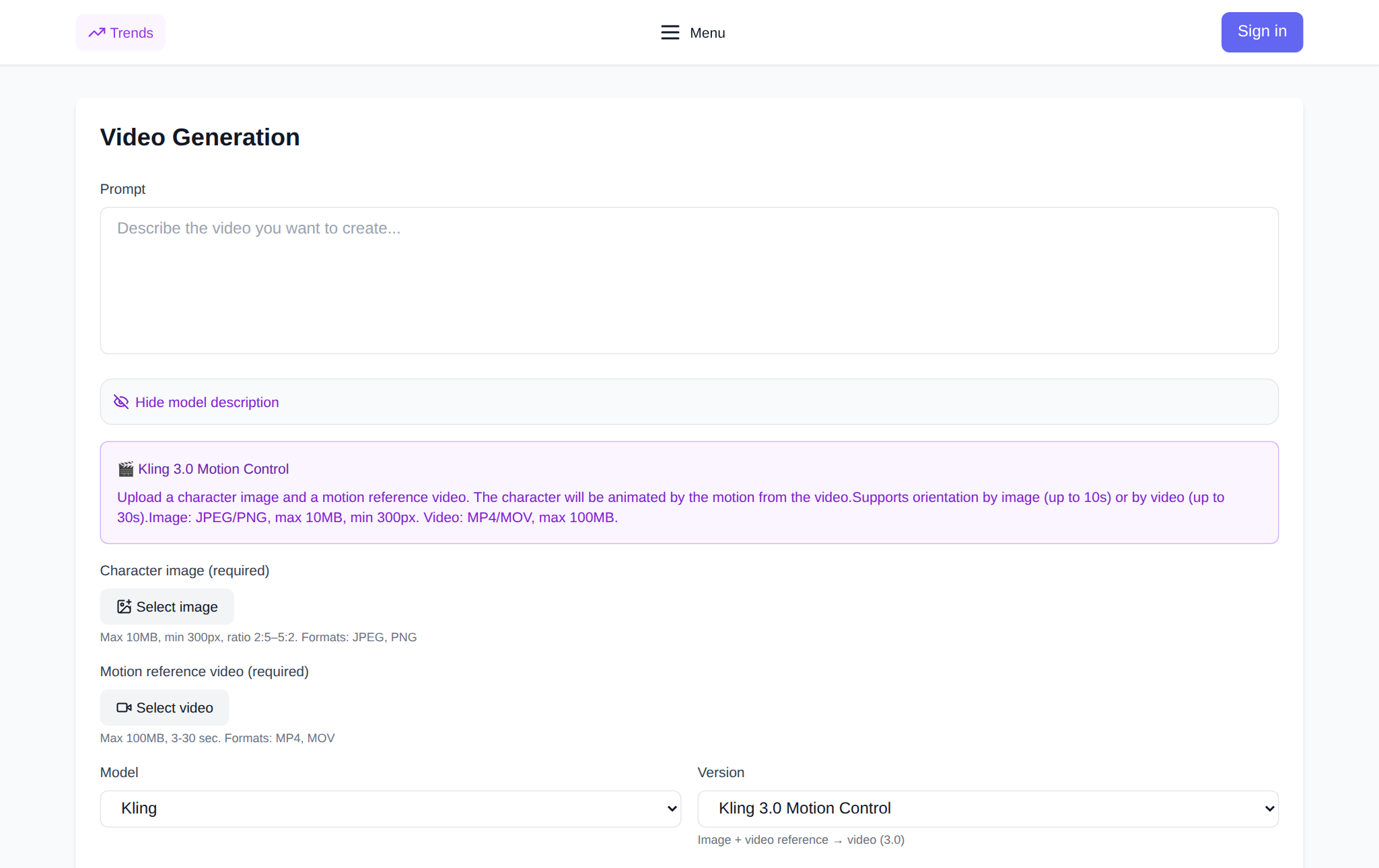
- Open the Kling 3.0 Motion Control page or Kling 2.6 Motion Control in the Video section.
- Upload the character image.
- Upload the reference video with the motion; trim it to the seconds you need if required.
- Pick the resolution, 720p or 1080p, and for 3.0 the character orientation.
- Check the cost in the form and run it. The finished clip appears in your generation history.
There is no subscription on NeuralSpace: new users get starter tokens, after which you pay in tokens for each run, and the price is shown before you submit the task.
How to write the prompt
Here the prompt describes not the scene but what to keep and emphasise: the character of the motion, the environment and the light. Formula: character + what they repeat + environment + light + style. Example: a woman in a beige coat repeats the movement from the reference, a city street at dusk, soft warm light, cinematic. If the sample was shot on a green screen, ask to place the character on the background you want. Too many details in the prompt can confuse the model — the motion still comes from the video.
What the site data shows
Motion Control is a niche tool, and the numbers say so. Over the whole period (January–October 2026) the site ran 102 Kling 2.6 Motion Control generations and 42 Kling 3.0 Motion Control generations; the average reference length was about 13 and 10 seconds respectively. The success share is lower than for ordinary video generation, mostly because of the demands on the input materials. The most common reason for a refusal, per the error log, is no upper body detected in the reference, followed by the sensitive-content check. When a run is refused the tokens are refunded automatically. The figures are aggregated and anonymized.
For comparison: over 30 days (25 September – 25 October 2026) the site created 2,001 videos across all models, and the universal Kling 3.0 had a 91% success rate across 299 generations. The takeaway is simple: run Motion Control deliberately, when motion transfer is genuinely needed, and prepare a clean reference in advance.
What it costs
Both models are billed per second, and the price depends on the reference length and resolution. At the current rate the ballpark is: 5 seconds at 720p — about 47 tokens for 2.6 and about 86 tokens for 3.0; moving to 1080p and a longer clip raises the cost proportionally. The exact amount is shown in the form before you run it, and a failed generation does not cost you tokens — they are refunded.
FAQ
Is Kling Motion Control the same as Kling 3.0?
No. Kling 3.0 is a universal model that invents a scene from text. Motion Control is a separate mode that transfers motion from a reference video onto your character; it requires both a character image and a video sample.
Why did my generation fail?
Most often the model did not recognise a person in the reference. Use a video where the head, shoulders and torso are fully visible, plus a waist-up photo of the character. Another common reason is the sensitive-content check. When a run is refused the tokens are refunded automatically.
How many seconds will the output be?
The clip length equals the reference video length. On 3.0 in the from-video orientation mode it is up to 30 seconds, and in the from-image mode up to 10 seconds.
Can I animate a photo without a video?
No — motion transfer needs a video sample. If you want a scene from a single photo, ordinary video models such as Kling 3.0 in the Video section will do.