Kling download is not needed: how to use the video model in your browser

Kling is a cloud video model, and there is nothing to download: it does not run on your phone or laptop, it runs on servers that your browser reaches through an ordinary link. On NeuralSpace all you need is to open the Kling page in a browser, sign in, describe the scene and hit generate. No app, no installer, no powerful GPU — the generation happens on the service side, and the only thing you actually download is the finished clip. Below we look at why “download Kling” is a needless step, what is available on the site, and how to get a video without installing anything.
Why “download Kling” is a needless step
Kling is a video generation model, not a program that lives on your device. It does have its own mobile app, so by habit many people search for a download: it feels like a powerful tool must be installed first. But video generation is a cloud service: the heavy lifting happens on remote servers, and the way in is an ordinary web page. Downloading the model itself makes no sense — it is heavy, it is updated all the time, and it would never fit on a regular phone anyway.
In short: an app is just a shell, while the model itself always runs in the cloud. And if that is the case, the shell is optional — a plain browser link does the same job.
What Kling is, and what you get on NeuralSpace
Kling is a family of video models: you feed in text or an image and get a clip out. On NeuralSpace it is not a single button but a whole group of models for different jobs, all opened in one browser window:
- Kling 3.0 — the all-rounder: std, pro and 4K modes, native audio, multi-shot scenes, 3 to 15 seconds.
- Kling 4.0 — longer clips up to 30 seconds, references and keyframes for complex scenes.
- Kling O3 — maximum image detail, up to 4K.
- Kling 3.0 Turbo — fast and cheap when you need to test many ideas.
- Kling 3.0 and 2.6 Motion Control — transfer the motion from a reference video onto your character.
- Kling AI Avatar — a talking character built from a photo and audio.
Choosing a model is choosing a task, not installing software: to switch from one to another you load nothing, you just pick it from the list.
How to use it without installing anything, step by step
- Open the Kling 3.0 page in the Video section — it works in any modern browser on a desktop, tablet or phone.
- Sign in or register with your email. There is no separate desktop client to install.
- Describe the scene in the prompt field. To animate a photo, upload the image first and describe only the motion in the text.
- Pick the mode (std for a test, pro for the final, 4K for maximum quality), the duration, and turn on audio if you need it.
- Check the price in the form — it is shown before you start — and hit generate.
- The finished clip appears in your generation history, where you can download it to your device.
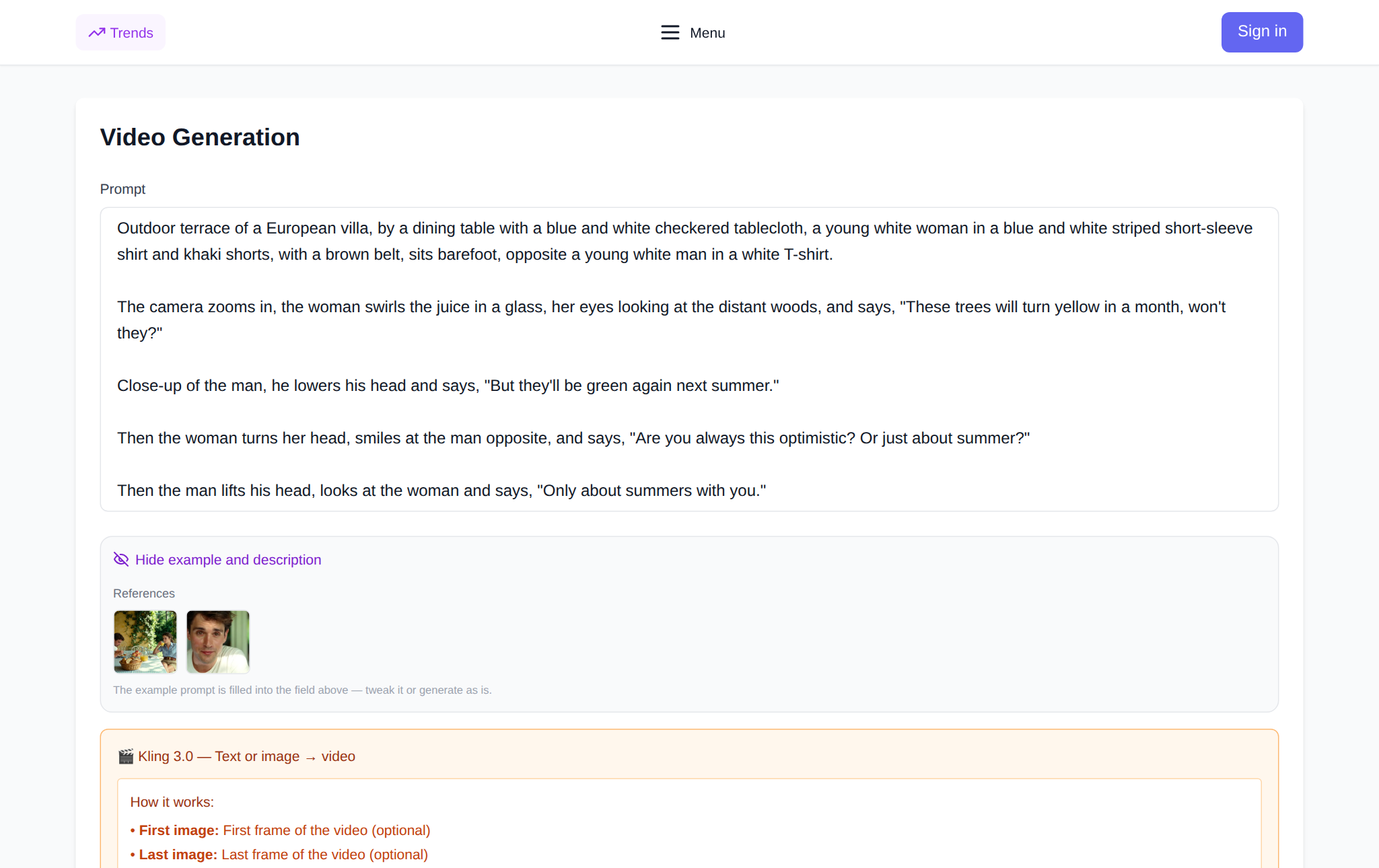
Does it work on a phone?
Yes. The page adapts to a small screen, so you can run Kling from a phone just as well as from a desktop. What matters is that the load does not fall on the device: the generation runs in the cloud, and the phone only sends the request and shows the result. So you do not need a powerful processor or a lot of free memory — just a browser and a connection.
One more advantage of the browser: a single account across all devices. You can come up with an idea and run a draft from your phone on the go, then finish the final version at your desk in the evening — the history and the tokens are shared.
Why the browser beats an app
- Nothing to install or update: the model and the interface are always the latest version on the server.
- One login, all the models: Kling, other video models, images, music and chat live in a single account instead of a dozen apps.
- It does not eat your device storage and does not drain the battery with heavy computation.
- The same result on any device — the clip is rendered on the server, not on your hardware.
What the site data shows
According to NeuralSpace aggregate statistics, over 90 days (through 30 October 2026) Kling 3.0 was run 354 times, and 329 of those ended in a finished clip — about 93%. Tellingly, 254 of the 354 runs (roughly 72%) were short, five-second tests: most users check the idea on a cheap draft before committing to a long clip.
Second fact: among the few failures, most (16 of about 25) were content-policy rejections rather than technical errors. That is another reason there is nothing to download — moderation rules apply on the service side, identically in a browser and in an app. The figures are aggregated and anonymized, with no link to people or prompts.
What you actually download
Only the result is worth downloading. The finished clip is kept in your generation history and can be saved to your device in a couple of clicks — from a phone or a desktop. The model, the interface and the generation queue stay in the cloud, so “download Kling” is not something you do to work — it is something you do once the video is ready.
Frequently asked questions
Do I need to download the Kling app to make videos?
No. Video generation is a cloud service: the model runs on servers and the browser is your way in. On NeuralSpace you just open the Kling page, sign in and start a generation.
Can a phone handle video generation?
Yes, because the computation happens in the cloud, not on the phone. The device only sends the request and shows the result, so a browser and a connection matter more than the phone’s power.
How much does it cost to try Kling?
There is no subscription: new accounts get starter tokens, and after that you pay in tokens for the runs you make. The price is shown in the form before you submit, so there are no surprises.
How is the browser version different from an app?
Not in substance — it is the same access to the model. But in a browser you install and update nothing, and every model of the service lives in one account.
If you have been putting Kling off because you thought something had to be downloaded, try the other way: open the Video section, pick Kling 3.0 and run a short five-second draft. That is enough to see how the model handles your idea.