Neural voice and text-to-speech: turn text into a natural voice
Neural text-to-speech turns written text into a natural voice: with intonation, pauses and the right stress, not the robotic output of older systems. On NeuralSpace you can voice text right in the browser — open the Audio section, paste your text, pick a language and a voice, and download the finished audio track. This guide shows exactly where to do it on the site, which tools and voices are available, how to choose a model for your task and what voiceover costs.
What neural speech synthesis is
Early speech synthesis stitched together recorded syllables and sounded choppy, with pauses in the wrong places and a flat, metallic tone. Neural models are trained on hours of real speech and predict the sound as a whole, together with the melody of the phrase, the logical stresses and the breathing. That is why the same text can be delivered like a news anchor, a podcast host or an energetic ad voice. In practice it means you can turn a long article into an audio version or a video line into a finished track without recording yourself at a microphone.
Where to voice text on NeuralSpace
The voiceover tools live in the Audio section, next to music and audio processing:
- Text to Speech (free) (/audio/tts-free) — browser-based synthesis: your text never leaves the device, the sound is computed locally (WebGPU, with WebAssembly as a fallback) and no tokens are spent. Up to 20,000 characters per run, ready-made timbres and voice cloning from a short recording.
- Text to Speech with Intonation (/audio/tts-intonation) — expressive paid synthesis, good for ads, podcasts and videos where emotion matters.
- Gemini 3.8 Flash TTS and Flash-Lite TTS (/audio/gemini-3-8-flash-tts) — 30 voices, 8 accents, 6 styles (newscaster, whisper, empathetic, promo) and 4 paces; you can stage a dialogue with up to 10 different speakers.
- Text to speech in Video Avatars (/avatars/text-to-speech) — synthesis from a voice catalog with language selection; the same voice can then be used in a talking-avatar video.
Need automation or dozens of files? The same feature is available through the API: create a key in the API section, call synthesis with one request and get a link to the finished audio.
How to voice text, step by step
- Sign up and open the Audio section (link above).
- Pick a tool: the free browser synthesis for quick, private work, or the intonation model for expressive delivery.
- Paste your text. Remove stray line breaks and headings — the model reads what it sees; spell out numbers and abbreviations.
- Choose the language (it defaults to the page language) and a voice. For a dialogue, add a second speaker and split the lines.
- Run the synthesis, wait for the track, listen and download it as an audio file.
Languages and voices
The browser tool has the widest language coverage: its list includes hundreds of languages and dialects, so you can voice not only English and Russian but rare languages too. The timbre comes from a ready voice (male, female, young, elderly, whisper) or from your own short recording. Gemini 3.8 Flash TTS has a different strength — control over delivery: pick one of 30 voices and add an accent, style and pace. That is handy when two or three characters must sound distinct in one file.
Which model to choose
A simple rule: for long text where privacy matters, use the free browser tool — it spends no tokens. For expressive delivery in an ad or a clip, take Text to Speech with Intonation. For a multi-character dialogue, use Gemini 3.8 Flash TTS. If the voice has to go into an avatar video, use Text to speech in Video Avatars. And for a stream of similar tasks (voicing a catalog, a podcast episode, a batch of clips), the API is the most convenient: it runs without a browser and returns a file link.
Voice cloning
If you need your own voice, clone it from a single recording in the Voice cloning section — the resulting voice can be used in text-to-speech and in videos. The free browser tool has its own local option: record a short sample (about 30 seconds) in the browser and it stays on your device.
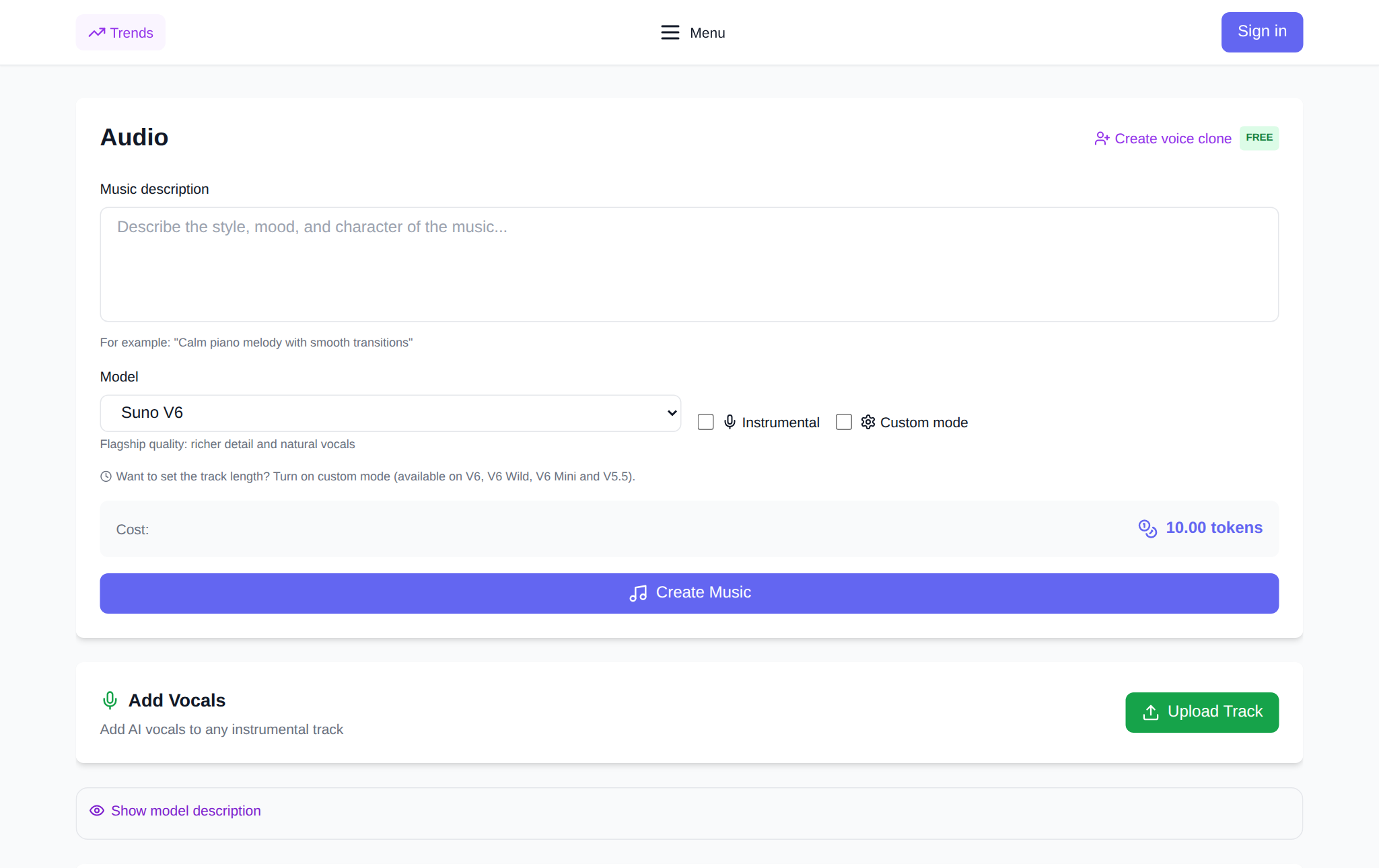
What it costs: data from the site
Voiceover on NeuralSpace works without a subscription: you pay in tokens for the result, and new users get starter tokens for their first runs. According to the site's own data for six weeks (18 September — 29 October 2026), the Text to speech tool in Video Avatars handled 45 requests, 43 of which succeeded (96%); the average finished track lasted 8.2 seconds at an average spend of about 4 tokens per request. Over the last 120 days of billing logs, voicing a short phrase (200–400 characters) cost on average less than one token — from 0.1 to 0.8 tokens per request. Trying different voices and deliveries is inexpensive, and the browser tool does not touch your balance at all.
FAQ
Can I voice text without spending tokens?
Yes — the browser-based Text to Speech (free) tool computes the sound on your device and charges no tokens. The expressive intonation model and Gemini TTS are there for when delivery control matters.
Does my text go to a server?
In the browser tool, no: the text and the voice recording stay on your device. Paid models send the text to a server to return the finished audio track.
How many languages are supported?
The browser synthesis has the broadest list, covering hundreds of languages and dialects; the intonation and Gemini TTS models have their own set of voices and languages, shown in the form before you run it.
How is voiceover different from generating a song?
Voiceover reads ready text aloud in a chosen voice, while music generation creates a track with vocals and backing from a description. They are different tools in the Audio section, each with its own result.