Seedance Pro: Fast, Standard and VIP quality modes

Seedance Pro is not a single button — it is two different things that people usually mean by this query. On NeuralSpace, "pro" is the Standard quality mode in SeeDance 2.0 (labelled "Standard" against "Fast"), and there is also a separate model, SeeDance V1.5 Pro, in the Video model list. Both answer the same question: how much detail you get in the frame for your tokens. Below: what these modes are called on the site, how they differ, the order in which the price grows, and when the senior mode is actually worth paying for.
What "Pro" means on NeuralSpace
Most often "pro" means the senior quality mode. In SeeDance 2.0 that is a Quality dropdown with two options: Fast and Standard. Fast renders sooner and costs less; Standard takes longer and costs more but holds fine detail better — faces, fabric, foliage, signage and surface texture. The second meaning is a model with "Pro" in its name: SeeDance V1.5 Pro, a separate entry in the SeeDance group. It works from text or one or two references and makes short clips of 4, 8 or 12 seconds.
So "is Pro worth it" splits into two questions: which quality mode to pick inside SeeDance 2.0, and whether you need V1.5 Pro at all — if the task is a short controlled clip from a reference rather than a longer video.
Fast versus Standard: what actually changes
The difference between Fast and Standard is real but not night and day. Fast returns results noticeably sooner and costs less — ideal for iterating on prompt wording and camera angles. Standard wins on close-ups and busy scenes: where there are many small objects, motion and textures, it smears less and makes fewer mistakes with motion physics. On wide shots with a simple subject the gap is smaller, while the price difference is noticeable.
A rough money rule: Standard costs about 1.5–2 times more than Fast for the same second. The exact price depends on the channel and resolution and is always shown on the site before you run, so it pays to compare the two modes once on your own task before committing to a batch.
VIP and resolution: how the price for "pro" grows
In SeeDance 2.0 there is a separate "VIP accelerated generation" checkbox next to the quality mode. It speeds up rendering — handy for a quick check copy — and raises the price: in Fast mode the VIP surcharge roughly doubles the per-second cost. At 1080p the checkbox is hidden: there is no accelerated option there.
Resolution is the main price multiplier and it is very easy to overpay on it by accident. Each step roughly doubles the cost per second, and 1080p can cost 4–5 times more than 480p. The practical rule: drafts and composition tests at 480p or 720p, the final clip at maximum quality — once. That way you pay for high resolution a single time instead of on every iteration.
The whole SeeDance line: where each "pro" lives
To keep "pro" from being confused with "just more expensive", it helps to see the whole SeeDance group on one page. All models open in the Video section at /en/video/seedance.
- SeeDance V1 — the base model: text or image to video. Besides the regular option there is a Pro Fast picture-to-video mode aimed at short 5- and 10-second clips.
- SeeDance V1.5 Pro — the model with "Pro" in its name: text or 1–2 references, durations of 4, 8 or 12 seconds, resolutions 480p/720p/1080p. It has audio generation, which doubles token spend — enable it only when the sound is genuinely needed.
- SeeDance 2.0 — the workhorse with a Fast or Standard choice, resolution up to 1080p, First/Last Frames and Omni reference modes, and 4–15 seconds. This is where the Fast/Standard/VIP modes people most often choose between live.
- SeeDance 2.0 (less censorship) — the variant with a softer content filter, also with speed modes and up to 1080p/4K.
- SeeDance 2.5 — the flagship: up to 30 seconds and references from images, video and audio via @image1-style links. How to use it is covered in the separate Seedance 2.5 article.
How to pick a mode on the site, step by step
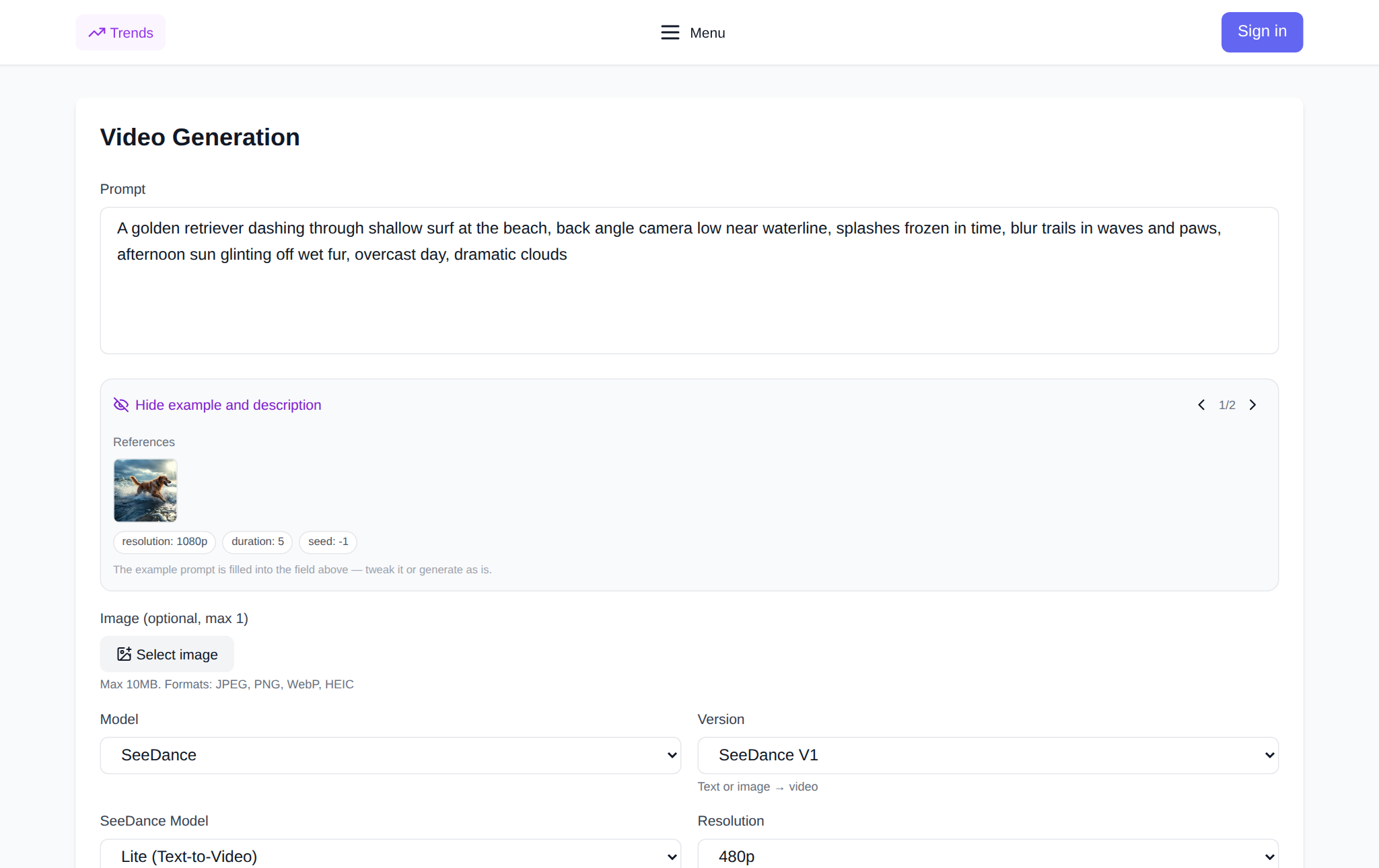
- Open the video generation page and choose a SeeDance model from the top list.
- If it is SeeDance 2.0, set Quality: Fast for drafts, Standard when detail matters.
- Pick a resolution: 720p for social and tests, 1080p for a final big-screen delivery.
- If needed, enable "VIP accelerated generation" — available only outside 1080p.
- Describe the scene in the prompt, set the duration and hit Generate. The token price recalculates instantly and is shown before you run.
With V1.5 Pro the flow is shorter: text or 1–2 references, a 4/8/12-second duration and an audio toggle. If the task is a longer multi-shot video with references, look at Seedance 2.5 rather than V1.5 Pro.
When to pay for "pro" and when Fast is enough
The senior mode and 1080p are justified when the result goes to a client, into an ad or onto a big screen, when face and texture accuracy matter, and when the clip is watched full-size rather than in a phone feed. Fast and 720p win where speed and the number of options matter: prompt tests, hunting for the right angle, a series of short drafts before you have even decided what you are making.
The most common mistake is keeping the expensive mode on every iteration. A sensible process: a few quick Fast runs at low resolution, then 2–3 Standard versions at 720p, and only the chosen final in maximum quality. That way you pay for detail once.
What it costs and how payment works
The formula is the same across the line: you pay tokens for the seconds generated, and the total depends on the model, quality mode, VIP, resolution, duration and references. There is no subscription — only the tokens for a specific generation are charged, and the price is shown before you start, so nothing surprises you after rendering. New users get starter tokens, enough for the first tries and for comparing the modes.
FAQ
Is Seedance Pro a separate model or a mode?
Both. The quality mode is Standard inside SeeDance 2.0 (as opposed to Fast), while SeeDance V1.5 Pro is a separate model with "Pro" in its name that makes short 4/8/12-second clips.
How is Standard different from Fast?
Standard renders longer and costs about 1.5–2 times more but holds fine detail better in close-ups. Fast is quicker and cheaper — best for drafts and exploring options.
What does VIP add?
"VIP accelerated generation" shortens render time and roughly doubles the price in Fast mode. At 1080p there is no accelerated option — the checkbox is not shown.
How much more expensive is 1080p?
Each resolution step roughly doubles the cost per second, and 1080p can be 4–5 times the price of 480p. It is cheaper to draft at 720p and pay for maximum quality once, on the final.