Translation glossaries: lock down terms and names in your videos

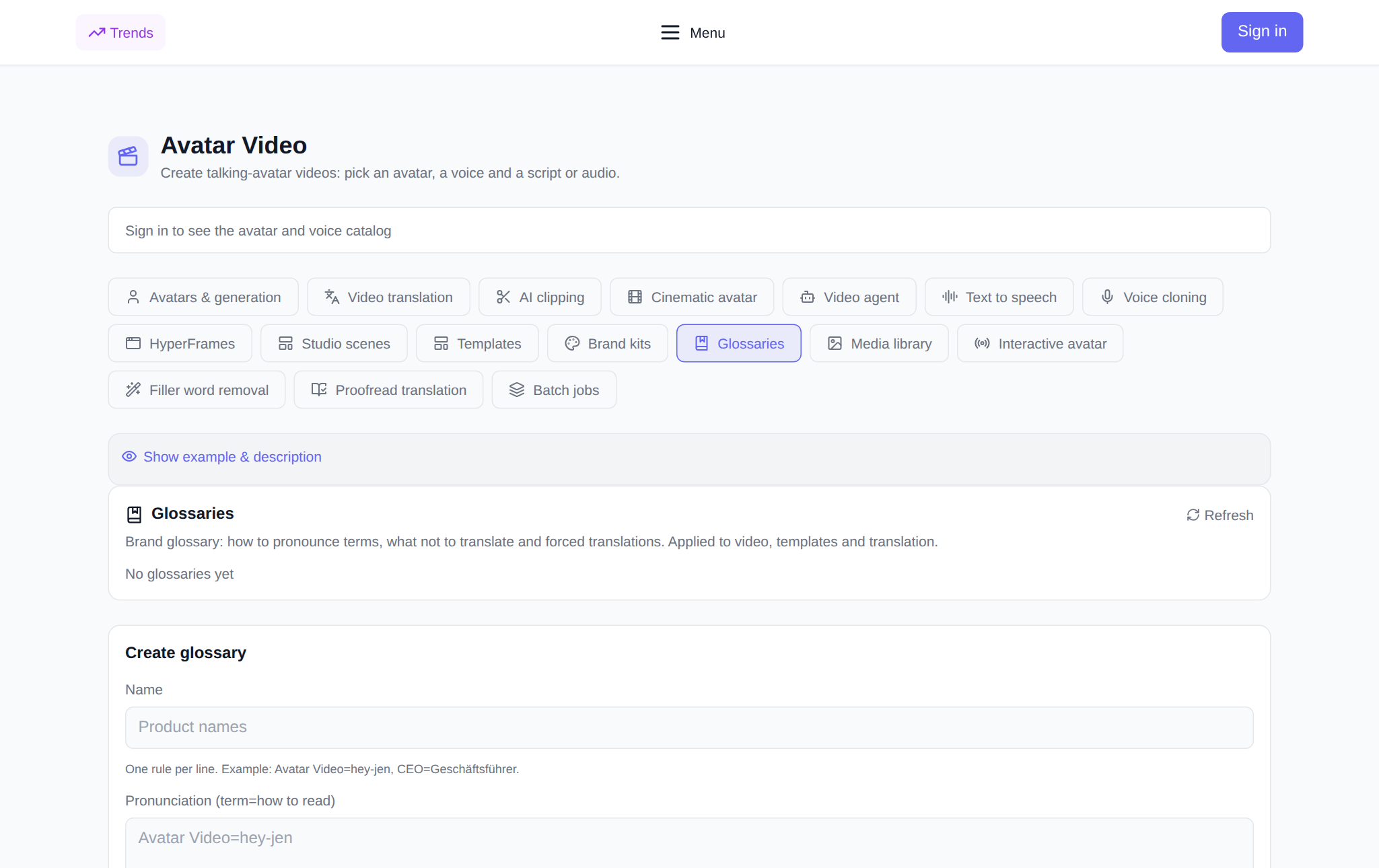
Glossaries is a tab of the Avatar Video section where you pin down how specific words are pronounced and translated: brand names, people's names, abbreviations, industry terms. Without such a list, dubbing easily turns "NeuralSpace" into a string of odd sounds and "CEO" into a random word. A glossary sets three things: how to read a term, what never to translate, and what to translate with one exact word. It then plugs into video generation, templates, the Video agent, video translation and proofreading — and behaves the same in all of them. Below: why you need it, how to build a list in a couple of minutes and what it costs.
Why a glossary matters
Speech synthesis and translation read text by general rules. Latin script in a Russian voice-over comes out however it comes out, a rare proper name too, and an abbreviation may be spelled out letter by letter instead of read as a word. In a video you hear it right away: the brand sounds different from your ads, a client's surname gets the stress on the wrong syllable, and a term in translation is swapped for a synonym your industry never uses. A glossary fixes this once: you add a rule and it applies to every future video, not just one.
Three types of rules
The form has three fields, each with its own job. Rules go one per line, in the "term=value" format.
- Pronunciation (term=how to read). Sets how a word sounds in the voice-over. Example: NeuralSpace=Neural Space, CEO=see-ee-oh. Works for Latin script and for tricky terms alike.
- Do not translate (terms). Words that stay as they are in any language. Product names, trademarks, model codes — anything that must not turn into a translation.
- Forced translation (term=translation). Hard-sets which word a term is translated to. Example: CEO=chief executive officer, dashboard=control panel. Useful when a word has several options and you need exactly one.
All fields are optional: fill in pronunciation only, the do-not-translate list only, or any combination. The glossary name is required — that is how the list is picked in other tabs.
How to create a glossary: step by step
- Open the Glossaries tab in the Avatar Video section.
- In the Create glossary form, enter a name — for example, "Main brand".
- Add rules: one per line, in the "term=value" format. A hint with an example sits under the fields.
- Click Create glossary. The list appears in the block above; a saved glossary can be opened, edited or deleted.
Edits apply to the next generations: a glossary does not re-voice videos that are already done — you need to run them again.
Where the glossary applies
A glossary is attached through the Brand glossary field, which defaults to No glossary. The choice is available in five tools of the section:
- Video translation — dubbing pronounces terms the way you set and leaves untranslated what should stay.
- Translation proofreading — fixes terms in the translated text before it is voiced.
- Video agent — a video from a text description.
- Templates — generation from a ready structure.
- Avatars and generation — regular avatar video generation.
The same list works in all five: set it up once and it is available everywhere.
Example: pinning down a brand name
Say you are making a video about NeuralSpace and want the Russian dub to say "Нейралспейс" while the English version keeps the Latin spelling. In a "Main brand" glossary you add: under Pronunciation — NeuralSpace=Нейралспейс, under Do not translate — NeuralSpace. Then you pick that glossary when translating the video. The Russian version says the name in Russian, the English one keeps it as is, and it never turns into "Neural Space" or "neural space company".
What it costs
Creating, storing, editing and deleting glossaries does not spend tokens — this is configuration, not generation. You pay only for the generation itself: the token price is shown before launch, and if a task fails, the charge is returned automatically. For a translation reference: per the section's billing (verified 27.09.2026) a minute of source video per language costs $0.57 in audio-only mode, $0.81 in Speed with lip sync and $1.50 in Precision. There is no subscription: new users get starting tokens, then you top up the balance with any amount.
What can go wrong
A glossary affects speech and translation only — it does not touch the visuals, editing or avatar choice. Rules are read literally: if a term in the video is spelled differently from the list, the rule will not fire, so add exactly the spellings that appear in the text. And generation itself does not always finish: per the platform's failure log for 16.06–29.09.2026, of 2,813 video failures 2,297 (about 82%) happened at the result-waiting stage rather than at launch — the task started but the finished file never arrived. In such cases tokens are returned and you can run it again.
Pairs well with
- Brand kits — your logo, colors and fonts for the video look.
- Media library — stores uploaded video and audio for reuse.
- Batch tasks — run several generations with one set of settings.
Frequently asked questions
Does a glossary translate the text itself?
No. It does not translate or voice anything — it sets the rules that other tools of the section follow. You pick the glossary in the Brand glossary field when you start a generation or a translation.
How many terms can I add?
There is no hard limit in the interface: rules go line by line and the list can be long. In practice it is handier to keep one glossary per brand or project rather than dumping everything into one.
Does the glossary work for all languages?
Yes. Do not translate and Forced translation apply in any target language, while Pronunciation sets how a word sounds in the voice-over. One list serves the Russian version, the English one and the rest.
Is creating a glossary paid?
No. Creating, storing, editing and deleting glossaries does not spend tokens. Tokens are used only for generation and translation, and their price is shown before launch; there is no subscription, and new users get starting tokens.