Split a Track into Vocals and Instrumental Free

You can now split a track into vocals and instrumental for free right in your browser: the Vocal Separator (free) tool has arrived in the Music section. It splits a song into the voice and a karaoke backing track, runs entirely on your own device and spends no tokens.
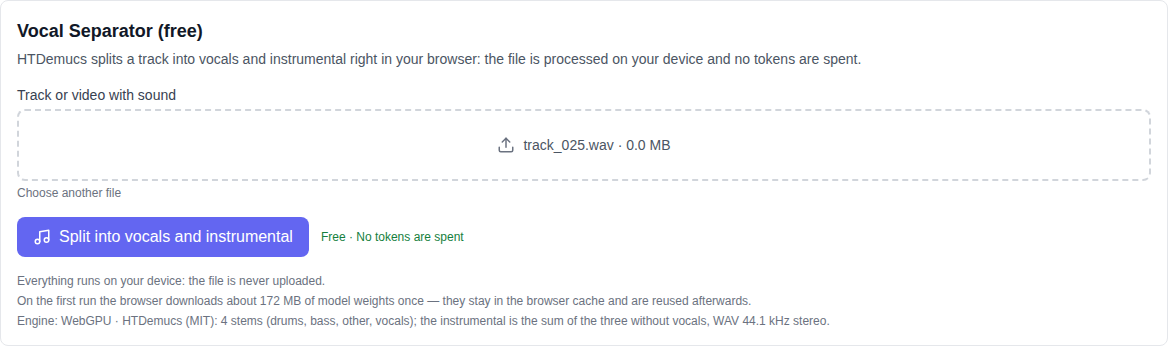
Why it is free
Regular stem splitters process your file on their own servers and charge money or tokens for it. Here the model is loaded into the browser and runs on your computer: the server only serves the tool's code and the model weights, so it has nothing to compute. No tokens are charged and the number of runs is unlimited.
Privacy comes for free too: your track never leaves your computer. That matters when you split personal recordings, work materials or someone else's music.
How to split a track into vocals and instrumental: step by step
- Open the Music section and pick Vocal Separator (free) in the model list — it sits at the very bottom, next to the other free tools.
- Upload a track: click the picker or drop the file right into it. A video file works too — the tool takes the sound out of it.
- Press "Split into vocals and instrumental" and wait for it to finish. The progress bar shows where it is.
- Listen to both tracks right on the page and download them as WAV files.
What the tool can do
- Vocals on their own. The voice is separated into its own track you can listen to and download.
- A karaoke backing track. The instrumental is built from every other part: drums, bass and the rest, with no voice.
- A track or a video with sound. MP3, WAV, M4A, OGG, FLAC and video files all work.
- WAV downloads. Both tracks are saved as files straight from the browser.
- Processing progress. You can see which part of the track has been split already.
What the tool does not do
Honestly about the limits: the output is two tracks — vocals and instrumental. Separate drum, bass and "other" parts are not shown in the interface, even though the model computes exactly those internally and the instrumental is their sum. Quality depends on the recording itself: if the voice and the music are tightly glued in the mix, the split will be clean but not perfect — that is a limit of the method, not a paid feature.
Which files work
Audio: MP3, WAV, M4A, OGG, FLAC and other common formats. Video: MP4, MOV, WebM and more — the tool takes the audio track out of them. For fast work you need a recent Chrome, Edge or Safari: with WebGPU support the split is noticeably faster, without it the model falls back to a slower CPU mode.
What to know before the first run
- First run. The browser downloads the model weights once (about 172 MB) and caches them — later runs start immediately.
- Time. The split runs in chunks, so a long track takes longer than a short one.
- Memory. Everything runs on your device, so on a weaker computer pick a shorter track.
Who it is for
The tool helps when you need a backing track for karaoke, when you want to hear the voice on its own, to build a remix or a sample, or to practise singing over the instrumental. The tool has its own page — Vocal Separator (free) — and other free tools sit right next to it in the Music section.
Frequently asked questions
Is it really free? Yes. No tokens are charged for this tool and it has no paid API — your computer does the work.
Is my file uploaded? No. The track never leaves your device; only the tool's code and the model weights come from the server.
Can I get drums and bass separately? No. The output is two tracks — vocals and instrumental; separate parts are not shown in the interface.
Why is the first run slow? The browser downloads the model weights once and caches them. After that the split starts immediately.