Gemini Omni 1.2 Flash — video with audio up to 15 seconds
The Video section of NeuralSpace has a new version of Google's multimodal video model — Gemini Omni 1.2 Flash. A clip is assembled from a text prompt and up to seven image references, the duration is set to any second between 3 and 15, quality runs from 360p drafts to 4K, and the audio is written together with the video. The model is available on its page /video/gemini-omni-1-2-flash and works in the public API and MCP.
What is new in 1.2 Flash
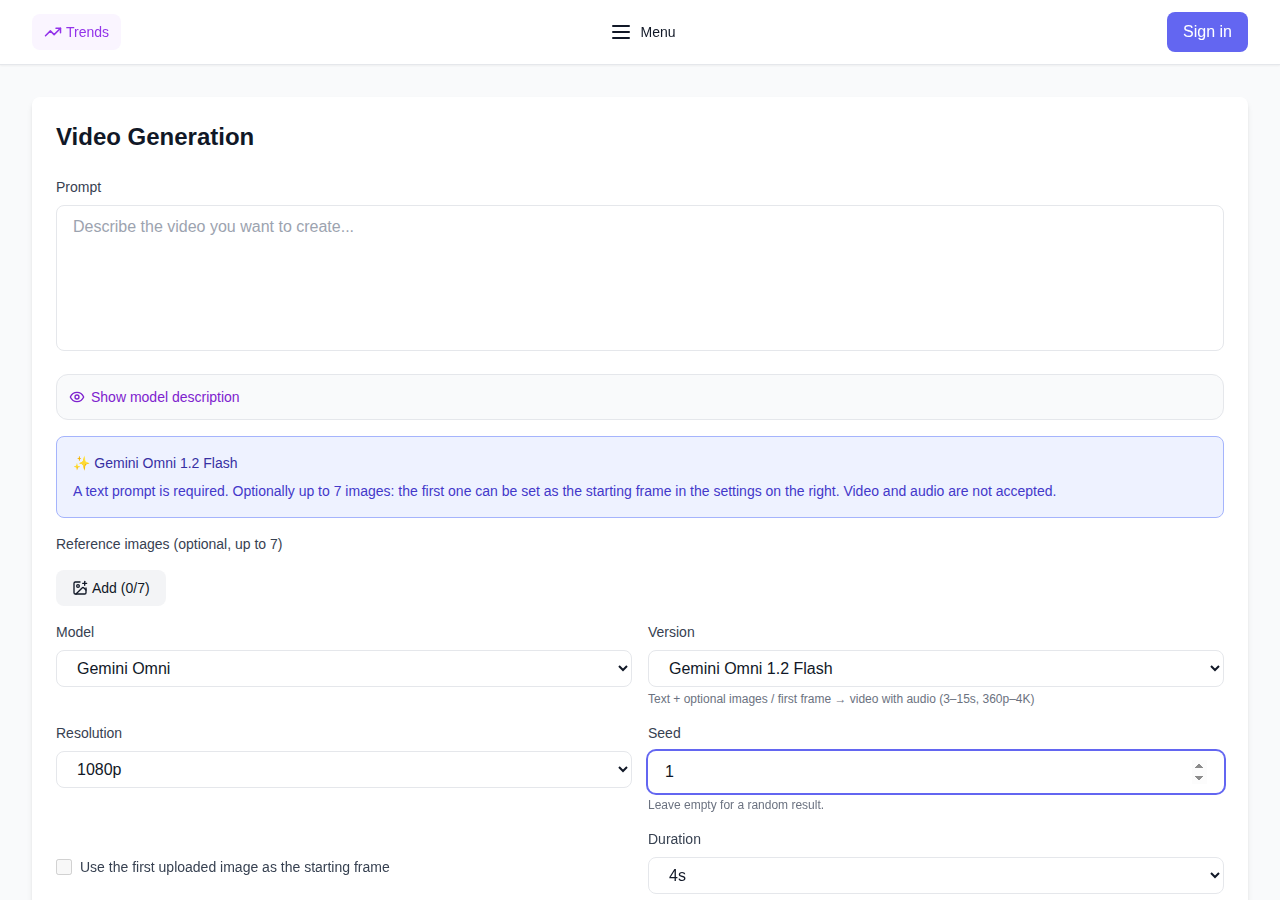
Three changes compared to version 1.1 Flash. First, duration: a clip can run up to 15 seconds instead of 8–10. Second, the duration grid: the value is picked as any single second between 3 and 15, so the running time fits the task instead of a four-step template. Third, the first uploaded image can be assigned as the starting frame with a checkbox in the settings, while the rest serve as style hints.
Images: references and the start frame
A request accepts up to seven images. By default each works as a reference: the model reads style, palette and scene composition from them. The "first image as start frame" checkbox turns the first file into the literal first frame of the clip: the motion begins from your picture, and the rest of the scene is described in words.
Video and audio inputs, preset voices and saved characters are not available in 1.2 Flash: this is a "text plus images" mode. If a scene needs voices, characters or a video reference, the neighboring Gemini Omni versions in the same model list provide them.
3–15 second duration and per-second pricing
The duration is picked as an exact number of seconds: need 5 seconds for a story — take 5, need 12 for a dialogue scene — take 12. The frame is cut to the task, not to a four-step ruler.
Pricing is per second: the longer the clip and the higher the resolution, the larger the total. 360p drafts are notably cheaper than final 1080p and 4K, so the practical route is the same as before — try the composition at 360p, then shoot the same prompt with the same seed in high resolution. Billing is in tokens: the exact price is shown before the run and stays frozen after you press the button, and tokens are refunded automatically if the generation fails. Current prices are on the model page and in the API section.
Audio, seed and repeating a good take
Audio is generated together with the video: the model picks the scene's soundtrack itself, no separate track upload is needed. The seed field fixes the random component — the same prompt with the same seed repeats the take's composition, only the detail level changes between resolutions.
The generation history is shared with the other Gemini Omni versions: 1.2 Flash clips live in the same feed, and any good take can be published as a trend or opened in the editor.
How to try it
- Open the Video section and pick Gemini Omni 1.2 Flash (model page: /video/gemini-omni-1-2-flash).
- Enter a scene description and, if you like, upload up to 7 image references; tick the first one as the start frame.
- Choose the 3–15 second duration, the 360p/720p/1080p/4K resolution and the 16:9 or 9:16 aspect ratio; set a seed if needed.
- For your own apps the
gemini-omni-1-2-flashmodel is available in the public API (POST /v1/videos/generations) and via MCP — the generate_video tool. Get a key on the API page.
When to pick 1.2 Flash
Pick 1.2 Flash when a clip should run longer than ten seconds or the timing has to be exact to the second. 1.1 Flash stays the choice where voices, characters and video input are needed — 1.2 has none of those, but its duration grid is finer and 360p drafts are cheaper.
FAQ
What is Gemini Omni 1.2 Flash? A new version of Google's multimodal video model: 3–15 second clips with any second count, with audio, 360p–4K, up to 7 image references and a start frame.
Is there audio in the video? Yes, the sound is generated together with the clip; no separate track is needed.
How much does a generation cost? Per-second billing that depends on the resolution; the price is shown before the run and frozen, tokens are refunded on failure.
How is 1.2 different from 1.1 Flash? Longer clips (up to 15 seconds), an exact per-second duration grid and 360p drafts; voices, characters and video input stayed with the neighboring versions.