PBR Material From Photo Free — Maps in Your Browser
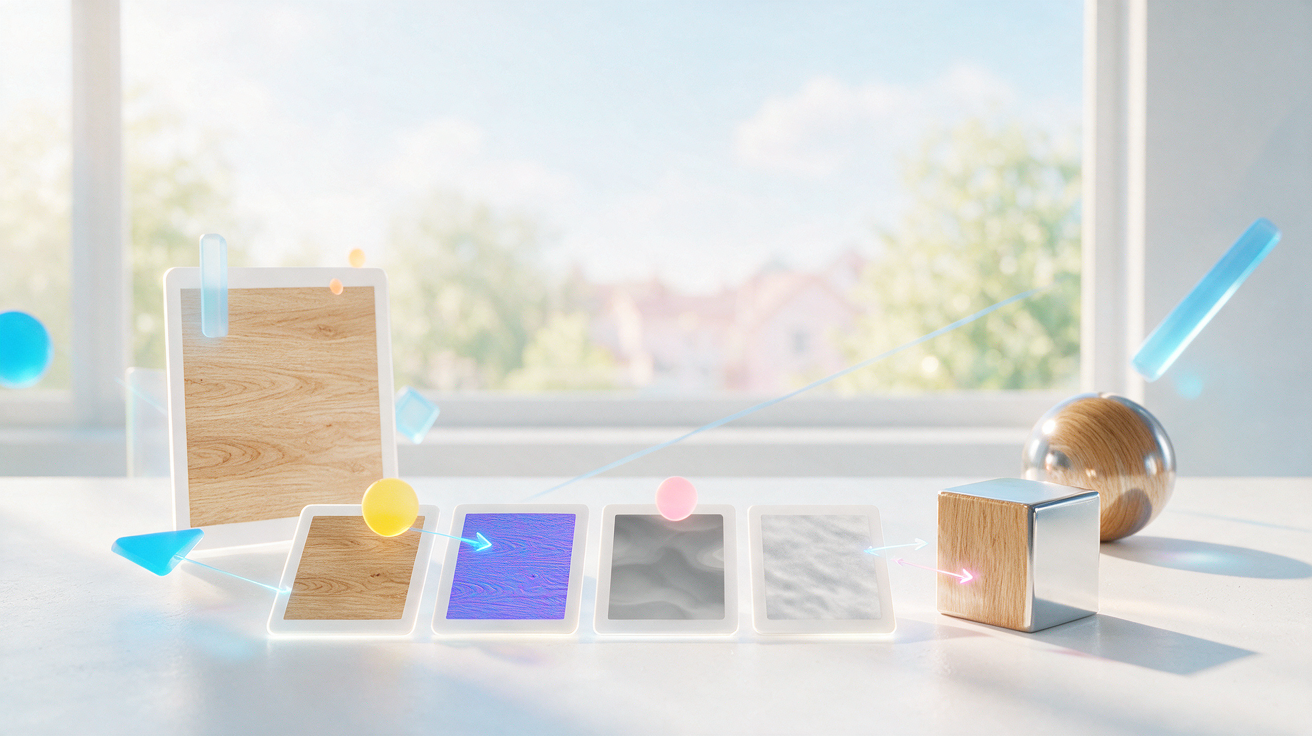
You can now build a PBR material from a photo for free right in your browser: the Image → PBR Material (free) tool has arrived in the Images section. It turns an ordinary photo into a set of maps for a 3D material, shows the result on a plane, sphere or cube and spends no tokens.
Why it is free
Usually the maps for a PBR material are drawn by hand in a 3D editor or generated on a paid service's server. Here the depth model is loaded into the browser and runs on your computer, and the other maps are derived from it and from the photo itself. The server only serves the tool's code and the model weights — it has nothing to compute, so no tokens are charged and the number of runs is unlimited.
Privacy comes for free too: your photo never leaves your computer. That matters when you build a material from personal shots, work textures or client files.
How to make a PBR material from a photo: step by step
- Open the Images section and pick Image → PBR Material (free) in the model list — it sits at the very bottom, next to the other free tools.
- Upload a photo: click the picker or drop the file right into it.
- Choose the map resolution — 512, 1024 or 2048 pixels on the long side; turn on the seamless mode and lighting correction if you need them.
- Tune the strength of the relief, ambient occlusion, roughness and metallic sliders — the defaults already look like a material.
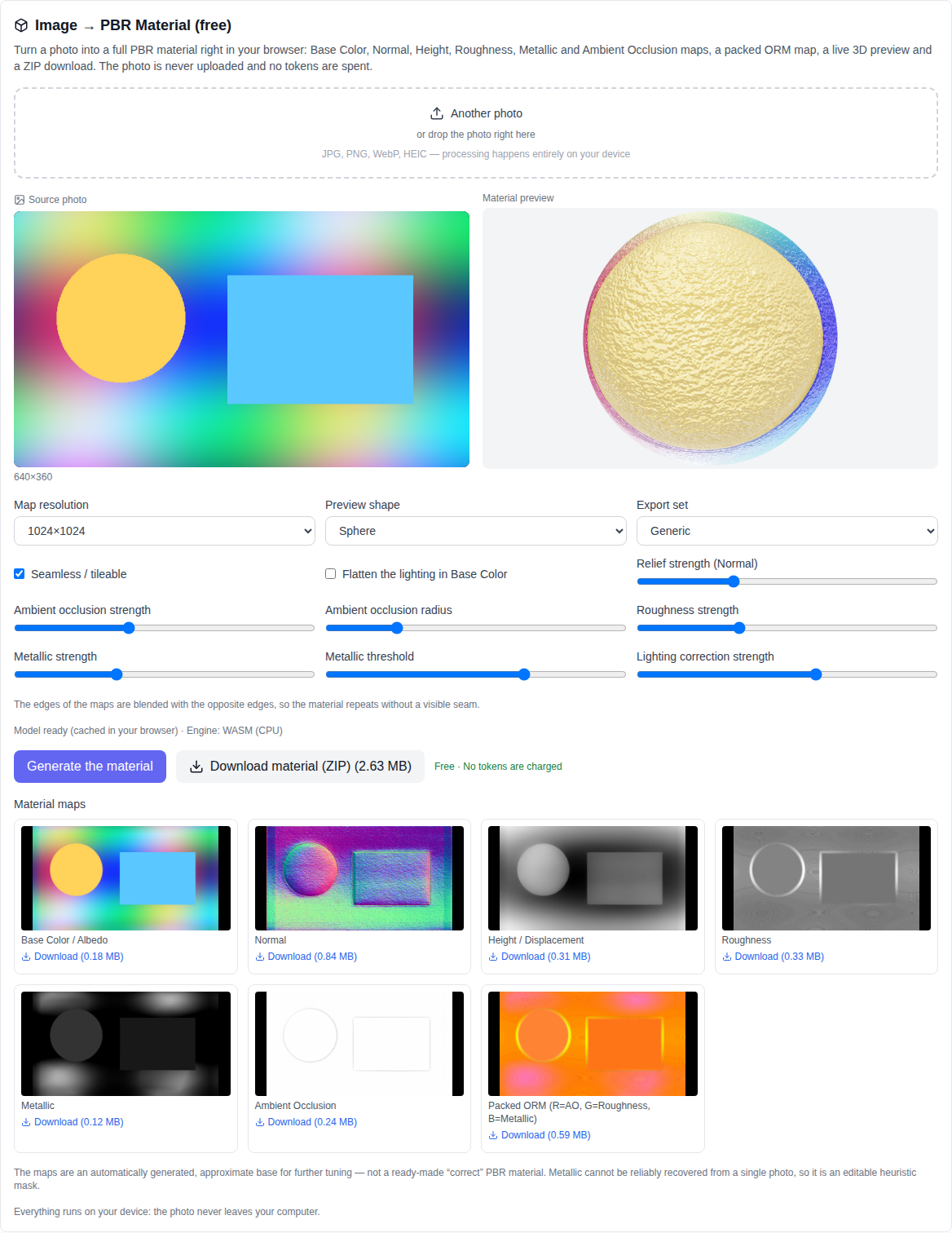
- Press "Generate the material" and wait for it to finish. The maps appear as previews, and the material can be viewed in 3D.
- Download any map as a separate PNG, or take the whole set as a single ZIP archive with the file names of the chosen engine.
Which maps you get
- Base Color / Albedo — surface colour without lighting.
- Normal — micro-relief that makes light read small bumps.
- Height / Displacement — surface height.
- Roughness — how matte or glossy the surface is.
- Metallic — metal or dielectric.
- Ambient Occlusion — local darkening in the crevices.
- Packed ORM — a packed map: Ambient Occlusion in the red channel, Roughness in green, Metallic in blue. Unreal Engine and glTF understand it directly.
Everything runs on your device
The photo is never uploaded: the depth map is computed by the Depth Anything V2 Small model through ONNX Runtime Web (WebGPU, with a CPU fallback), and Normal, Ambient Occlusion, Roughness and Metallic are derived from it and from the photo right in your browser. There is no paid API, no tokens are charged, and there is no "text → material" mode either — the tool works with a photo only.
Seamless material and 3D preview
The "Seamless / tileable" mode blends the edges of the maps with the opposite edges, so the material can be repeated across a surface without a visible seam — exactly what floors, walls, fabrics and other large planes need. The live 3D preview shows the finished material on a plane, sphere or cube: rotate the model with the mouse and see how the relief, roughness and metalness look under different lighting.
Export for Unreal Engine, Blender, Unity and glTF
Every map can be downloaded as a separate PNG, or the whole material can be taken as a single ZIP archive. The file naming set is chosen for the engine: generic, Unreal Engine, Unity, Blender or glTF — so the files are picked up by the importer without renaming.
What the tool does not do
Honestly about the limits: the maps are an automatically generated, approximate base for further tuning — not a ready-made "correct" PBR material. Metalness cannot be reliably recovered from a single photo, so Metallic is an editable heuristic mask. There are no separate Emissive (glow) or Opacity (transparency) maps: they cannot be reliably recovered from an ordinary photo. Shadows and reflections already baked into the shot are not removed — the tool only evens out large lighting swings in Base Color if you turn that option on.
Which photos work
JPG, PNG, WebP, HEIC and other common formats. Evenly lit textures give the best result: wood, stone, metal, fabric, wall, leather. If the photo was shot under harsh light, turn on lighting correction and tune its strength with the slider.
Who it is for
The tool helps 3D artists, game designers and interior designers: from a photo of wood, metal or fabric you can quickly get a set of maps for a material and refine it in your editor, instead of drawing the maps by hand from scratch. If you also need to estimate depth or remove a background from a photo, the Video section has the depth map and background remover — they run right in the browser too.
Frequently asked questions
Is it really free? Yes. No tokens are charged for this tool and it has no paid API — your computer does the work.
Is my photo uploaded? No. The source photo and all the maps stay on your device; only the tool's code and the depth model weights come from the server.
Is this a ready-made PBR material? No. It is an automatically generated, approximate base: Metallic is an editable heuristic, and the maps are worth tuning for your material.
Are there Emissive and Opacity maps? No. They cannot be reliably recovered from an ordinary photo, so the tool does not generate them.
Can I describe a material with text? No. The "text → material" mode is not supported — the tool works with a photo only.
Why is the first run slower? The browser downloads the depth model weights once and caches them — later runs start immediately.