GPT Image 2.6: OpenAI’s new image model is in NeuralSpace
NeuralSpace now has OpenAI’s newest image model — GPT Image 2.6, the successor to ChatGPT Images 2.5. It both draws from a description and edits your images. The model is available in the Images section, on its own model page /genimages/gpt-image-26, and works in the public API and MCP.
Three variants for three jobs
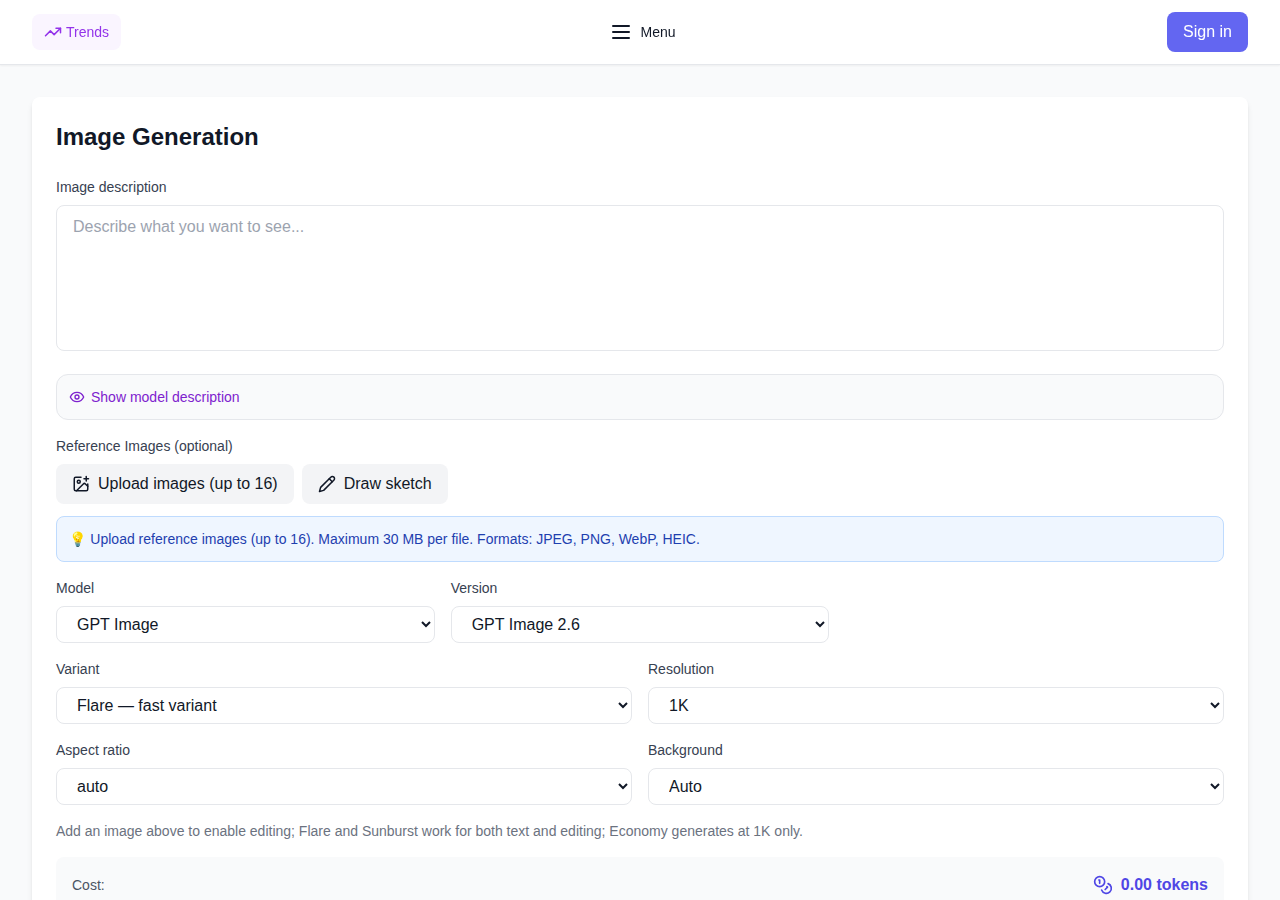
- Flare — the fast variant: images arrive sooner and the layout of the frame is neater — mock-ups, covers, sketches.
- Sunburst — the quality variant: finer detail and more consistent edits when every element matters.
- Economy — the cheapest generation option when you need many images and quality is not critical (works at 1K).
Resolutions, format and background
The model outputs 1K, 2K and 4K images and understands 15 aspect ratios — from square 1:1 to widescreen 21:9 and vertical 9:21. Output formats: PNG, JPEG, WEBP and GIF. Economy keeps the same aspect ratio choices and always renders at 1K.
The background can be transparent: transparent, opaque and auto modes are available at 1K — handy for logos, stickers and collages.
Editing with your own images
Like the rest of the family, GPT Image 2.6 edits your images: upload up to 16 reference files (PNG, JPEG, WEBP, up to 30 MB each) and the model will apply the changes while keeping the style of the source. Flare and Sunburst work as both a text generator and an editor; Economy is text-to-image at 1K.
Pricing
On the site generation is billed in tokens: the exact price is shown before the run and stays frozen — it does not change after you press the button. The cheapest bulk option is the Economy variant. Current user prices are on the model page and in the API section. Tokens are charged only for successful generations.
How to try it
- Open the Images section and pick GPT Image 2.6 (model page: /genimages/gpt-image-26).
- Choose the Flare/Sunburst/Economy variant, resolution and aspect ratio; at 1K you can enable a transparent background.
- To edit, upload your images as references and describe the changes in the prompt.
- For your own apps use the public API: model
gpt-image-26accepts variant, resolution, aspect_ratio and background, and via MCP the model is available to AI agents. Get a key on the API page.
When to pick GPT Image 2.6
Use it as the default model for a new level of image quality: Flare when speed and tidy layout matter, Sunburst when you need the finest detail and predictable edits, Economy when you count images in dozens. For the cheapest bulk work Nano Banana 2 and Seedream 5 remain nearby, and free in-browser generation is available on FLUX.2 Klein.
FAQ
What is GPT Image 2.6? OpenAI’s newest image generation and editing model, the successor to ChatGPT Images 2.5. In NeuralSpace it lives in the Images section, the public API and MCP.
How is Flare different from Sunburst? Flare is faster and handles layout well; Sunburst renders finer detail and edits images more consistently. Economy is the cheapest variant, 1K only.
Can I edit my own photos? Yes: up to 16 reference images (up to 30 MB each), the model applies the changes and keeps the style.
How much does it cost? Tokens, with the price shown and frozen before the run; charged only on success. The budget option is Economy at 1K.