GPT-6.1 Terra Pro: reasoning for hard problems

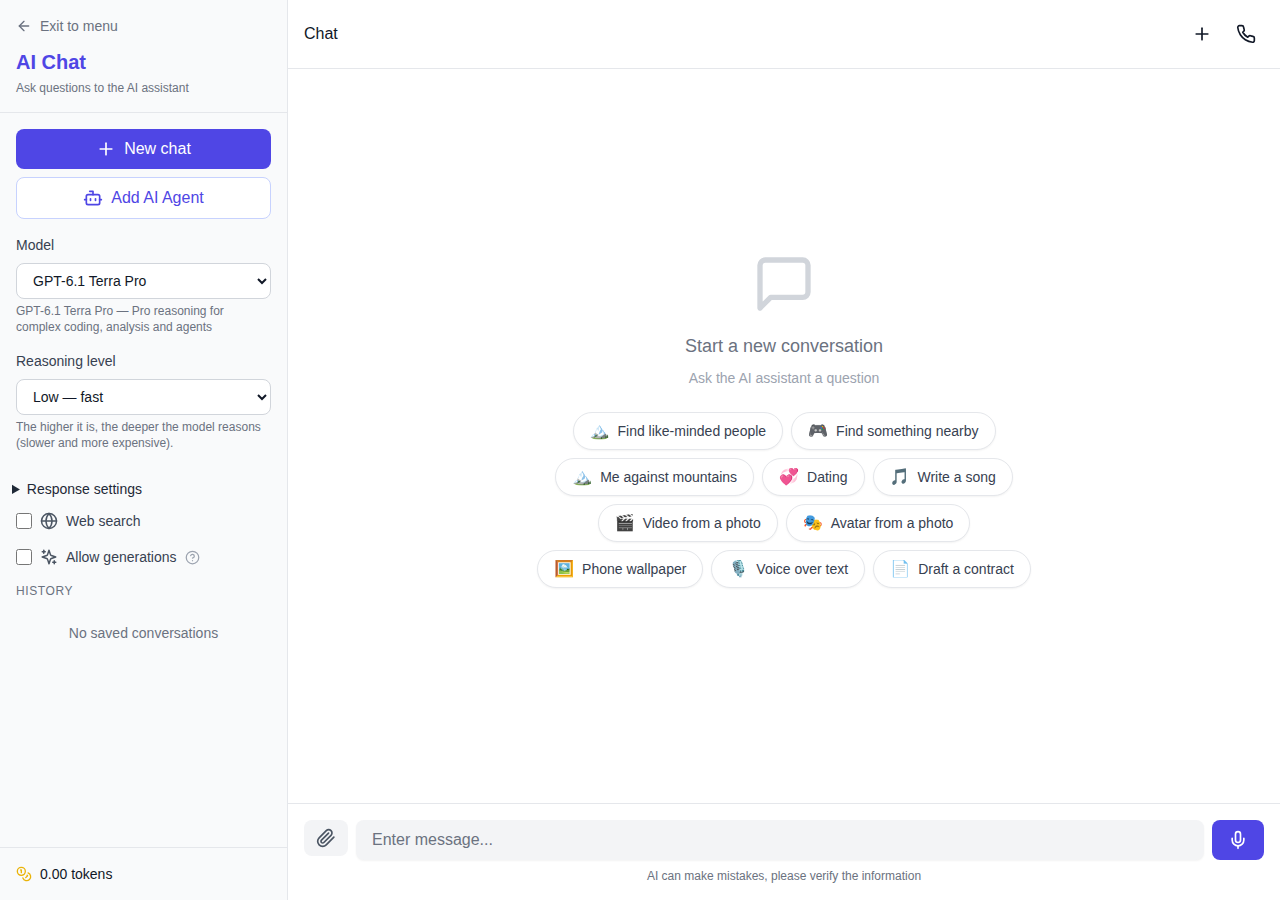
GPT-6.1 Terra Pro is now available in NeuralSpace chat. Pro is a mode of the same underlying GPT-6.1 Terra model, rather than a separate generation. It spends more compute on reasoning through a difficult request. That can help with complex tasks, but it usually takes longer and consumes more output tokens. You can also select it in Code or use it through the public API.
What “Pro” changes
The name may sound like a new model with a separate knowledge base. The provider catalog describes it differently: GPT-6.1 Terra Pro uses the same underlying Terra model, served in Pro reasoning mode. Pick it for the shape of your task. Regular Terra is a sensible starting point for everyday questions, drafts and quick edits. Pro fits work where the answer must reconcile many conditions or trace a problem through several steps.
Imagine a long specification, a set of source files and a list of failures after an update. You can ask the model to locate conflicts between implementation and requirements, then propose an order of fixes. Or give it a contract with several appendices and ask for contradictory dates and obligations. These are ways to use the mode, not promises of a correct result. Check the answer against the source material, especially when a decision matters.
What you can use in NeuralSpace
The model handles text, and its catalog lists image and file input; its output is text. Chat has a web search switch for questions that need current pages. The reasoning selector offers five levels: low, medium, high, xhigh and max. There is no “off” setting for Pro. Raising the effort can increase both response time and token use.
For a project, open Code and choose Terra Pro from the model list. The agent can inspect files, make edits and show what changed. Developers can access the model through the public API and MCP. NeuralSpace uses the ID gpt-6-1-terra-pro; the provider ID is openai/gpt-6.1-terra-pro. They name the same mode in different interfaces.
Context and cost on long requests
The context window reaches 1,050,000 tokens, with a maximum output of 128,000 tokens. This gives you room for lengthy material, although a large window does not guarantee a flawless reading of every line. Ask a precise question and request references to the relevant passages when you need to check the result.
Billing follows the input and output tokens actually used. A higher rate applies when an input exceeds 272,000 tokens; Pro may also spend substantially more reasoning tokens than regular Terra. So a similar looking prompt can take longer and cost more. Check the current user rates for standard and long context on the public API pricing page before a large run. NeuralSpace updates those rates with the provider price and exchange rate. Chat requires a minimum balance of 7 tokens to start.
A practical first try
Start with a task whose result you can verify: “Find contradictions between these requirements and the implementation plan. For each one, point to the source passage.” You do not have to choose maximum reasoning at once. Try low or medium, inspect what it missed, then raise the level if it failed to connect distant parts of the material. Comparing those answers tells you whether the extra time and cost help with your own task.