GPT-6.1 Sol Pro: flagship reasoning model is live

The NeuralSpace model catalog has expanded with a new flagship — GPT-6.1 Sol Pro. It is now live in the chat, the Code section and the public API: this is the Pro reasoning mode engineered for peak analytical depth, complex software engineering, and multi-step agent workflows.
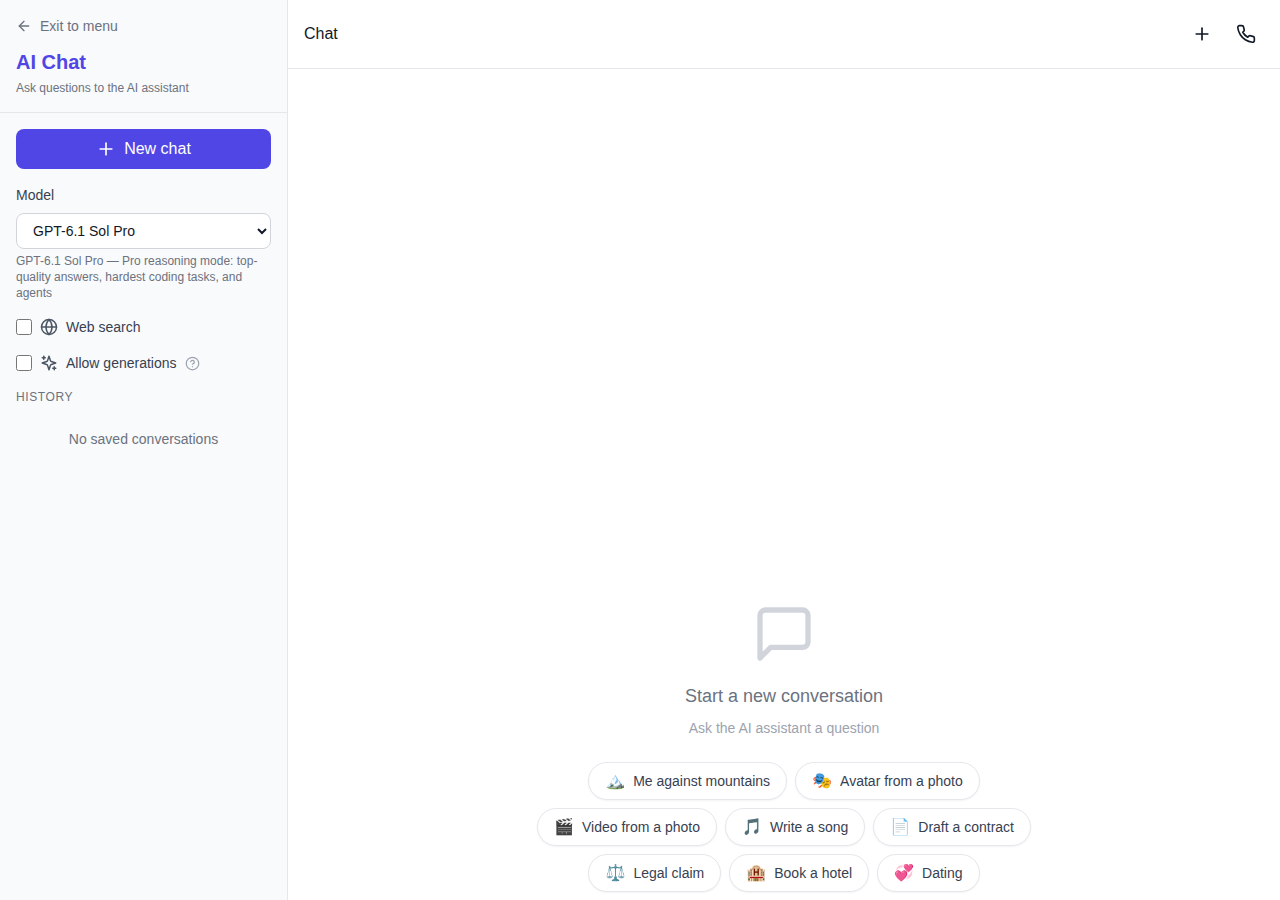
What GPT-6.1 Sol Pro delivers
- Flagship Pro reasoning mode. The model takes dedicated reasoning time to evaluate nuances, build rigorous logical paths, and solve complex, non-trivial challenges without skipping steps.
- Demanding code and autonomous agents. In the Code section, the model inspects entire codebases, plans changes across multiple interdependent files, and methodically executes edits.
- 1,050,000 token context window. Over a million tokens of context allow you to feed extensive code repositories, complete technical manuals, and carry on sustained project dialogues.
- Real-time web search and multimodality. Features real-time web browsing to retrieve up-to-date facts, along with native support for document and image analysis.
Comparing GPT-6.1 Sol and GPT-6.1 Sol Pro
The Sol generation now offers two purpose-built options for different workloads:
- GPT-6.1 Sol — a balanced, fast model in the upgraded Sol family. Ideal for daily engineering, quick refactoring, content analysis, and prompt responses.
- GPT-6.1 Sol Pro — the flagship powerhouse. Choose Pro when you need maximal reasoning power: architectural system design, resolving elusive bugs across microservices, and end-to-end agentic workflows.
How to get started
- Open the chat and select GPT-6.1 Sol Pro from the model selector — direct access is available at /chat/gpt-6-1-sol-pro.
- Submit your prompt or upload project files: the model supports comprehensive evaluations, documents, images, and live web research.
- For multi-file development and project management, head over to the Code workspace.
Token usage is billed strictly on demand with no forced subscription — the minimum balance threshold is displayed prior to launching your task.
Frequently asked questions
How does Pro mode differ from standard Sol? Pro mode is tailored for highest-tier complexity: it provides greater reasoning depth, tighter logical verification, and handles intricate programming tasks.
Is GPT-6.1 Sol Pro accessible via API? Yes, GPT-6.1 Sol Pro is available via the public NeuralSpace API and MCP protocol — see endpoint specifications and guides on the API Keys page.
What is the maximum context length? The context window spans 1,050,000 tokens, comfortably holding entire projects and extensive conversational history.