Grok Voice 3 — Real-Time AI Voice Chat

Talking to an AI out loud is the most natural way to use one: you ask, it answers in voice, you interrupt, you clarify. NeuralSpace now runs Grok Voice 3 by xAI for exactly this — the model listens and replies in voice within a single stream, without the "transcribe, think, synthesize" detour. Voice calls live right in the chat at neuralspace.pro/en/chat, and developers get the same voice over a WebSocket API.
Why does this matter in practice? While a model "thinks in text", you wait for a typed paragraph and read it off the screen. Grok Voice 3 answers with its voice straight away: replies are short, pauses feel natural, and the whole flow resembles a phone call rather than a messenger thread. You can interrupt at any moment — the model stops and picks the thread back up from your new sentence.
What Grok Voice 3 does
The model works speech-to-speech: your voice becomes a voice answer in one step. Three things stand out within the first minute of a call:
- Live reaction. The answer starts almost immediately — no waiting for a full text and a separate voiceover.
- Interruptions. Talk over the answer and the model stops to listen. The conversation sounds human, not like two dictaphones taking turns.
- Call context. The model remembers what you discussed during the call — you can clarify and circle back.
Five voices are available: Eve, Ara, Rex, Sal and Leo. You pick the voice before the call; the conversation language follows the one you speak.
How to call the AI
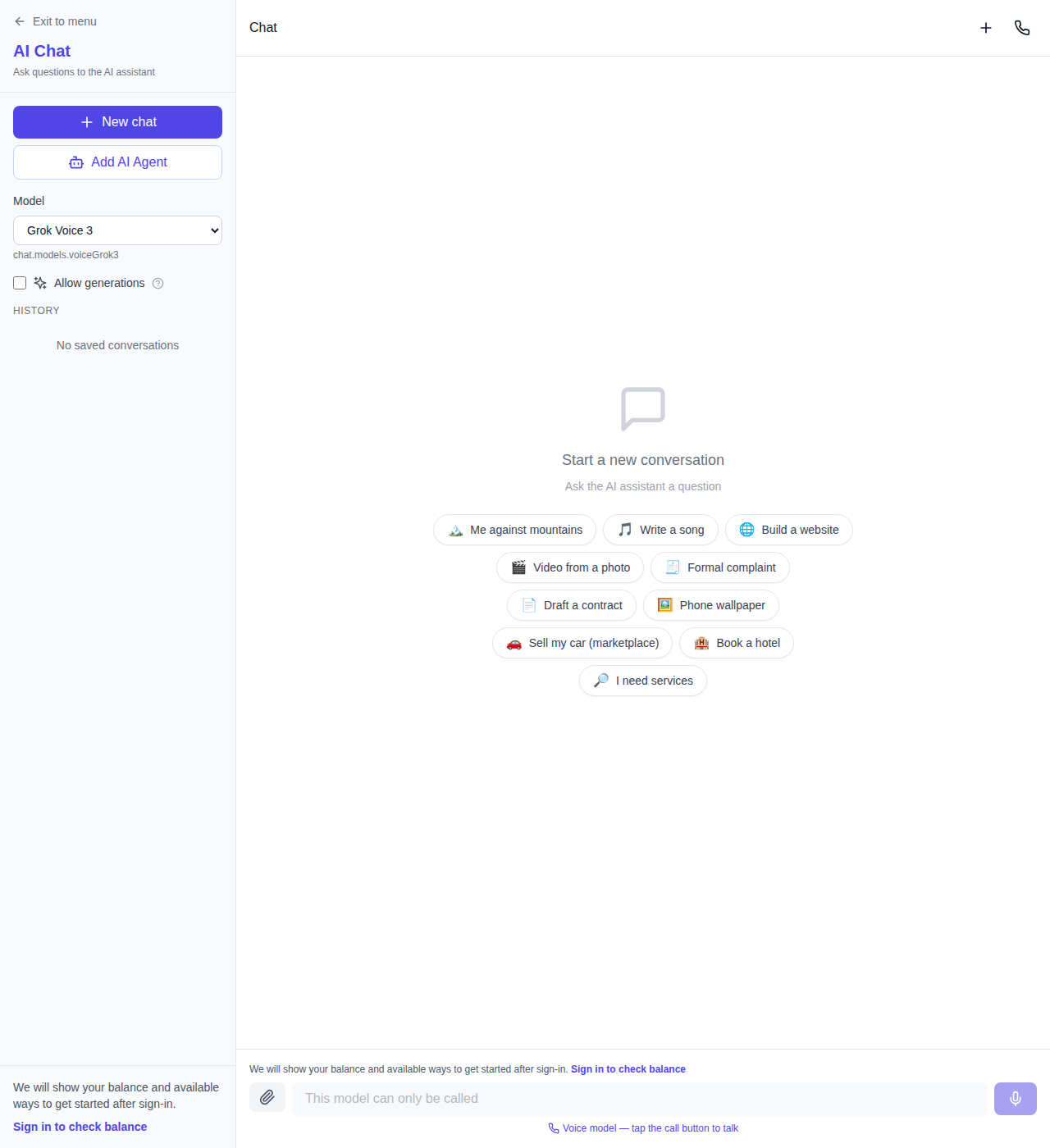
The flow is simple. Open the NeuralSpace chat and pick Grok Voice 3 in the model list — voice models sit next to the text ones and are marked "call only". Then press the call button next to the input field: the browser asks for microphone access, and the conversation starts right after. Speak as if on the phone — nothing to type. Transcripts of both sides appear in the chat feed, so a readable trace of the call stays in your history.
The same voice mode powers the site assistant: the voice orb on NeuralSpace pages talks out loud and, mid-conversation, can open the right sections and start generations when you ask.
Voice API over WebSocket
For developers, the same voice is available through the public API. The connection is a plain WebSocket with your nsk- key:
const ws = new WebSocket(
  "wss://neuralspace.pro/v1/realtime?model=grok-voice-3.0&lang=en",
  { headers: { Authorization: "Bearer nsk-your_key" } }
);
The session is bidirectional: audio streams both ways, and one call is limited to 120 minutes. If your script still sends the older identifiers grok-voice-2.0 or grok-voice-think-fast-2.0, they automatically route to Grok Voice 3 as of November 5, 2026 — nothing to rewrite, though pinning the new grok-voice-3.0 is the cleaner choice. The full model list and current prices live on the API documentation page.
What a conversation costs
Billing follows actual usage: seconds of incoming and outgoing audio are counted and charged in tokens at the live exchange rate. Silence on the line is not billed, so a short question costs a fraction of a token pack. The exact amount of every session shows up in your balance history, and the voice assistant starts with a two-minute free trial window.
Honest downsides
A voice call is not a replacement for text chat on heavy tasks. Long technical answers with code are easier to read than to listen to, so for programming and long documents text models remain the better pick. Background noise and a distant microphone make recognition harder — in a loud room the model may ask you to repeat. And a call needs microphone access: without the browser permission the page simply cannot start one.
FAQ
How is Grok Voice 3 different from a text chat with voiceover? In the classic pipeline the model writes an answer first and a separate engine reads it aloud — every reply pays that extra wait. Grok Voice 3 answers in voice directly, so the exchange runs at the pace of a live conversation.
Which language does it speak? The one you speak. The interface language is set by the connection parameter, and the model adapts to your speech during the call.
What happens to old API calls to grok-voice-think-fast-2.0? Since November 5, 2026 they are served by Grok Voice 3 automatically — nothing to change on the NeuralSpace side, though new projects should use grok-voice-3.0 from the start.
Can I interrupt the model mid-sentence? Yes. Start talking and the model goes silent, listens, then answers with your new question in mind.
How to try it
- Open the NeuralSpace chat and select Grok Voice 3 in the model list.
- Press the call button and allow microphone access.
- Talk for a couple of minutes: interrupt the model, ask a follow-up, switch topics. The transcript stays in your chat history.