AI Video and Image Restore Online Free: Denoise and Deblur

Free AI video and image restore is now available right in your browser: in the Video section you will find the AI Video/Image Restore (free) tool. It cleans up grain, blur and compression artifacts on both photos and video footage. Your files are never uploaded to a server, and zero tokens are spent.
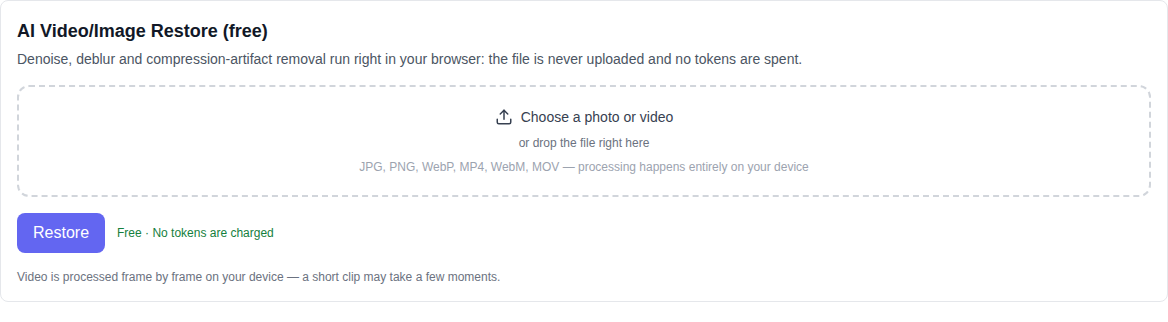
What issues the tool fixes
The tool is designed for quick clean-up of common recording and compression imperfections. Four specialized modes are available:
- Denoise — a bilateral filter smooths out digital sensor noise and low-light grain while keeping essential contours sharp.
- Deblur (sharpen) — restores edge contrast and compensates for slight defocus or motion softness.
- Compression artifact removal — suppresses JPEG blockiness and heavy video compression artifacts along block boundaries.
- Auto Restore — a balanced combination of local filters for comprehensive single-click visual enhancement.
The impact intensity is easily adjusted using the Strength slider, ranging from subtle refinement to deep restoration.
How to restore video or photos: step by step
- Open the Video section and select AI Video/Image Restore (free) in the model list — it is located at the bottom of the list.
- Upload your media: click the upload zone or drag and drop your file. Videos (MP4, WebM, MOV) and images (JPG, PNG, WebP, HEIC) are fully supported.
- Choose your preferred processing mode (Auto Restore, Denoise, Deblur or Artifact removal) and set the strength slider.
- Click "Restore". The progress indicator shows the frame processing status and remaining time.
- Inspect the result in the interactive preview window and download your restored media (PNG for images or MP4/WebM for video).
Audio preservation and frame rate accuracy
When handling video clips, the tool extracts the precise frame rate from the container rather than estimating it from total duration. Video re-encoding is powered by WebCodecs: playback speed, duration, and original audio tracks remain perfectly intact. Frame filtering is deterministic, ensuring consecutive frames do not flicker or jump.
Everything runs locally on your device
Your media is never sent to an external server: decoding, filter computation, and encoding occur entirely inside your browser. Calculations run on your GPU via WebGL (or fallback to CPU 2D Canvas if hardware acceleration is unavailable). The tool has no paid API, uses zero account credits, and places no cap on usage count. This ensures complete privacy for personal archives and sensitive projects.
What the tool does not do
It is important to understand the technical boundaries. The tool uses mathematical image-processing filters to restore existing data rather than hallucinating fictitious textures. It does not invent faces or details that were absent from the original shot. It does not upscale resolution (use the AI upscaler for that), does not remove backgrounds (for that, see background remover), does not create depth maps, and does not slow down motion (for that, use frame interpolation).
Recommended browser
Modern builds of Chrome and Edge are recommended for smooth hardware acceleration with WebCodecs and WebGL. If your browser lacks required media features, the application will provide a clear compatibility notice.
Frequently asked questions
Is this genuinely free? Yes. No tokens are charged, and processing relies strictly on your own hardware resources.
Are my files uploaded anywhere? No. Neither videos nor photos ever leave your browser environment.
Does it hallucinate missing elements? No. It sharpens edges, eliminates noise, and removes compression blocks without generating unrecorded content.
What file formats are produced? Images are exported as lossless PNG files, while videos are packaged in MP4 or WebM containers with full audio retention.