AI in English: chat, texts and images without a translator

An AI that works in English means you never have to translate your task or fight with prompt syntax: the site interface is in English, the input field accepts ordinary English, and the models answer in English. On NeuralSpace this applies to every core section — chat and writing, image generation, video, music and coding tools. New users receive starter tokens, and tasks after that are paid for with tokens, with no mandatory subscription. Below is where everything lives and how to phrase your request to get an accurate result.
The English interface: where to start
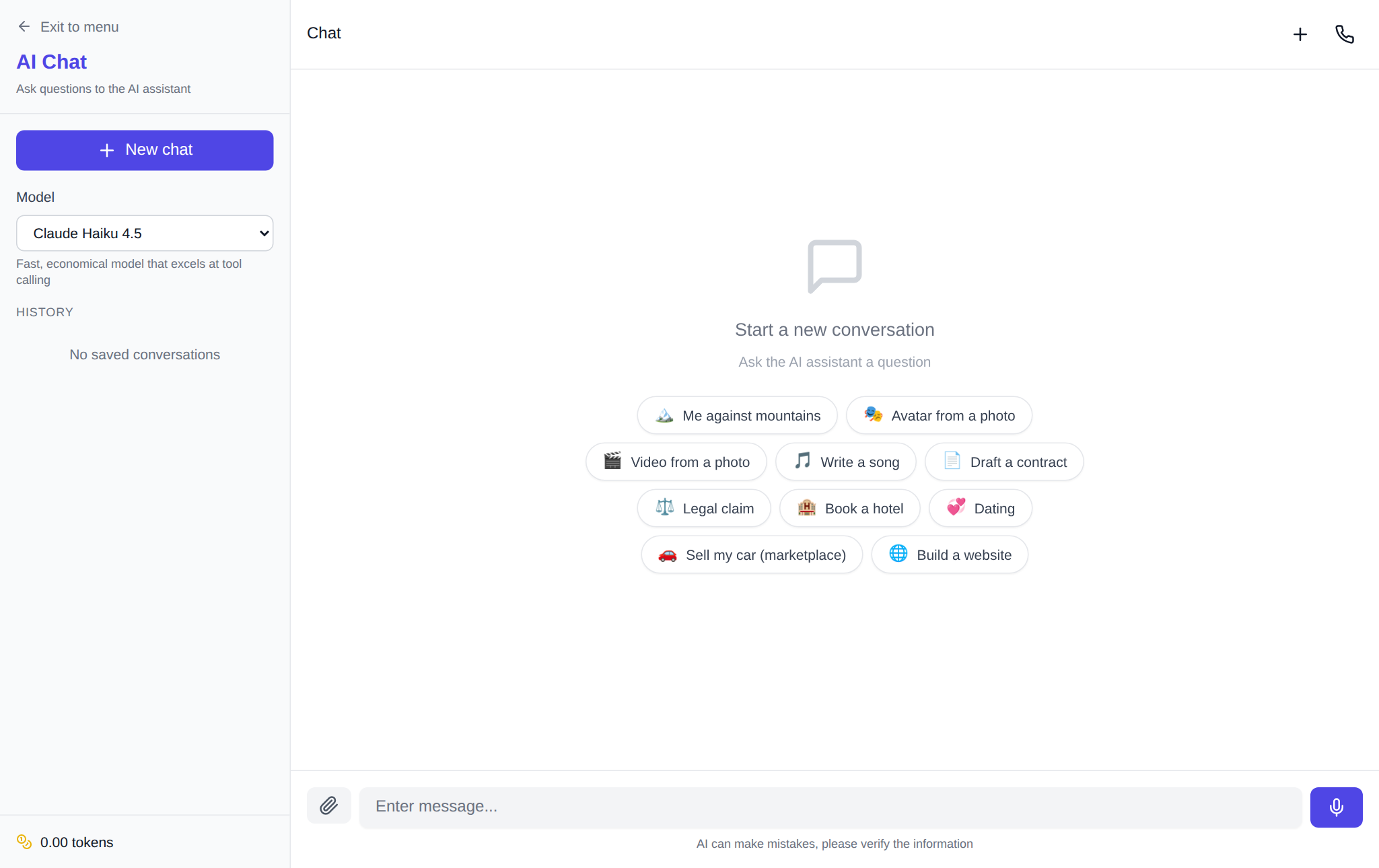
The English version of the site opens at an address with the /en/ language prefix — that covers Chat, the image generator and the other sections. Menus, parameter labels, hints and error messages are already in English, so you can configure things without a dictionary. Start in Chat: type the whole task into the message field, for example “make a one-week beginner workout plan, one session a day, including a warm-up.” The more specific the goal, audience and answer format, the less you will need to edit afterwards.
Models understand English — no translation needed
Models in the NeuralSpace catalog work with English directly: you write in English and get an answer in English. There is no need to invent special phrasing, and no need to translate the result back. If an answer comes out too general, add constraints in the same conversation: “shorter”, “in simple words for a school student”, “format it as a list of five points.” Follow-ups in ordinary English work just like any other phrasing — the model keeps the conversation context.
Texts, emails and explanations
For text work, Chat covers most scenarios: rewrite a paragraph in a business tone, explain a complex topic in plain words, draft a client email or an article outline. It helps to state the role and limits up front: “act as an editor, rewrite so it reads easily, no corporate jargon, up to 120 words.” If the result needs work, keep going in the same conversation so the model does not lose the details.
Images, video and music in English too
In the image generator, describe the frame in ordinary words: subject, setting, light, angle. For example: “a ceramic vase with dried flowers on a windowsill, soft morning light, close-up.” For motion, open Video and add the action and camera: “a hot-air balloon rises over a field, the camera slowly pulls back, warm sunset.” For a soundtrack, go to Music and describe the genre and mood: “a calm instrumental track with no vocals, 90 BPM, for a background video.” Plain English descriptions are accepted just like any other phrasing.
Which model to choose
The catalog has several families under public names — DeepSeek, Claude, ChatGPT, Gemini. A practical rule: for everyday questions, drafts and simple code, start with DeepSeek V4 Flash — it is economical, so your starter tokens last noticeably longer; for complex reasoning, long texts and clean code, switch to Claude or ChatGPT. Switching happens in the same window, with no new accounts or installs. Token spend is shown before you run a task and depends on the model and the length of the request.
FAQ
Do I need to know another language to use the AI?
No. The interface, your input and the answers are available in English. Another language only matters if you choose to work with foreign-language sources or translate a text.
Do the models understand English as well as other languages?
For typical tasks the difference is unnoticeable. The result depends on the specific model and wording, so refine your request in English rather than translating it back and forth.
Is a subscription required to start?
There is no mandatory subscription: a new account starts with starter tokens, and after that you pay in tokens for the tasks actually performed.
Where can I try an AI that works in English?
In NeuralSpace Chat: describe your task in ordinary English and pick a model from the list.