AI for business: copy, images, video and bots in one place
AI for business is not a magic button and not a replacement for your team — it is a working set of tools in one account: you write copy, generate images and video, voice ads and connect customer bots from the same place. The point is not to “try AI” but to handle recurring work — posts, product cards, banners, short ads, replies to customers — faster and cheaper than doing it by hand. Below is a practical map: which NeuralSpace section does what, which model to pick for a task, how to keep a consistent brand style, and where to start if you run a small business without an in-house designer.
What AI already does for a business
The value appears where work repeats and the result is easy to define. These are the four areas most teams tackle first.
- Marketing and content. Posts and newsletters, headlines, product descriptions, website copy, ad banners and short videos. One message often has to become five formats quickly — that is exactly the job for an AI.
- Sales and customers. Drafts of emails and proposals, answers to common questions, short summaries of long threads, translation. The model prepares a draft; a person checks it and sends it.
- Product and visuals. Product photos on a neutral background, marketplace cards, illustrations for decks, storyboards for video. You do not need a designer for every frame — you need one for final quality control.
- Internal processes. Meeting notes, employee instructions, tables and summaries, review analysis. AI saves hours of routine here, but it does not make decisions for the owner.
One important limitation: AI does not replace strategy. Positioning, pricing, promises to customers and legally binding wording stay with people. The model speeds up the production of materials and drafts; it is not responsible for the meaning of your business.
Copy: one brief instead of ten rewrites
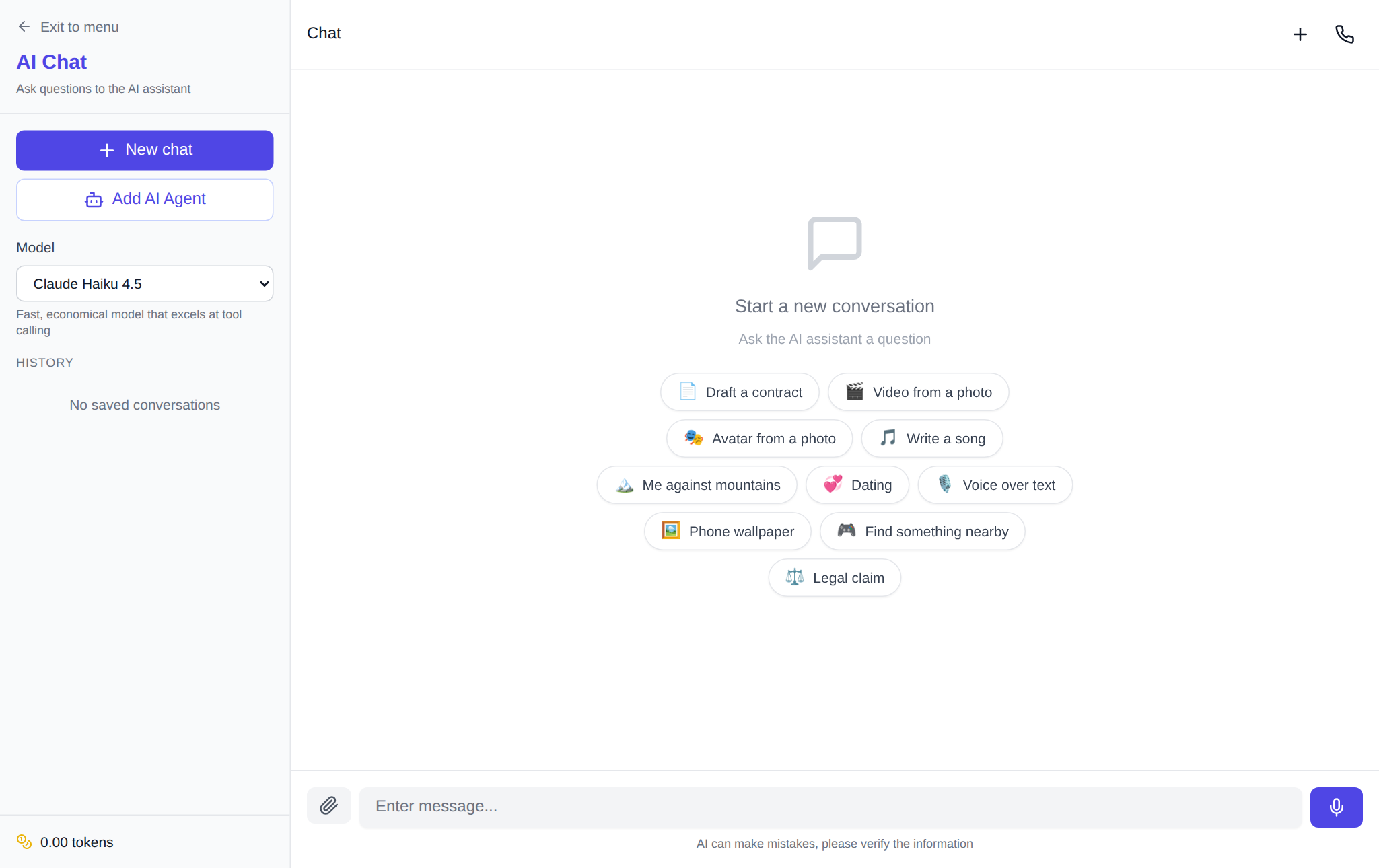
The text section on NeuralSpace is the chat with a model picker. DeepSeek, ChatGPT, Claude, Gemini, Kimi and other models are available in one window: a cheap one is enough for routine work, a stronger one for complex copy. In practice, the quality of the answer depends mostly on the brief, not on the model.
A working brief has five parts: who we are writing for, why, in what format, in what tone, and which facts must be included. For example: “You are a marketer at a renovation company. Write a post for customers who are choosing a contractor. Format: 900 characters, calm and specific tone. Must include: timelines, a fixed estimate, a two-year warranty. No exclamation marks and no ‘best price’ promises.” A brief like this saves several rounds of edits.
You can attach a price list, a brand guide or a product spec table to the chat — the model will rely on your data instead of inventing details. If you need fresh facts from the web, turn on web search. But the business rule is simple: every fact, price and deadline in the final text is checked by a person. A model can be wrong confidently and beautifully.
Images: products, banners and cards in one style
Visuals are the most common task. The Images section brings together different models, each with its own character: Seedream 5 Pro is strong in product photography and textures, Nano Banana 2.1 is convenient for editing, faces and text inside an image, GPT Image 2.5 handles complex scenes with lettering, while Z-Image and Seedream 5 Flash are good for quick drafts. Start with a cheap model to lock the composition, then finish with a strong one.
A consistent style rests on three things: one brand description, a reference image and a reusable prompt template. Upload a successful shot as a reference and ask the model to keep the light, angle and mood — this keeps a series of product cards from drifting in colour. For marketplace cards, fix the background, margins and aspect ratio in advance.
According to the site’s aggregated statistics for 30 days (25 September – 25 October 2026, 14,784 generations), images accounted for 12,323 runs, video for 2,001 and music for 460. In other words, AI is most often used for visuals. Over 90 days (27 July – 25 October 2026), 93.3% of GPT Image 2 generations completed successfully out of 2,991 terminal ones, and 91.2% for Seedream 4.5 out of 1,395: the gap is small, but at volume choose the model with fewer failures on your particular type of frame.
Video, voiceover and music: advertising without a film crew
In the Video section you can make a short ad from text or from a single product photo. Kling 3.0 and SeeDance 2.5 handle motion and camera work well, while Gemini Omni and Grok suit dynamic scenes. A practical scenario for a small business: one product photo, a description of camera movement, a duration of 5–10 seconds and a vertical format for social media. If you need a person on screen, look at Avatars: there you will find a talking avatar made from a photo, text-to-speech and video translation.
Music for an ad or a background can be generated in the Music section — from a short jingle to a full track with vocals. For advertising, decide in advance whether you need vocals: an instrumental bed distracts less from the message. And remember: a person reviews the video and music before publishing — AI may add an unwanted detail to the frame or make on-screen text unreadable.
Bots and automation: connecting AI to your own services
When the same operation is needed all the time, one-off chat requests stop being convenient. There are two routes. The first is to build an internal tool or bot in the Code section: describe the task in words, and the agent writes the code, runs it and publishes the result. The second is to connect a model to your services through API keys: the public API and the MCP server let you send requests from a CRM, a Telegram bot, a website or a script.
For a support bot, the scheme is: your own key, your own spending limit, a knowledge base made from your documents, and a mandatory handover of complex questions to a human. Do not give the bot access to your bank account or the owner’s main mailbox; create a separate account with limited rights. If you need not a bot but an executor that picks up tasks on a schedule, look at the separate AI agents direction.
How to start: your first working day
- Pick one process. Not “implement AI” but “produce ten product cards a week” or “write three social posts”.
- Write the brief. Who the reader is, what the output should be, which facts are mandatory and what is forbidden. One page of text saves dozens of generations.
- Draft with a cheap model. Check the meaning and structure without chasing a perfect image on the first try.
- Finish with a strong model. The final copy, the key frame or the video — wherever details and brand matter.
- Review, then publish. Facts, prices, names, deadlines and rights to materials are a human responsibility.
How not to waste your budget
- Drafts on a cheap model, finals on a strong one: your budget stretches noticeably further.
- Do not generate twenty variants before refining the brief. Usually the problem is not the model but a vague request.
- The price is shown before launch: NeuralSpace has no subscription, you pay in tokens for specific generations, and new users receive starter tokens for their first runs.
- One request — one task. “Write the copy and draw the picture” is better split into two steps: the quality is higher and there are fewer edits.
FAQ
Can AI replace a marketer or a designer?
No. It speeds up the production of materials: drafts, variants, routine visuals. Strategy, meaning and the final check still belong to a person. In a small team AI takes part of the load off, but it does not remove the specialist’s role.
How do I keep a consistent brand style?
Create one brand brief: colours, fonts, tone of voice, what is allowed and what is not. Add a reference image and repeat it in your requests. For copy, keep a prompt template that worked and change only the facts.
Do I need a subscription?
No. On NeuralSpace you pay in tokens for specific generations, and the price is shown before launch. New users receive starter tokens; after that you top up the balance as needed.
Where should a small business start?
With one recurring task that currently takes the most manual time. Most often that is product cards or social posts: start with the Images section or the chat, compare the result with what you do now and measure the time. Expand the task list only after the first process becomes predictable.