Webhooks in the Avatar Video section: get a notification on your server when a video is ready
Webhooks in the Avatar Video section are a way to learn that a video is ready without refreshing a page by hand: the moment a render finishes, a POST request goes to your server's address, and your server decides what to do next — save the link to a database, hand the file to a client, or start the next step. The tab is for anyone producing videos in batches or embedding avatar generation into their own product: instead of endless "ready or not yet" checks, one short notification arrives exactly when it matters.
Why you actually need this
Rendering a video is not instant, and waiting for it in an open tab makes no sense. Per the platform's own measurements from 07.09.2026, a five-second Kling 3.0 clip in 1080p renders in about 115 seconds on average and stays within 165 seconds in 95% of cases. The same job on Sora 2 takes around 145 seconds on average. Polling the status every few seconds racks up dozens of empty requests per clip; a webhook arrives once — when the result actually exists.
Volume tells the same story. Per the platform's generation log for 30 days (3 September – 2 October 2026), 3,292 video jobs were started and 2,369 of them finished successfully. Clips render in the background and finish at different times — nothing you can track by hand, while a tidy notification handler does the job for you.
What the Webhooks tab gives you
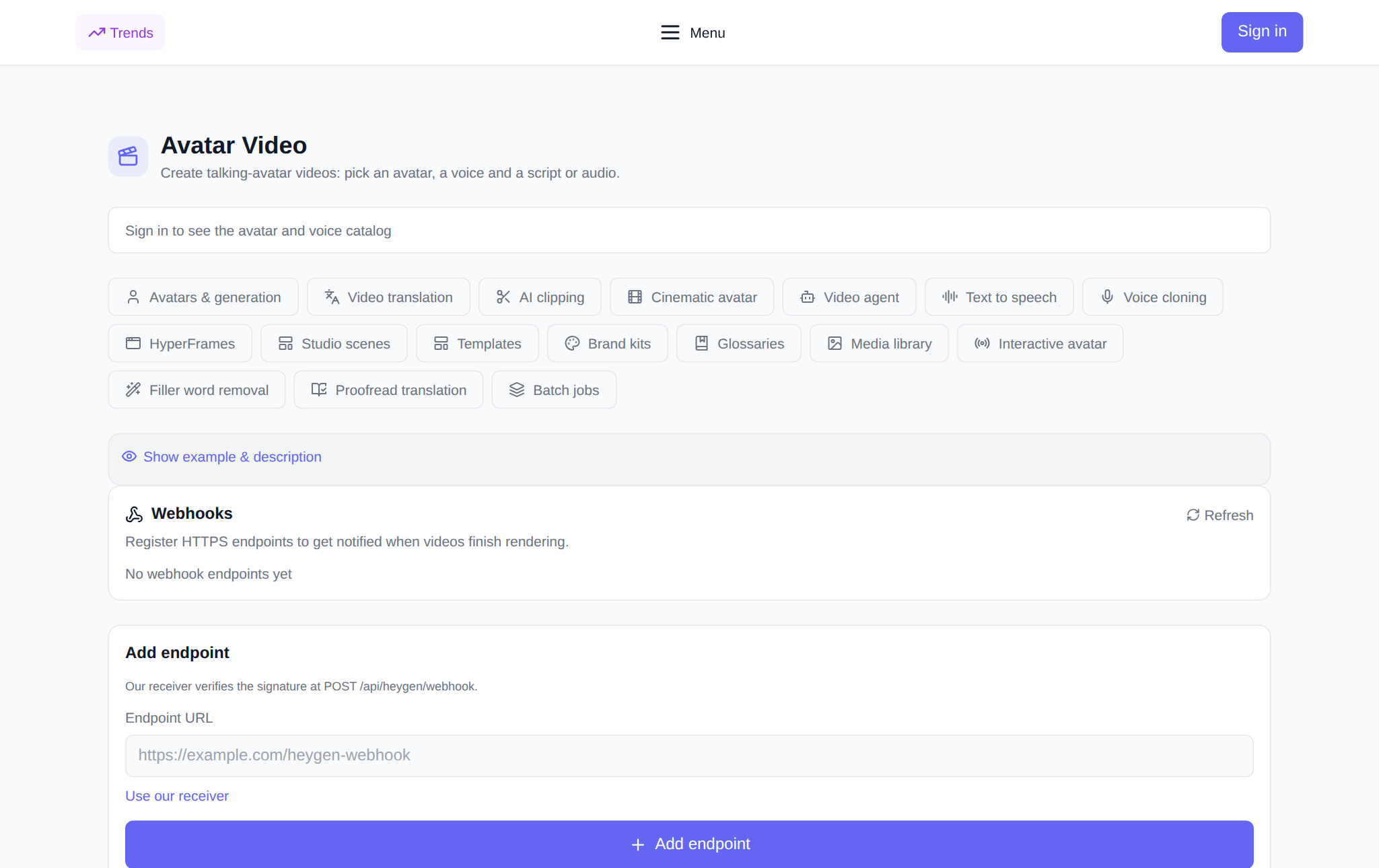
It is all about delivering notifications, no magic. You register an address, choose which events to subscribe to, and get a signing secret. The list of registered endpoints lives right there: you can see the address, the selected events, the status and whether the endpoint has a secret. You can rotate the secret (the old one stops working immediately) or delete the endpoint entirely.
An event is delivered only for your own videos: someone else's render will not be sent out, even if it finished at the same moment. There is also a log of delivered events — handy to confirm that something really reached your server.
How to start, step by step
- Open the Avatar Video section and the webhooks panel at the direct address /en/avatars?tab=webhooks.
- Sign in: the setup is not available to guests — a login window opens when you click.
- In the Endpoint URL field, enter a public HTTPS address of your server, for example https://example.com/avatar-webhook. HTTP will not do — delivery and signing rely on an encrypted channel.
- Tick the events you need. If you select nothing, you subscribe to all events at once.
- Click Add endpoint. The signing secret is shown right after creation — copy and store it: it is never displayed again.
- If you do not have a server yet, click Use our receiver — notifications will then accumulate in the delivered-events log right in the tab.
How to be sure a request is really from us
Every request carries a signature header — an HMAC-SHA256 computed over the raw request body with your secret. On your side, compute the same signature and compare: no match, and you drop the request. Our receiver does exactly that and answers 401 to an invalid signature. Keep the secret on the server, in environment variables, never in client-side code.
What the request contains
The body is plain JSON with an event type and the entity data. For a finished video, for example, it is the avatar_video.success event with the clip's identifier inside. The full list of available event types is shown in the tab: you can go through it and keep only what your service actually needs.
What it costs
Registering an endpoint, rotating the secret, deleting it and reading the event log do not spend tokens — this is notification setup, not generation. Tokens are spent only on the video itself: the token price is shown before launch, and if a task fails, the charge is returned. There is no subscription: new users get starter tokens for their first runs.
Pairs well with
- Batch jobs — run dozens of clips in one job; a webhook removes the manual readiness check.
- Media library — store source and finished files.
- Video translation and AI clipping — the next steps after generation.
Frequently asked questions
What address is suitable for a webhook?
A public HTTPS address only. Local addresses and HTTP are not accepted: the notification must travel over a secured channel, and your server must be reachable from outside.
Can I get notifications if I do not have my own server?
Yes. Click Use our receiver — events accumulate in the Delivered events log in the tab, and you can inspect them without a backend of your own.
What if the signature does not match?
Check that you compute HMAC-SHA256 over the raw request body (not over the parsed JSON) and that you use the current secret: after a rotation the old one stops working immediately.
Is it paid?
Setting up webhooks does not spend tokens. Tokens are spent only on video generation — the price is shown before launch; there is no subscription, and new users get starter tokens.