Create a song with AI: lyrics, vocals, arrangement
Creating a song with AI is a task where the result depends less on the button and more on the request: one description has to carry the lyrics, the character of the vocals and the arrangement. This guide is about what to actually ask the model so you get a track instead of a random wash of sound. On NeuralSpace the song generator lives in the Audio section and runs on Suno models (V6, V5.5, V5, V4.5+, V4.5, V4) — no subscription, nothing to install, all in the browser.
What a song request is made of
The model does not read minds — it assembles the track from what you wrote. A good request answers four questions: what the song is about, who sings, how it sounds, and how it is structured. Skip one and the model fills the gap itself — usually not the way you wanted. Below we walk through each field and how to tie them into one sensible request.
1. Lyrics: what the song is about
Start with the point: "a song about a city after rain", "a breakup track without drama", "a motivational anthem for the gym". In simple mode that is enough — the model writes the verses and chorus itself. Want control? Turn on "Custom mode", paste your own lyrics, or hit "Write lyrics" and refine the topic. The model offers several drafts; take any with "Use" and edit to taste.
To make the vocals come alive, mark the structure: [Verse], [Chorus], [Bridge] — this tells the model where to change delivery. Short lines sing more easily than long ones, and tight rhymes matter more than length. The language follows the lyrics: write in English, Russian or any other language and the track is sung in it.
2. Vocals: who sings and how
Vocals work on two levels. The technical one: the "Vocal gender" field (male, female or automatic) and the "Instrumental" toggle if you want no words at all. The expressive one: describe the delivery — "husky blues voice", "soft whisper in the verse", "powerful belt on the chorus", "falsetto at the top". These words shape the performance, not just the gender.
3. Arrangement: instruments, tempo, what to cut
Arrangement is genre plus instrumentation. Be specific: "warm vintage soul, upright bass, electric piano, light drums, 85 BPM". The "Music style" field reinforces the genre, while "Exclude styles" removes what you do not want — type "drums, electronics" to keep a quiet ballad free of a rhythm section. For bolder ideas there is "Boost style": it makes the sound more distinct and characteristic.
Length. In Custom mode the V6 family lets you set the exact track length — from 10 to 360 seconds. Short form suits social media; a full release track is usually 2–4 minutes.
How it works on NeuralSpace
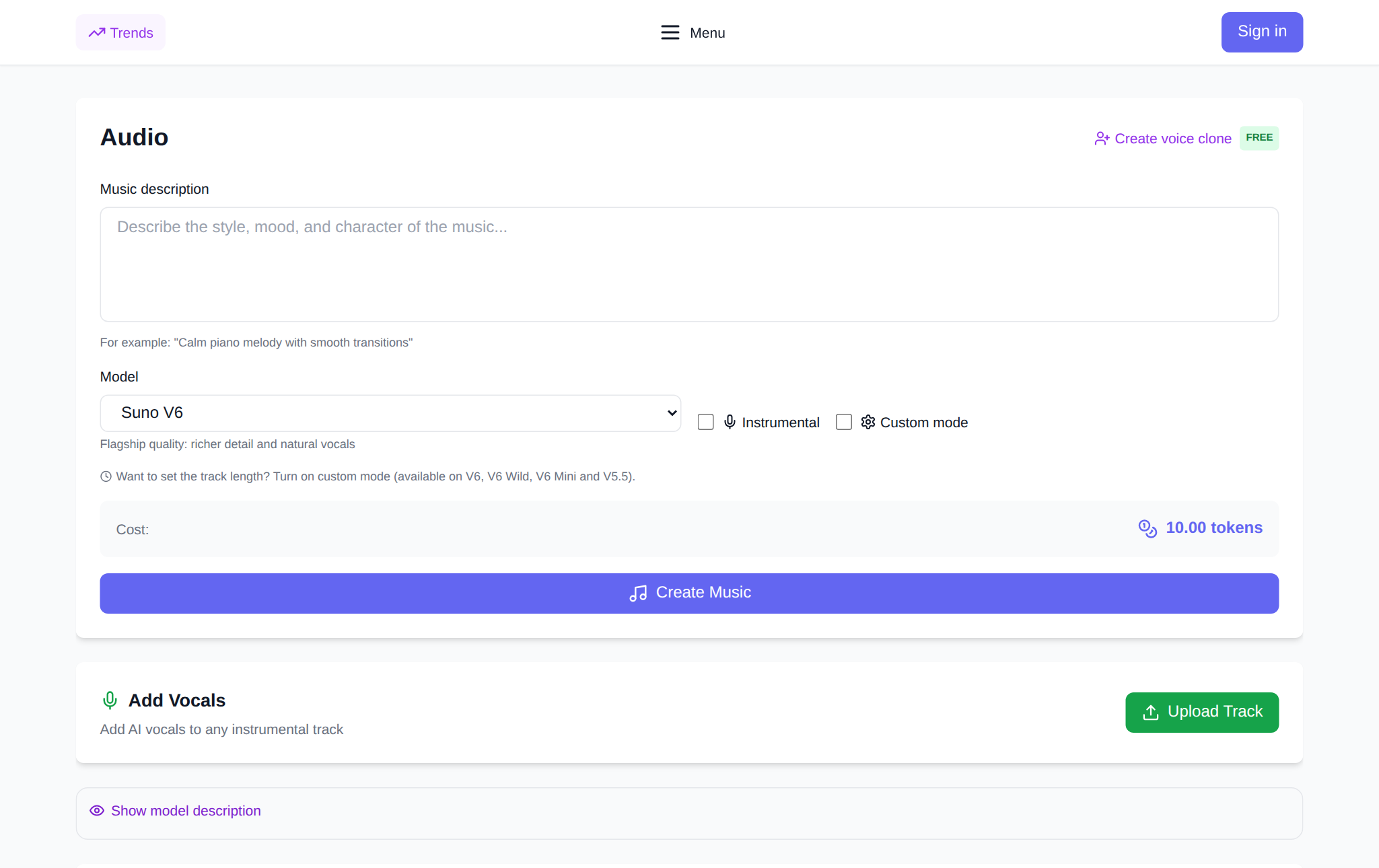
Open the Audio section and sign up. Then four steps: (1) in the description field lay out the song using the formula "topic + vocals + arrangement + mood"; (2) optionally turn on "Custom mode" and paste your lyrics; (3) pick a model — Suno V6 for the freshest sound, V5.5 for speed, V4.5+ for a rich, long arrangement; (4) start the generation. The token price is shown before you run it.
What the real site data shows
We looked at anonymized generation statistics from the site. Over the last 30 days the Audio section produced 451 songs, of which 446 finished successfully — 98.9% (source: site generation log, 30-day window, as of October 3, 2026). The average finished track is about 3 minutes 45 seconds long. The most popular pick is Suno V5.5: 674 of 1249 generations over 90 days, roughly 54%; second is V4.5+ with 226 tracks. And about a third of users (32% over the month) write their own lyrics in Custom mode instead of letting the model do it.
What to do with the finished track
If you love the chorus but the song cut off, "Extend music" continues the track from a chosen point. An instrumental can be completed: "Add vocals" lays a voice over it. And if you have a finished track and only need the backing, vocal separation splits the voice from the music. For videos and podcasts there is free text-to-speech right in the browser.
What it costs
There is no subscription: you pay in tokens per generation, the token price is shown before launch and depends on the model and settings. New users get starting tokens — enough to try a few songs, after which the balance is topped up as needed. For reference: across successful songs over 90 days the average charge was around 4–5 tokens per track (source: site generation log, 90-day window).
FAQ
Will the AI write the lyrics itself?
Yes. In simple mode the model writes both words and music from the description. In Custom mode the "Write lyrics" button produces a draft on your topic that you can edit.
Can it sing in my voice?
Yes — the Audio section supports voice cloning: record or upload a short sample and the songs will use your timbre.
What languages does it sing in?
Whichever language the lyrics and description are written in: English, Russian, Arabic, Chinese and more. The newer V6 and V5.5 models sing more clearly than earlier versions.
Do I need to know music theory?
No. You describe genre, mood, instruments and vocals in words, and the model builds the arrangement. The more specific the request, the more predictable the result.