How to vibe code without a subscription, with any model
A subscription to one AI model works like a membership at one specific gym: you pay every month whether you show up or not, and your card gets you nowhere else. Vibe coding doesn't have to work that way. NeuralSpace has no monthly plans: there is a balance, charged only for what you actually generate — and the models aren't tied to a single vendor. Claude, GPT, Grok, DeepSeek, GLM, Kimi and Gemini live in one account, and you can switch between them in the middle of a project. Below is how it works in practice: from the in-browser Code section to hooking up your own agents via the API.
Vibe coding in a minute: what it actually is
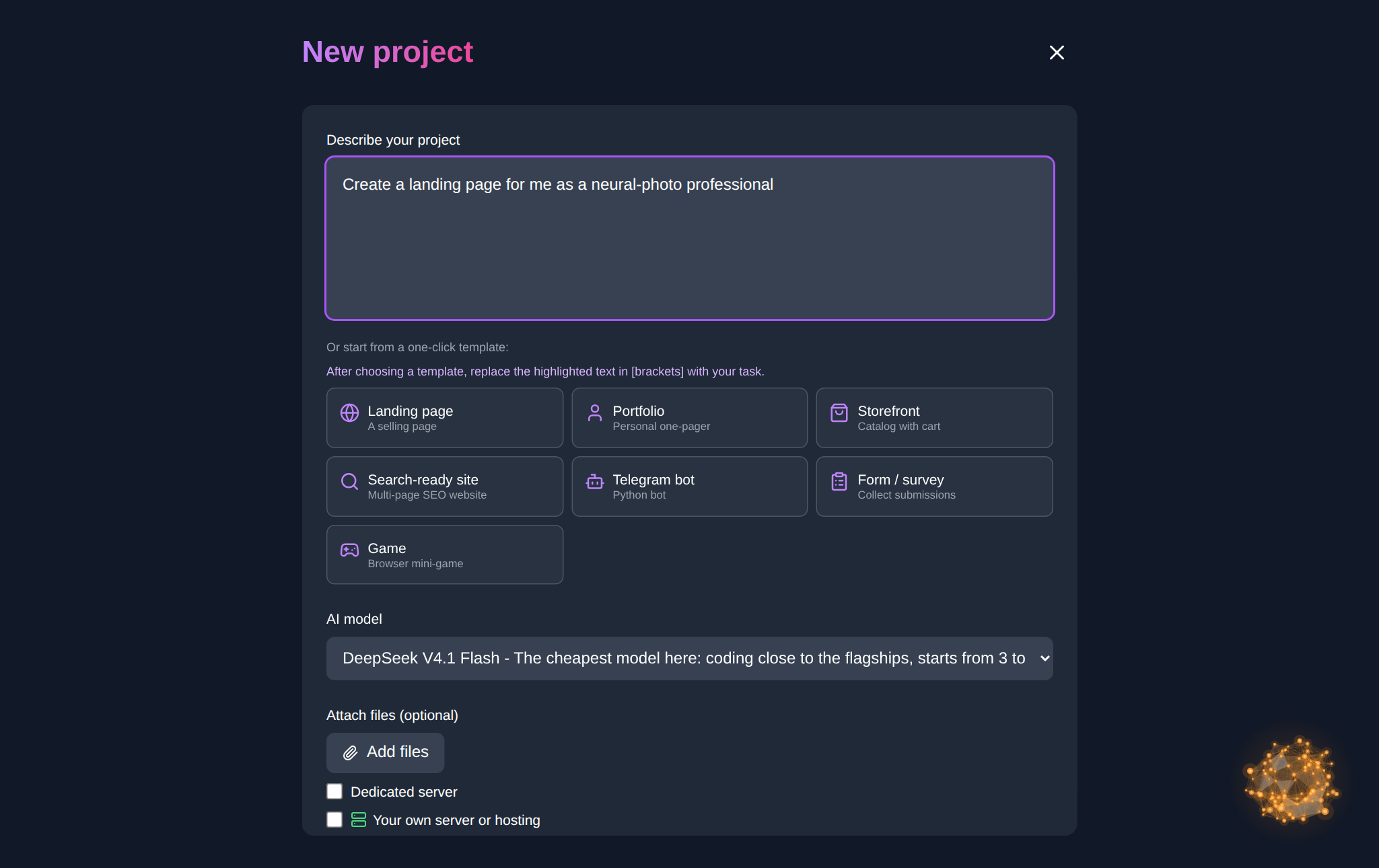
Vibe coding is when you describe a product in words and the model writes the code. Not "write a function," but "build a meeting-room booking page: a calendar, a time picker, a request form sent to email." You look at the result, say what's wrong, the model reworks it. In the Vibe coding section you describe the idea in text — Claude Sonnet or Opus assembles a site or an app, and the finished project can be published on the platform's hosting. We covered the approach itself, with wording examples, in the article "What is vibe coding?" — here we focus on money and models.
Why "no subscription" isn't a marketing line
The mechanics are simple. You top up the balance, and tokens are charged only for actual work: generated a prototype, fixed a bug, ran a revision. When you're not working, nothing is charged — no feeling of money dripping away while you idle. A new account gets starter tokens to try things before the first top-up, and top-ups come with bonuses (from $50 — plus 20%).
An honest downside: if you code non-stop, eight hours a day, on one single model, do the math for both options — a yearly subscription from that model's vendor is sometimes cheaper. The balance setup wins when you need different models and work comes in bursts: today a landing-page prototype, tomorrow someone else's code review, the day after that a day off — and nobody pays for that day off.

Which models you have at hand
The chat and the Code section offer text models for every taste and budget:
- Claude Sonnet 5 and Opus 5 — the workhorses of vibe coding: Sonnet for the price/quality balance, Opus for heavy tasks.
- GPT-5.6 in three tiers — Sol (maximum power), Terra (smart and half the price), Luna (fast and economical).
- DeepSeek V4 Flash and Pro — the economical ones: Flash for volume and drafts, Pro for long chains of reasoning.
- Grok 4.5 and 4.6 — fresh knowledge and a configurable thinking level.
- GLM 5.3, Kimi K3, Gemini 3.8 Flash — more options for a specific task.
Switching takes one click right in the interface — no new accounts, no re-registering. The same models are available via the API; the up-to-date list with prices is in the docs.
The Code section: vibe coding right in the browser
For snippets and fixes there is the Code section: you write and edit code together with the model in the browser — hints, explanations, ready-made solutions. Instead of "fix my code," attach the fragment itself, the error text and the expected behaviour: "this function should merge records by email, duplicates remain — find the cause and propose a test." A request like that saves iterations: the model sees what to fix instead of guessing.
Your own tools: OpenCode, Cursor, Claude Code
If you'd rather vibe code in your own tools than in someone else's interface — that's subscription-free too. Three steps: get an API key in your dashboard (it looks like nsk-… and is shown once), change the client's base_url to https://neuralspace.pro/v1, and pass the key in the header. The endpoints are compatible with the OpenAI and Anthropic SDKs, so OpenCode, Cursor, Claude Code and other agents connect without ceremony: change two lines — work with any model on the list. Request examples and the API documentation are open without registration; the MCP server for agents is covered there too.
Ready-made configs for OpenCode, Harness, Claude Code, Cursor and the MCP server are collected on a separate agents instruction page — copy the block for your tool and it works in a couple of minutes.
An example: one evening, three iterations, two models
The task: a booking site for a car service. The draft structure and texts went through DeepSeek V4 Flash — fast and cheap. The markup and form logic were assembled by Claude Sonnet 5 in the Code section. Then three focused edits: "make the button more prominent," "add time selection via checkboxes," "check the form for empty fields." The result — a working prototype in one evening, charged only for the tokens actually spent. No subscription, no lock-in to one vendor: if another task tomorrow suits GPT-5.6 better, you just pick it in the same account.
Common questions
So no subscription is needed at all?
Right. You work from a balance: top up — use it; only actual usage is charged.
Which models can I connect to my agents?
Any text model from the list in the documentation — from Claude and GPT to DeepSeek and GLM. One key, many models.
What are starter tokens?
The opening balance of a new account: enough to try the chat, the Code section and vibe coding before your first top-up.
Where do I get an API key?
In the dashboard: create a key, copy it, and set it in your client together with the base_url.
Try it right now: describe your project in Vibe coding — the first version will show up before your tea gets cold.