How to remove filler words from a video: uh, um and dead air
Filler-word removal is a tool in the Avatar Video section that strips filler sounds («uh», «um», «like», «you know») and long pauses out of a finished video. What comes back is the same clip, only shorter and tighter: there is no need to reshoot or regenerate the take, you upload an existing file or paste a link, and the tool finds the clutter and cuts it out. Below: what exactly gets removed, how to run a cleanup step by step, what you get on the way out and what it costs.
What it is and who it is for
Filler words and dragged-out pauses are the oldest problem in talking-head video. In a live take you barely notice yourself saying «uh» and «um» or stopping for a beat, but on the recording it lands immediately and weakens the delivery. It stings most when the framing, light and tone came out great: reshooting means losing a good take and spending the time again. This tool fixes it after the fact: the finished file goes through a cleanup and comes back shorter, and the speech in it sounds more collected.
It is useful anywhere there is a talking head or a voice-over: video business cards and ads, lessons and courses, reviews and unboxings, recorded interviews and podcasts, avatar greetings, client presentations. A shorter clip means better retention — viewers simply skip the extra seconds spent on «uh». Tidy pacing matters especially when a draft is already published and the tempo needs a quick trim.
How common video is on NeuralSpace shows in the platform log: over 30 days (2026-09-04 – 2026-10-04) 12,689 generations were started — 9,907 images, 2,334 videos and 448 tracks (production DB aggregates, source: server/seo/benchmarkData.json). Video is the second-biggest format after images, so knowing how to tidy a finished clip saves time on almost every project.
What exactly gets removed
The tool works on two kinds of clutter: filler and hesitation sounds (placeholder pauses such as «uh», «um», repetitions and lead-ins like «well», «like», «you know») and long silent gaps between phrases. It does not rewrite the script, change the voice or add anything — it only cuts the excess and joins the remaining fragments. What it honestly does not do: it will not fix slips of the tongue or re-record, it will not remove background noise or improve audio quality, it will not translate speech. This is a pacing-and-filler cleanup, not a re-edit.
How to start, step by step
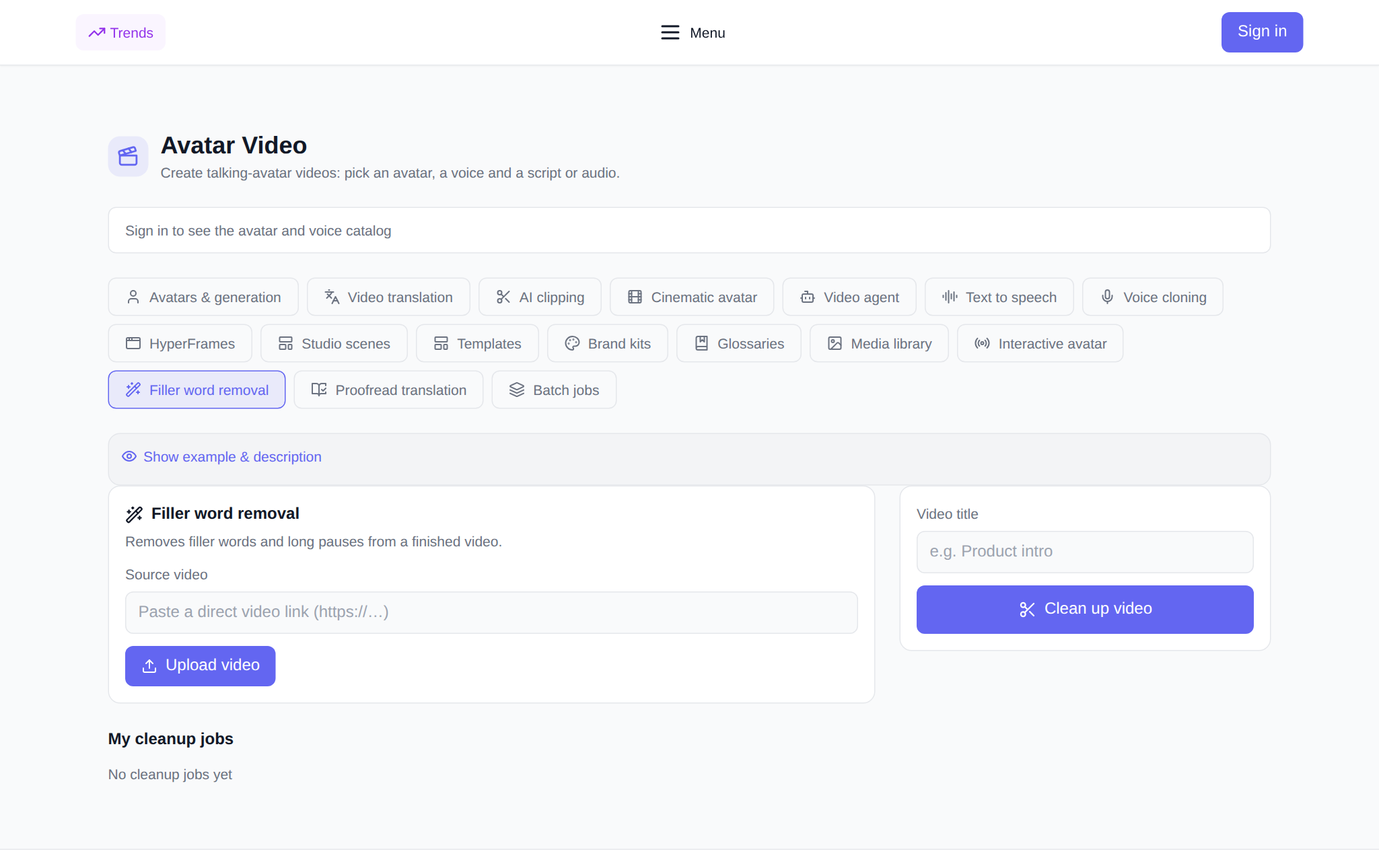
- Open the Avatar Video section and the Filler word removal tab.
- Sign in: you can browse the section as a guest, but starting a cleanup needs an account.
- Add the source video — paste a direct file link or upload it from your computer or phone.
- Optionally set a title so you can find the job later in history.
- Check the price: it is based on the source length and shown before you start.
- Press «Clean up video» — the job appears in history and you can watch its status right there.
What you get on the way out
The finished clip sits in history: the card shows how many segments were cut and the percentage of runtime reduction, with a download button next to it. Once the job is done you can play and download the video at the same quality as the source: the tool does not lower the resolution and does not re-encode the picture in a new way — it cuts the excess pieces and joins the rest. If a cleanup fails, the tokens charged are refunded automatically.
What it costs
The price is charged per second of the source video, with a minimum billed as one minute of footage. The amount shown before you start equals what is charged: the server measures the file length itself, so there is no guessing. There is no subscription: new users get starting tokens for their first tries, and after that you pay in tokens per job. On a failure the charge is returned.
Pair it with
- Avatar videos — record a talking avatar, then tighten its pacing.
- Text to speech — synthesize a voice if cleanup is not enough and you need even delivery.
- Video translation — dub the finished clip into another language.
- AI clipping — pull short fragments out of a long recording.
FAQ
Will it rewrite the script for me?
No. It only removes fillers and long pauses and joins what is left. The words, voice and meaning stay as they were.
What video can I upload?
A finished clip with speech — from a file or a link. You do not have to re-shoot bad takes: it cleans the version you already edited.
Does the price depend on length?
Yes, the rate is per second with a minimum of one minute. The total is shown before you start and equals the charge.
What if the job fails?
The tokens are refunded automatically, and you can remove the failed job from history.