How vibe coding works: from a message to a live website
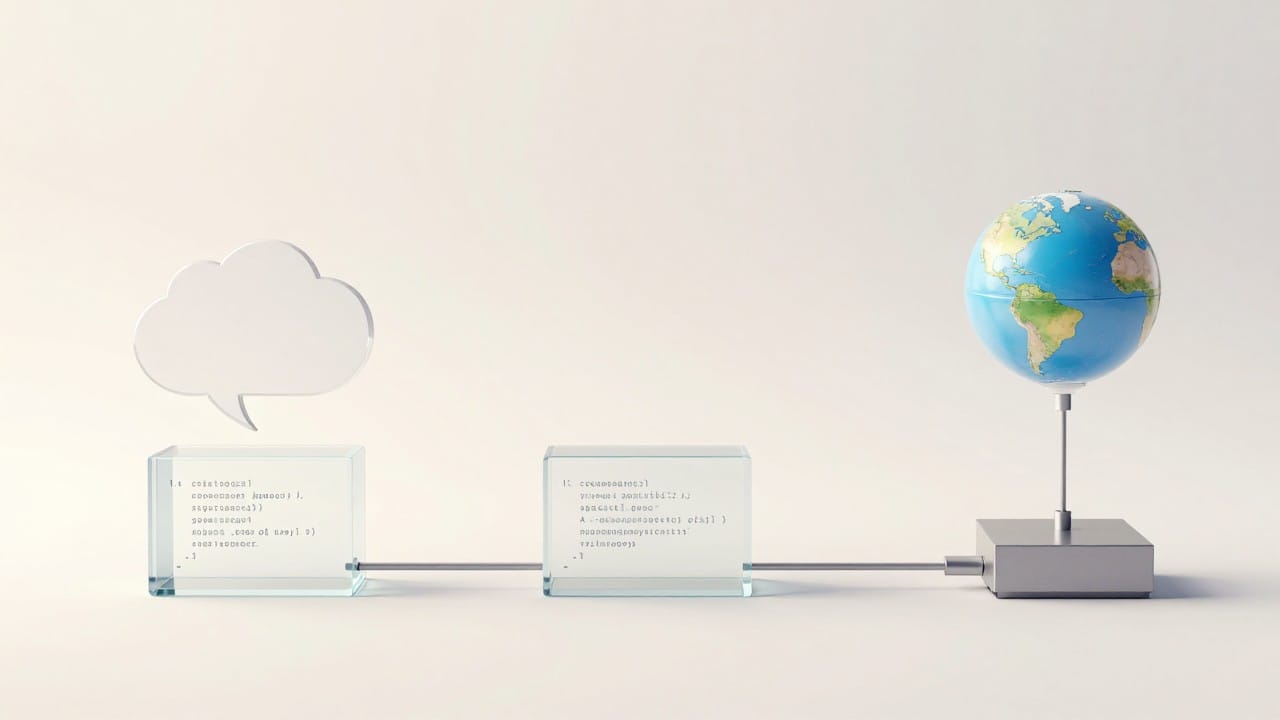
Vibe coding works like a four-step conveyor: message → files → server → public link. You describe the project in plain language ("make a website for a wedding photographer with a gallery and a booking form"), an AI agent turns that description into code files, runs them on an isolated server, and hands you a finished HTTPS address you can open from your phone. This article walks through what happens at each step: where the project files live, why the server needs port 3000, how a site gets its address, and what happens when something doesn't click. Honestly, this is the most underrated question around the whole topic: people keep arguing whether AI can "really program," while the actual mechanics are far more interesting than the myths.
The agent: who actually writes the code
Behind the word "agent" is a language model with a set of tools. On its own, the model can only produce text, so it gets hands: create a file, edit an existing one, run a terminal command, open a page and check that it responds. It works as a loop: the agent drafts a plan (which files are needed), writes them, starts the project, inspects the result and fixes its own errors until the page comes alive. You see this stream in the project chat and can jump in at any moment with a plain message.
An important detail: the agent does not read minds. Say "make me a cool website" and you will get exactly that — something generic. The more specific your list of blocks and requirements, the closer the first version lands. Vague descriptions are the most common reason for "not what I wanted" revisions.
Files: one message grows into a project
A project is real files, not a "picture of a site": pages, styles, scripts, and — when needed — a backend and a database. The agent writes them one by one and, crucially for follow-up work, edits them surgically. Ask "make the gallery darker" and only the gallery styles change; the rest of the code is untouched. That is what keeps a project from falling apart after the tenth revision.
If a change does break something, the project has smart backups and a one-click rollback to a stable version. The finished code downloads as a complete archive, so you can move it to your own hosting or hand it to a developer. The code is not locked inside the service — these are your files.
The server: why port 3000 matters
Each project runs in an isolated environment where the agent writes files, runs commands and starts the app. That environment has a strict rule: the web server must listen on port 3000, because that is the port forwarded to the public address. If an old process occupies it, the agent restarts the process rather than switching ports — otherwise the site simply wouldn't be reachable from outside.
In the first minutes after launch, the site may answer with a 502 error — the app is still booting up. That is normal behavior, not a malfunction. The "Open site" button in the interface checks the state itself and explains what's going on; reopening a couple of minutes later usually shows the finished page.
Publishing: an address like name.app.neuralspace.pro
There is no separate "publish" button here — and none is needed. The site immediately gets an address like project-name.app.neuralspace.pro: the domain and TLS certificate are issued automatically and HTTPS is on from the start, with no manual setup. The link opens on any device and can be sent to a client; the "Share site" button copies it in one tap. If you need your own domain, it attaches right from the project: you add a DNS record and the service connects the certificate and HTTPS itself — domains are available on the Domains page.
Hosting for a built-in site costs 2 tokens per day (platform rates as of October 2026) with no monthly subscription: if you don't need the project, stop it and billing stops too.
Numbers from the live platform
A couple of anonymized aggregates from the NeuralSpace production database (counts only — no prompts, names or identifiers; window July 20 – October 18, 2026): at measurement time there were 600 vibe projects in total, 50 of them created in the last 90 days — a steady flow of new projects rather than a one-off fad. For scale: over 30 days (September 18 – October 18, 2026) the platform completed 12,559 generations — 10,202 images, 1,952 videos and 405 music tracks. Vibe coding runs on the same infrastructure and the same token balance as the rest of the platform.
What can go wrong
- A 502 in the first minutes — the app is still booting; wait a moment and reopen.
- "Not what I wanted" — almost always a vague description. Add a list of blocks, the style, and what should NOT be there.
- Port already in use — don't change the port manually: the agent restarts the process on 3000 by itself.
- Tokens melting during iterations — cost depends on the model and the volume of changes; the base model is inexpensive, but rewriting the whole project many times in a row adds up.
Try the pipeline yourself
Open the vibe coding section (also known as Code), sign up, and describe your project in one message using the frame: what the site is, who it's for, which blocks, which style. Press "Create project" — the agent will run the whole conveyor: files, launch, publishing. There is no subscription: new users receive starter tokens, then you pay per token with no monthly fee; on the base model, 3 tokens on the balance are enough to start.
FAQ
Where are my project files stored?
On the platform, in the project's isolated environment. The code can be downloaded as an archive at any time, so nothing is locked in.
Can I change port 3000 to something else?
No: port 3000 is the one forwarded to the public address. If an old process occupies it, the agent restarts that process — that's how the site stays reachable.
Why do I see a 502 error right after creating a site?
The app is still starting up. Wait a couple of minutes and reopen; the "Open site" button checks readiness for you.
Do I pay for hosting separately?
Hosting for a built-in site is 2 tokens per day, billed from your shared token balance — no separate subscription. Don't need the project? Stop it and billing stops.