SwitchX from Beeble AI: replacing objects and style
Briefly about the main thing (BLUF)
SwitchX by Beeble AI edits the finished video: replaces objects and style while preserving movement. We'll tell you what it does with the video, how much it costs, how to launch it in four steps, and what to write in the prompt so as not to lose tokens.
You know this feeling: the video was shot, the light was set, the take was successful - and then you look and realize that the jacket is the wrong color, the background is boring, and in general I wanted winter, but outside the window it was summer. Reshoot? Previously, yes. Now on NeuralSpace in the "Video" section a model SwitchX from Beeble AI has appeared, which solves this without reshooting.
What does she do with your video?
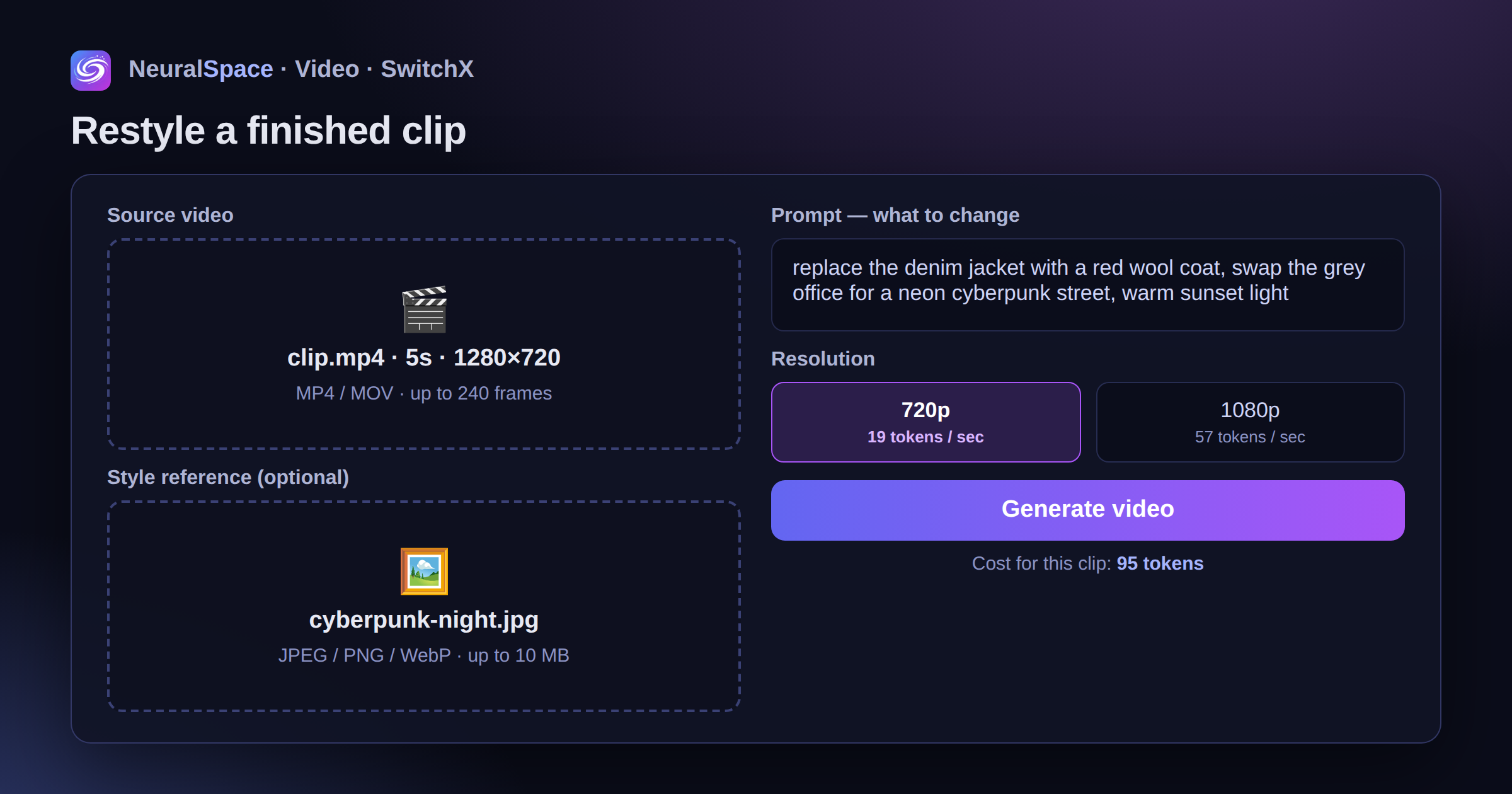
SwitchX is video-to-video. You upload a finished video, describe in words what you want to change, and the model changes the objects, style or lighting, maintaining the movement and composition of the frame. The man walks the same way, the camera moves the same way - but instead of denim he’s wearing a coat, and instead of a gray office there’s neon cyberpunk all around.
Instead of text (or along with it), you can add a reference - a picture with the style you want to achieve. JPEG, PNG or WebP up to 10 MB. By the way, a reference without a prompt also works: the model itself will understand what you meant.
How much does it cost and where is the catch?
The tariff is tied to the duration of the source:
- 720p - 19 tokens per second of video;
- 1080p (Full HD) - 57 tokens per second. Three times more expensive, yes.
A five-second video in 720p will cost 95 tokens. The cost is visible before launch - right under the generation button, there will be no surprises.
Now let's be honest about the limitations. Source: maximum 240 frames, which is about 8 seconds at normal frame rate. It won’t be possible to run a long vlog in its entirety – just short cuts. Source resolution: up to 1920×1080, MP4 and MOV formats. And one more thing: the generation goes through a queue, so a couple of minutes of waiting is the norm, the result will appear in the history on the same page.
Getting started: four steps
No registration with Beeble, no VPN or foreign cards - everything is inside the site:
- Opening "Video" section and in the list of models select SwitchX.
- Upload the original video (the same one, up to 8 seconds).
- Write a prompt - what to change. And/or upload a style reference.
- Choose 720p or 1080p, click “Generate video”.
All. Then the model thinks you are drinking tea.
What to write in the prompt to avoid leaking tokens
The main mistake is to write vaguely. “Make it nice” won’t work. Specifics work: “replace the jacket with a red coat”, “evening city with neon signs instead of a background”, “warm sunset light”. The limit is 2000 characters, but usually one or two sentences are enough.
My advice is to start with 720p. We ran it, looked at it, tweaked the prompt - and only run the final version in 1080p. This turns out to be noticeably cheaper than iterating directly in Full HD.
And if you have no ideas, look at what others are doing, trend feed: you can see both the result and the approach.
Who needs it anyway?
SMM specialists can repaint the same video for different campaigns instead of three days of filming. Authors of short videos should create stylized versions of successful shots. Well, just for the sake of an experiment: take a video from your phone and see how it looks in anime or noir style. It's addictive, I warn you.
The tokens are the same as for other models of the platform - top up your balance You can use a Russian card or via SBP. If you’ve already tried SwitchX, tell us in the comments what happened: we’ll analyze the most interesting cases separately.
Frequently asked questions (FAQ)
Question: How to get the best result from a neural network?
Answer: Use detailed prompts (descriptions) in English, set the style and details of the scene.
Question: Can these materials be used for commercial purposes?
Answer: Yes, the generated content is entirely yours.