An AI agent as an app: one persistent chat, files and messenger
An AI agent as an app means the "program" isn't downloaded from an app store — it lives where you already talk: in one persistent chat with history, with file exchange and with access from your messenger. On NeuralSpace you set up an agent in a couple of minutes on the AI agent page; it runs on its own server around the clock, and the whole interface is a conversation window: you write a task, it does the work and returns the result as text, a link or a file. Below we break down the three core mechanics: the persistent chat, file transit and Telegram.
No separate app needed: the agent lives in the chat
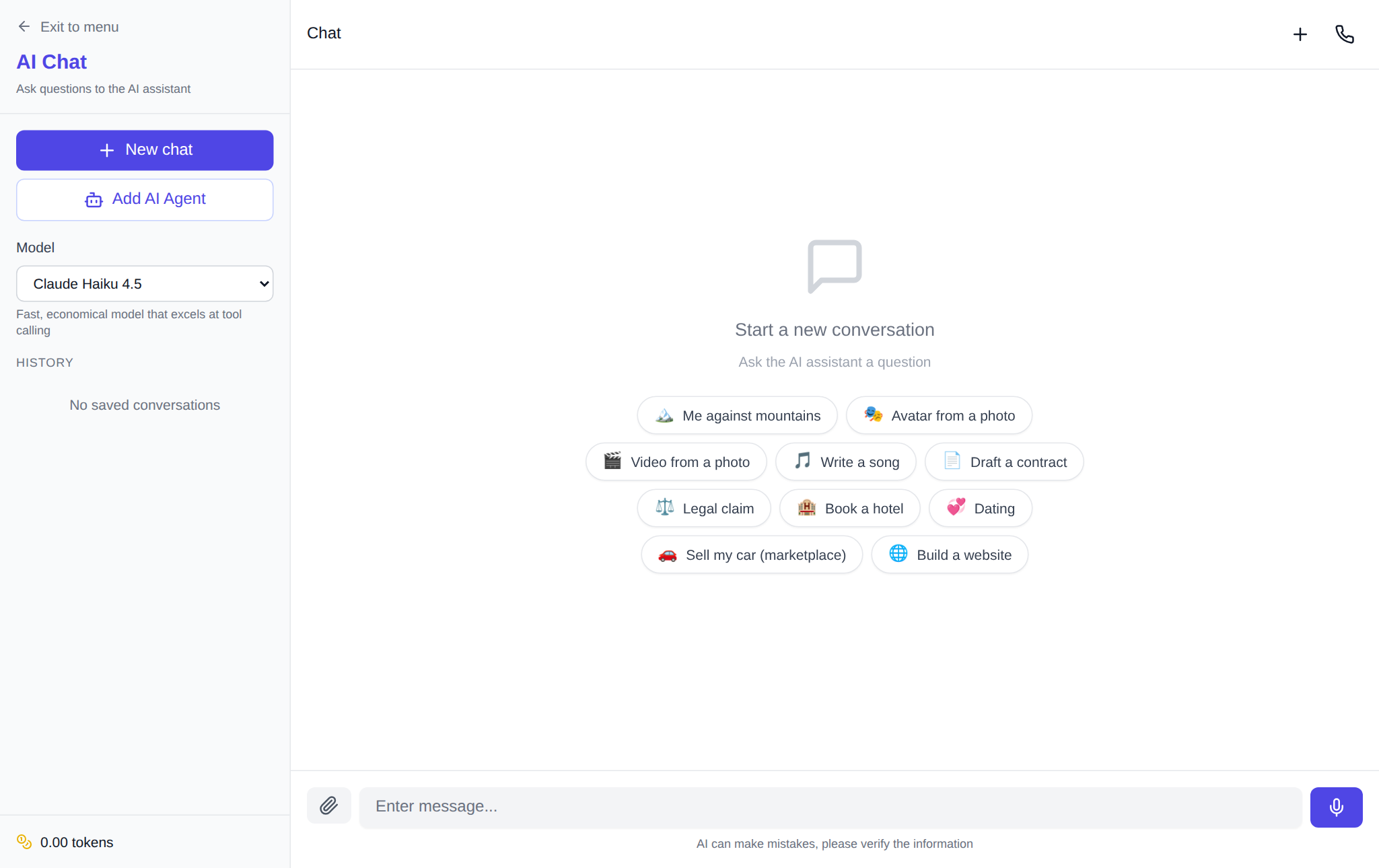
When people search for an "AI agent app", they picture a phone icon: download, install, open. On NeuralSpace it's simpler: the agent's interface is the chat you already use with AI models. The agent shows up there as its own entry in the model list, and that is enough, because all of its work starts with a message: you state the task in text and get the result in the same window.
Setup takes a couple of minutes: on the chat page, under the "New chat" button, there is "Add AI Agent" — it opens the form (or go straight to the AI agent page). The form asks for an agent name, a server with at least 4 GB of memory, an optional Telegram token and a checkbox "Allow the agent to generate photos, video and audio" — changeable later in the API keys section. After installation the agent appears at the top of the chat's model list as "Agent — Name". Select it and the conversation goes right in the chat, like with a regular model.
The key property of this chat is persistence. The conversation history belongs to the agent: come back in the evening or open the chat the next day — the context of your task is still there, no need to explain anything twice. That is what makes the agent feel like an app: it has state, memory and its own control page where you can stop it, reboot it, change the server plan or delete it.
Files travel in transit
You can attach a file to a message — up to 7 MB per file (a platform-side technical limit). Here is the flow: the file goes to the agent's server, the agent reads it, does the work and puts the result into its delivery folder — from there the file comes back to you as a chat attachment. No copies remain on the platform side: the transfer runs through the agent's own server, and after delivery the temporary files are wiped from it. Attach anything text-based: a spreadsheet, a log, a document, code.
The reverse direction works too: the agent can send a file without any incoming attachment. Ask it to "compile a summary and send it as a file" — it will build the report and return it to the chat as a ready document. Files move both ways, and the chat remains the single place where the whole conversation and all the results live.
Access from a messenger
The third mechanic is Telegram. When creating the agent you can paste a bot token from @BotFather (in Telegram itself: the /newbot command — a bot takes a minute). The field is optional: the token can be added later. The messenger gateway is configured by the agent itself on its own server — from you it only needs the token. After that you write to it in Telegram like an employee in a work chat: a task, a follow-up, "how is it going?". Replies arrive there, and so do scheduled reports.
A practical scenario: at noon you set a task in the web chat, in the evening you ask from your phone in Telegram — the agent answers that it's done and sends the file. In the morning you open the same chat and collect the result. One conversation, three entry points: the site, the messenger, the history.
Under the hood, and what it costs
The agent runs on its own server (at least 4 GB of memory; the plan can be raised any time) and by default gets the most affordable model — DeepSeek Flash: for conversation, code, file work and reports it is enough, and for a harder task just ask the agent to switch to a stronger one. Payment has two parts: the server is charged daily in tokens, the model's work — per the API token rates. There is no subscription; new users get starter tokens, after that you pay only for what you actually spend.
If you allow the agent to generate media, add that to the budget. According to the platform's server-side generation log for 90 days (July 6 — October 4, 2026), about 92% of image generations finish successfully: seedream-4.5 — 91.9% out of 1,127 terminal generations, gpt-image-2 — 92.2% out of 3,518. Tokens for failed generations are refunded to the balance automatically, so a failed attempt doesn't eat the budget.
Worth knowing in advance
Honest limitations. A file over 7 MB won't be accepted — split large datasets or hand the agent a link instead. The Telegram token is created manually at @BotFather; it takes a couple of minutes, but without it the messenger won't connect. And the main thing: the agent lives as long as the next day of the server is paid for. When the balance runs low, the platform warns you by email and in the chat twice — at about 7 days of hosting left and at about 2. Top up, and the work continues without losses.
FAQ
Do I need to install an AI agent app?
No. The agent's interface is the chat on the site and a bot in Telegram. Nothing to download or update: the agent's server lives in the cloud, and you simply message it.
What files can I hand to the agent?
Anything up to 7 MB per file: spreadsheets, documents, logs, code, images. The file travels in transit through the agent's server and comes back as a result into the same chat; no copies are stored on the platform side.
How do I connect Telegram?
Create a bot with @BotFather (the /newbot command) and paste the token into the agent creation form — or add it later. The gateway is configured by the agent itself; nothing else to set up.
How much does an AI agent cost?
The server is charged per day in tokens, the model's work — per the API rates. No subscription; newcomers get starter tokens, and the site shows exact prices before you run anything.