Seedream 4.5: Fotorealistische KI-Bilder in jedem Seitenverhältnis
Bottom Line Up Front (BLUF): Seedream 4.5 ist ein KI-Bildgenerator, der für Fotorealismus entwickelt wurde: Haut, Stoff, Licht und Reflexionen werden als echte Fotografie und nicht als digitale Kunst gelesen. Acht Seitenverhältnisse bis zu Ultrawide 21:9 und eine Qualität bis zu 4K decken nahezu jede Platzierung ab, von vertikalen Storys bis hin zu einem Website-Banner in voller Breite. Es läuft im Browser und speichert jedes Ergebnis in Ihrem Verlauf.
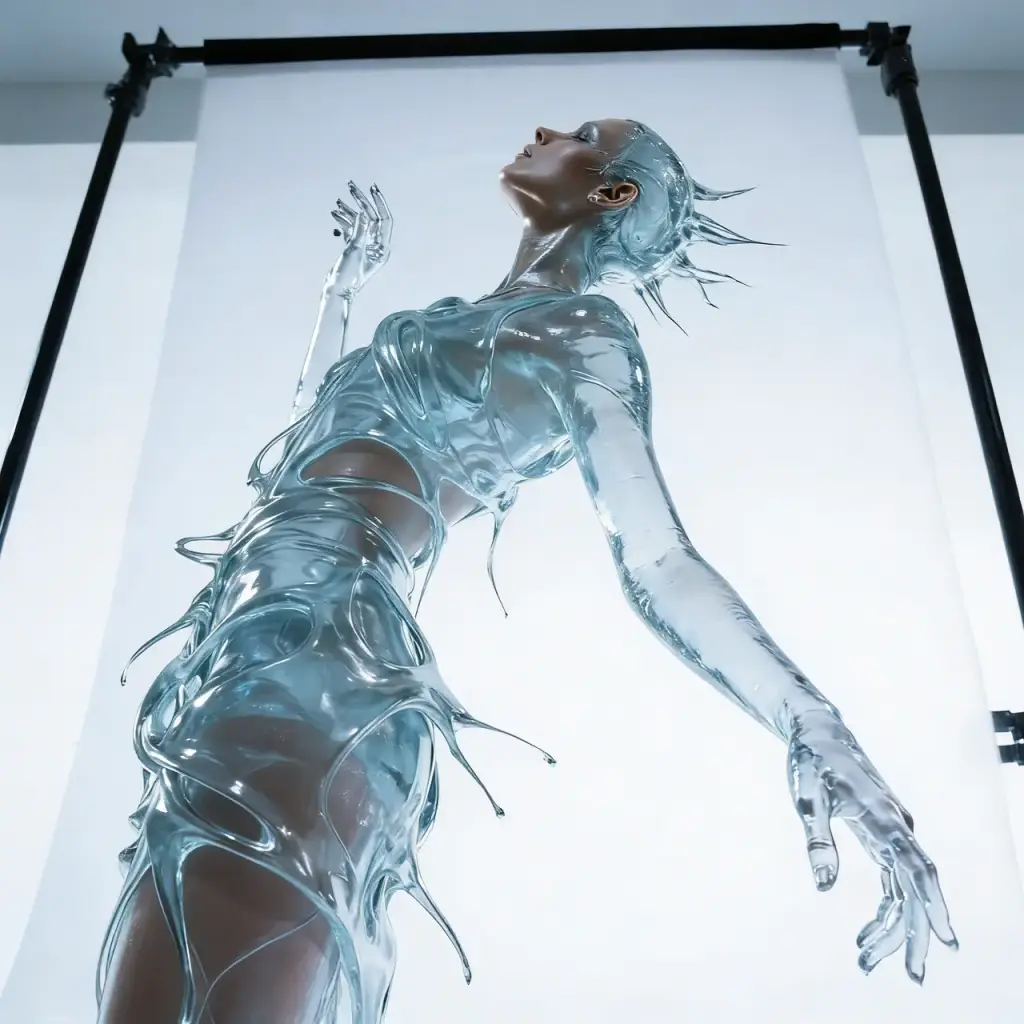
Fotorealismus als Kernkompetenz
Dieses Modell zielt auf Rahmen ab, die man mit Fotos verwechseln könnte: Porträts mit natürlicher Haut statt Plastikglanz, Produktaufnahmen mit ehrlichen Highlights auf Glas und Metall, Landschaften mit glaubwürdigem Licht. Während sich viele Generatoren mit einem Cartoon-Glanz verraten, hält Seedream 4.5 die Linie des Realismus.
Es belohnt Eingabeaufforderungen, die in der Sprache eines Fotografen verfasst sind. Benennen Sie das Licht – sanfter Morgen, strenger Mittag, warmer Sonnenuntergang – und fügen Sie Schärfentiefe und Kameraposition hinzu. Ein Fenster-Porträt mit seitlichem Licht und unscharfem Hintergrund wirkt weitaus lebendiger als die Bitte um ein schönes Porträt.
Acht Seitenverhältnisse, darunter Ultrawide 21:9
Das Sortiment umfasst quadratisches 1:1, klassisches 4:3 und 3:4, bildschirmnatives 16:9 und 9:16, fotografisches 2:3 und 3:2 sowie eine Rarität unter den Bildmodellen – Ultrawide 21:9. Mit diesem Bereich können Sie direkt in die Zielplatzierung generieren, anstatt ein fertiges Bild zuzuschneiden und die Komposition zu verlieren.
Das 21:9-Format erschließt seine eigenen Anwendungsfälle: Website-Hero-Abschnitte, Panorama-Banner, Landing-Page-Header und filmische Frames mit Luft an den Rändern. Vertikal 9:16 und 2:3 gehören zu Storys und Produktkarten. Seitenverhältnis und Qualität sind unabhängige Steuerelemente – eine Änderung des einen berührt niemals das andere.
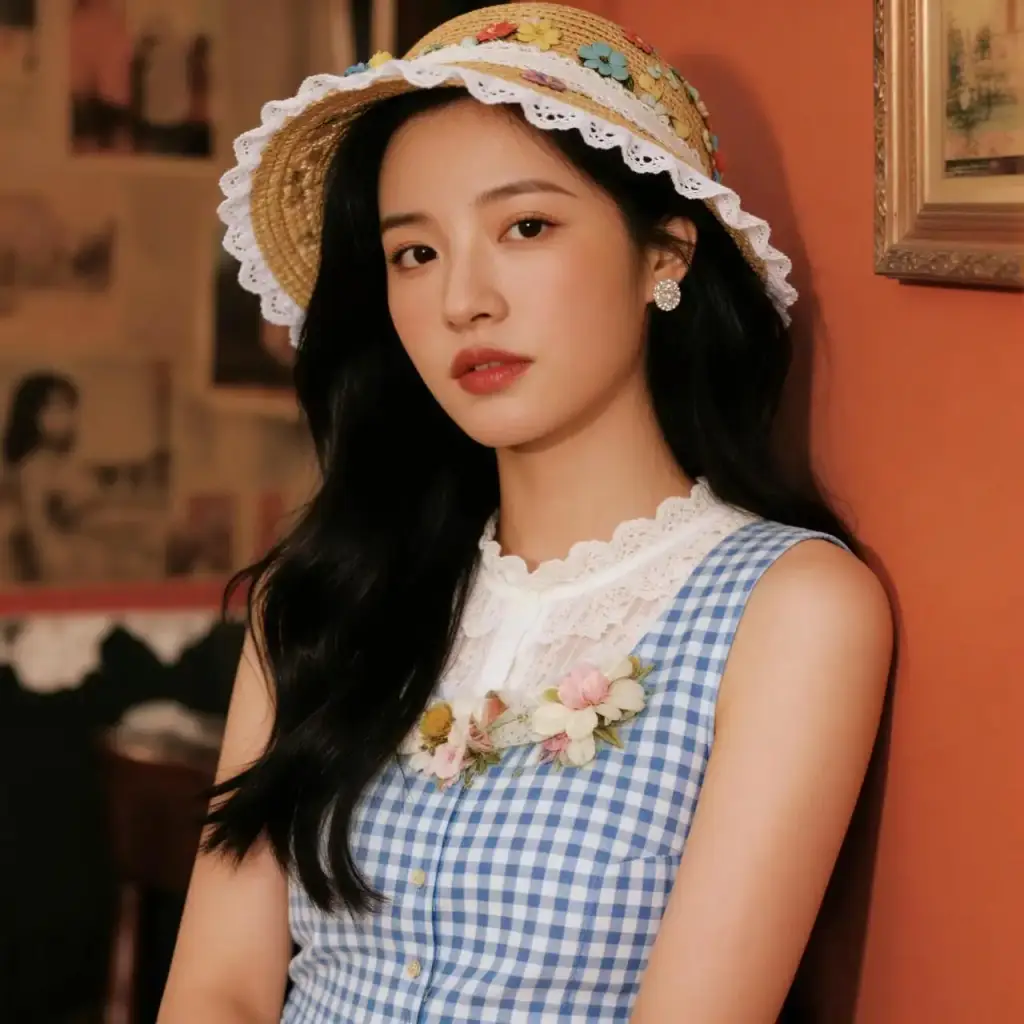
2K und 4K zum gleichen Preis
Der Qualitätsschalter bietet Basis 2K und Hoch 4K, und die Token-Gebühr ist identisch – weshalb 4K die Standardeinstellung ist. Für Bildschirme und soziale Feeds ist 2K ausreichend, aber da kein Aufpreis anfällt, macht eine Absenkung der Qualität nur dann Sinn, wenn Sie auf der Suche nach Geschwindigkeit sind.
4K macht sich immer dann bezahlt, wenn das Bild gedruckt, einer großen Anzeige oder einem Zuschnitt ausgesetzt ist: Ein detaillierter Rahmen übersteht auch das Ausschneiden eines Fragments ohne sichtbare Weichheit. Laden Sie die Ergebnisse Ihres Generierungsverlaufs in voller Größe herunter – die Eingabeaufforderung wird auch dort gespeichert und kann mit Optimierungen erneut ausgeführt werden.
Ihre Fotos als Ausgangspunkt
Es werden bis zu zehn Referenzen mit jeweils 10 MB akzeptiert. Laden Sie ein Produktfoto hoch und platzieren Sie es mit intakter Form in einer neuen Umgebung. Laden Sie mehrere Blickwinkel oder Stilbeispiele hoch und das Model wägt sie ab, während es Ihrem schriftlichen Briefing folgt.
Dies ist ein Arbeitstool für Produktkarten, wenn Sie eine konsistente Serie ohne Studio benötigen, und für die Vorschau von Ideen: wie ein Sofa in einem anderen Innenraum steht, wie sich eine Verpackung auf einem Regal liest. Referenzen in Kombination mit einer fotorealistischen Engine erzeugen Ergebnisse, die einem echten Shooting in nichts nachstehen.
Typische Jobs und Tipps für Einsteiger
Menschen greifen zu diesem Modell, wenn es auf Glaubwürdigkeit ankommt: Avatare und Porträts, Food-Aufnahmen für Speisekarten, Innenvisualisierungen, Banner mit Personen. Handgezeichnete Illustrationsstile sind nicht sein Ding – andere Modelle im Katalog beherrschen die Stilisierung besser, während dieses Modell den naturgetreuen Look besitzt.
Beginnen Sie mit einer kurzen Aufforderung, um die Instinkte des Modells zu erkennen, und fügen Sie dann nacheinander Bedingungen hinzu: Licht, Winkel, Texturen. Vermeiden Sie es, zehn Objekte in einen Rahmen zu stopfen – der Fotorealismus bevorzugt einfache Kompositionen mit einem einzigen Motiv. Es ist billiger, einen Fehler neu zu formulieren, als ihn endlos mit demselben Text zu wiederholen.
Häufige Fragen
Ist die Ausgabe gut genug für den Druck?
Ja – wählen Sie die Qualität 4K, was die Standardqualität ist und nicht mehr als Basis kostet. Die Detailtreue reicht für Druckarbeiten in angemessener Größe und große Banner aus. Laden Sie die Datei in voller Größe aus Ihrem Generierungsverlauf herunter und nicht aus einer komprimierten Vorschau.
Wie viele Referenzbilder kann ich verwenden?
Bis zu zehn, jeweils bis zu 10 MB. Stellen Sie mehrere Winkel eines Objekts bereit, um eine genaue Form zu erhalten, oder kombinieren Sie Stil- und Umgebungsbeispiele. Geben Sie in der Eingabeaufforderung an, was von jedem Foto aufgenommen werden soll, damit die Mischung vorhersehbar bleibt.
Welches Format passt zu Storys und welches zu einem Site-Header?
Verwenden Sie vertikales 9:16 für Storys und 2:3 oder 3:4 für Produktkarten. Für Site-Header und Panorama-Banner gibt es Ultrawide 21:9 – ein Format, das nur wenige Bildmodelle bieten. Das Seitenverhältnis wird unabhängig von der Qualität eingestellt.