Vibe coding games: build a browser game from a description
Vibe coding games means describing in words what game you want while an AI agent writes the HTML, CSS and JavaScript itself, starts the project and hands you a link that opens the game in a browser. No engine, nothing to install: you just spell out the genre, the rules and the controls. Below is what actually comes out of a first description (snake, tic-tac-toe, a clicker, 2048, a memory game), where the AI stumbles, and how to take a prototype to a playable state on NeuralSpace.
What actually works: genres the AI builds well
Vibe coding games shine where the rules are simple and the visuals are drawn by code. That means 2D single-screen games: Snake, tic-tac-toe, a clicker, 2048, Minesweeper, a memory game with flipping cards, a falling-blocks arcade, a reaction test, a quiz. The agent reliably builds the game loop, score counting, a game-over screen, a restart button, a high-score table kept in browser memory, and adaptive controls — arrow keys on desktop, swipes or on-screen buttons on a phone. That exact set is baked into the «Game» starter template in the Code section: «Create a simple browser game in HTML, CSS and JavaScript… You need a score counter, a restart button, a pleasant design and controls that are convenient on both a computer and a phone».
Where vibe coding games stumbles
The honest boundary is complexity. Anything that needs an engine, physics and heavy assets comes out poorly: 3D worlds, first-person shooters, racing with realistic physics, real-time networked multiplayer, games with hundreds of sprites and constant optimization. Balance and «feel» are a separate story: the AI does not play what it wrote, so it cannot feel that a level is too hard or a jump too short. Another trap is one giant prompt: describe the whole game at once and the code turns tangled and fragile. And then there is art: sprites and backgrounds are better generated separately and attached as files to the project rather than coaxed out of the code.
How to start on NeuralSpace: the «Game» template in one click
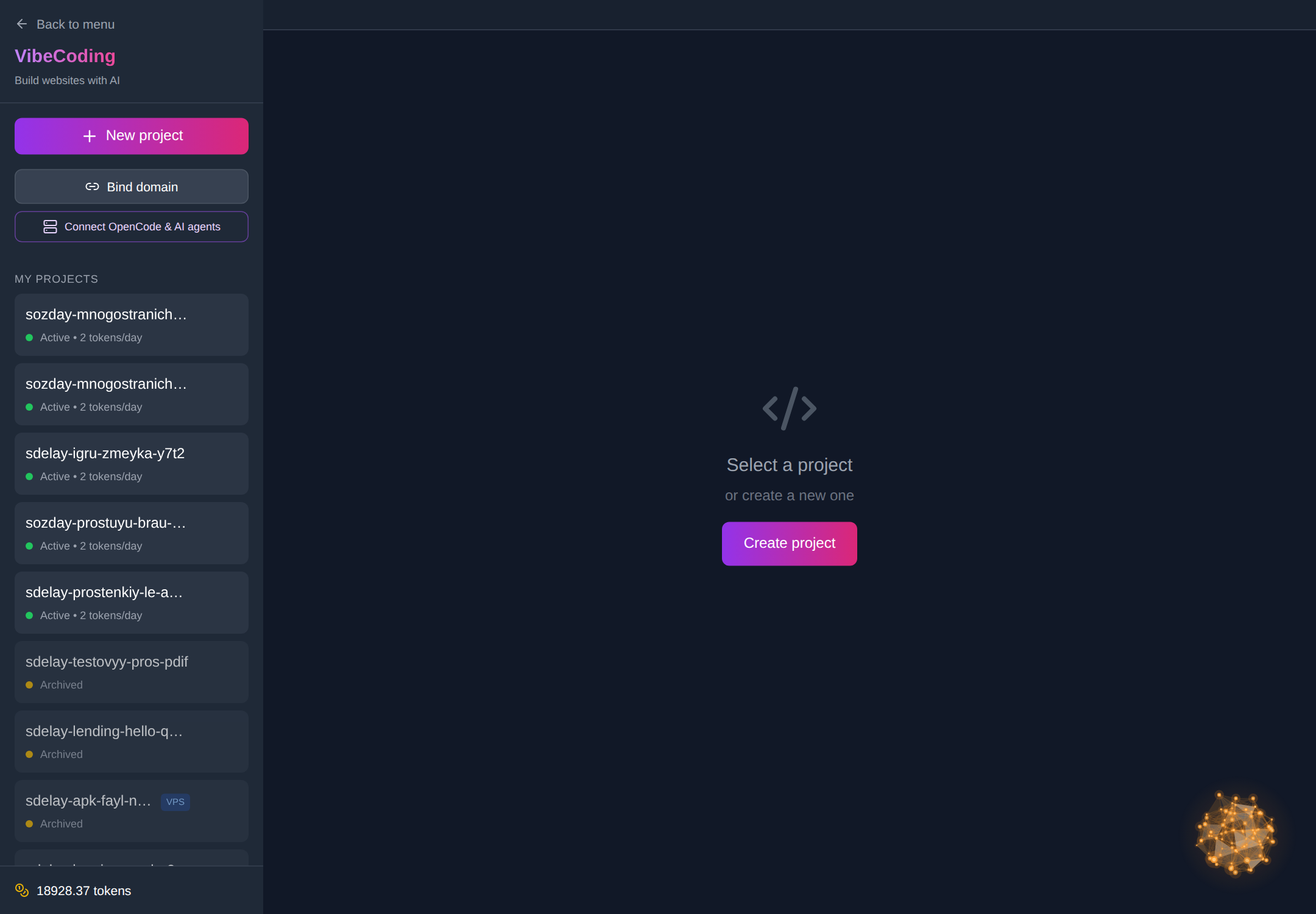
The vibe coding section is at neuralspace.pro/en/vibecoding, and the working area is the Code section at neuralspace.pro/en/code. The order is simple. Sign up, click «New project» and pick the «Game» template — it inserts a ready-made prompt and highlights the spot in square brackets where you write your genre: snake, tic-tac-toe, a clicker or something of your own. Then choose a model, attach files if you need them (sprite images, for instance) and click «Create project». The agent generates the files, starts the server and prepares a link — the «Open site» button opens the game in a browser, phone included. There is no subscription: you pay in tokens spent on generation, and new users receive starting tokens for their first runs.
Which model to pick for a game
For a first game take the economical DeepSeek V4.1 Flash — it is the default for newcomers and drains your balance slowly, and its precision is enough for Snake or a clicker. If tidy layout and interface animation matter, Kimi K2.6 or Kimi K3 fit well. As the logic grows — levels, collisions, saved progress — switch to Claude Sonnet 5, Claude Opus 5 or GPT-5.6: they break working parts less often. GPT-5.6, GPT-6 Astra, Grok 4.5/4.6 and Gemini 3.8 Flash have an adjustable reasoning level: higher means a deeper look at the task, but slower and more expensive. You switch models in the same interface, with no need to recreate the project.
How to take the game to a playable state
The rhythm that works is «one change — one request — one check». Ship a minimal version first and make sure it plays, then grow it with short messages in the project chat: «add three difficulty levels», «make swipe controls on the phone», «save the high score in the browser and show a table», «add a sound when you lose». Each change touches a small piece of code, so it is easy to verify. If something breaks, roll back to the previous project version in one click, and the finished archive can be downloaded at any time with «Download project». When the game is ready you can bind your own domain to the project, and if you need a server side — a shared player leaderboard, say — you choose a dedicated server or your own VDS over SSH when creating the project.
Frequently asked questions
Can I make a game with vibe coding and no programming experience?
Yes, for simple browser games. Describe the genre, the rules and the controls in plain words and the agent writes the code. Understanding logic helps you phrase requests better, but it is not required to start.
Which games turn out worst?
3D, physics, networked multiplayer and anything that needs heavy assets and fine optimization. There vibe coding is good for prototyping an idea, but it does not replace working with a game engine.
Where do I get graphics for the game?
Simple shapes and animations the agent draws in code. Sprites and backgrounds are easier to generate in the image generation section and attach as files to the project — that way the game looks coherent.
How much does it cost to make a game?
There is no subscription: you pay for the tokens spent on generation and edits. The cost depends on the model and the amount of rework, and new users receive starting tokens for their first runs.