Seedance AI: what it is and how to make a video from text

Seedance is a neural network for video generation: you write a text description of a scene or upload a picture, and the model turns it into a live video clip with camera movement, characters and shot changes. It is one of the most in-demand video models of the current wave, and on NeuralSpace it comes in several versions — from the fast V1 to the flagship 2.5 with up to 1080p resolution. Below we cover what Seedance can do, how the versions differ, and how to make your first video on NeuralSpace in a couple of minutes.
What Seedance can do
The model works in two modes. Text to video: you describe a scene in words — "a drone flies over a night city, neon, rain" — and get a clip with that storyline. Image to video: you upload your own picture, and the model animates it — the person in the photo starts moving, the landscape comes alive. Seedance handles camera movement well (push-in, orbit, panorama), follows the described choreography of the scene and preserves the style of the source image. Clips are produced in 6-second blocks, with resolutions from 480p to 1080p depending on the version.
Which versions exist
NeuralSpace offers several Seedance versions: the flagship 2.5 with top quality and up to 1080p, the universal 2.0, the lighter 1.5 Pro and the fast V1. The choice rule is simple: 2.5 when image quality decides (ads, intros, social media content), 2.0 as the price-quality balance for most tasks, 1.5 Pro and V1 when you need many quick draft variants. The exact price of each option is shown in the interface before you start the generation.
How to make a video, step by step
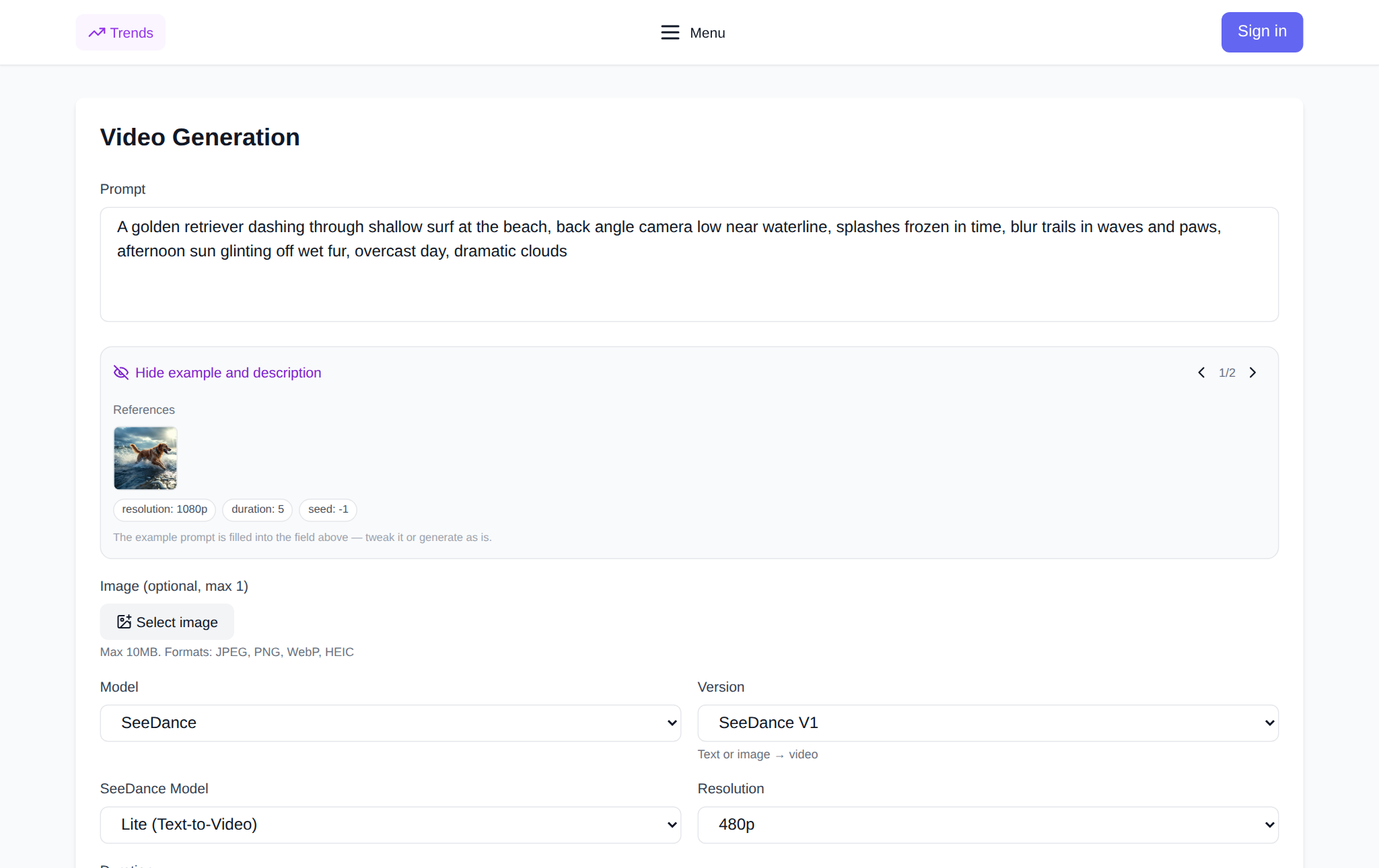
Step 1. Open the Seedance page and sign in. Step 2. Choose the mode: text to video or image to video. Step 3. Describe the scene: what is in the frame, how it moves, the lighting and mood — the more specific the description, the more accurate the result. Step 4. Pick the model version and resolution. Step 5. Hit generate and wait: the finished clip appears right on the page and can be downloaded. New users get starter tokens; after that you pay per token with no subscription.
How to write prompts that work
The formula for a working prompt: subject + action + camera + atmosphere. For example: "a woman walks down a Tokyo street in the evening, the camera glides forward smoothly, neon signs, light rain, cinematic look". State the camera movement explicitly — push-in, orbit, static; name 2–3 key details instead of a dozen; add the word "cinematic" when you want a premium look. For image-to-video, describe what should happen to the source frame rather than re-describing the whole picture.
FAQ
Is Seedance free?
The service runs without a subscription: you pay only for the generations you make, per token. New users on NeuralSpace get starter tokens, and the price of each option is shown before it starts.
What is the maximum resolution?
Up to 1080p in version 2.5; the other versions work in 480p and 720p. Duration comes in 6-second blocks.
Can I animate my own picture?
Yes — the image-to-video mode: upload an image and the model brings it to life while keeping its style and composition.
Where can I try it?
On the Seedance page on NeuralSpace — sign-up takes a minute and starter tokens are credited right away.