Seedance 2.5: 1080p, style references and when the flagship

Seedance 2.5 is the flagship video model on NeuralSpace: it renders clips from 4 to 30 seconds at up to 1080p and, unlike the junior versions in the line, it works from references — images, video and audio that you point to directly inside the prompt. References and resolution are exactly what decide whether the flagship is worth paying for: 1080p costs roughly four times as much per second as 480p, and every second of a video reference is added to the bill. Below: how to launch Seedance 2.5 on the site, what to enter and where, how to count tokens, and when the flagship really pays off.
What Seedance 2.5 can do
Seedance 2.5 is the senior model in the SeeDance group on the video generation page. Its key settings: duration 4–30 seconds (Seedance 2.0 stops at 15), resolution 480p, 720p or 1080p, six aspect ratios (21:9, 16:9, 4:3, 1:1, 3:4, 9:16) and MP4 or MOV output. Audio generation and "return last frame" are separate toggles — handy when the clip continues in a following fragment.
The main difference from the junior versions is the reference mode. Seedance 2.5 accepts up to 30 images, 10 videos and 10 audio files at once and lets you reference them in the prompt text. That turns generation from a lottery ("describe it and hope") into a controllable process: style, character, camera movement and sound are set by files, not adjectives.
How to start on NeuralSpace, step by step
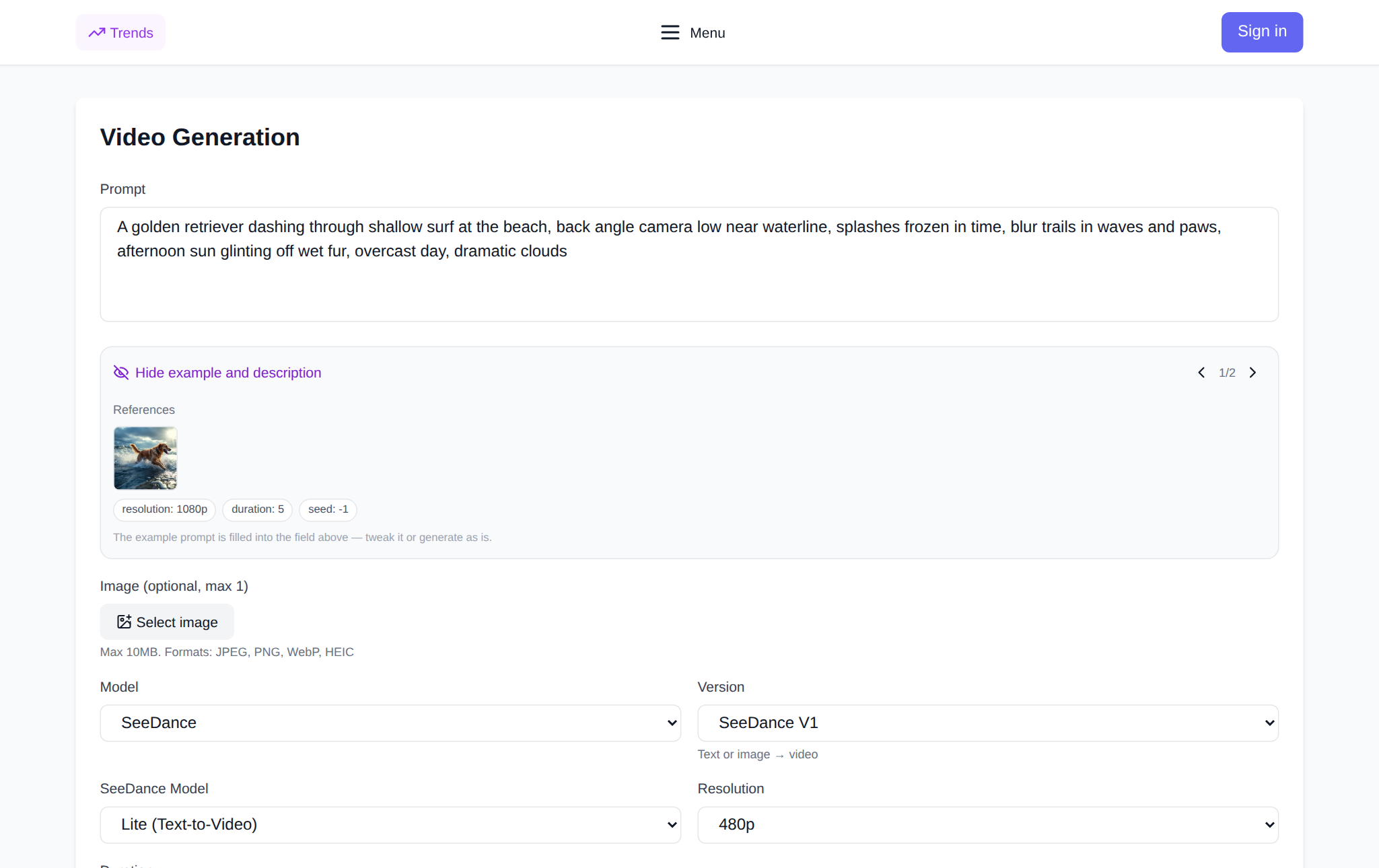
- Open the video generation page and pick Seedance 2.5 from the model list (the SeeDance group).
- Upload at least one reference. Without a file the run will not start: Seedance 2.5 has no text-only mode — it needs at least one reference: an image, a video or audio.
- Write the prompt and point to your uploads by number: @image1, @image2, @video1. The number is shown on each file preview.
- Choose the mode, resolution, duration and format. The token price recalculates instantly and is visible before you run.
- Hit Generate. The finished clip appears in your generation history, ready to download.
Signing up takes a minute and there is nothing to install — everything runs in the browser. There is no subscription: new users get starter tokens for their first runs, after that you pay only for the tokens you spend.
Style references: how to point at them and what you can upload
The reference syntax is simple: @image1 is the first image, @image2 the second, @video1 the first video. Example prompt: "the woman from @image1 walks down the street from @image2, camera moves like in @video1". If you point to a number you have not uploaded (say @image4 with three files), the generation stops — that is protection against typos.
File limits:
- images — up to 30, JPEG, PNG, WebP or GIF, up to 30 MB each;
- video — up to 10, MP4, MOV or MKV, up to 200 MB, total duration up to 30 seconds;
- audio — up to 10 files, MP3, WAV, AAC, M4A or OGG, up to 15 MB each, up to 30 seconds in total.
The settings offer two ways to use images. "Reference images" — the pictures define style, character or object while the scene is built from the prompt. "First/Last Frames" — one image becomes the first frame, two become the first and the last: handy for stitching scenes together and holding the composition.
1080p and money: how to count tokens
Seedance 2.5 is billed per second, and resolution is the main multiplier. A rough per-second guide: 480p is the base rate, 720p costs about twice as much, 1080p about four times as much as 480p. In other words, a ten-second 1080p clip costs as much as forty seconds at 480p.
The second multiplier is duration. The slider goes from 4 to 30 seconds and you pay for every second, so "a bit longer just in case" is the fastest way to burn your balance. The third is video references: their seconds are added to the generation cost, so a 30-second motion reference is worth trimming to the fragment you actually need.
A practical money-saving routine: draft and tune the prompt at 480p and minimum duration, then re-render the final clip at 1080p with the same references. That way you pay for high resolution once instead of on every iteration.
When to pay for the flagship and when a junior model is enough
Seedance 2.5 earns its price when:
- you need a final 1080p clip for an ad, a client or a big-screen release;
- consistency matters: the character, product or style must match the reference frame after frame;
- the scene has several interacting elements and camera movement is set by a video reference;
- the clip is longer than 15 seconds, or you need sound and a continuation from the last frame.
If the task is simpler — one scene, text or a single image, a draft or a batch of quick tests — the junior models are cheaper: SeeDance 2.0 (fast and standard), V1.5 Pro with one or two references, or the base V1. A sensible pipeline: prove the idea on a cheap model, then render the final on Seedance 2.5.
FAQ
Can I run Seedance 2.5 from text only, with no files?
No. The model needs at least one reference — an image, a video or audio. The text prompt sets the scene and the action, but a run without a file will not start.
How much does a 1080p generation cost?
Pricing is per second and depends on resolution: 1080p is roughly four times the 480p rate for the same second. The final token cost is shown in the interface before you run, and there is no subscription — only the tokens spent on generation are charged.
How is Seedance 2.5 different from Seedance 2.0?
Duration (up to 30 seconds versus 15), resolution up to 1080p, and a full reference mode: up to 30 images, 10 videos and 10 audio files with @image1/@video1 links right inside the prompt.
Where can I try Seedance 2.5?
On the NeuralSpace video generation page: pick the Seedance 2.5 model, upload a reference, describe the scene and run it. New users get starter tokens, after that you pay per token with no subscription.