Seedance 2.0 AI Video Model: Features, Differences
Seedance 2.0 is a versatile video generation neural network designed to turn text prompts and still images into high-motion cinematic clips, serving as the balanced workhorse of modern AI video production. Compared to the heavier flagship version 2.5, which is tailored for maximum micro-texture precision and slower rendering, version 2.0 delivers rapid generation speeds, consistent physical dynamics, and efficient token consumption. In this guide, we explore the core capabilities of Seedance 2.0, compare it head-to-head with version 2.5, and explain how to configure your video workflows on NeuralSpace for optimal results.
What is Seedance 2.0?
Seedance 2.0 is an advanced video generation model built on a diffusion-transformer backbone, engineered specifically to maintain natural motion continuity and realistic physical behavior. It preserves the geometry of moving objects exceptionally well, avoiding the morphing, limb tearing, and spatial warping that frequently challenge older generation engines.
The system operates in two core modes. Text-to-Video generates complete scenes from descriptive prompts, interpreting lighting, environmental atmosphere, character action, and camera motion. Image-to-Video takes a static illustration or photograph and animates it dynamically, preserving identity, facial features, textures, and color grading from the original source frame.
Seedance 2.0 vs. Seedance 2.5: Key Differences
The release of Seedance 2.5 introduced clear role differentiation across the model family. While 2.5 represents the high-end flagship, Seedance 2.0 remains indispensable for daily workflows due to specific operational advantages:
- Rendering Speed: Seedance 2.0 processes video tasks significantly faster. This rapid turnaround is essential when iterating on prompts, exploring camera trajectories, and testing multiple concepts.
- Token Cost: Version 2.0 consumes fewer tokens per run, providing a cost-effective solution for producing multiple takes, short-form social clips, and high-volume creative assets.
- Speed and Resolution Options: Seedance 2.0 offers Fast and Standard modes in both 720p and 1080p, giving creators precise control over rendering speed and visual clarity.
- Where 2.5 Excels: The flagship 2.5 model is preferred for complex close-up shots requiring microscopic texture fidelity, advanced audio synchronization, and intricate facial micro-expressions. For medium and wide dynamic shots, version 2.0 delivers top-tier results at a fraction of the turnaround time.
When to Choose Seedance 2.0 Over 2.5
To optimize both your creative output and production balance, consider the following workflow strategy:
Choose Seedance 2.0 when: you are developing storyboards; testing prompt phrasing and motion choreography; producing high-volume social media videos; animating static graphic assets; or seeking the fastest route to an expressive working cut.
Switch to Seedance 2.5 when: your scene composition, motion, and lighting cues have already been verified in draft runs, and you need a final master clip with hyper-detailed skin textures, complex glass reflections, or integrated audio cues.
How to Generate Video on NeuralSpace Step by Step
Creating video with Seedance 2.0 on NeuralSpace is straightforward and requires no complex local software:
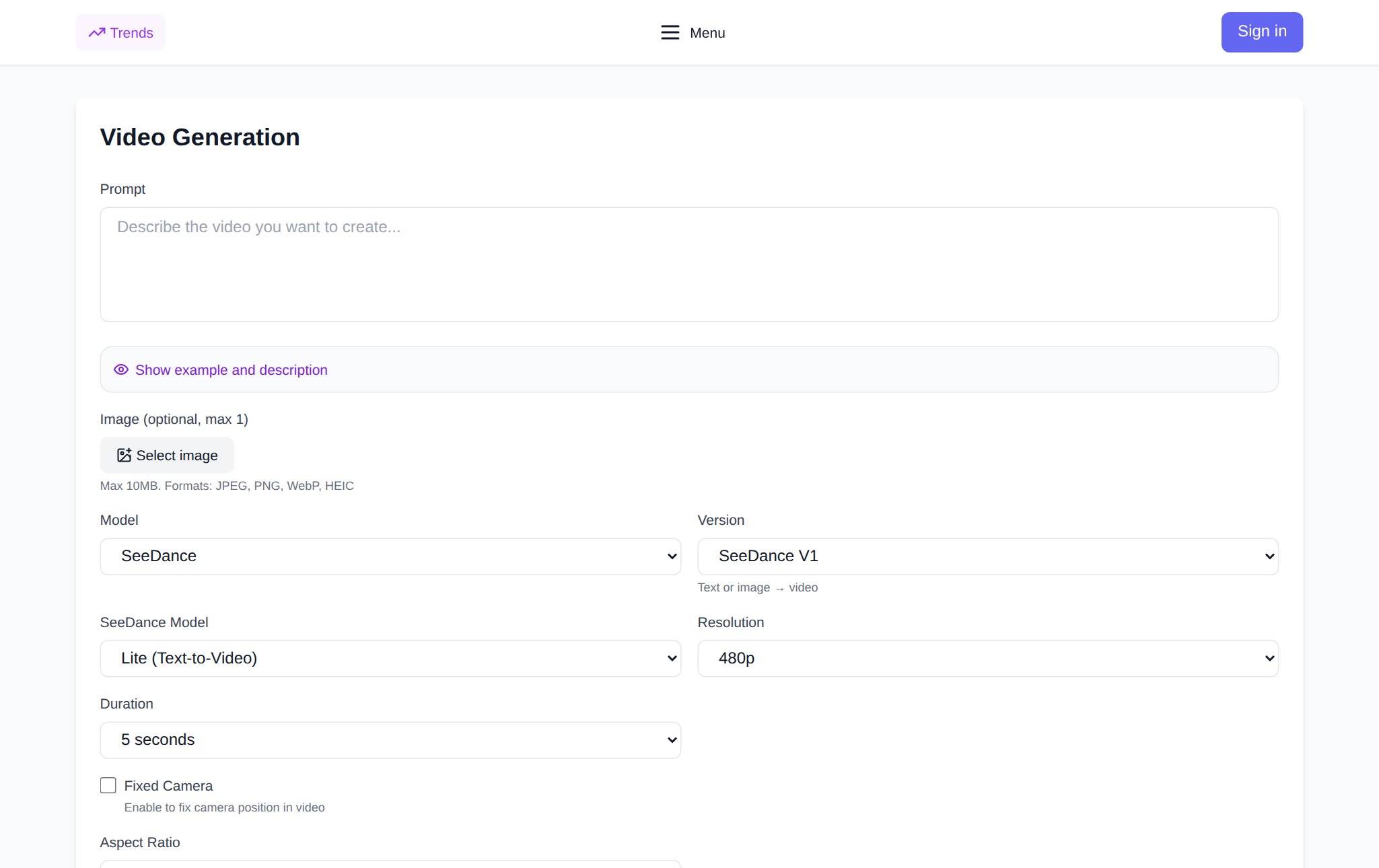
- Navigate to the video studio: open the Seedance page on NeuralSpace and sign in to your account.
- Select your operational mode: choose Text to Video to generate from scratch, or Image to Video to animate your own uploaded image.
- Draft your prompt: clearly specify the primary subject, the nature of the action, environmental lighting, and camera movement (for example: “a futuristic electric car speeds along a wet suspension bridge at night, smooth side tracking shot, neon reflections on asphalt, cinematic mood”).
- Configure model parameters: select Seedance 2.0 and your desired output resolution (720p or 1080p).
- Verify price and generate: the exact token cost is displayed on the interface before you start. New users receive starter tokens upon registration, with subsequent runs billed per token without any recurring subscription.
Frequently Asked Questions
What is the main benefit of Seedance 2.0 compared to 2.5?
Seedance 2.0 offers faster generation turnaround and lower token costs while maintaining excellent motion coherence, making it ideal for rapid iteration and high-volume video creation.
Can Seedance 2.0 animate my own photos?
Yes. In Image-to-Video mode, the model keeps the subject and style of your source image intact while animating the scene according to your movement instructions.
What is the maximum resolution available in Seedance 2.0?
Seedance 2.0 supports outputs up to 1080p (Full HD) resolution, offering both standard and accelerated fast rendering profiles.
How are video generations billed on NeuralSpace?
NeuralSpace operates on a transparent pay-per-token structure without mandatory monthly plans. New accounts receive starter tokens to test the service immediately after sign-up.