Proofread video translation: fix subtitles, then render

Proofread translation is a tool in the Avatar Video section that translates a video and lets you check the translation before the dub is built: you get the subtitles as a file, fix names, terms and wording, and only then start the final voiceover. A checkpoint appears between machine translation and the finished clip — the "read it yourself" step that ordinary translation skips. Below: what the tool is, who needs it, the full cycle step by step and how the price is calculated.
What it is and who it is for
Regular video translation is "set and forget": pick a language, get a dubbed clip. Proofread translation works differently: the tool first translates the video and hands the subtitles over for review, and it starts the final build only after you upload the corrected file. The cycle grows by one step, but that step is the one that reliably catches mistakes in names, brands, terminology and jokes — exactly where automation slips most often.
Who it is for: interviews and podcasts, lectures and courses, corporate presentations and training videos, reviews and ads, avatar greetings — anything translated for a live audience, especially when brands, abbreviations, professional jargon or wordplay are involved.
How big video is on the platform shows in its log: over 30 days (2026-09-04 – 2026-10-04) 12,689 generations were started, 2,334 of them videos — the second-biggest format after images (9,907) and tracks (448); production DB aggregates, source: server/seo/benchmarkData.json. The more clips go out to audiences in other languages, the more often you need confidence in every word rather than a translation checkbox.
Why machine translation makes mistakes
Machine translation has long handled the general meaning well — and still falls apart on details. Proper names, company and product names, abbreviations, units, slang and puns regularly turn into random words. A typical case from our own content translation: "Fermat" in a headline about a famous mathematical theorem confidently became a "farm" — the agricultural kind — and the meaning was lost in every language at once. In a dub that kind of mistake comes out of the speaker's mouth and is noticed instantly: the viewer hears a wrong name where they expected accuracy.
There is a second risk — inconsistency. The same term may be translated differently at the start and the end of a clip, or differently in each episode of a series. To viewers that looks sloppy; for expert content it looks unprofessional. And no automated stage is 100%: over 90 days of platform statistics (2026-07-06 – 2026-10-04) the share of successful completions among mature models is 79.7–92.2% (Kling 3.0 — 298 of 374, Seedream 4.5 — 1,036 of 1,127, GPT Image 2 — 3,244 of 3,518; source: server/seo/benchmarkData.json). A translation error is milder than a generation failure: the clip comes out, but the text is wrong. So wherever the result reaches people, a check before the final build pays off.
How it works: three steps
The whole cycle fits into three steps.
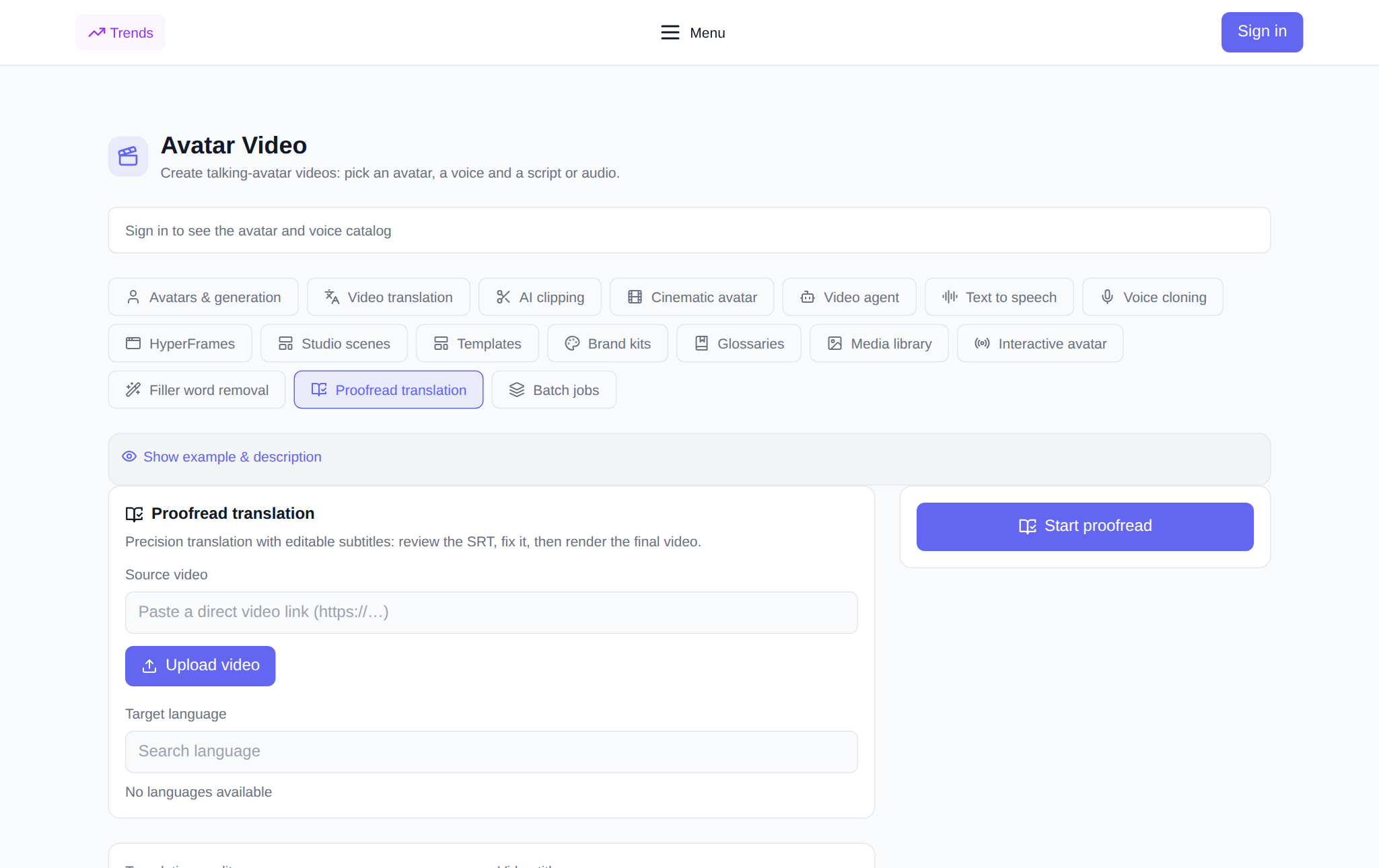
- Start a session. Open the Proofread translation tab, add a video — upload a file or paste a direct link — and pick the target language and quality mode: Precision (higher lip-sync quality) or Speed (faster). Optionally set a task title and attach a glossary so terms and names are translated the way you predefine. The price is shown before launch: it is based on the source duration, which the server measures itself.
- Fix the subtitles. When the session is ready, its card shows a "Download SRT" button: a text file with the lines and time codes. Correct names, terms and wording in any text editor, upload the file somewhere public (cloud drive, file hosting) and paste the link into the "Public link to the edited SRT" field, then hit "Upload SRT".
- Render the final video. Next to the "Render final video" button the price of this operation is shown — before you press it. The render runs in the background, the status is displayed on the same card, and the result — the finished clip — can be downloaded right there.
A useful detail: a repeated build is protected against accidental duplicates. Once the render starts, the button disappears — a second click cannot create a second charge; and if the render fails, it is honestly marked as failed and the launch can be repeated.
What you get
A proofread session yields two results. First, the subtitles: an SRT file with the translation that stays with you even without the final build. Second, the final video: dubbing and lip sync are assembled from your proofread text, not from the first machine pass. Everything is kept in the history: session and render statuses, price, download and delete buttons. If something fails, the tokens are refunded automatically — for a failed translation session and for a failed final build alike.
What it costs
No subscription: new users get starting tokens for their first tries, after which you pay in tokens per task. Proofread translation has two paid operations — preparing the translation with subtitles and the final build — and each is priced by the duration of the source video. Both prices are shown before launch, and the amount displayed equals the charge: the server measures the file itself, so there is nothing to calculate by hand.
What to pair it with
- Video translation — for the fastest possible dub when no manual edit is needed.
- Glossaries — to make terms translate consistently from the start, before proofreading.
- Text to speech — synthesize a voice when you need only audio, no video.
- Avatars and generation — create a talking avatar from scratch.
Frequently asked questions
How is proofread translation different from regular video translation?
Regular translation delivers a dubbed clip straight away. Proofread shows the subtitles first: you fix the text, upload the corrected file and only then start the build. A wrong name or term is fixed before the voiceover instead of sounding in the finished clip.
Do I need to know how to work with subtitles?
No. An SRT is a plain text file with lines and time codes; any text editor can open it. Just replace the wording and save the file.
Which languages can I translate a video into?
The list is large — around 190 languages with a search by name, from English and Arabic to Japanese and Hindi. The language is chosen per task.
What happens if a task fails?
The tokens are refunded automatically — for a failed translation session and for a failed build alike. A failed task can be deleted from the history.