How to write prompts for Sora, Midjourney and Kling: a beginner’s guide
The short version (BLUF)
A good prompt follows a fixed formula: subject, action, style, camera, light. This guide breaks the formula down for images (Midjourney, Flux), video (Sora, VEO) and image-to-video (Kling) — with the typical mistakes, all of which I made myself.
You know the feeling: you spot someone's jaw-dropping result in Midjourney, copy a similar prompt — and get garbage? I've been there. Turns out it's not the model, it's HOW you phrase the request. The prompt is 80% of the result. Here are the rules that actually work for Sora, Midjourney, Kling and pretty much any generative model. We use them inside NeuralSpace.
The formula — memorize it, don't drift
Subject + action + environment + style + light + composition.
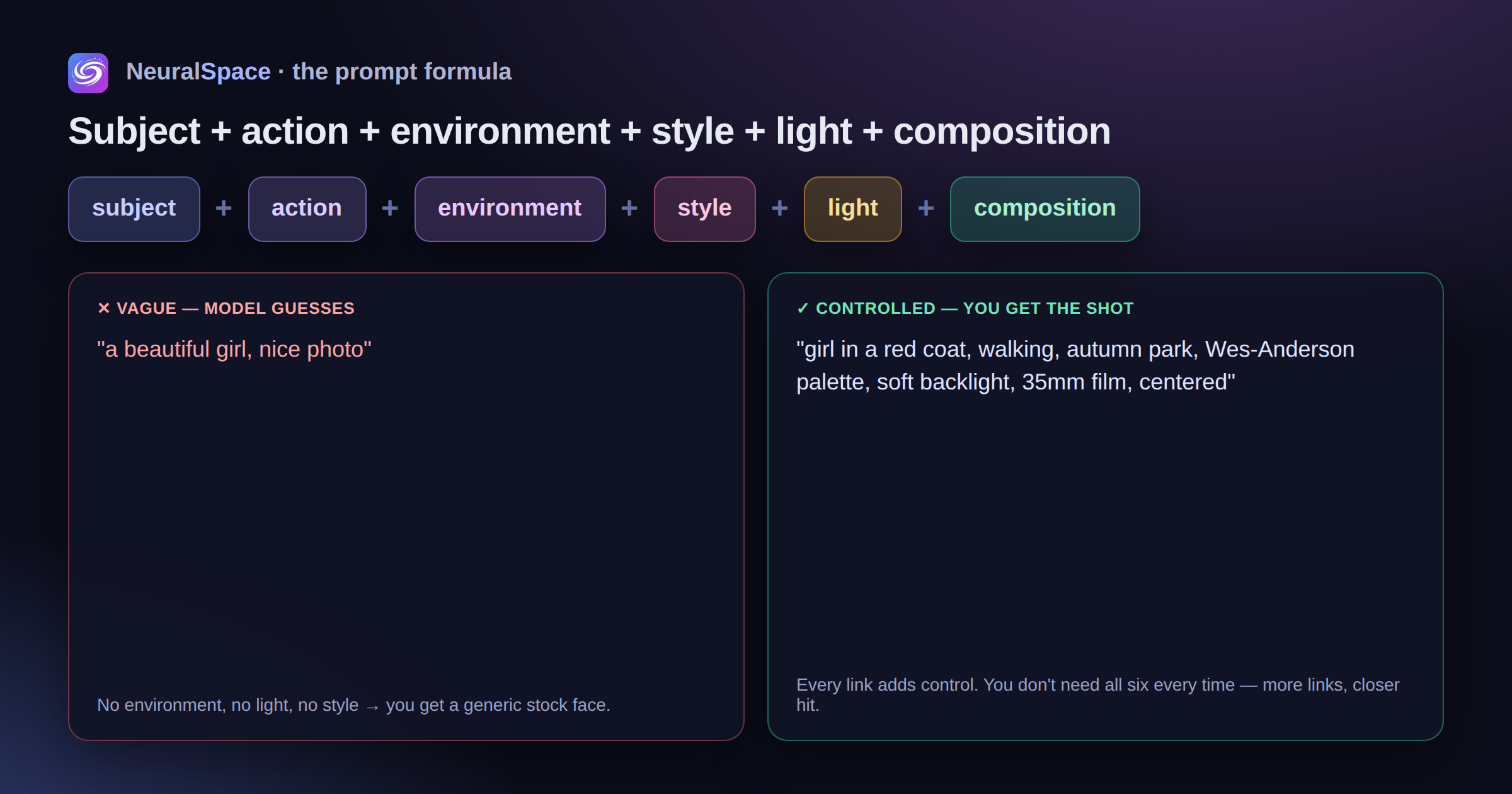
Every link adds control. No subject — the model invents its own. No style — you get an "average photo". No light direction — you lose the mood. You don't have to spell out all six every time, but the more you add, the closer the hit.
Prompts for images (Midjourney, Flux)
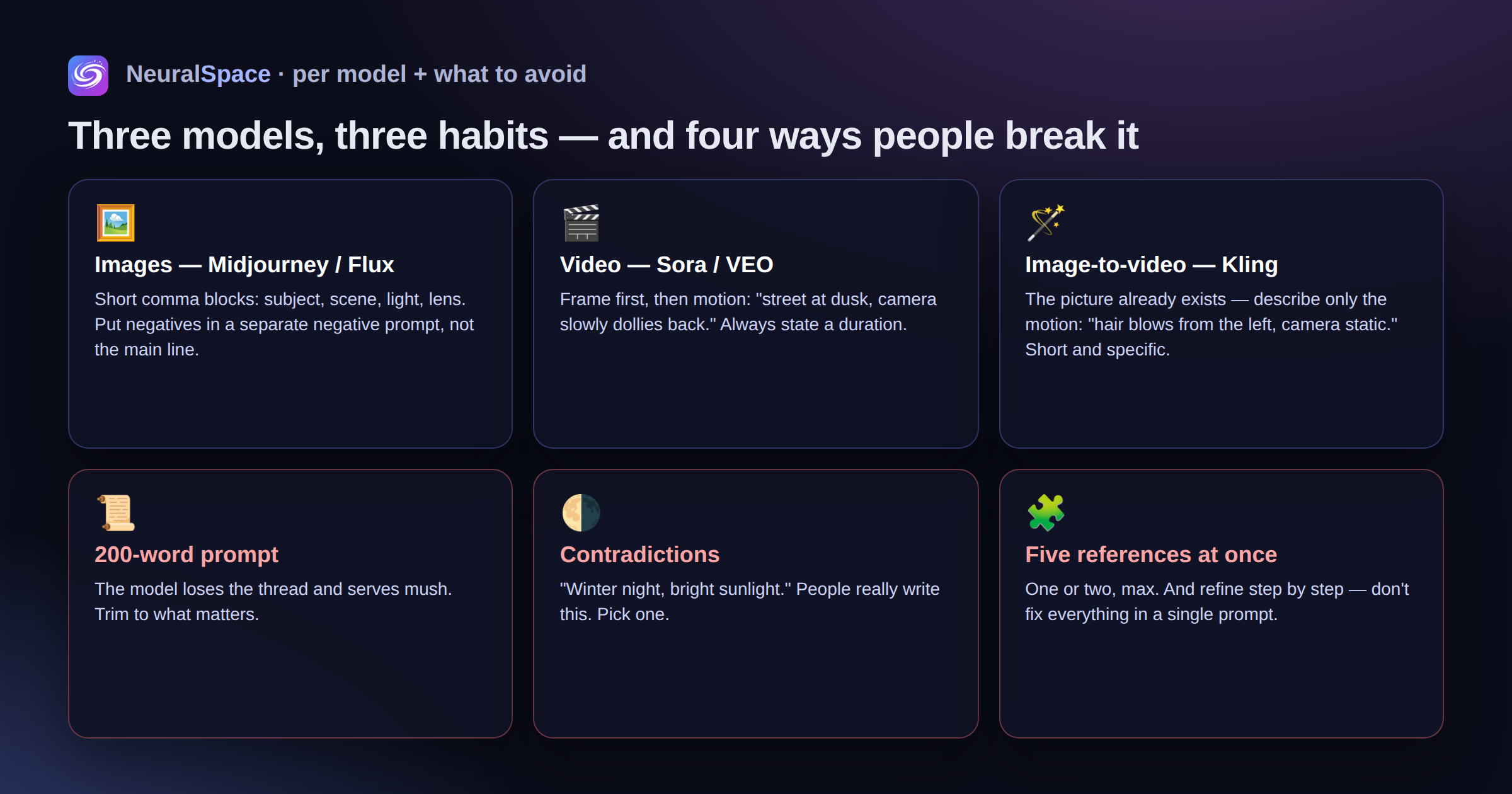
- Short comma-separated blocks: "girl in a red coat, autumn park, soft backlight, 35mm film"
- Name the style and references. "Watercolour", "isometric", "in the spirit of Wes Anderson" — the model gets it
- Negatives go separately! Don't write "no text" in the main prompt — that's what the negative prompt is for
- In NeuralSpace you can write in any language — the platform handles the translation for you
Prompts for video (Sora, VEO)
- Frame first, motion second: "city street in the evening, camera slowly dollies back, people walk past with umbrellas"
- State the duration: "3 seconds", "short motion". Skip it and the model decides for you — and may guess wrong
- Complex clip? Break it into scenes — that's exactly what Sora 2 Pro Storyboard in the "Video" section is built for
Image-to-video (Kling)
The big mistake here is re-describing the picture. The picture already exists! Describe the motion only: "hair blowing in the wind from the left", "the character takes a step, camera static". Short and concrete.
Common mistakes (I made all of them)
- A 200-word prompt — the model gets confused and serves mush
- Contradictions: "winter night, sunlight" — seriously, people write this
- Five references in one request. One or two is the max
- Trying to fix everything with a single prompt instead of refining step by step
You can borrow templates and proven prompts from the "Trends" section — it shows what other NeuralSpace users are generating.
Frequently Asked Questions (FAQ)
Q: How do I get the best result from the AI?
A: Use detailed prompts (descriptions) in English; specify style and scene details.
Q: Can I use this content commercially?
A: Yes, all generated content belongs entirely to you.