Seedance 2.0 neural network: overview of capabilities, differences from 2.5 and when to choose it
Seedance 2.0 is a universal neural network for generating realistic video from text descriptions and static images, occupying the position of a balanced standard in the line of models for fast production. Unlike the heavy flagship version 2.5, which is focused on maximum texture detail and longer rendering times, version 2.0 provides high generation speed, stable physics of movements and minimal token consumption. In this guide we will look at the key features in detail. Seedance 2.0, let's make a direct comparison with version 2.5 and show how to set up generation on the platform NeuralSpace for specific practical tasks.
What is Seedance 2.0
Seedance 2.0 is a new generation generative video model built on the basis of a hybrid diffusion-transformer architecture. The neural network specializes in continuously synthesizing motion with natural cinematic physics. It perfectly maintains the geometry of objects during complex movements in the frame and copes with scenarios in which many other models lose shape or create unpleasant artifacts.
The model operates in two basic scenarios. The first is the classic “text-to-video” (Text-to-Video), where the scene is created entirely according to the description: from lighting and environment to the character’s gait and the movement of the virtual operator. The second is “image to video” (Image-to-Video), in which the model takes a static illustration or photograph as a basis and animates it, strictly preserving facial features, the texture of clothing and the color palette of the original frame.
Main differences: Seedance 2.0 against Seedance 2.5
Appearance of the version Seedance 2.5 divided use cases into two clear categories. Although 2.5 is considered a flagship, version 2.0 remains an indispensable workhorse due to a number of practical advantages:
- Rendering speed: Seedance 2.0 generates the finished video sequence noticeably faster. This gives a significant advantage when testing hypotheses, testing new angles, or finding the right wording for a prompt.
- Balance consumption in tokens: Generation in version 2.0 is cheaper, which makes it a rational solution for serial content creation, generating dozens of options and mass editing.
- Speed and resolution modes: IN Seedance 2.0 Fast and Standard options are available for 720p and 1080p resolutions, allowing you to flexibly balance between savings and maximum clarity.
- Sphere of Excellence 2.5: The flagship version 2.5 wins where maximum elaboration of microtextures on macroplanes, synchronization with complex audio tracks and ultra-fine transfer of facial expressions are required. However, for most dynamic mid- to general-sized plans, 2.0's capabilities are more than enough.
When to choose Seedance 2.0, and when 2.5
To use resources efficiently, follow a simple rule:
Choose Seedance 2.0, If: you need to quickly check the director's intention; create a storyboard or a series of dynamic shots for vertical social networks; animate a static banner; Get dozens of camera movement options at no extra cost. This is the optimal choice for the daily work of creators and marketers.
Switch to Seedance 2.5 when: The composition and movement in the frame have already been verified in rough runs, and a final master of maximum resolution is required, with an emphasis on cinematic detail of skin, hair or complex glass reflections.
Step-by-step setup of generation on NeuralSpace
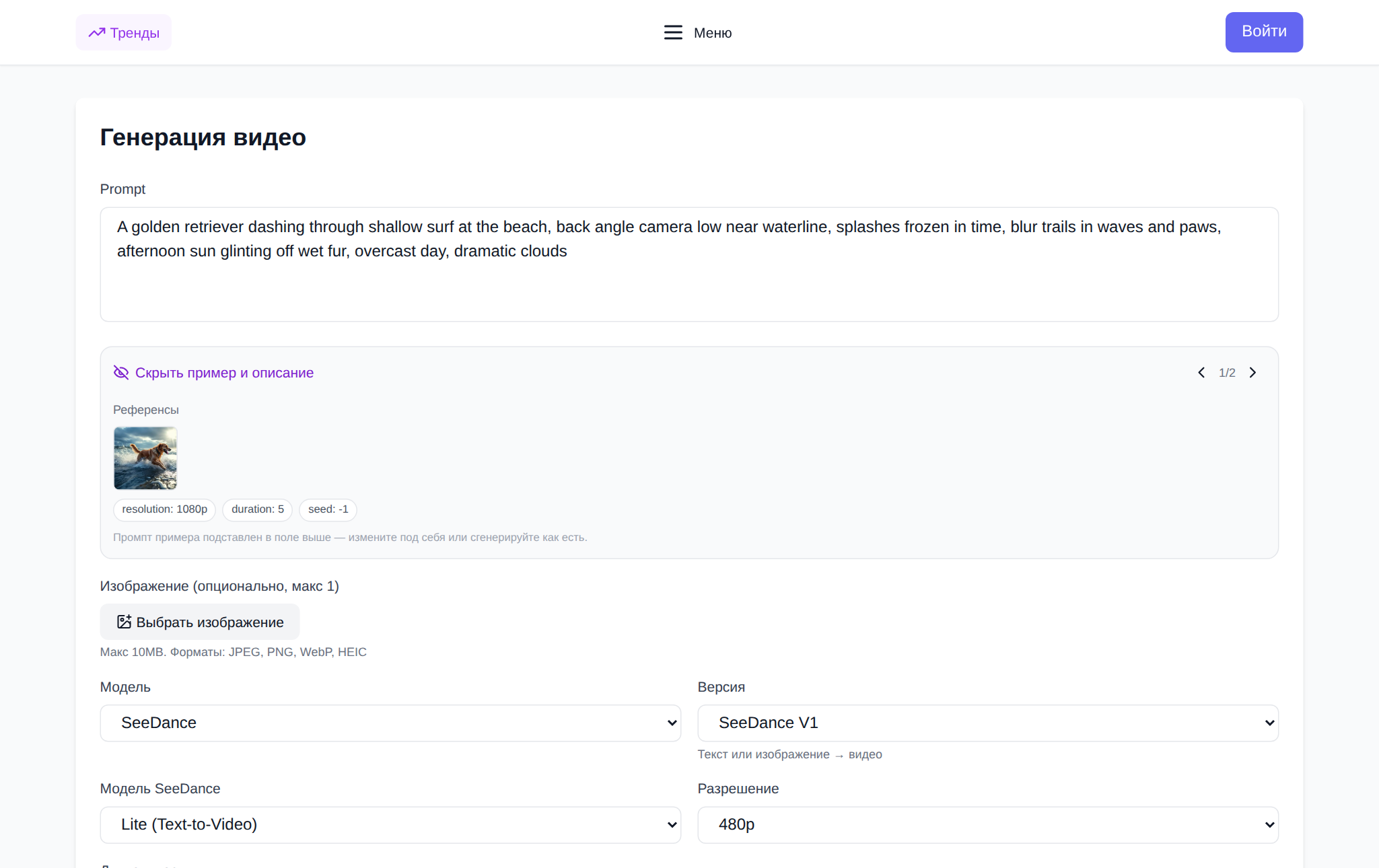
Start generation in Seedance 2.0 on NeuralSpace consists of a few simple steps:
- Open the video generation section: go to page Seedance on NeuralSpace and log in to the system.
- Select the task mode: switch to “Text in video” to generate from scratch, or “Picture in video” if you want to animate a pre-prepared image.
- Formulate a detailed prompt: indicate the central object, the nature of the movement, the type of lighting and the camera trajectory (for example: “a futuristic electric car rushes along a night bridge through the rain, the camera smoothly flies around from the side, neon reflections on wet asphalt, cinematic angle”).
- Select model and parameters: specify version Seedance 2.0 and the desired resolution (720p or 1080p).
- Check the price and run: the price in tokens is displayed directly in the form before generation begins. New users are awarded starting tokens, and further work is paid for tokens without a subscription.
Frequently asked questions
What is the main advantage Seedance 2.0 before version 2.5?
Seedance 2.0 provides faster rendering and lower token consumption with excellent dynamics quality, making it an ideal choice for finding successful takes and regular content production.
Does it support Seedance 2.0 animation of finished photos?
Yes, picture-in-video mode allows you to upload any image. The neural network will carefully preserve the composition and style of the source, reviving the scene in accordance with your text description.
What is the maximum resolution available for Seedance 2.0?
Version 2.0 supports the generation of high-definition videos up to 1080p (Full HD) with the ability to choose between fast and standard rendering modes.
How are video generation paid for? NeuralSpace?
On NeuralSpace There are no mandatory monthly tariffs: you pay only for actually completed token generation. Registered users are awarded starting tokens for their first acquaintance with the interface.