AI that writes text: posts, emails and product descriptions
AI can write text in a minute — but only if you hand it a brief instead of a wish. "Write something nice" gets you a smooth paragraph that says nothing; a brief with audience, goal, format, tone and facts gets you a near-final post, email or product card. Below is the formula, ready prompts for three common text jobs, a short quality check and how to choose a model in NeuralSpace chat.
Where AI actually saves time
It does best with texts that have a clear structure and not too many unique facts. These three jobs are where a model's first draft really cuts the work.
- Social and Telegram posts. Ten headline options, three versions of one post or an adaptation for different platforms — the model produces them in one batch.
- Emails. A reply to a client, a payment reminder, an apology for a delay, a sales proposal. The key is to set the tone and the one action the reader should take.
- Product descriptions. From a list of specs the model builds a store or marketplace card: a short description, benefits, what's in the box, answers to common questions.
It is also good at rewriting and shortening finished copy, brainstorming headlines, translating while keeping a business tone and drafting an article. What it should not do is invent facts, prices, deadlines or legal wording for you. The model does not know what is in your warehouse or which promises you are allowed to make. That part stays with a human.
The brief: six lines that replace three rewrites
The gap between a useless answer and a working one almost always comes down to five or six details.
- Role. "You are the editor of a food Telegram channel" or "You are a customer success manager" — the model immediately adjusts its vocabulary and depth.
- Audience. Who reads it: new parents, small cafe owners, IT directors. The same message lands differently with each group.
- Goal. What the reader should do: click a link, reply to the email, call, buy. Without a goal you get a pretty text about nothing.
- Format and length. "A post of 90–120 words", "a 150-word email", "a description under 800 characters", "a list of five points".
- Tone. Warm, businesslike, neutral, lightly ironic. You can give a sample sentence you like.
- Facts and bans. What must be mentioned and what to avoid: do not promise a discount, do not use exclamation marks, do not open with "Dear valued customer".
Weak request: "write a post about a discount." Strong request: "You are the social media editor of a coffee shop. Write three versions of a 100-word post for our Telegram subscribers. The goal is to invite them to a tasting of a new roast on Saturday. Warm tone, no exclamation marks and no word 'unique'. Must include the date, time and address. End with a question for subscribers." The second version barely needs a rewrite.
My own tip: ask for three variants, not one perfect one. Choosing from three is faster than explaining what you disliked about a single draft.
A social post: hook, one idea, one action
A good post rests on three things: a hook in the first line, one idea in the middle and a clear action at the end. Models love to add decoration, so limit them upfront.
Prompt: "You are a social media editor. Write three versions of a post for an English school's channel. The audience is adults learning the language after work. Topic: how to stop being afraid to speak. Length 90–120 words. Friendly tone, no pathos. Each version needs a hook line, one concrete tip and a question at the end. Do not use the words 'effective', 'unique' or 'in today's world'."
After the answer, check that the tip can actually be done in an evening and does not require a trip to London. If the model invented statistics, remove them or replace them with yours. And yes, rewrite the closing question in your own words: generic "What do you think?" lines read like an ad.
A client email: one ask, one deadline
In a business email clarity beats beauty. The reader should understand in five seconds what happened and what they need to do. So list the facts in the brief and ask for exactly one call to action.
Prompt: "You are a project manager. Write an email to a client: we are moving our call from Thursday to Friday at 15:00 because the test results are not ready. The client needs to confirm the new time. Businesslike, calm tone, no three-paragraph apology. Under 120 words. End with one question: 'Does Friday at 15:00 work for you?'"
A common mistake is asking the model to "make the email more polite". Politeness without structure turns into fluff. Tell it what must be in the email and set the tone with one word. Then check names, dates and amounts: that is where models slip most often.
A product description: turn specs into benefits
A product description is not a list of specs; it answers the question "why do I need this?" Give the model the raw material: dimensions, materials, weight, what's included, who the product is for. Then ask it to turn each spec into an everyday benefit.
Prompt: "You are a copywriter for a cookware store. Write a marketplace description for a 500 ml travel mug. Specs: double wall, stainless steel, keeps heat for 8 hours, lid with a valve, weight 320 g. Audience: people who take coffee on the go. Format: a headline, 3 benefits of one sentence each, a specs block, one line on who it suits. Do not use the word 'best' and do not compare us with competitors."
If you have a spec sheet or a price list, attach the file right in the chat — the model will take the data from there and invent less. For marketplaces, check length limits and banned claims: "the strongest" or "100% safe" can get the card rejected by moderation.
How to spot a "written by AI" draft
Models produce smooth text where everything sounds right and almost nothing sticks. The cure is not a magic prompt but a short review.
- Cut clichés: "in today's world", "it is worth noting", "not just a tool, but...". If the sentence falls apart after the cut, there was no meaning in it.
- Check numbers, dates, names and titles. Anything you can verify against a document, verify.
- Add one concrete detail: a place, a time, a price, a deadline, a street name. That is what makes copy feel alive.
- Read it aloud. If you stumble, shorten it. In emails and posts, short sentences work better than long ones.
- Ask the model to criticise itself: "find five weak spots in this text and suggest fixes". It is usually honest about where the fluff is.
My personal test is simple: if you remove every adjective from a paragraph and it loses no meaning, there are too many adjectives. Keep the ones that carry a fact: "wool", "8 hours", "for children aged three and up".
Which model to pick in NeuralSpace
NeuralSpace chat has dozens of models, and there is no point paying flagship prices for a first draft of a social post. Here is a practical split.
- DeepSeek V4.1 Flash — fast and the most affordable option for everyday copy: posts, short emails, paragraph rewrites.
- GPT-5.4 Mini — a light model for short tasks that follows format and instructions well.
- GPT-5.6 Terra and Claude Sonnet 5 — for longer, more nuanced texts with a complex structure: a landing page, an article, an important email.
- GPT-6 Sol, GPT-6 Astra, Claude Opus 5.5 — maximum quality for launches where a wording mistake costs more than tokens.
A useful fact from NeuralSpace's anonymised chat statistics: over 90 days (July 27 to October 25, 2026; 2,254 assistant replies from 233 users), GPT-5.4 Mini was the most chosen model with 564 replies, followed by GPT-5.6 Terra with 416 and DeepSeek V4.1 Flash with 141. The average reply was about 1,440 tokens — usually enough for a post, an email or a first draft of a product description. In other words, most people do not chase the flagship; they handle routine work with lighter models. The data is aggregated site data, with no prompts, names or IDs.
If the text needs fresh facts, turn on web search: the model checks sources first and writes after that. If the text is about your product, attach a spec sheet or price list. For complex structure and long copy you can switch on reasoning, but for a 100-word post it is wasted effort.
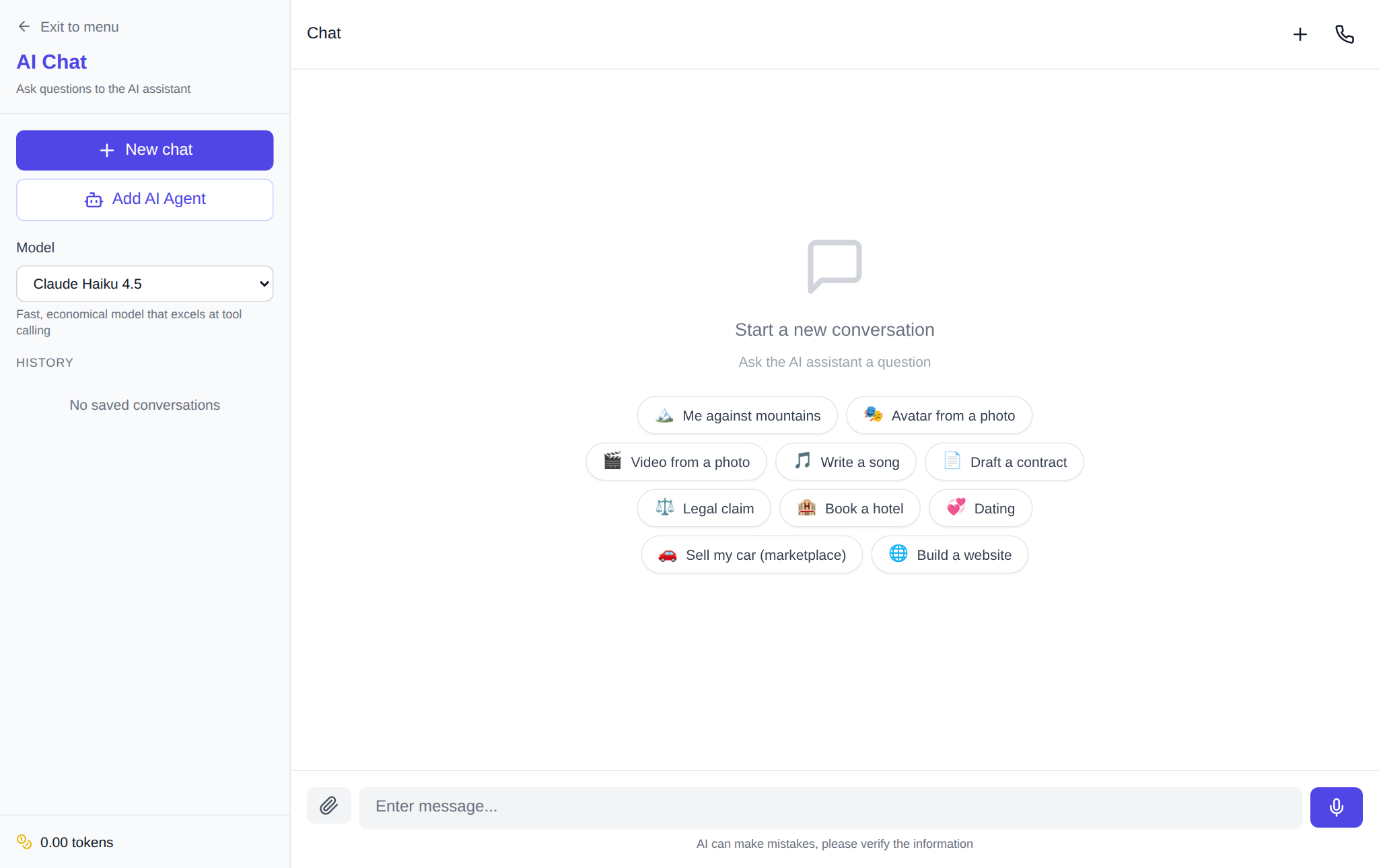
Five steps in NeuralSpace chat
- Open NeuralSpace chat and sign up if you do not have an account yet.
- Pick a model for the job: DeepSeek V4.1 Flash or GPT-5.4 Mini is enough for a draft.
- Paste a prompt from this article and replace the examples with your own.
- Ask for three variants, pick the best and edit it in the same thread: "shorter", "warmer", "remove the corporate speak".
- Check facts and links before you publish.
There is no subscription: new users get starter tokens, after that you pay by tokens, and the price depends on the model and is shown before you run it. If the text is for a website rather than social media, the Code section lets you build a landing page from a description. Illustrations for a post can be made in the image generator, and for automated text generation via API there are API keys.
One last thing. AI does not replace an editor; it replaces the blank page. The fastest way to write with it is to give the facts, ask for a draft, cross out what you do not need and add what only you know.
FAQ
Can AI write text in Russian?
Yes. Models in NeuralSpace understand Russian and answer in it, including business vocabulary and professional terms. You can write the brief in Russian; no translation into English is needed.
Can I publish an AI draft right away?
Better not. Check the facts, numbers, names and promises, remove clichés and add specifics. A draft saves time, but a human is still responsible for the text.
Which model should I use for product descriptions?
For a batch of cards, DeepSeek V4.1 Flash or GPT-5.4 Mini is enough: they are cheaper and hold the format well. If the card is complex or you need sales copy for a premium product, try GPT-5.6 Terra or Claude Sonnet 5.
Do I need to know how to write prompts?
No. Answer six questions: who you are, who the text is for, why it exists, what format, what tone and what must be mentioned. That covers most jobs.