AI that sings: how to create a song with vocals from text
An AI song generator does not just write music — it sings: you describe the track in words (topic, genre, mood, vocal character) and the model performs the song with a voice, from verse to chorus. On NeuralSpace this lives in the Music section, powered by Suno models (V5.5, V5, V4.5+, V4.5, V4): no subscription, nothing to install, and a finished song is built in the browser in a couple of minutes. Below is how to create a song with vocals from text, how to control the voice, and what to do with the track afterwards.
What a singing AI can do
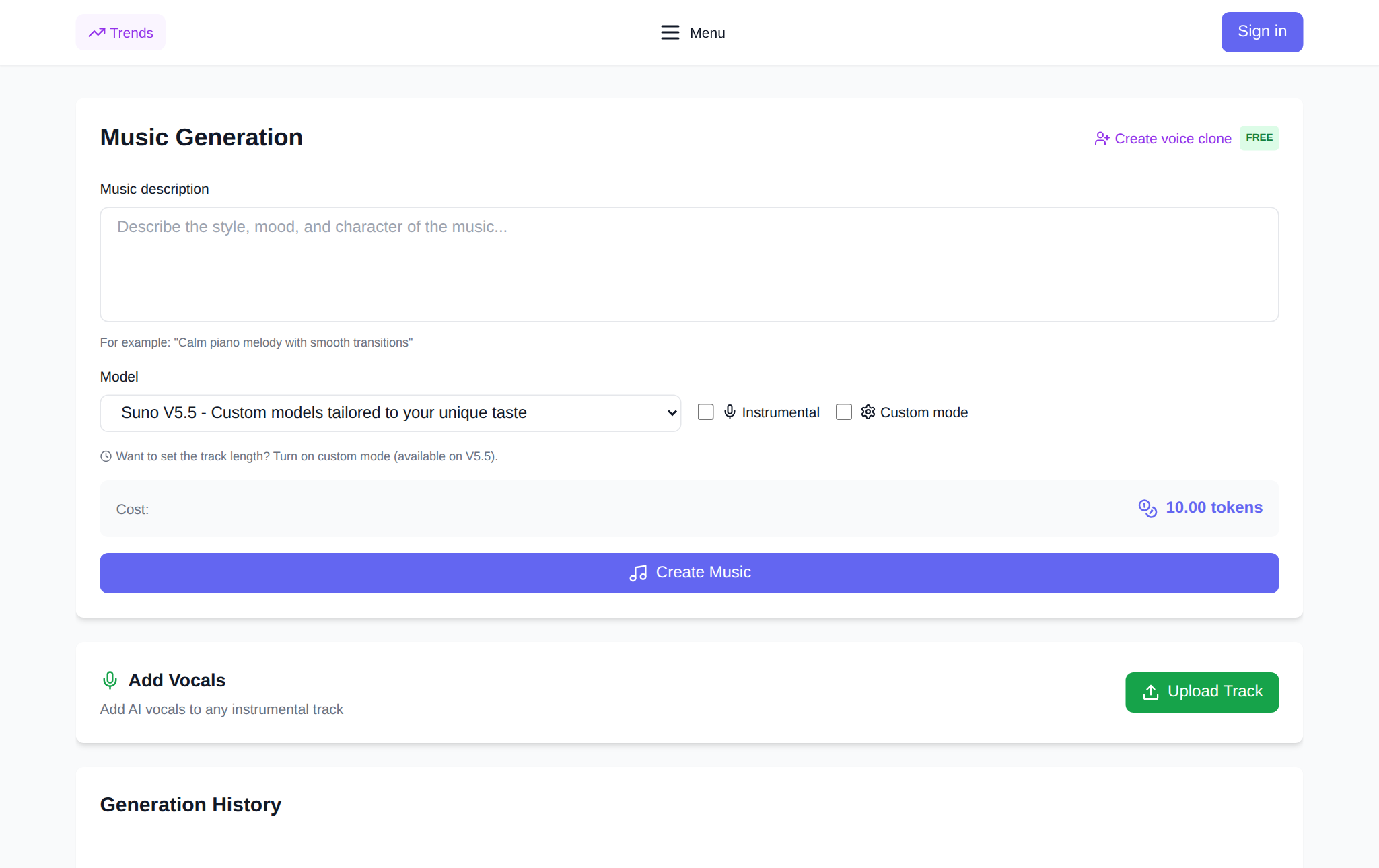
The generator covers the whole song cycle: it arranges the backing for your genre, accepts your words or writes the lyrics itself, sings with emotion and phrasing, and mixes the result. You control the essentials: a song with vocals or an "Instrumental" without words, "Vocal gender (optional)" — male, female or automatic — and the style, from pop and rock to jazz and lo-fi. The models split the jobs: Suno V5 delivers the best quality with fast generation, V4.5+ gives a rich sound up to 8 minutes, and the fresh V5.5 in Custom mode lets you set the exact track length — from 10 to 360 seconds.
How to create a song with vocals from text
Open the Music section and sign up, then four steps.
Step 1. Describe the song. In the description field name the genre, tempo, mood and vocals: "a warm autumn pop ballad, 90 bpm, female vocals, a song about a city after the rain." In simple mode that description is already enough — the model writes the words itself.
Step 2. Turn on "Custom mode" to control the details: a field for your own lyrics appears, plus style, vocal gender and "Exclude styles" — so no thundering drums ruin your quiet ballad.
Step 3. Write the lyrics. Paste your own verses into the lyrics field. If you have none, press "Write the lyrics" and say what the song is about — the AI offers several variants; take any with "Use this one" and polish it to your taste.
Step 4. Launch the generation. Pick the model and start: the price of the chosen settings is shown in the interface before launch. A new account starts with starter tokens; afterwards the balance is topped up with tokens as needed — no subscription.
How to write lyrics the AI sings well
Vocals come alive when the lyrics have a structure: verse — chorus — verse — chorus. Mark the blocks with tags like [Verse] and [Chorus] so the model knows where to change the delivery. Write in simple, speech-like words: bureaucratic long sentences are hard to sing, and rhyme matters more than length. Naming the emotion of each block helps too — "chorus: loud and joyful". Lyrics work in any language, including English, Russian, Arabic and Chinese — write in the language you want to hear.
Sing with your own voice and polish the track
The Music section can clone your voice: record or upload a sample, and the next songs are performed in your timbre. It works as a creative trick (the same verses in two different voices) and as a way to get "your" song without a studio. A finished track is not final either: a short song can be extended from any second, vocals can be added to a ready instrumental as a separate action ("Add Vocals"), and for a cover you can separate the vocals from the backing in one click ("Separate Vocals"). Tracks download as WAV, and a song can be turned into a video clip.
What a song costs
NeuralSpace runs on tokens with no subscription: the price depends on the model and settings and is always shown on the form before launch. New users receive starter tokens — usually enough for the first tracks; after that you top up as needed: you generate one song, you pay for one.
FAQ
Does the AI sing in English?
Yes — and in other languages including Russian, Arabic and Chinese. Write the description and lyrics in your language; the newer Suno V5 and V5.5 sing noticeably cleaner than earlier versions.
Can I make a song without vocals?
Yes, tick "Instrumental" and you get a wordless track for video, podcast or presentation backgrounds. Vocals can be added later with "Add Vocals".
How many tokens does one song cost?
The exact amount is shown on the generation form before launch and depends on the model and mode. Expect a few tokens per track; the figure is always on screen in the Music section.
Can it sing in my own voice?
Yes. Create a voice clone in the Music section — record or upload a sample, and the song is performed in your timbre.