用神经网络提升渲染效果
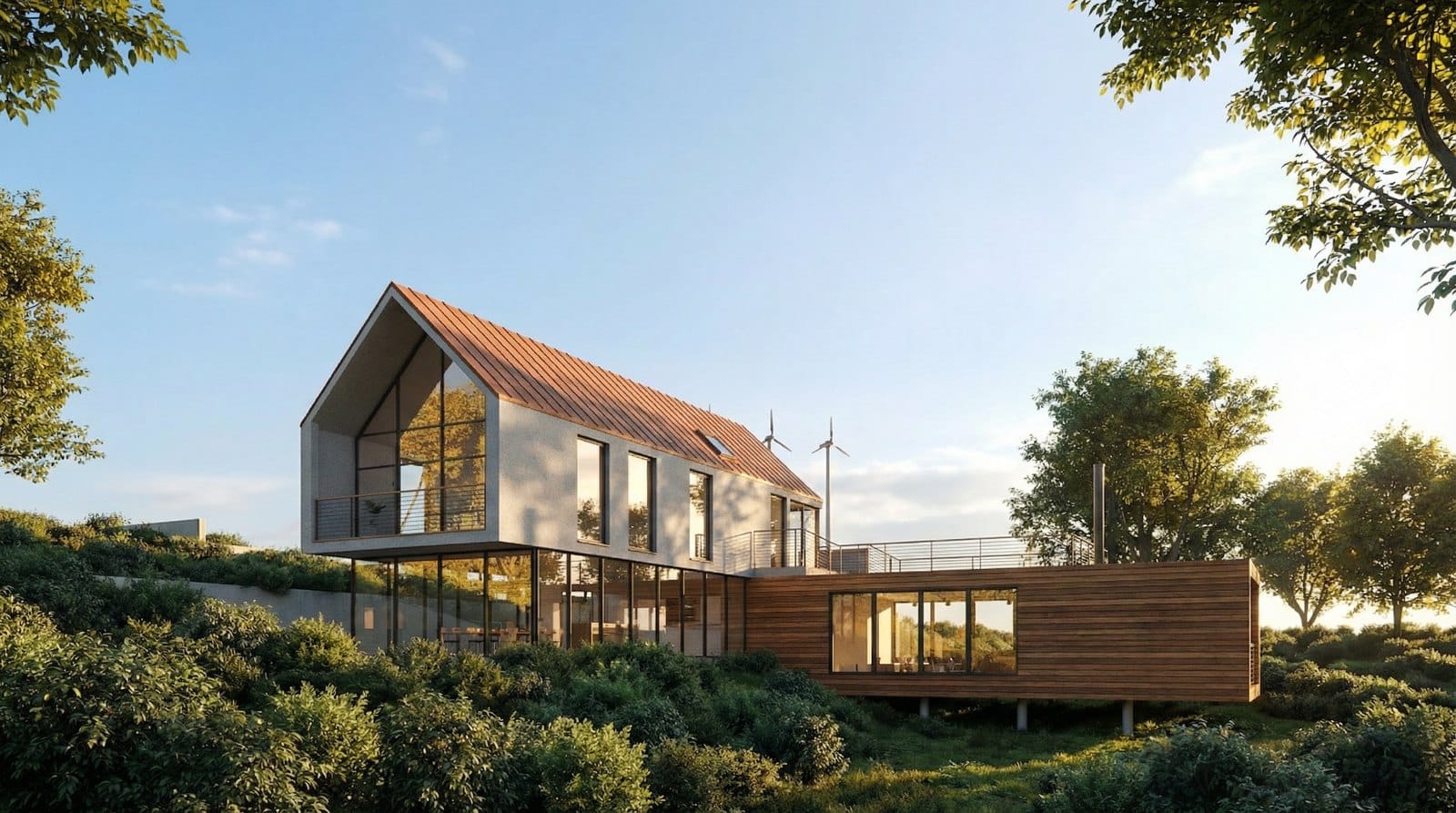
从 3D 编辑器直接导出的预览截图看起来很平:纯色填充代替材质,示意性的灰色树木,粗糙的光照。过去要把这样一帧画面提升到获奖级品质,需要花几个小时调整灯光和着色器。现在只需一分钟:拿着你的截图,添加一张带有理想氛围的参考图,神经网络就能把光照、色调和材质迁移到你的几何体上。
核心技巧:你的几何体,参考图的光照和材质
建筑的形状、角度和构图严格来自你的截图——模型不会重建它们。但光照、色调和表面质感来自第二张图像,也就是基准渲染图。这就是为什么连材质都会改变:在我们的原始截图中屋顶是红色的;用明亮的参考图处理后,它变成了铜色,白墙变成了温暖的米色抹灰。这不是几何体的扭曲——而是你想要的风格迁移。
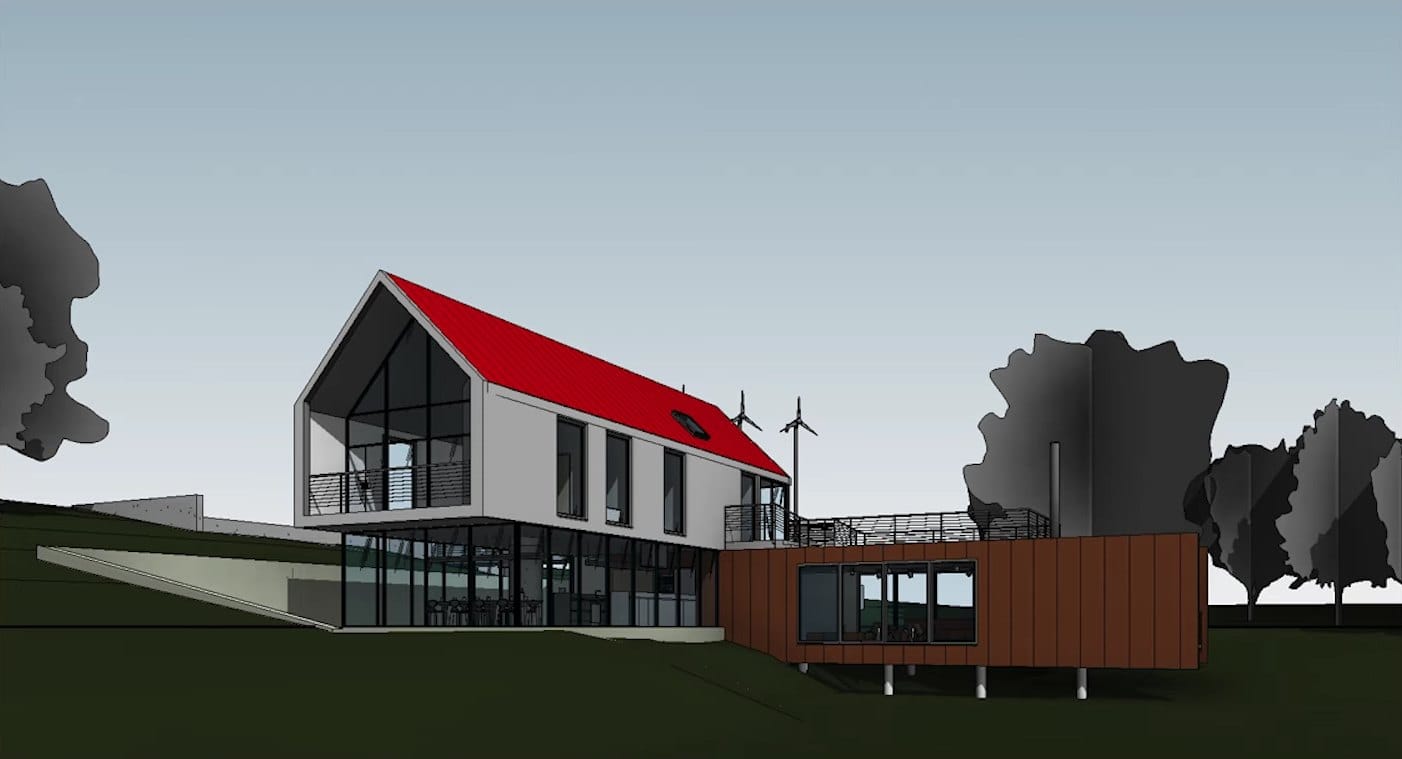
提示词:Original screenshot — not generated.
如何在一分钟内完成
- 拿一张预览截图——就是从编辑器窗口直接导出的那帧工作画面。
- 挑选一张光照合适的参考图:建筑奖作品集和工作室作品最好用。
- 把两张图上传到图像模型:先上传你的截图,再上传基准图。
- 粘贴下面的现成请求并运行生成。
现成的文本请求
这个请求锁定了关键规则:几何体只来自图 1,风格只来自图 2。
Generate a high-end architectural visualization that strictly uses the geometry, perspective, and compositin from image 1 but applies the light, color palette, and material mood from image 2. It is crucial that you do not alter the buikding shape or architectural details from the image 1 at all. Simply wrap the photorealistic style and lighting atmosphere from the image 2 onto the existing structure of image 1.
提示词:Generate a high-end architectural visualization that strictly uses the geometry, perspective, and compositin from image 1 but applies the light, color palette, and material mood from image 2. It is crucial that you do not alter the buikding shape or architectural details from the image 1 at all. Simply wrap the photorealistic style and lighting atmosphere from the image 2 onto the existing structure of image 1.
用一句话改变氛围
基础渲染图之后可以作为新的源图像,时间、季节和天气只需用简短的氛围描述就能改变。下面是同一场景的四种状态——每种都用一句话生成,几何体完全不动。
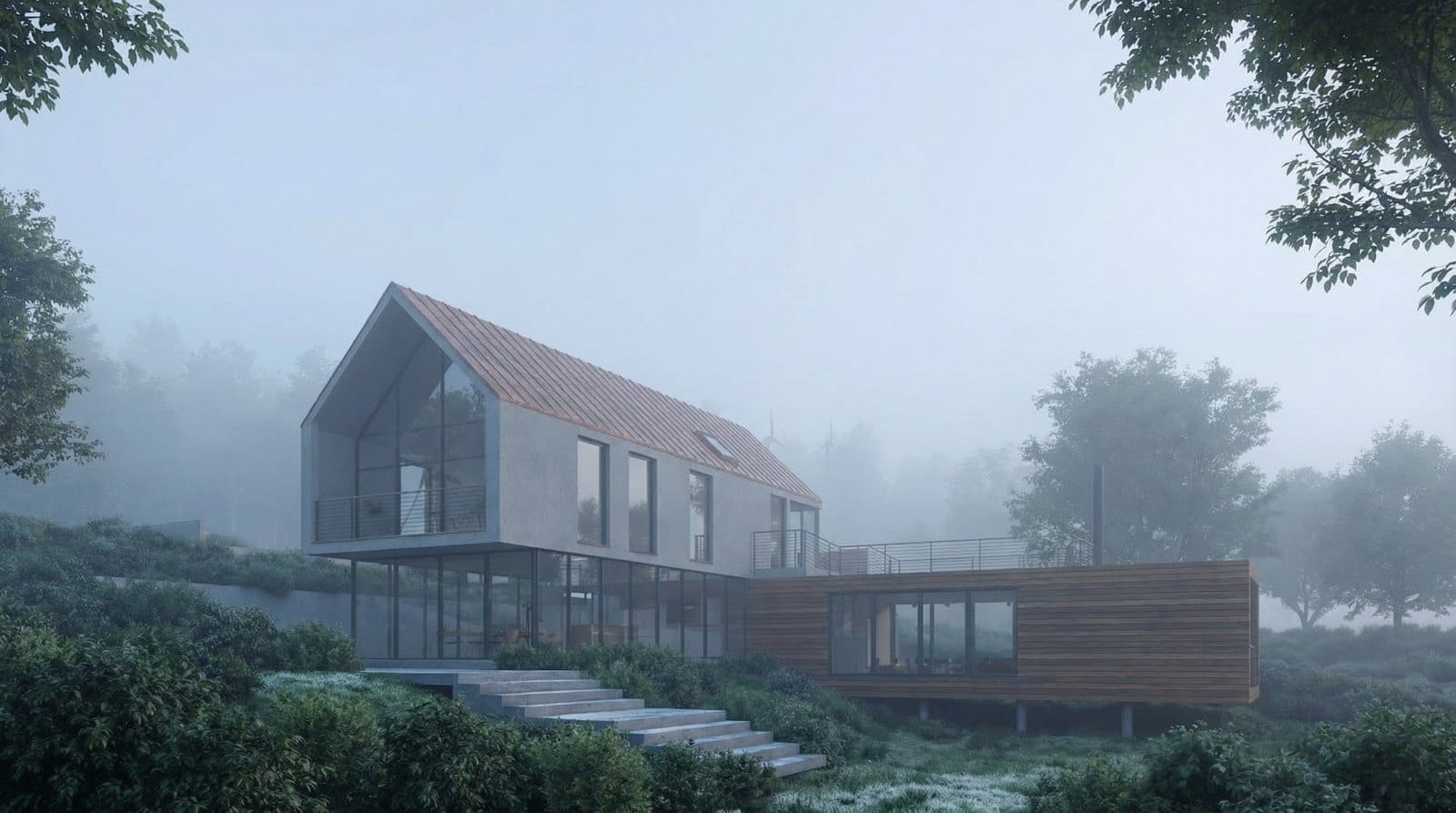
提示词:Transfofm image 1 into a serene, early morning scene engulfed in thick, low-hanging mist. The lighting should be extremely soft and diffuse with cool blue-frey todes, typical of a Nordic dawn. Reduce the visibility of the background to create depth and mystery. The building should appear to emerge softly from the fog, with dew visible on the foreground grass. Keep the architecture exactly as is, but strip away strong contrasts to create a calm, ethereal atmosphere.
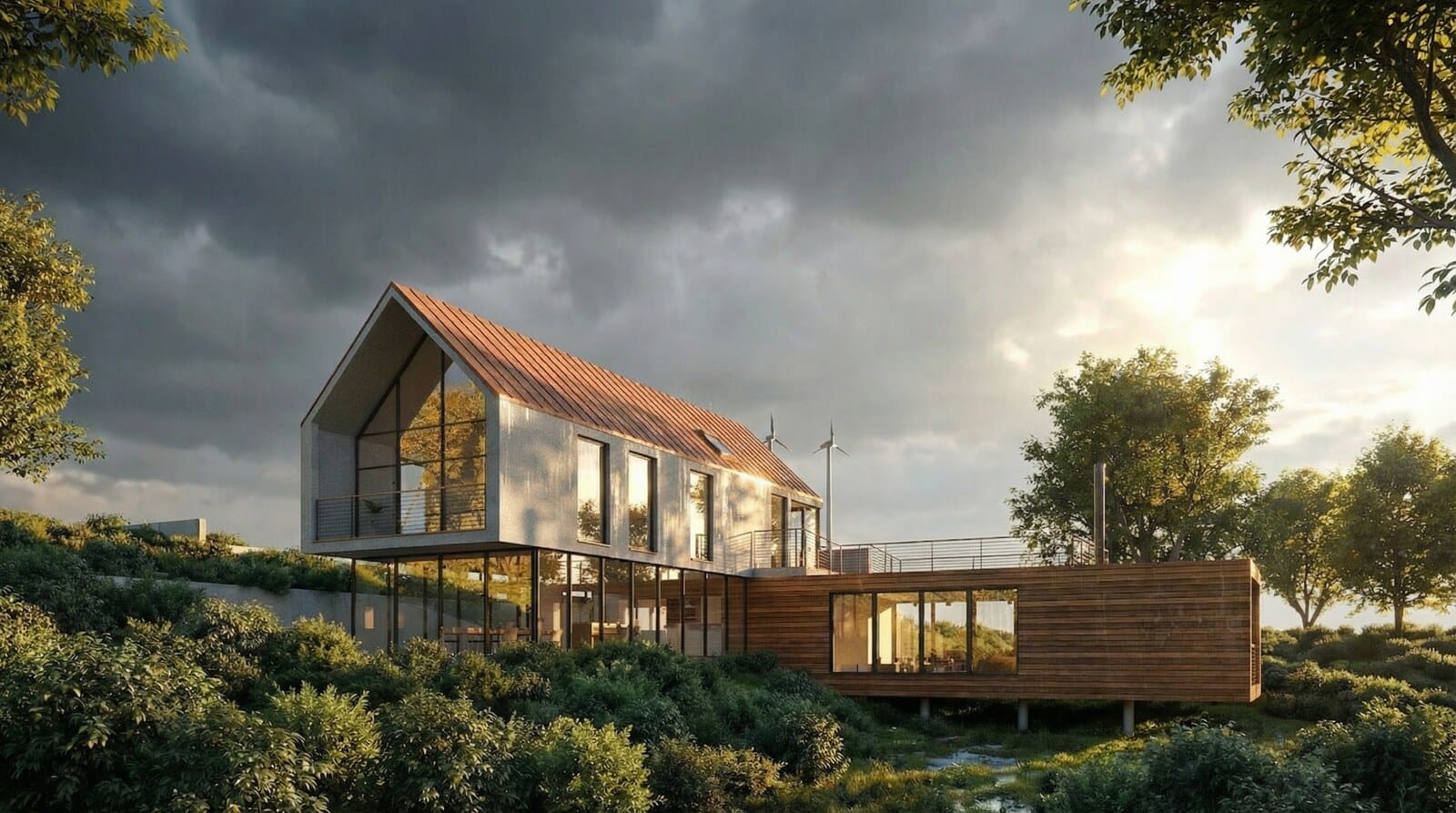
提示词:Re-render the scene in image 1 immediately after a heavy summer thunderstorm. The sky should be dramatic, filled with dark retreating rain clouds, but with the sun just breaking through to cast harsh, brilliant light on the wet building facade. The key feature is wet grass. The atmosphere should feel fresh but intence, with high contrast between the dark sky and the sunlit.
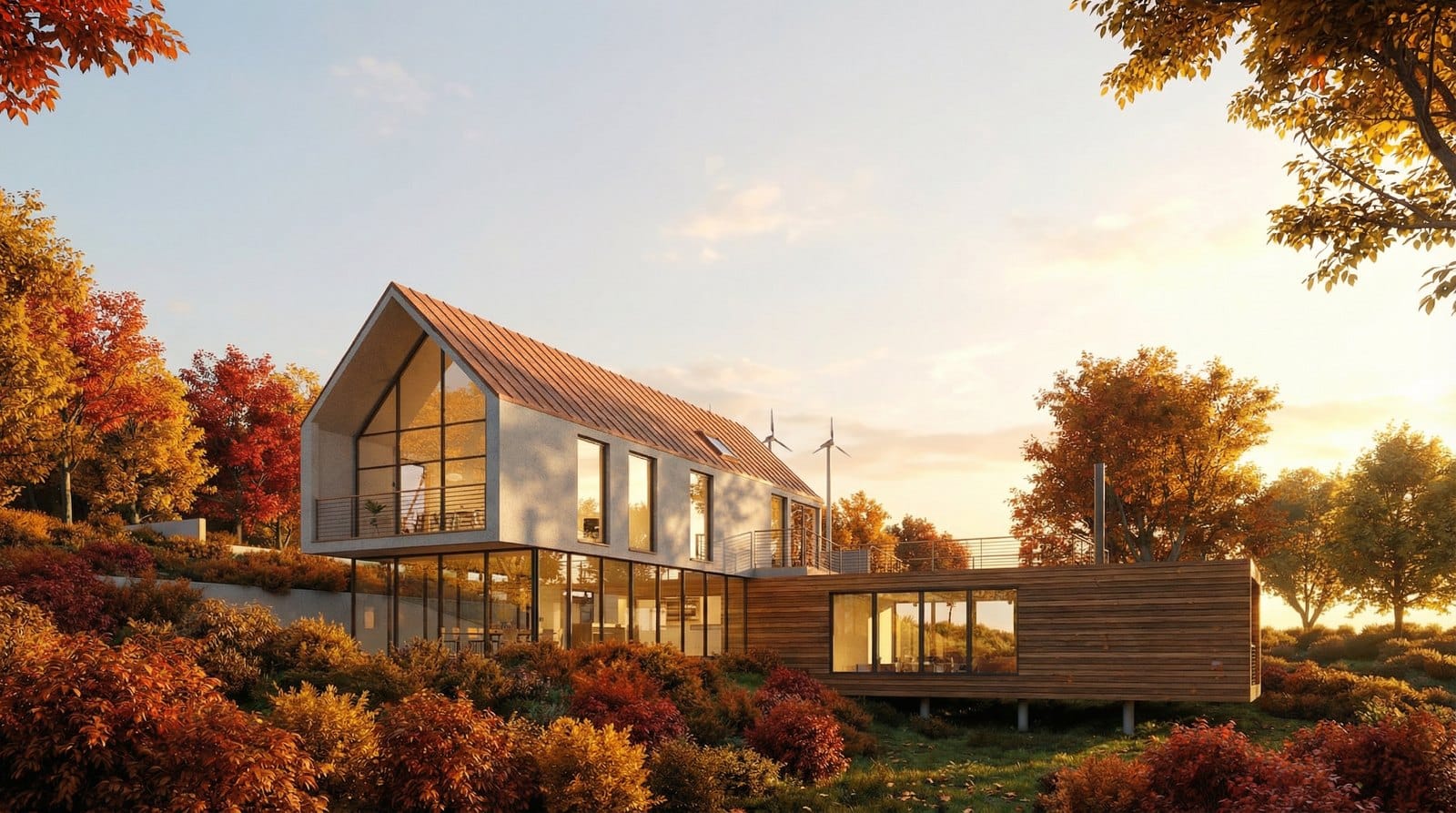
提示词:Set the scene of image1 in the peak of autumn. Change the surrounding vegetation to display vibrant reds, oranges, and yellows. The lighting should be the "Golden Hour" shortly before sunset, bathing the entire house in a rich, warm glow. The interior lights should be turned on and visible, creating a cozy mix of natural golden light outside and artificial warm light inside. The atmosphere should be inviting and nostalgic, emphasizing the texture of the materials through the low angle of the sun.
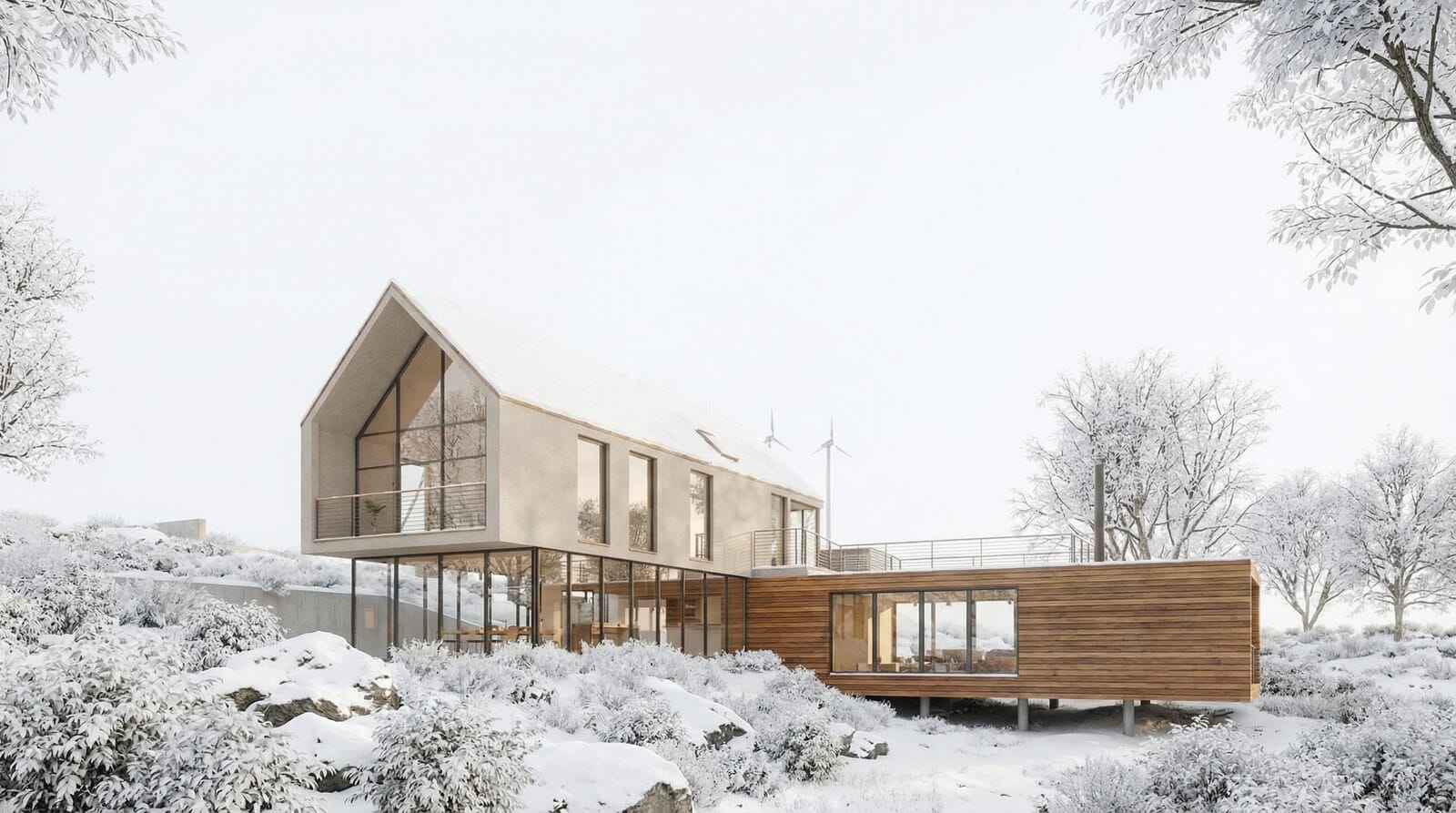
提示词:Change the season of image1 to a bright, overcast winter day. Cover the entire landscape in a thick blanket of pristine white snow, hiding the grass and rocks. The sky should be a flat, bright white, creating a "high-key' photography style with very soft, almost invisible shadows. The begie concrete of the house should stand out subtly against the white environment. The mood is sikent, clean, and minimalist, focusing purely on the geometric form of the building against the white negative space.
为什么 3D 艺术家需要这个
这个技巧节省的是最宝贵的东西——时间。你不再需要手工调整灯光,一分钟就能得到一张摄影级画面,可以快速给客户展示几种氛围方案。在审批阶段这最重要:你需要的是很多张好看的图,而不是一张技术完美的渲染图。可以在 Nano Banana Pro 模型页面试试这个方法——它能同时接受多张图像,正好满足「截图加参考图」的配对需求。
常见问题
我需要会渲染吗?
不需要。拿一张场景的预览截图,找一张合适的参考图——模型会处理所有光照和材质工作。
建筑之外也能用吗?
能。「你的几何体,参考图的风格」对室内、家具、产品和任何形状重要但呈现需要变化的场景都同样有效。
去哪里找参考图?
在建筑竞赛作品集和工作室作品中——比如 Behance 和建筑奖网站。挑选光照强烈、材质特征明显的作品。