Remove background from a picture online for free
Removing the background from a photo is a task for which you used to open Photoshop, draw a mask along the contour and fiddle with the hair and edges for half an hour. Now this can be done in the browser in a couple of seconds: upload a picture, write “remove the background” - and get a ready-made PNG with a transparent background. Below is how it works on NeuralSpace and what the output is, with a live example before and after.
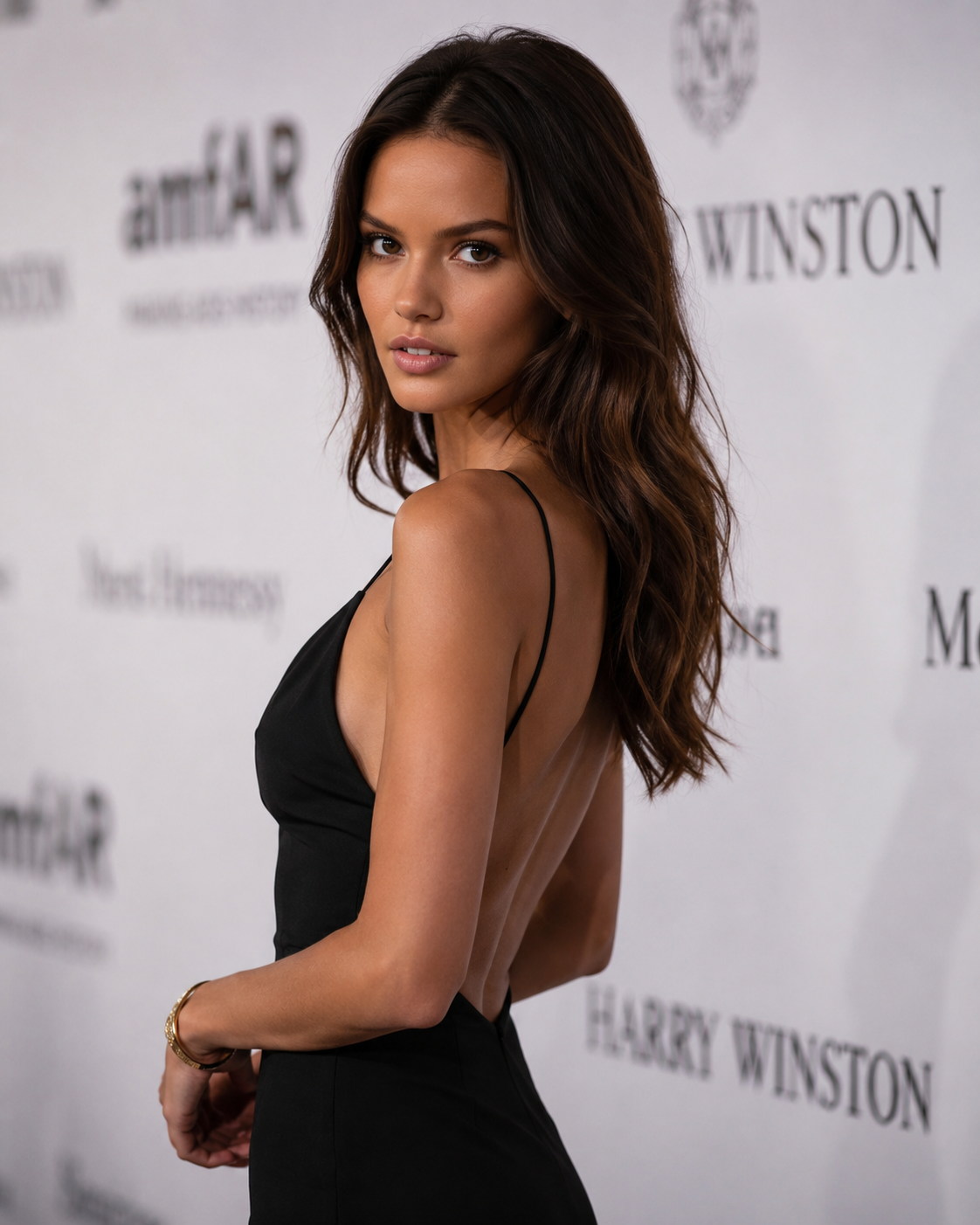
Here is the source. An ordinary photo: a person stands against a wall with logos, nothing superfluous around, but the background still gets in the way if you need to insert the photo into a layout, website or presentation. The task is to remove the background so that only the person remains and the edges do not “float.”
What is the output
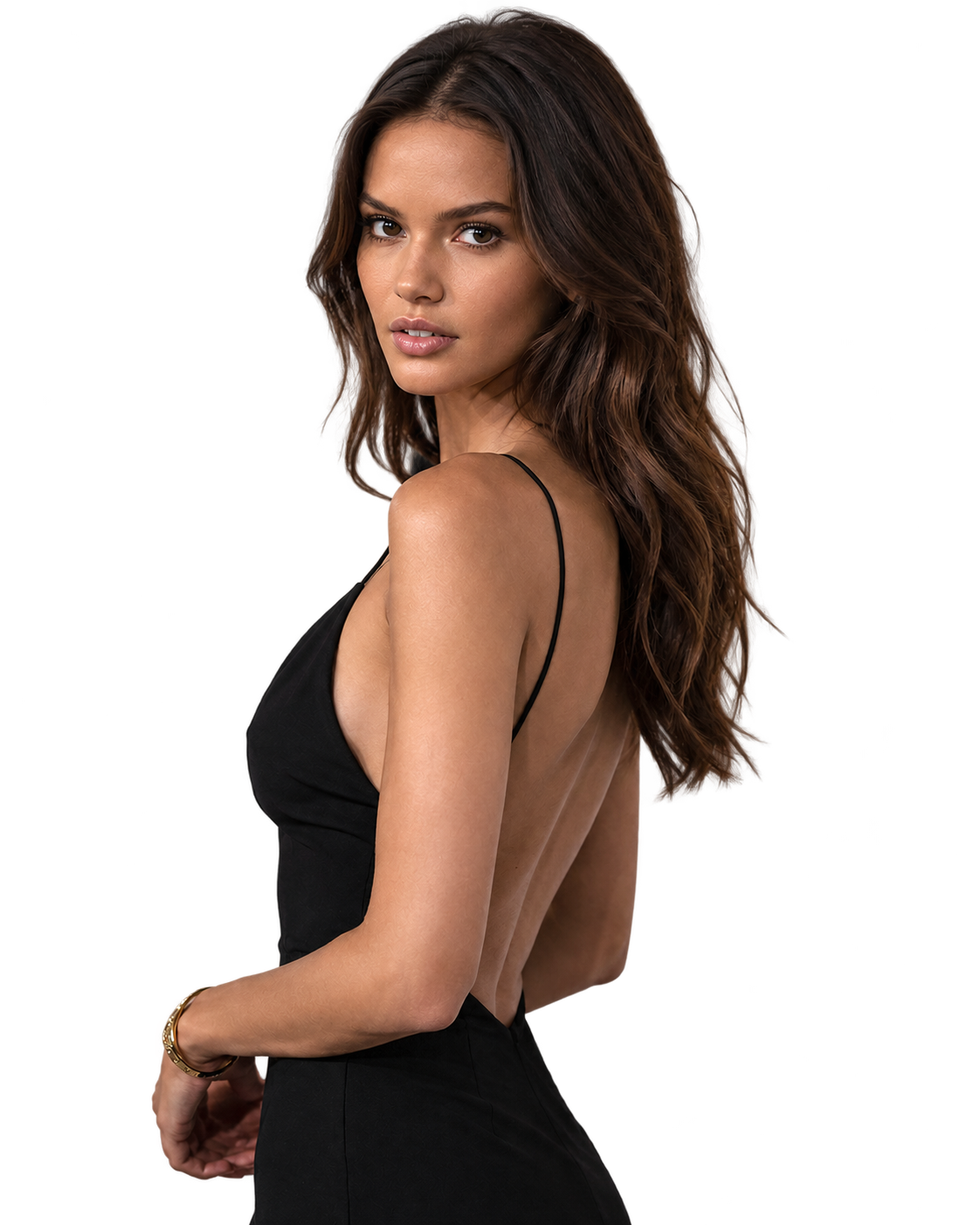
And this is the result. The entire request to the model is two words: “Remove the background.” The background is cut out completely, the person, clothes and light are left one in the same, and instead of a wall there is transparency. Such a file can be immediately placed on any colored background, in a collage or in a product card, and nothing will “see through” around the edges.
The main thing that matters here is remove background without losing quality. The model does not compress the picture and does not redraw the person: it separates the object from the background, preserving the original detail. Hair, collar, highlights - everything remains in place, and does not turn into a blurry mess, as happens with simple online cutouts.
How to do it
No layers, masks or magic wands. It all comes down to three steps:
- Open generator ChatGPT Images 2.5 — the model has already been selected.
- Attach a photo as a reference (up to sixteen images, 30 MB each).
- Write an instruction - “remove the background” or “remove the background” - and run it.
The model itself understands what they want from it: based on the presence of a picture in the request, it switches to editing mode and separates the object from the background. There is no separate “remove background” switch in the interface—you just attach a photo and write what to remove.
Where's the catch?
Honestly about the limitations. The model works best when there is one clear object in the photo - a person, an object, an animal. If the background is colorful and blends in color with the object, the result may not be ideal, and then it is worth clarifying the request: “remove the background, leave only the person.” Another point: the site does not have a separate “transparent background” button - transparency is obtained as a result of editing, and not as a separate mode.
And about the “free” in the title: the generation itself is paid for with tokens from the internal balance, the price per image is shown before the launch, and if the generation is unsuccessful, the tokens are returned automatically. No subscription is needed, you won’t have to pay for Photoshop or a separate background cutting service.
Why is this even necessary?
The most common scenario is product cards. We took a photo of an item on a table, but we need a clean white background for the marketplace. The second is avatars and photos for resumes: remove the background to make it neutral. The third is collages and presentations, where the photo should “lie” on another background without a white frame around it.
Previously, each such task took ten to twenty minutes of manual work. Now I downloaded it, wrote two words, and got the finished PNG. The difference is noticeable when there are ten such photos.
Try: open ChatGPT Images 2.5 to NeuralSpace and attach your photo.