Improving renders with neural networks
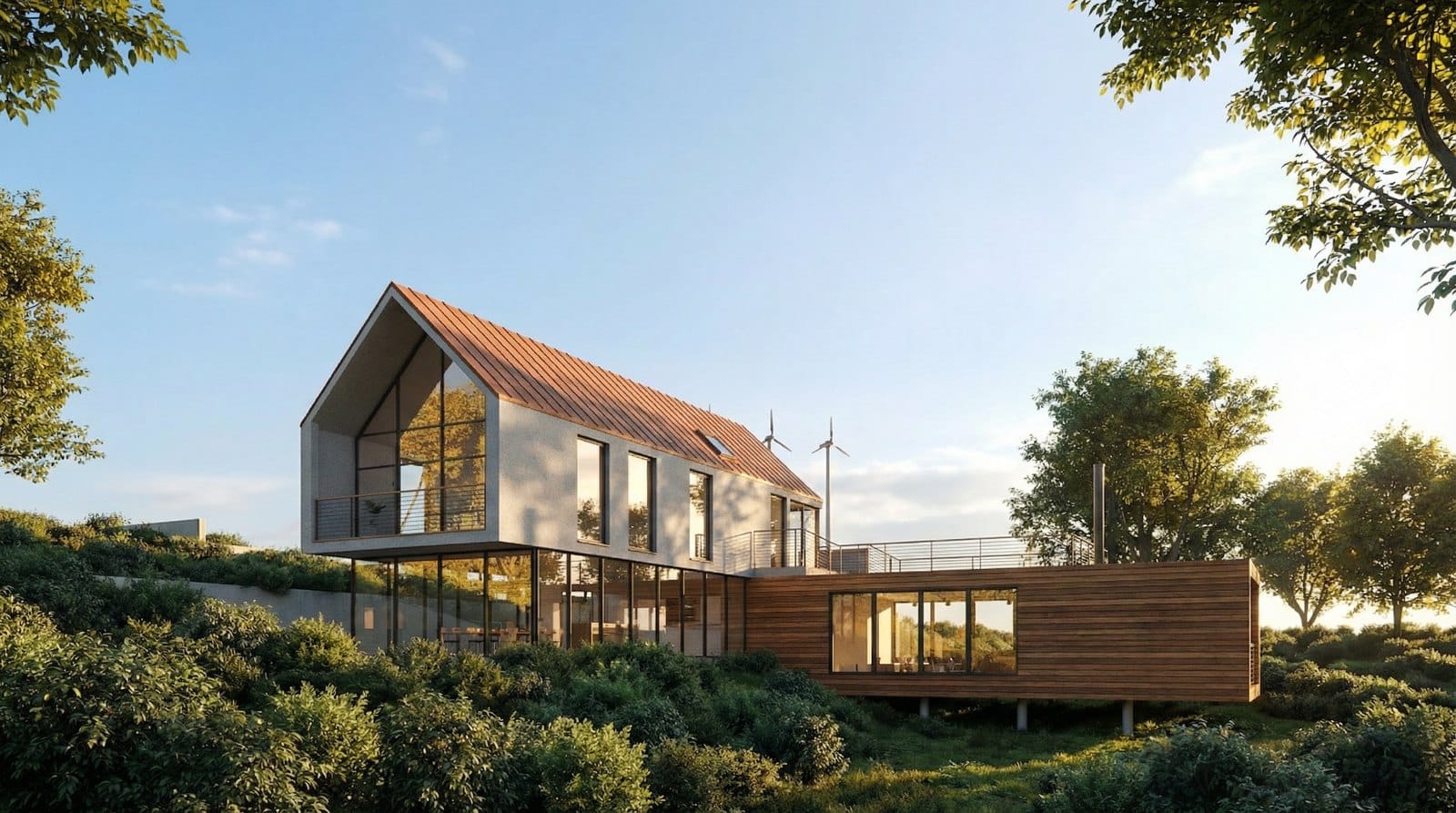
A plain preview screenshot from a 3D editor looks flat: solid color fills instead of materials, schematic grey trees, rough lighting. Getting such a frame to award-level quality used to take hours of light and shader tuning. Now it takes about a minute: take your screenshot, add a reference with the mood you want, and the neural network transfers the light, palette and materials onto your geometry.
The core trick: your geometry, the reference's light and materials
The building's shape, angle and composition stay strictly from your screenshot — the model does not rebuild them. But the lighting, palette and character of surfaces come from the second image, a benchmark render. That is why even the materials change: on our source shot the roof is red; after processing with a bright reference it turns copper, and the white walls become warm beige plaster. This is not a distortion of geometry — it is exactly the style transfer you want.
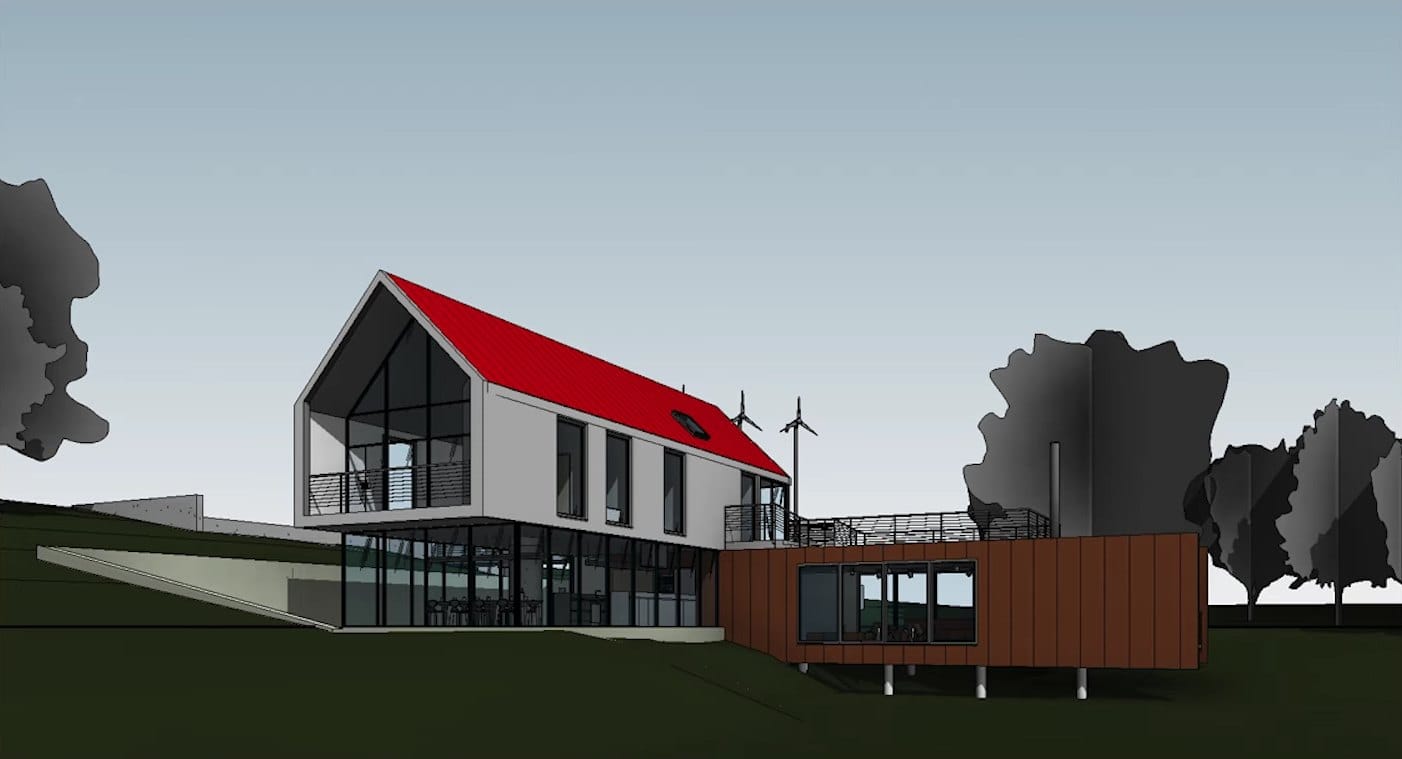
Prompt:Original screenshot — not generated.
How to do it in a minute
- Take a preview screenshot — that same working frame straight from your editor window.
- Pick a reference with the right light: architecture award galleries and studio portfolios work best.
- Upload both images to the image model: your screenshot first, the benchmark second.
- Paste the ready request below and run the generation.
All the references used in this article's examples, plus other strong samples, are collected in one folder on Yandex Disk — open the references folder.
The ready text request
The request locks in the key rule: geometry comes only from image 1, style only from image 2.
Generate a high-end architectural visualization that strictly uses the geometry, perspective, and compositin from image 1 but applies the light, color palette, and material mood from image 2. It is crucial that you do not alter the buikding shape or architectural details from the image 1 at all. Simply wrap the photorealistic style and lighting atmosphere from the image 2 onto the existing structure of image 1.
Prompt:Generate a high-end architectural visualization that strictly uses the geometry, perspective, and compositin from image 1 but applies the light, color palette, and material mood from image 2. It is crucial that you do not alter the buikding shape or architectural details from the image 1 at all. Simply wrap the photorealistic style and lighting atmosphere from the image 2 onto the existing structure of image 1.
Change the mood with one sentence
The base render can then serve as a new source, and time of day, season and weather change with a short atmosphere description. Below is the same scene in four states — each produced with a single sentence, geometry untouched.
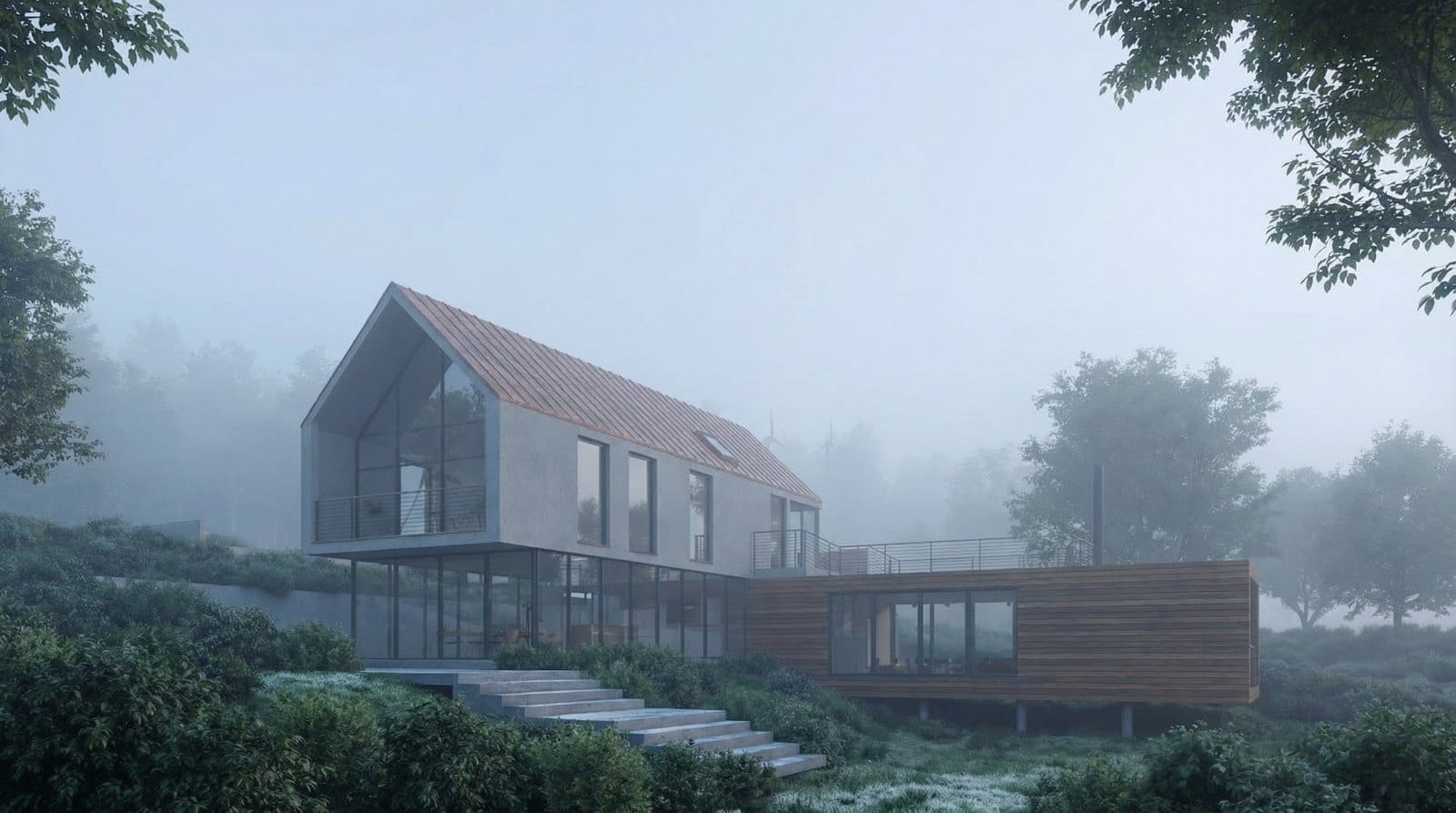
Prompt:Transfofm image 1 into a serene, early morning scene engulfed in thick, low-hanging mist. The lighting should be extremely soft and diffuse with cool blue-frey todes, typical of a Nordic dawn. Reduce the visibility of the background to create depth and mystery. The building should appear to emerge softly from the fog, with dew visible on the foreground grass. Keep the architecture exactly as is, but strip away strong contrasts to create a calm, ethereal atmosphere.
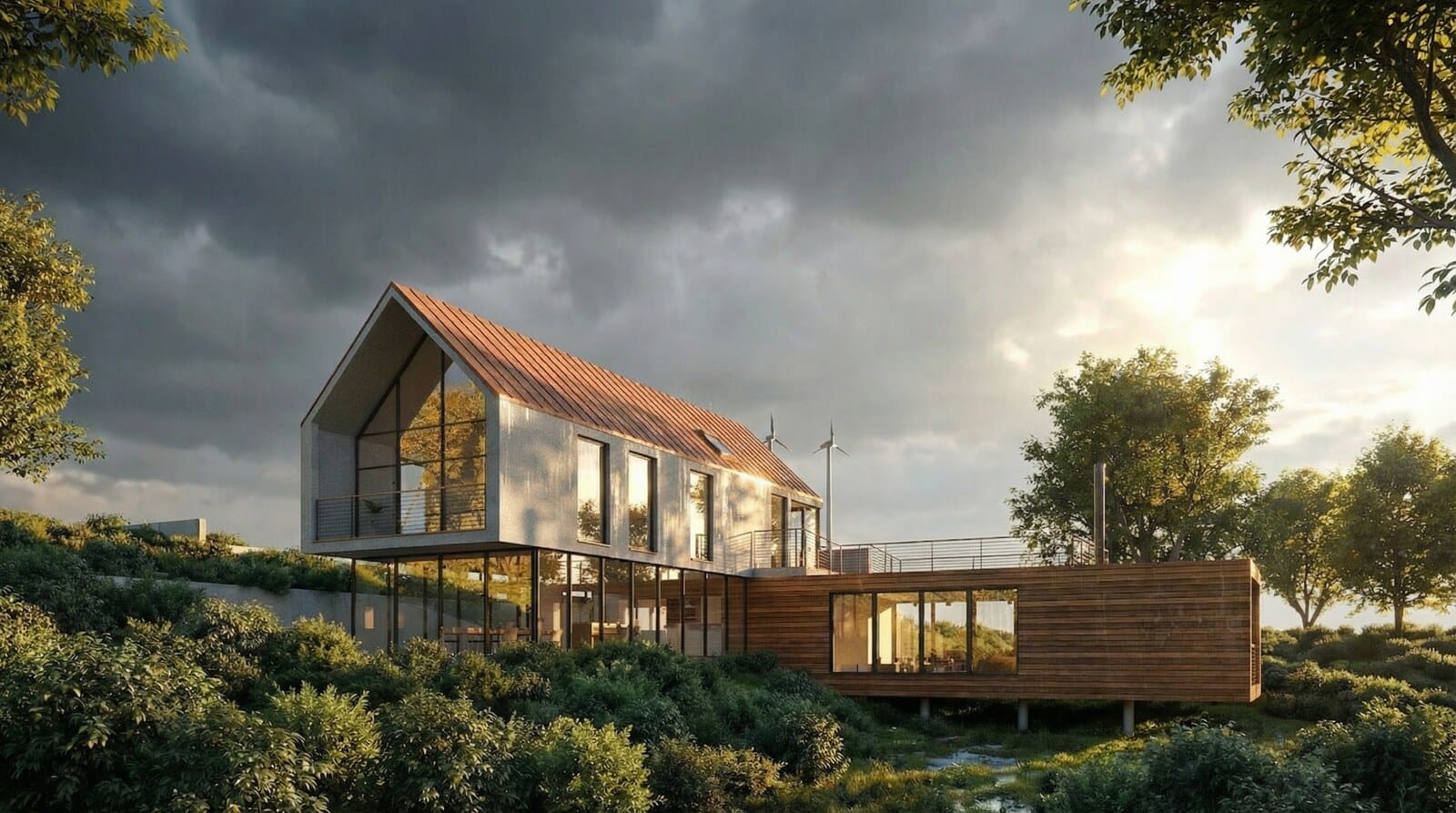
Prompt:Re-render the scene in image 1 immediately after a heavy summer thunderstorm. The sky should be dramatic, filled with dark retreating rain clouds, but with the sun just breaking through to cast harsh, brilliant light on the wet building facade. The key feature is wet grass. The atmosphere should feel fresh but intence, with high contrast between the dark sky and the sunlit.
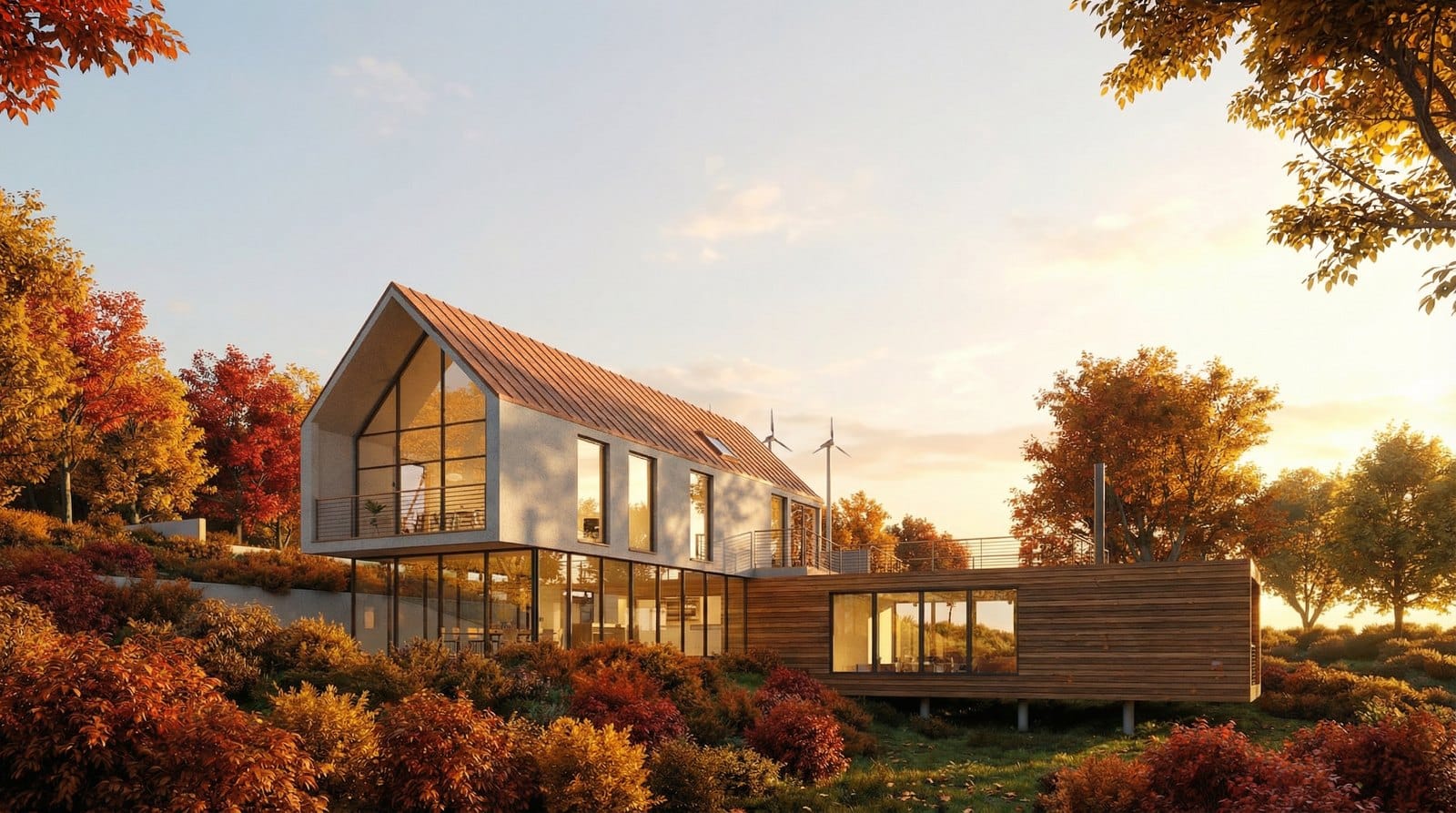
Prompt:Set the scene of image1 in the peak of autumn. Change the surrounding vegetation to display vibrant reds, oranges, and yellows. The lighting should be the "Golden Hour" shortly before sunset, bathing the entire house in a rich, warm glow. The interior lights should be turned on and visible, creating a cozy mix of natural golden light outside and artificial warm light inside. The atmosphere should be inviting and nostalgic, emphasizing the texture of the materials through the low angle of the sun.
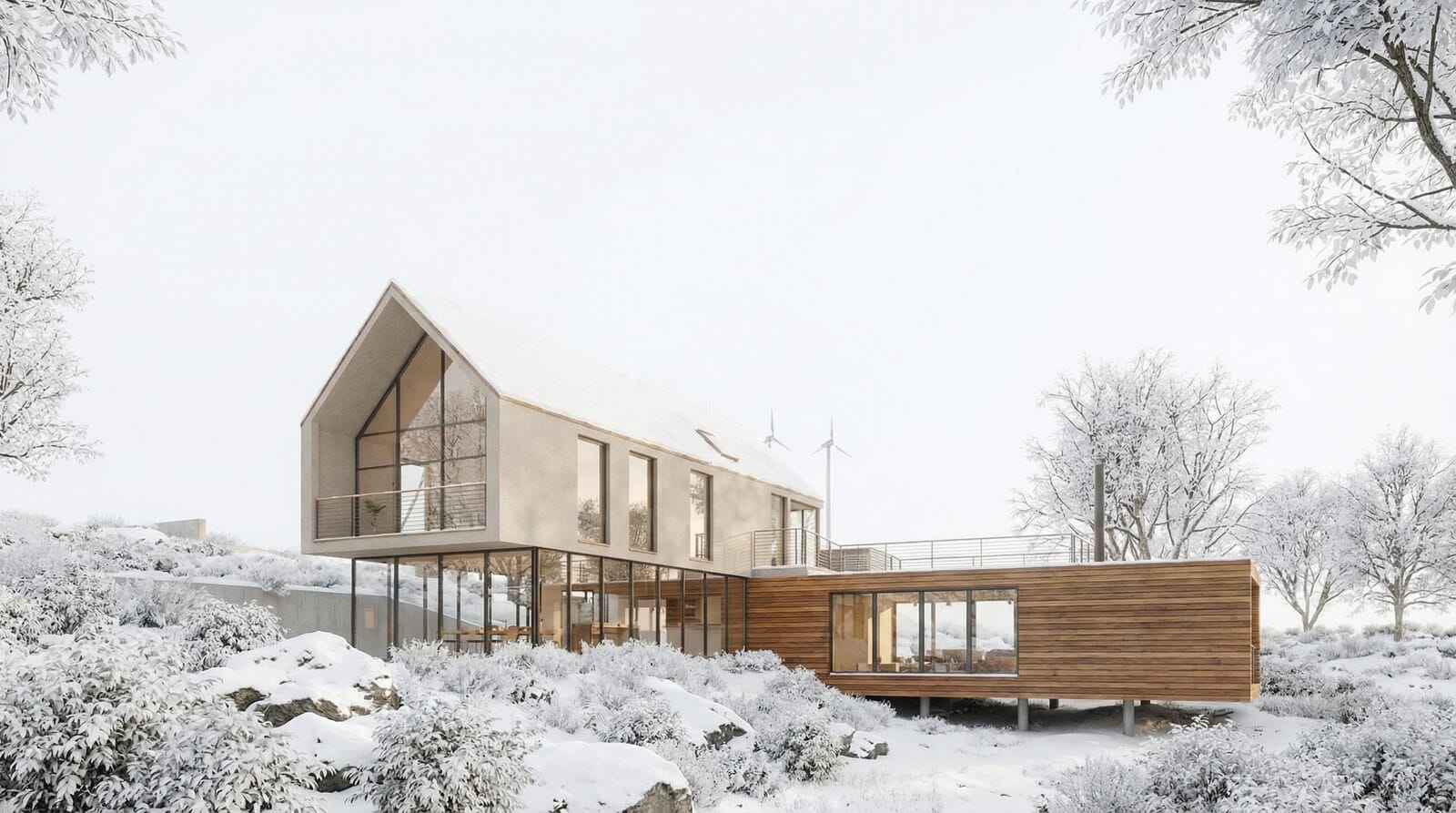
Prompt:Change the season of image1 to a bright, overcast winter day. Cover the entire landscape in a thick blanket of pristine white snow, hiding the grass and rocks. The sky should be a flat, bright white, creating a "high-key' photography style with very soft, almost invisible shadows. The begie concrete of the house should stand out subtly against the white environment. The mood is sikent, clean, and minimalist, focusing purely on the geometric form of the building against the white negative space.
Why 3D artists need this
The trick saves what matters most — time. Instead of tuning lights by hand you get a photographic frame in a minute and can quickly show the client several mood options. At the approval stage this matters most: you need many good-looking pictures, not one technically perfect render. Try the approach on the Nano Banana Pro model page — it accepts several images at once, exactly what the "screenshot plus reference" pairing needs.
FAQ
Do I need rendering skills?
No. Take a preview screenshot of the scene and find a suitable reference — the model handles all the light and material work.
Does it work outside architecture?
Yes. "Your geometry, style from a reference" works just as well for interiors, furniture, products and any scene where shape matters but presentation should change.
Where do I find references?
In architecture competition galleries and studio portfolios — for example on Behance and architecture award websites. Pick works with strong light and distinctive materials.