Ideogram: generating images with readable text and captions
Ideogram is an AI image generator that does one thing far better than most models: it renders readable text inside the picture. Signs, posters, book covers and logos come out with real words instead of scrambled glyphs. On NeuralSpace the model sits in the image generation section under its public name Ideogram: you describe the scene in words, put the exact caption in quotation marks and get a finished frame right in your browser. New users receive starter tokens, after that generations are paid for in tokens with no mandatory subscription — the token price is shown before you run anything.
Why text inside an image is a separate problem
Diffusion models build a picture out of patches and textures, so letters are just another pattern to them. For a long time captions came out as gibberish: glyphs drifted, merged and swapped places. Ideogram grew out of a team of former Google Brain researchers and made typography its focus from the 2023 launch — the ability to output whole words. Version 1.0 in 2024 introduced MagicPrompt, 2.0 added a set of artistic styles, and 3.0 in 2025 noticeably improved text accuracy and realism. That is why this model is the usual pick for logos, event flyers, covers and memes where the caption is part of the joke.
How to open Ideogram on NeuralSpace
Open the image generator and pick Ideogram in the Model list — in the catalog it is labelled "Text in images, editing". There is a shortcut too: the link /genimages/ideogram opens the page with the model already selected. From there it works like any other generation: type your description, upload a reference if you need one, check the token cost and hit Create Image. Every result lands in your generation history, where you can download it or reuse the prompt and settings.
The anatomy of a prompt with a caption
The working formula is: what the object and scene are + the exact text in quotation marks + the character of the lettering + where the caption sits + colours and light. Four examples for different jobs:
- Storefront: "coffee shop facade, wooden sign reading \"COFFEE\" in large white letters, warm evening light".
- Poster: "concert poster, headline \"JAZZ NIGHT\" at the top, minimalist design, dark blue background, gold letters".
- Book cover: "book cover, title \"THE SEA\" in a large typeface, lighthouse silhouette, pastel tones".
- Label: "honey jar, label reading \"HONEY\", wooden table, soft daylight".
Three rules that save tokens. First, keep the caption short — one to three words come out reliably, longer phrases start to distort. Second, always wrap the exact wording in quotation marks, otherwise the model invents its own words. Third, one block of text per frame: if you need both a title and a subtitle, generate two images or add the small print in an editor.
Settings that affect the lettering
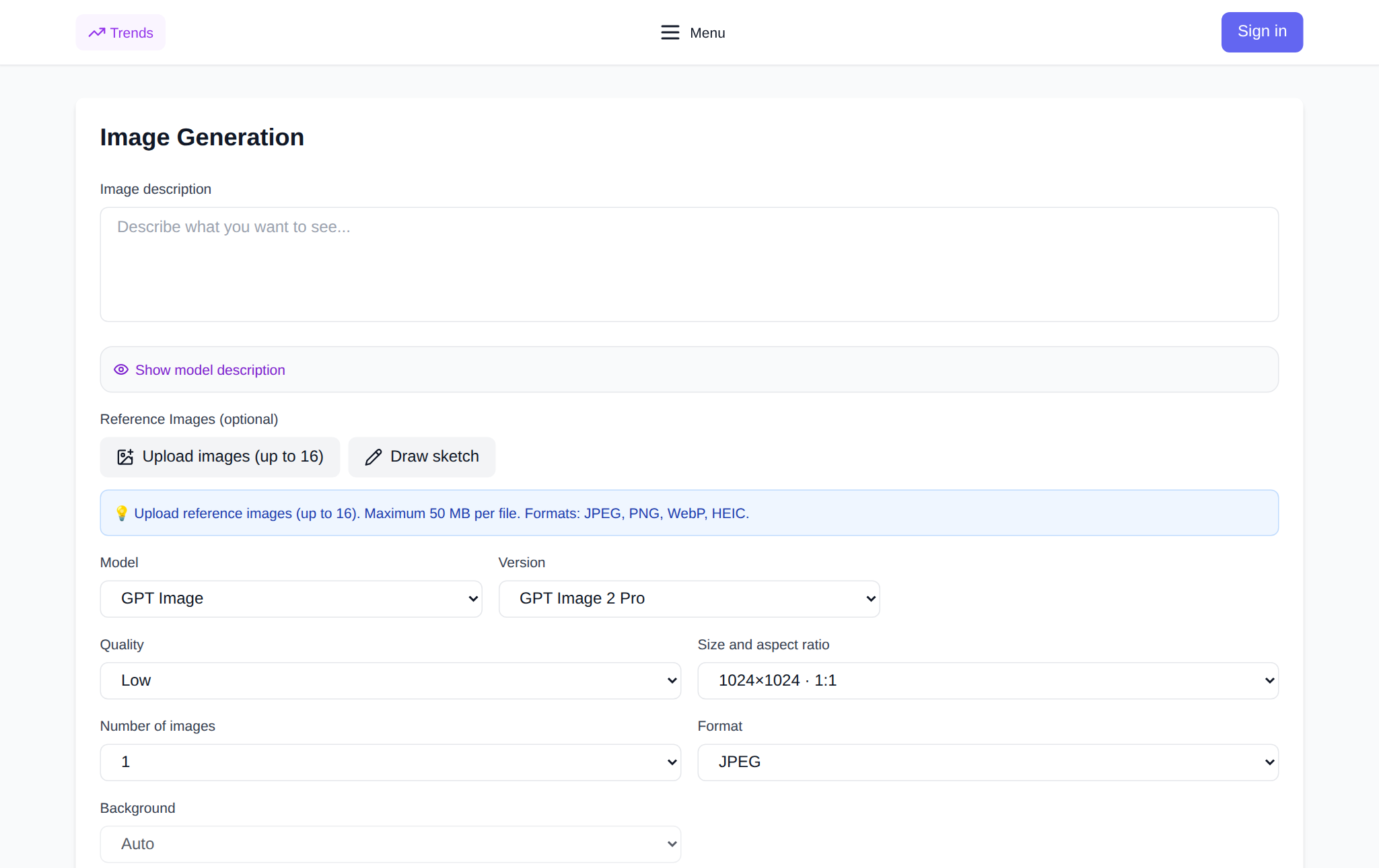
Ideogram has its own switches under the description field. Style: Design for posters, logos and packaging, Realistic when the caption has to be part of a photograph (a storefront, a menu on a table), General and Auto as the universal option. Image size: Square HD for a logo or avatar, Landscape 16:9 for a banner or cover, Portrait 9:16 for stories. Rendering speed: Turbo for quick drafts, Balanced for everyday work, Quality for maximum detail — this choice also drives the price, which is shown before you run. MagicPrompt is on by default and enriches a short request with extra detail; when you need literal control over the wording, untick it and write the prompt out yourself. In the negative prompt it helps to list "extra letters, distorted text, watermarks, blurry symbols".
How to fix a crooked letter
Do not redo the whole frame because of one glyph. Upload the result as a reference (one file up to 10 MB), click Create Mask and paint over just the problem area, then describe what should appear there — the rest of the picture stays untouched. Skip the mask and you get Remix mode instead: the whole image is redrawn from your description, with an influence-strength slider deciding how close the result stays to the original. You can also return to editing from your generation history — the "Edit in Ideogram" button loads the picture back into the editor.
A series with the same hero
For series there is character mode: upload a photo of a person or mascot, tick "Preserve face / character / look", and the model carries the same appearance into new scenes. You can add a scene photo and paint a mask to place the hero exactly where you want. If what you need is a series of posters in one style, save the prompt you liked from the history and change only the text in quotation marks — that keeps the lettering consistent across the set.
When to use Ideogram and when to switch
Reach for Ideogram when a readable caption is the point: a logo, a storefront, a flyer, a cover, a product card, a meme or a video thumbnail. If there is no text in the frame and you need a photorealistic scene or a complex composition, the same section offers Nano Banana, GPT Image and Seedream — compare them on your own task, since each model's cost is shown before launch. All models live in one window and draw on a single token balance, so switching needs no new sign-up.
What it costs
There is no mandatory subscription: you pay in tokens for the generations you actually run, and the price depends on the model and settings — for Ideogram mainly on rendering speed. The total is shown before launch, so a Turbo draft costs less than a final Quality frame. New users get starter tokens for their first runs, and if a generation fails, the tokens are returned to your balance.
FAQ
Can Ideogram render text in languages other than English?
Short Latin-script captions are the most reliable, but the model handles other alphabets too. Keep the text short, wrap it in quotation marks and check the result: if a letter slips, mask that spot and regenerate only that area.
Can I make a logo with Ideogram?
Yes, as a draft and a source of ideas: choose the Design style, Square HD size and put the brand name in quotation marks. The raster result is then easy to trace in a vector editor so the logo scales without losing quality.
How many words can I put on an image?
One to three words are the most dependable. Longer phrases and paragraphs get squeezed in whole and the letters start to drift: split the text into short blocks or add the small print in a graphics editor.
Do I need a subscription for Ideogram on NeuralSpace?
No. New users receive starter tokens, and after that each generation is paid for in tokens at a price shown before launch. There is no monthly fee and no mandatory subscription.