How to Sell a Prompt and Earn a Cut of Every Generation

Selling a prompt has nothing to do with freelance marketplaces or "info courses". On NeuralSpace the scheme is simpler: you publish your prompt as a trend in the store at neuralspace.pro/en/trends, set a markup, and a cut of every generation made with your template lands on your balance. The storefront is called "Trends": ready-made templates for images and video, a "From users" tab, and a "Top authors" sort. Below — how the economics work, what percentages you get, and a step-by-step guide to putting your prompt up for sale.
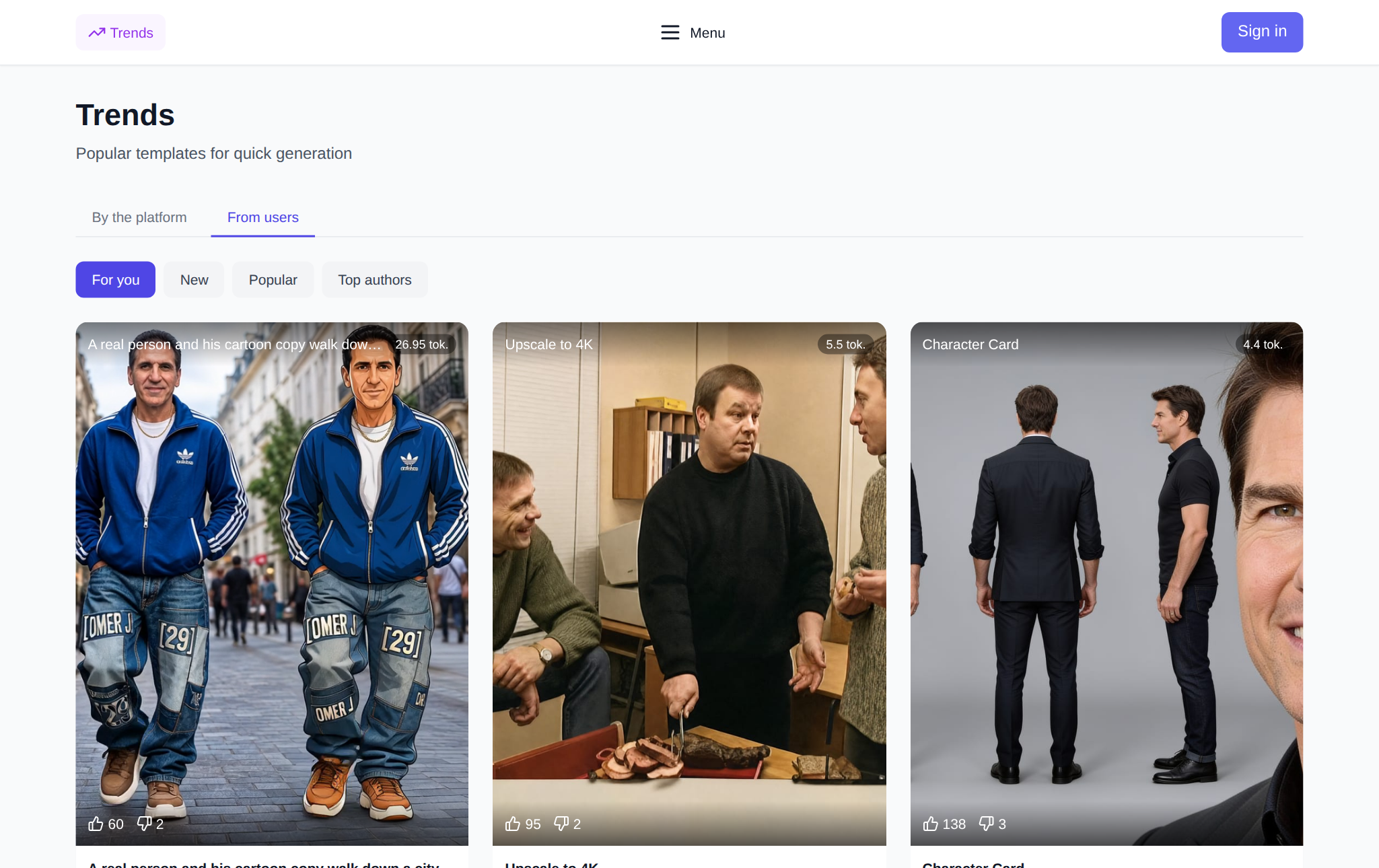
What this store is and why it pays
The trend store is a storefront of ready-made prompts and presets. Every card is a prompt with references and settings (buyers never see the prompt text itself — the author can hide it so the template cannot be copied wholesale): a buyer opens it, drops in their photos, hits "Generate". Card prices start at a few tokens and go up — the buyer pays the generation cost plus your markup, and your share lands on your balance. No negotiations with buyers: the prompt sells itself while you sleep.
Trends come in two streams: "By the platform" — made by the team — and "From users", which is where author prompts land.
What the author actually gets: numbers from the editor
When publishing a trend you pick a markup — presets of 0%, 10%, 25% or 50%. The editor spells out your cut under each preset:
- 0% markup — you get 5% of the cost of every generation;
- 10% markup — the full 10% is yours;
- 25% markup — the full 25% is yours;
- 50% markup — 45% to you, 5% platform fee.

And the cherry on top: every published trend gets a direct referral link. If someone signs up through it and tops up their balance, you also earn 10% of their top-ups — that is the partner program, and it stacks on top of the author's cut. Earnings accumulate in the partner cabinet: withdraw to USDT (TRC20) or a bank account (minimum thresholds apply — see the partner cabinet), or move the money to your platform balance as tokens and spend it on generations.
How to put your prompt up for sale: five steps
- Generate an image or video in the regular generation section — a trend is created straight from the result, no need to invent anything from scratch.
- On the finished generation card, tap the "Share" icon (the "Share as a trend" hint) — the trend editor opens.
- Fill in the card: title, references (which are required for the buyer, which to hide), and a comment-instruction on what the buyer should attach. You can hide the prompt so it cannot be copied wholesale.
- Pick a markup: 0, 10, 25 or 50% — your cut is written right under the preset.
- Hit "Submit for moderation". An AI moderator and a human review it; once approved, the trend appears in the store and you can share its link anywhere.
What sells best
Scenarios where people see themselves in the result work best: portrait trends with a face reference — "Me in another scene", "Keep facial features", "Animate photo". Video trends cost more than images, so the cut per generation is noticeably bigger. Seasonality works too: in autumn "Autumn golden hour" and "Old Money" are at the top. The "From users" tab with the "Popular" sort is a ready-made hint of what people are buying right now.
Where the catch is
Honest downsides: moderation can reject a trend — a weak prompt or questionable references will not pass. Income is not instant: first people need to see the trend and want to repeat it. The reward lands after the buyer's generation succeeds, not on click. And the anti-fraud is real: if the "buyer" and the author are linked (shared IP and similar matches), the payout is blocked — so inflating your own numbers will not work.
The storefront: neuralspace.pro/en/trends. Take a look at what others already sell — and run the same play with your own prompt.