SeeDance 2.0 now with priority queue: faster video generation

Briefly about the main thing (BLUF)
SeeDance 2.0 now has a priority queue: your generation goes out of the general stream, and the video is prepared noticeably faster. Let's look at how exactly it works, how much it costs, and when it makes sense to turn it on and when it doesn't.
Do you know this feeling when you put a request for a video for a client into SeeDance 2.0, and the queue replies: “14 minutes left”? It’s especially fun if the deadline is in 20.
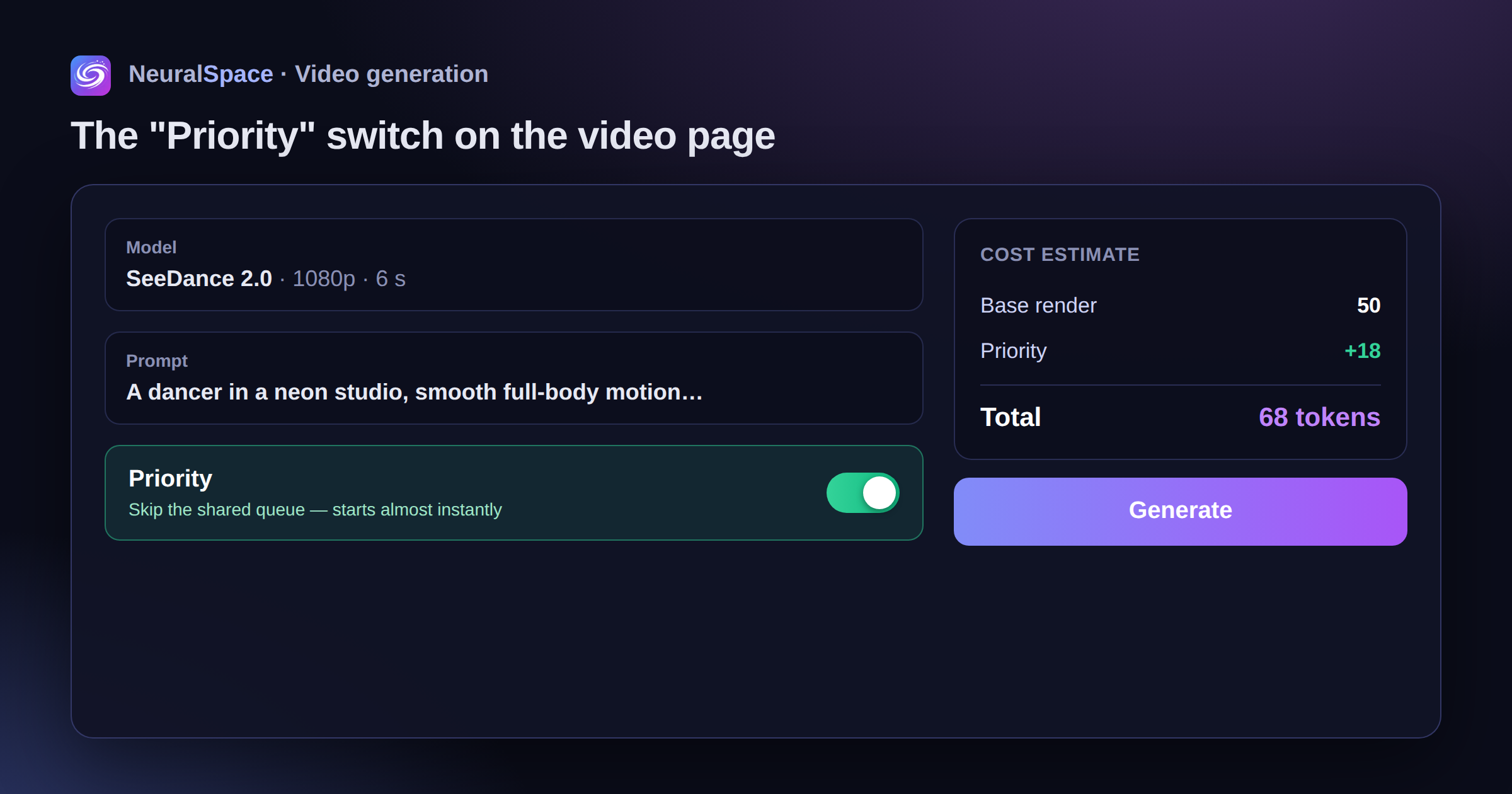
IN video section there is now a "Priority" switch. When you turn it on, the video goes past the general queue and is rendered faster. It sounds simple, but in practice it makes a big difference in the experience.
How exactly does it work
Under the hood is a separate pool of capacity reserved for priority tasks. When you check the “priority” checkbox (or select the “accelerated generation” mode - the name may depend on what the interface shows), the task does not go to the general stack, where hundreds of the same videos are now waiting their turn, but to a dedicated line.
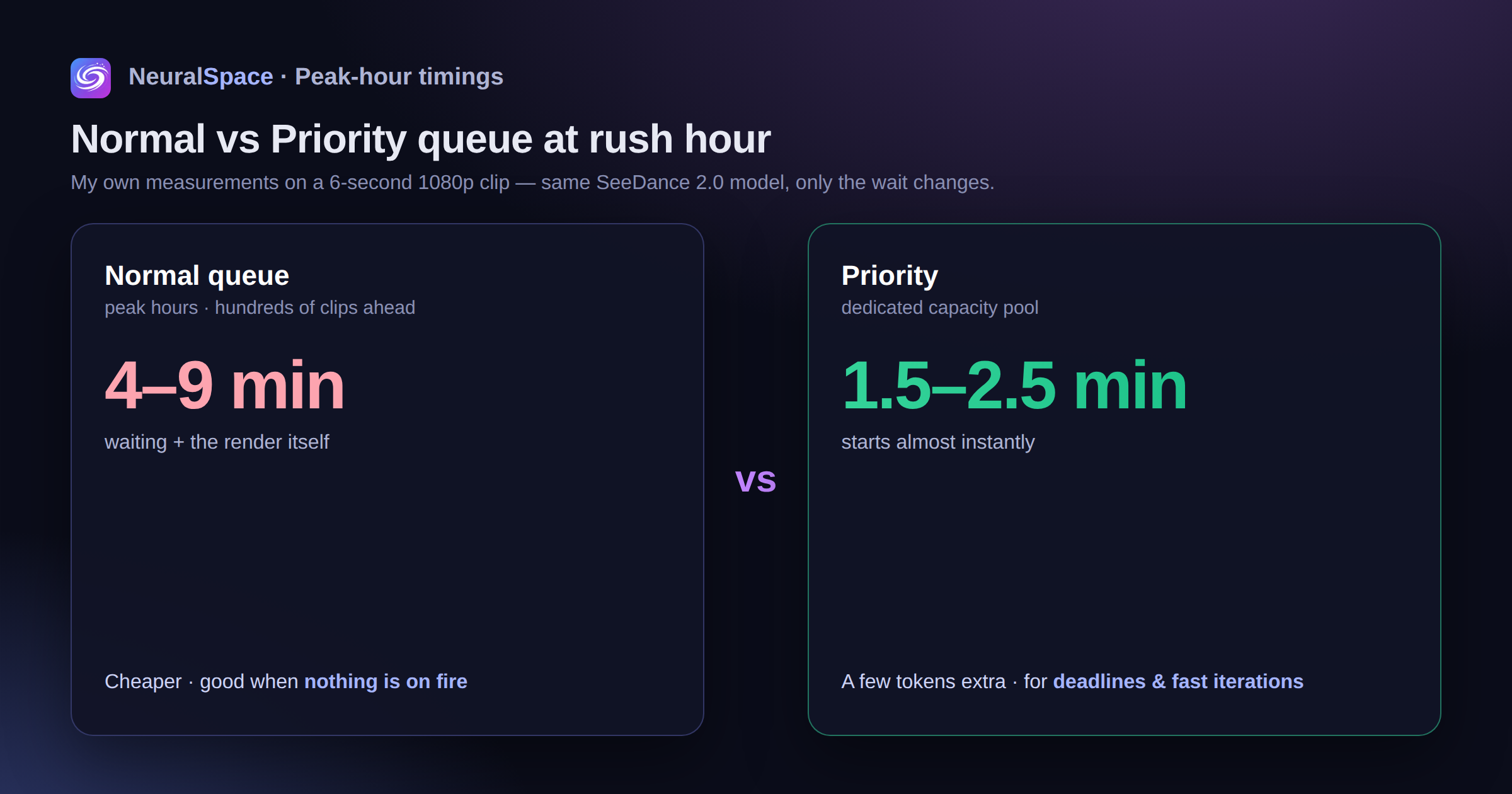
What does this give in terms of numbers (my measurements on a 6-second 1080p video):
- Normal mode during rush hour: 4–9 minutes of waiting + rendering itself
- Priority during rush hour: start almost immediately, total time - 1.5–2.5 minutes
- At night the difference is less - the queue is already almost empty
That is, the trick is not that the model itself works faster (it’s still the same SeeDance 2.0). The trick is that you don't have to wait for it.

How much does it cost
Priority is paid mode, more tokens are spent. The exact ratio is visible directly in the estimate before launch (according to the rules, we show the total separately from the dropout, so as not to be confused). Roughly - you pay extra and get speed.
To get an estimate, you can open the cost calculator in payment section and see current rates.
When to turn it on and when not to
Priority is not “always better.” It's "better at the right time."
It's worth turning on if:
- The deadline is on - the client or editor is expecting the video “in an hour”
- You are testing a request and need quick iterations (5-6 options in a row)
- Monday morning/Friday evening are the busiest times
- Live broadcast or stream where you need to insert a new video
Not worth it if:
- Do it “for later”, it doesn’t light up - the general queue is cheaper
- Night / early morning - the queue is empty, the difference disappears
- One big video that you will render at a time anyway
I have chosen the following rule for myself: if I need more than 5 videos per day, I turn on priority. Time is more valuable than the difference in tokens. If one or two are “for the soul,” I don’t worry, I wait.
Little life hack
SeeDance 2.0 is good at dancing and smooth body work - this is its specialty. But he’s bad at drawing close-ups of faces with emotions. For portrait scenes it is better to take VEO 3.1 or Kling 3.0. Accordingly, it makes sense to include priority in SeeDance exactly where the model is strong - staged movements, choreography, rhythm.
Also, if you need to generate 10 short clips for one music in a batch, put them in order with priority. Receive the finished material in approximately the time it would take for one video to pass in a normal queue.
What about other models?
So far, priority only works for SeeDance 2.0 - this is a pilot launch. If it comes in, they promise to roll it out to other engines. I would vote first of all for priority at Kling and VEO - the queue there is sometimes obscenely long too.
Try the new mode: neuralspace.pro/video. If you don't have an account yet - registration free, they give test tokens. No VPN and no extra steps.
Well, yes - the priority settings are stored in profile, so I set the preference once and forgot.
Frequently asked questions (FAQ)
Question: How to get the best result from a neural network?
Answer: Use detailed prompts (descriptions) in English, set the style and details of the scene.
Question: Can these materials be used for commercial purposes?
Answer: Yes, the generated content is entirely yours.