Neural network for creating presentations: how to make slides in 5 minutes

Briefly about the main thing (BLUF)
You can put together a presentation in 5 minutes if you do it honestly: first the skeleton and meaning, then the neural network. We'll figure out what to write on the slides and what not to write there, where to get pictures that you're not embarrassed to show, and how to upload everything to PowerPoint in a couple of clicks.
Do you know what infuriates you most about work tasks? Presentations. Seriously - you can be a cool specialist, but if the slides are crooked, the impression will be blurry. I used to spend more time on formatting than on preparing the report itself. And then I tried a neural network to create presentations - and realized that a draft was put together in 5 minutes instead of three hours of agony.
First the skeleton, then the meat
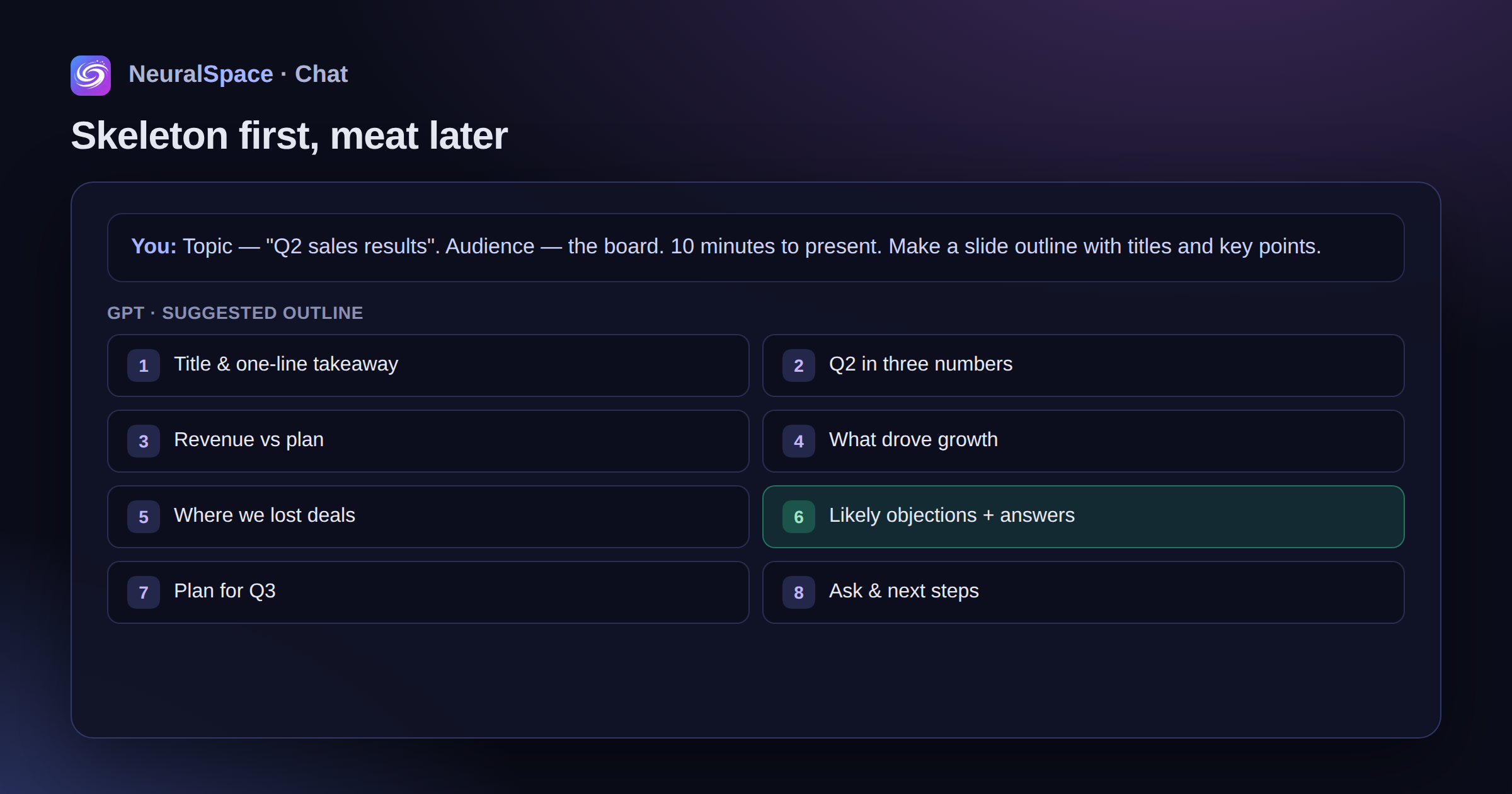
See how it works. You go into GPT, describe the topic, who will listen, how much time you have to speak and what you want to convey. In a minute - a ready-made plan for 10-15 slides with headings and abstracts.
A little life hack: immediately ask to add a slide with the audience’s objections and answers to them. Without this block, the presentation often looks one-sided. Tested for myself.

What to write on slides (and what NOT to write)
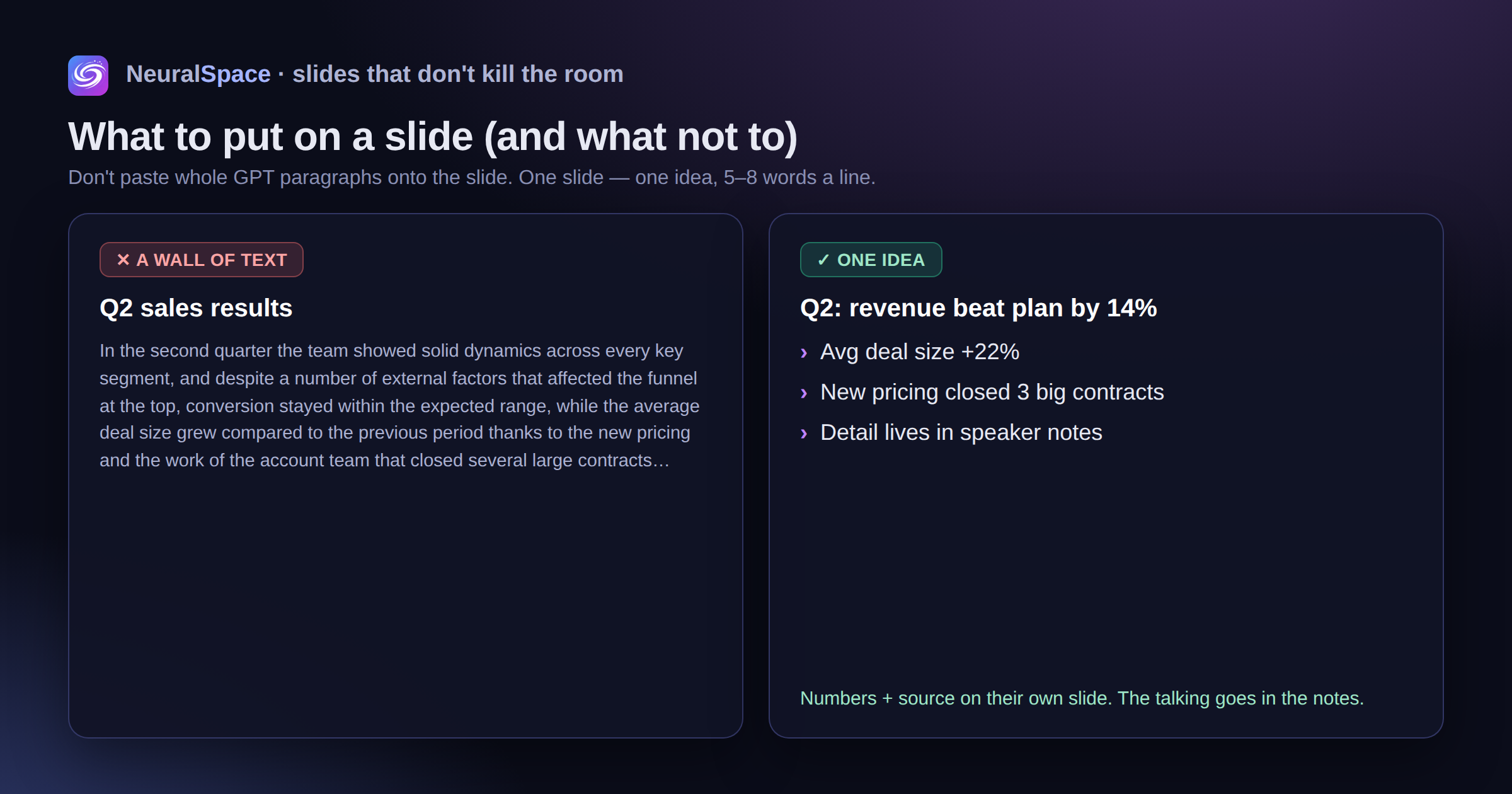
This is where many people make mistakes - they copy entire paragraphs from GPT directly onto the slide. Don't do that.
- Bullet points. Short, succinct - 5-8 words maximum.
- One slide - one thought. If you can’t formulate the essence in one phrase, break it into two slides, don’t be greedy.
- Figures and facts are on a separate slide, with a source.
- Let the model write speaker notes too. It’s convenient to rehearse using them, and during the performance you won’t forget what you wanted to say. I do this all the time – it really helps when you’re worried.
Pictures that you are not ashamed to show
Each slide needs a visual - photo, illustration, diagram. Without pictures, the slides look like a Word document, only in a horizontal frame.
Image generator helps out when you need non-standard illustrations or backgrounds. A GPT can return the finished plot code - matplotlib, mermaid, plantuml - and you paste it into the slide as SVG.
Honestly? Sometimes the pictures turn out strange - the hands are not the right shape, the text on the image is crooked. You have to regenerate 2-3 times. But it’s still faster than rummaging through photo stocks for an hour looking for something suitable.
From a neural network to PowerPoint in a couple of clicks
Ask the model to output the structure in Markdown or pptx-compatible JSON. Then you import into PowerPoint, Keynote or Google Slides - you're done.
Tip: if you have a brand guide, add it to the system request. The neural network will maintain a single style - fonts, colors, tone. It doesn't hit perfectly, but it's 80 percent accurate. You can finish the rest by hand in 10 minutes.
And if you also need to voice it?
Sometimes slides do not need to be shown live, but sent to an investor, client, or management. Then it will come in handy voice assistant for voice acting and Kling AI Avatar — he will add a “talking head” to the corner of the frame. Looks solid.
You can try all this after registration. Payment is simple — without dancing with VPN and foreign cards.
Frequently asked questions (FAQ)
Question: How to get the best result from a neural network?
Answer: Use detailed prompts (descriptions) in English, set the style and details of the scene.
Question: Can these materials be used for commercial purposes?
Answer: Yes, the generated content is entirely yours.