MCP-server NeuralSpace: connect neural networks to your AI agent with one command
Briefly about the main thing (BLUF)
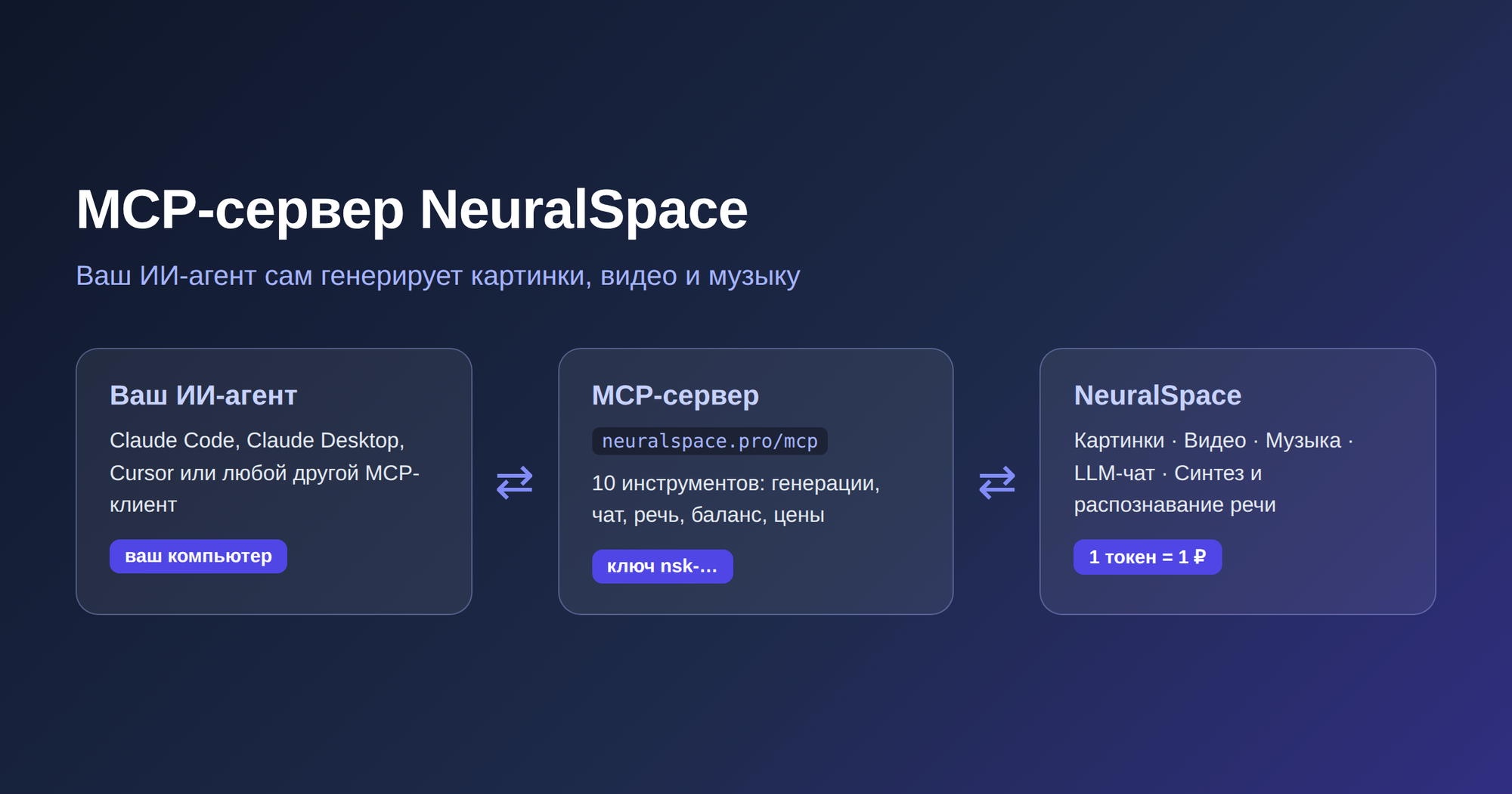
MCP-server NeuralSpace connects neural networks to your AI agent with one command: a minute after setup, the agent can write in chat, generate pictures, videos and music. We tell you what MCP is, what tools the agent receives and how tokens and security work.
We launched MCP-server NeuralSpace. Now everything that our platform can do - generating pictures, videos and music, chat with top LLMs, synthesis and speech recognition - is available directly to your AI agent: Claude Code, Claude Desktop, Cursor and any other application that supports MCP. The agent chooses the model himself, generates the content himself and checks the balance himself - on behalf of your account, from any country.
What is MCP and why do you need it
Model Context Protocol (MCP) — an open standard by which AI agents connect external tools. If earlier for integration with our API it was necessary to write code, now one command is enough: the agent will see ten ready-made tools and will call them himself when they are needed for a task.
Example scenarios:
- write a landing page in Cursor - the agent itself will generate a hero image and background music;
- ask Claude Desktop to prepare a post - it will generate an illustration, voice the text and return the finished files;
- automation: a script agent makes a video based on a fresh trend prompt once a day.
How to connect in a minute
You will need an API key NeuralSpace - created in your account neuralspace.pro/api-keys (view BLK0, shown once).
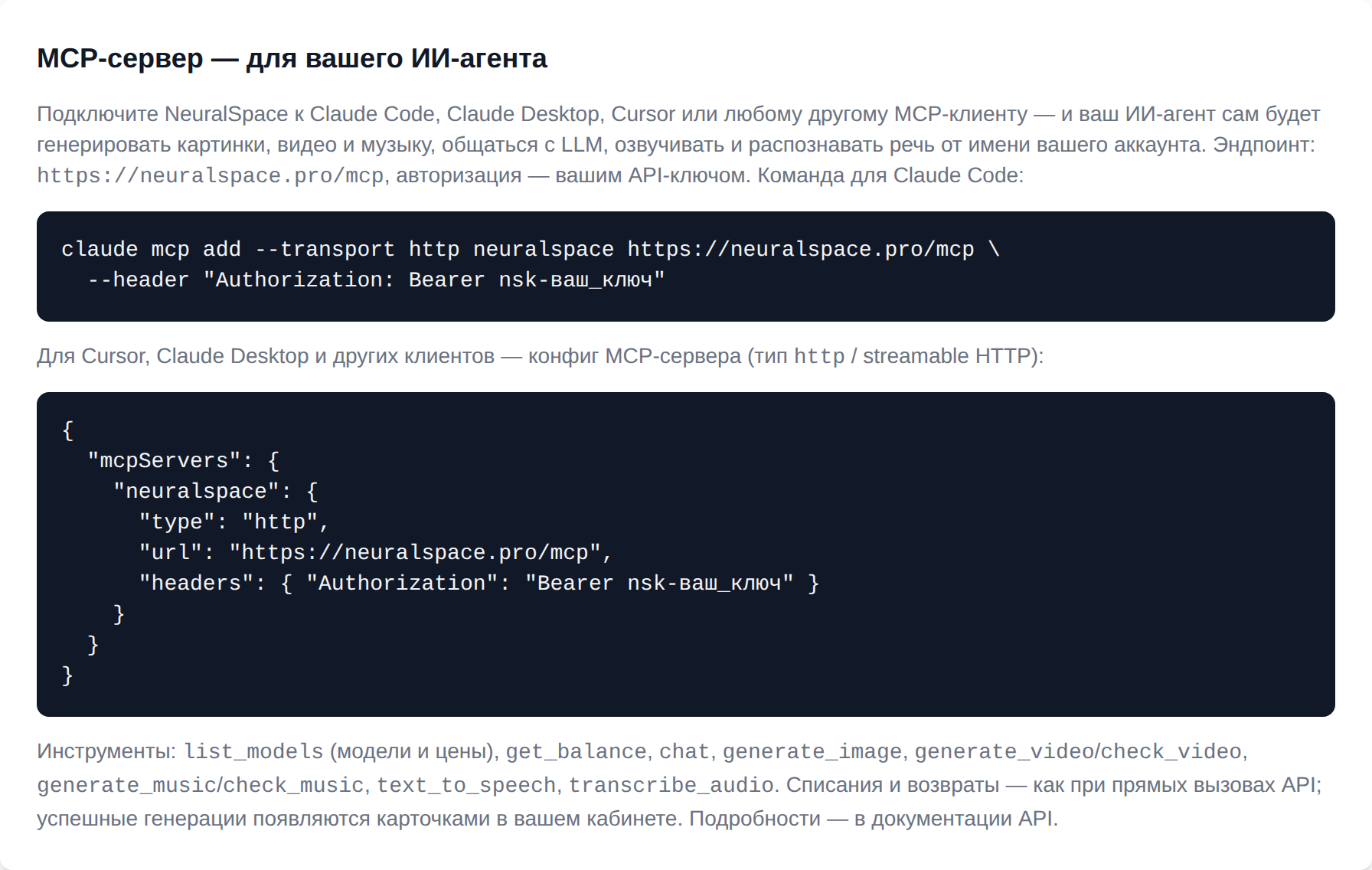
Claude Code - one command in the terminal:
Cursor, Claude Desktop and other clients with streamable HTTP - block in the config MCP:
Clients that only support stdio connect via the BLK3 bridge:
What tools does the agent receive?
- BLK5 - all models with live prices in tokens: the agent himself finds out what is available and how much;
- BLK6 - account balance to plan expensive generations;
- BLK7 - request for any LLM platform: Claude (including Fable 5 and Opus 4.8), GPT-5.5, Kimi, GLM;
- BLK8 - pictures: Nano Banana (including Pro and 2), FLUX 2 Pro, GPT Image 1.5/2, Midjourney v7 - with references, choice of resolution up to 4K and aspect ratio;
- BLK9 + BLK10 - video: Veo 3.1, Sora 2 (and Pro), Kling 3.0 (and Turbo), Grok Imagine, Wan 2.6, Seedance 2.0; the agent creates a task and queries the status itself;
- BLK11 + BLK12 - Suno music up to version V5.5: from description or own lyrics;
- BLK13 - text voiceover with six voices;
- BLK14 - audio transcript via link (Whisper).
Tokens, security and cards in the account
The MCP server works on top of our public API: prices, charges and automatic returns in case of errors are exactly the same as for direct calls (1 token ≈ $0.013, payment by credit card, no subscriptions). The key can be revoked in the account at any time - the agent’s access is instantly closed.
A nice detail: all successful generations made by the agent appear cards in your office - on the “Pictures”, “Video” and “Music” pages, like regular generations. Nothing is lost: both the prompt and the result are always at hand.
For developers
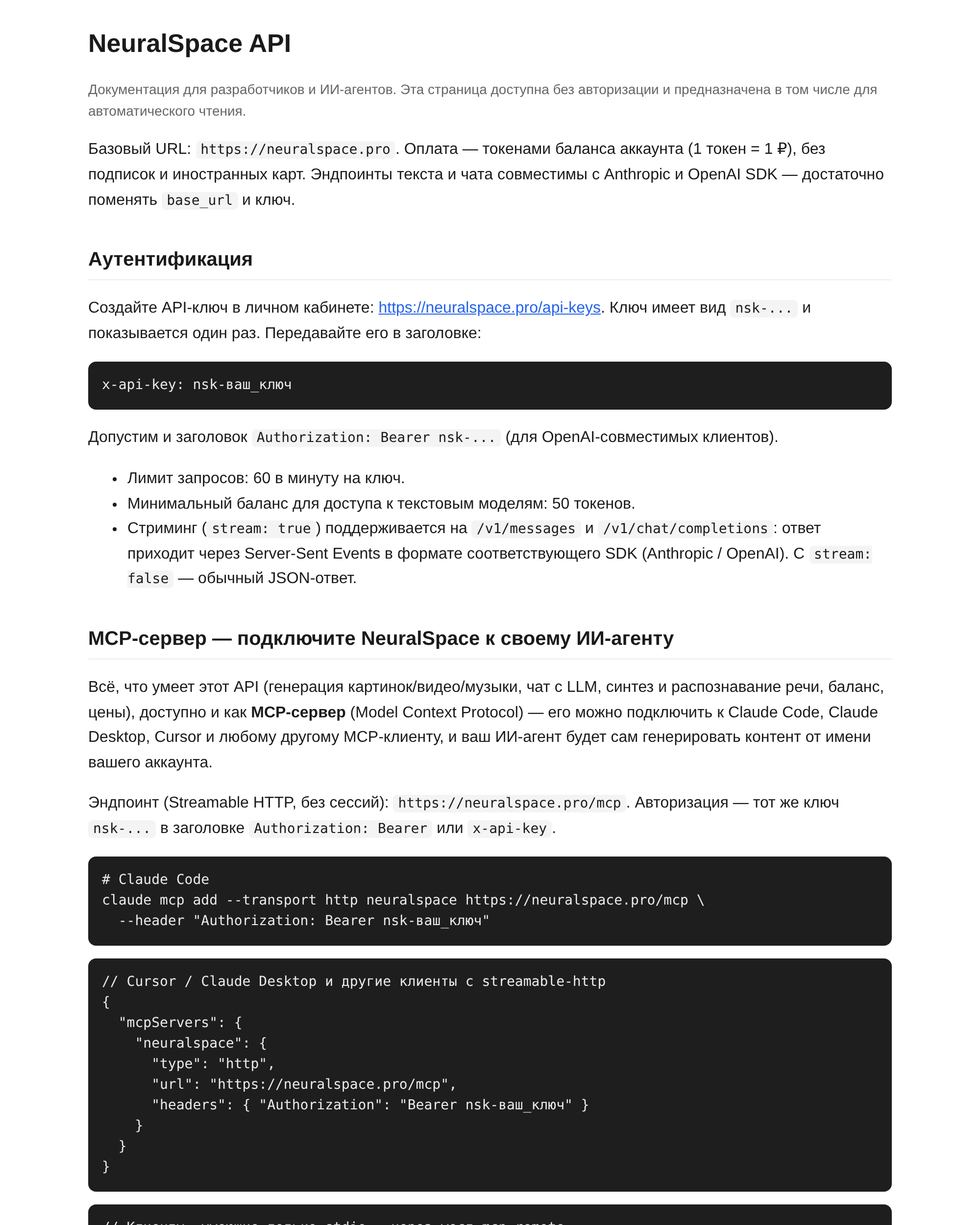
Technical details: transport - Streamable HTTP (protocol MCP 2025-06-18) without sessions, endpoint BLK15, authorization with a key in the BLK16 or BLK17 header. Two new REST endpoints have also appeared: BLK18 (balance) and BLK19 (machine-readable list of models with prices). Full documentation - at neuralspace.pro/v1/docs.
Create a key on neuralspace.pro/api-keys - and your AI agent will receive all neural networks NeuralSpace with one command.
Frequently asked questions (FAQ)
Question: How to get the best result from a neural network?
Answer: Use detailed prompts (descriptions) in English, set the style and details of the scene.
Question: Can these materials be used for commercial purposes?
Answer: Yes, the generated content is entirely yours.