Kling O3 to NeuralSpace: change the finished video with text - without editing

Briefly about the main thing (BLUF)
Kling O3 edits the finished video with text: upload any video - write what to change, without editing or timeline. This is editing what was filmed, not generating it from scratch. We show how to write commands where Kling O3 is not helpful and how to try it.
I shot a video on my phone, and a random passer-by got into the frame. Or you want the same clip, but not during the day, but at sunset. Previously, this meant one thing - open the editor, masks, key frames, half a day of fiddling around. Now you can simply write in words what to change and get a new video. This is it Kling O3 — a model that edits a ready-made video using a text command.
This is not generation from scratch, but editing of a ready-made
Most video models make a video from text or a picture. Kling O3 works differently: you give him yours video and tell me what to change in it. Remove an object, replace the background, repaint, move a character from another frame - the model reassembles the scene, trying to preserve the movement and details that were not asked to be touched.
IN "Video" section on NeuralSpace there are two options: Standard And Pro. Standard is cheaper and good for simple edits, Pro is for complex scenes where accuracy is important. The same screen, the only difference is the price and how carefully the model licks the result.
“Upload any video” - and don’t think about formats
Here's a detail that is usually underestimated. Video models are capricious: give them exactly the right codec, frame rate no lower than 24, width no more than a certain one, length within the limit. I threw it in the wrong way and was refused.
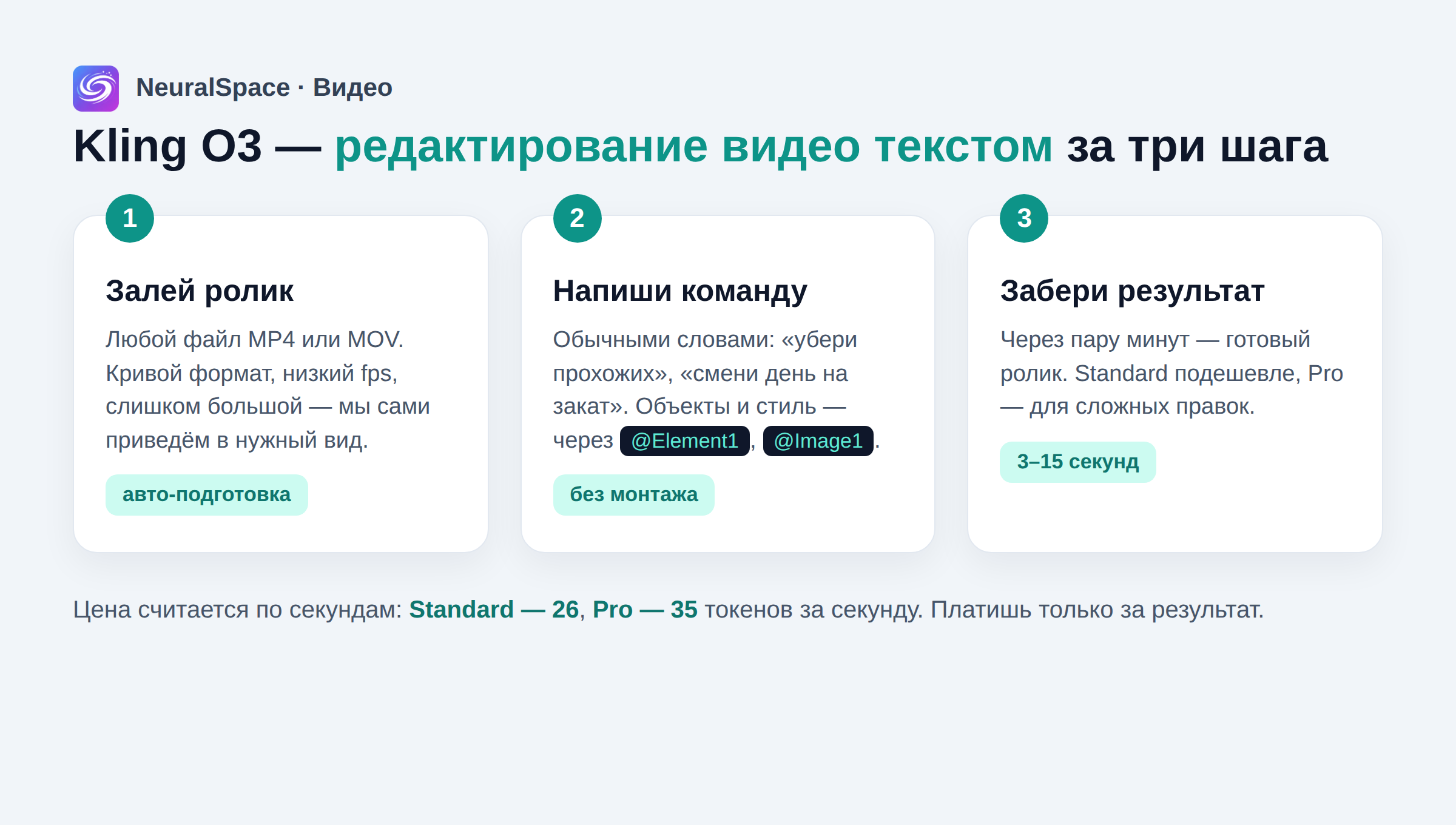
Our server takes care of this. I uploaded MP4 or MOV - and then the automation itself will adjust everything: if the file is “broken” and cannot be read, it will be repacked; if it’s heavy, they’ll squeeze it; if there are few frames, they will increase the frequency; too wide - they will carefully narrow it in width, maintaining the proportions; long - cut to the working window. You don't need to know about this. You just upload the video and write the command.
Honestly, this is the most invisible, but most enjoyable part. No “convert the video to a suitable format” - something that usually takes half an hour and nerves.
How to write a command
The language is simple, human. “Remove the people in the background”, “change the day to evening”, “make it rain”. And if you need to drag a specific object, character or style from another picture into the frame, there are short marks:
- BLK0 - your original video;
- BLK1, BLK2 - character or object that needs to be transferred to the video;
- BLK3, BLK4 - reference picture for the style.
You choose the length of the future video yourself - from 3 to 15 seconds. The price is transparent and is calculated by seconds: Standard costs 26 tokens per second, Pro - 35. That is, a five-second edit on Standard will cost 130 tokens, and you see the amount before launch. If you didn’t like the result and the tokens weren’t written off due to an error, they won’t be written off in vain.
Where Kling O3 is not a helper
I don't promise magic. This is a tool for short videos, not for film editing. The working window for editing is up to 10 seconds of the source code, the total is a maximum of 15 seconds. If you decide to remake a five-minute video entirely, you will have to cut it into pieces and assemble it manually. And the more complex the scene and the more things move in the frame, the higher the chance that Pro will do a better job than Standard - which means you’ll have to pay a little more.
But for its task - to quickly fix a finished clip without opening a heavy editor - the thing honestly helps out. Especially when the video has already been filmed and you are too lazy to reshoot it.
How to try
Go to "Video", select Kling O3 (Standard or Pro), load the video and write what to change. You can see other people's successful edits and prompts in "Trends" — you can see what others are really squeezing out of the model. No subscriptions, no VPN: NeuralSpace works from Russia and you pay only for the result.
Frequently asked questions (FAQ)
Question: How to get the best result from a neural network?
Answer: Use detailed prompts (descriptions) in English, set the style and details of the scene.
Question: Can these materials be used for commercial purposes?
Answer: Yes, the generated content is entirely yours.