Hack Seedance: how to bypass censorship in Seedance 2 - filters, faces and trick with mesh and grain
Briefly about the main thing (BLUF)
Seedance 2 cuts a lot: an ordinary girl in a cafe has already “failed the content check.” Let's look at what is blocked most often, how to bypass text filters and the face filter in photos - using a trick with a grid and grain - and what this trick cannot do.
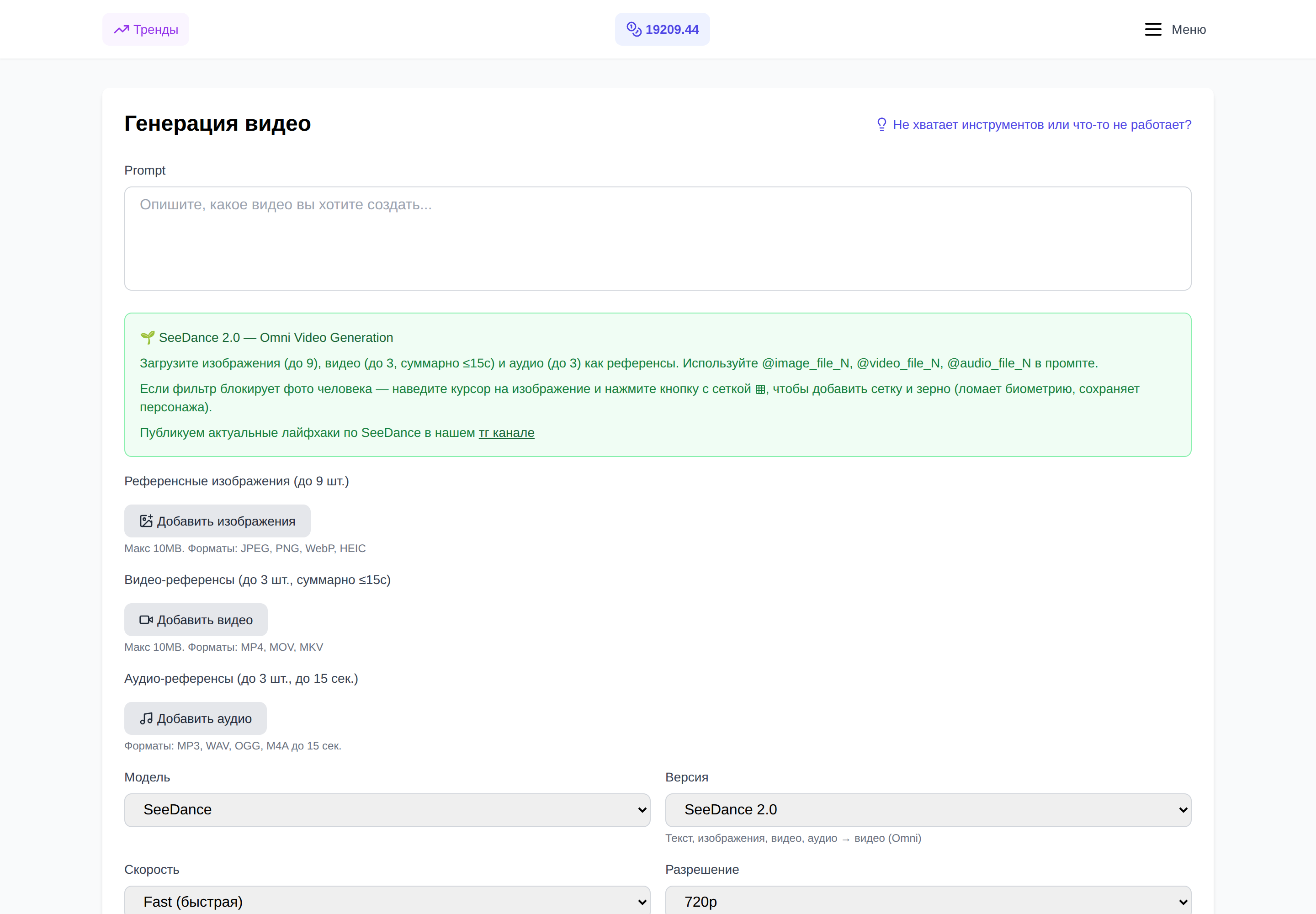
I was sitting the other day, playing Seedance 2 - trying to make a short video with an ordinary girl in a cafe. Not Taylor Swift, not a Marvel character, just a girl. I upload a photo - “the content has not been verified.” I change the photo - the same thing. I change the request - again it’s gone. By the fifth attempt it started to bomb.
If the same thing happened to you, this article is for you. I’ll figure out what exactly is blocking Seedance 2, why she’s so nervous and how to live with it. And I’ll show you one life hack that we have on NeuralSpace built right into the interface - it actually pulls out half of the “killed” requests.
Why does Seedance2 even cut so much?
After a series of deepfakes and copyright scandals, ByteDance cranked up its filters to the point of paranoia. According to public measurements, up to 37% of completely harmless requests are rejected simply because the “just in case” model decided to play it safe.
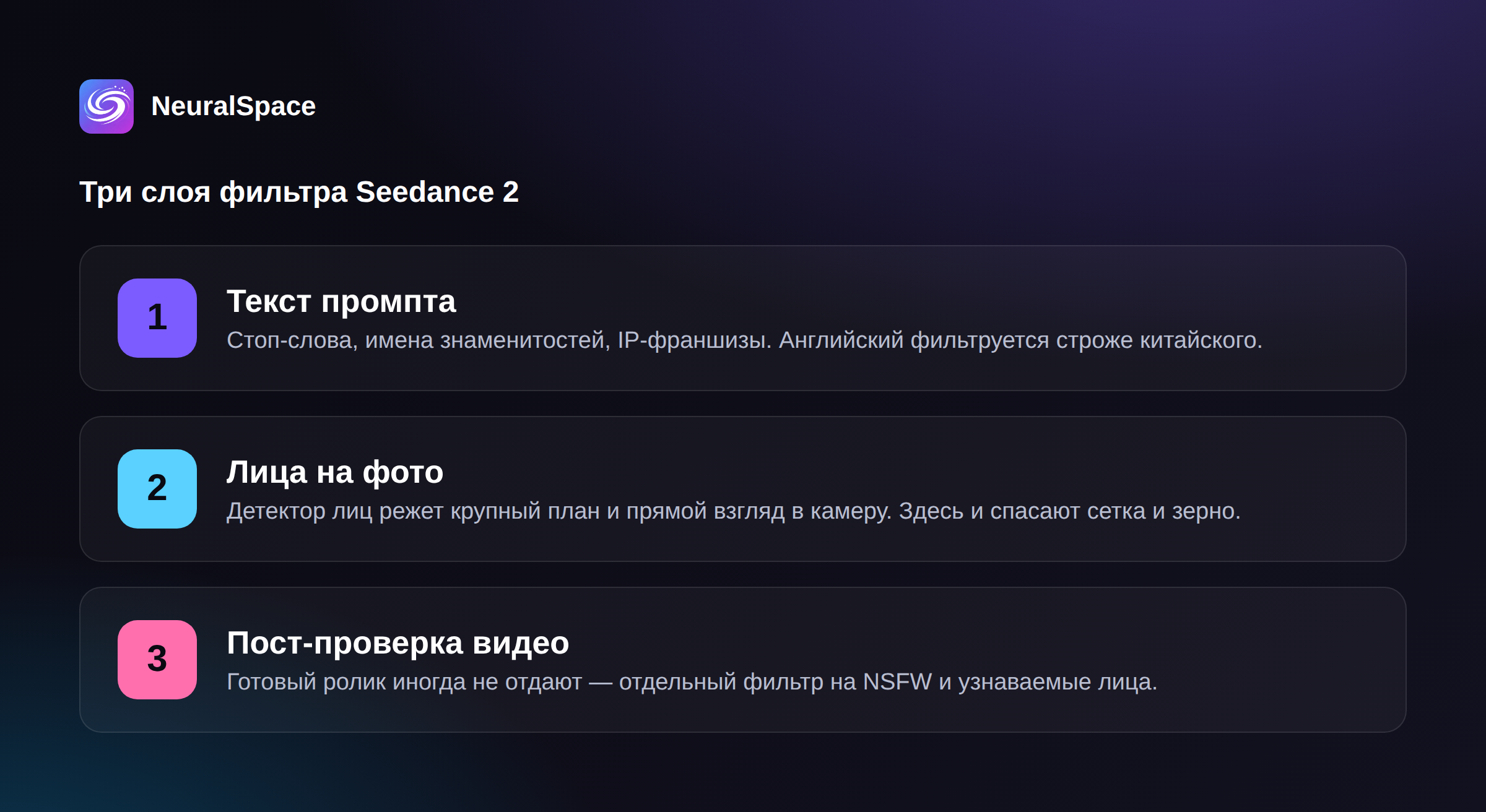
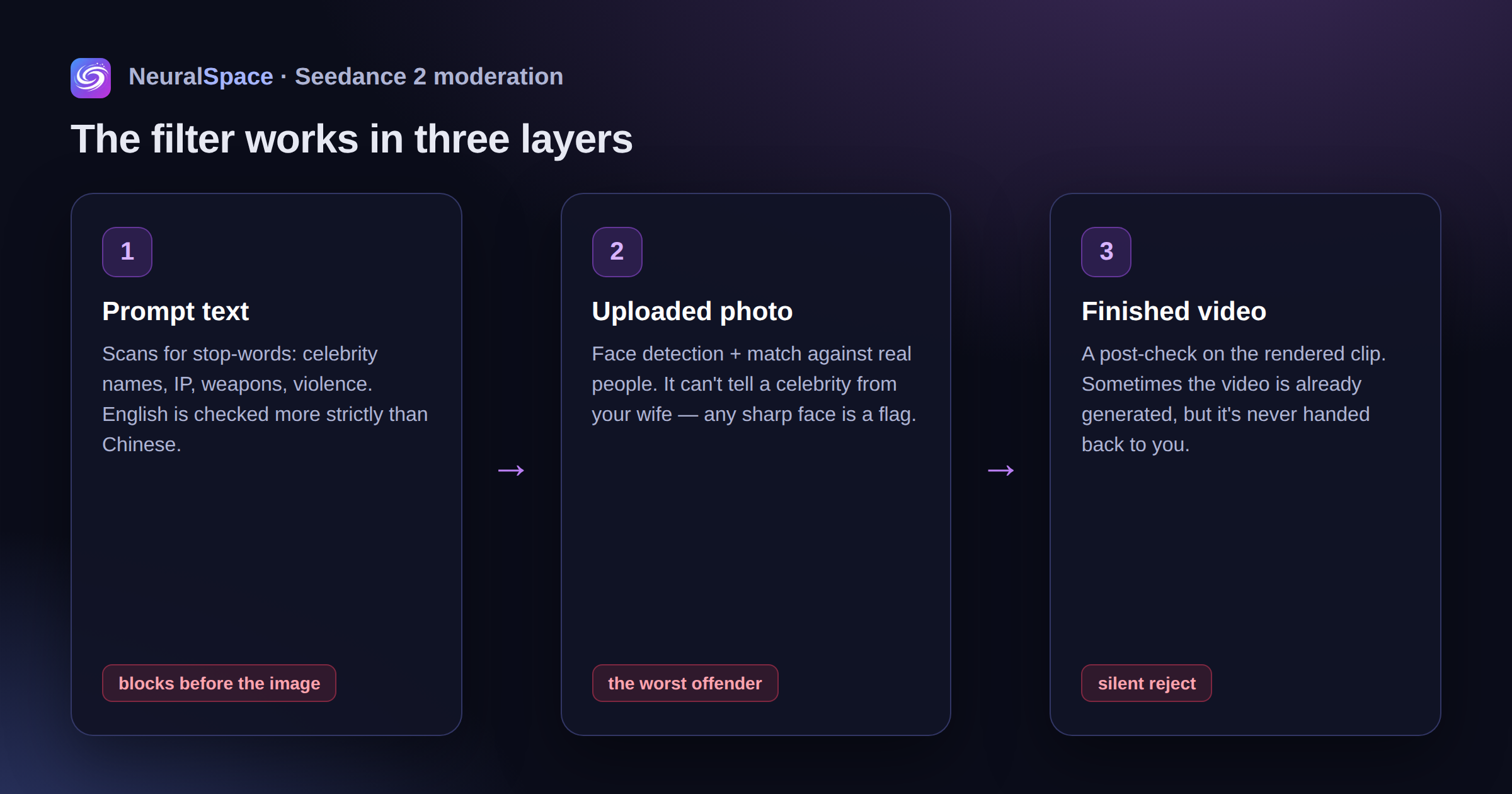
The filter works in three layers:
- checking the request text for stop words (English - stricter, Chinese - softer);
- analysis of the uploaded image for faces and matches with real people;
- post-checking of the finished video - sometimes the video has already been generated, but it is not sent.
The most unpleasant thing is the face detector. He doesn't know the difference between a "celebrity photo" and a "photo of your wife." Any clear human face in the frame is a reason to wonder if it’s Tom Cruise.
What is blocked most often
After a month of active use, I came up with this top.
People's faces in uploaded photos. Especially close-up. Especially if the person is looking directly into the camera. A selfie with a smile is an almost guaranteed refusal. Moreover, the model does not write “you have the face of a real person”, she writes something vague like “violation of policy” - and think what you want.
Names of real people in the request. “Elon Musk”, “Putin”, “Messi”, even “like an actor from Pulp Fiction” - everything is banned. Celebrities cannot be named or described with an obvious reference.
IP and franchises. Harry Potter, Mickey Mouse, Darth Vader, Pokemon - forget it. Sometimes it even works for “Muggle schoolboy with a scar.”
Weapons and violence. “Soldier shoots” - stop. “Shoots”, “kills”, “blood” - stop. Although the “muzzle flash in slow motion” passes quite well. Paradox.
Any erotica. It's as quiet as a tank here - and this is the case when you shouldn't go around.
How to bypass text filters
It's all about reformulation. No magic.
1. Don't name names - describe your appearance. Instead of “Harry Potter in the library,” write “guy about 16, round glasses with thin frames, dark disheveled hair, school uniform with an emblem, reading an old book by candlelight.” It turns out even more atmospheric.
2. Change “straight” verbs to cinematic ones. Not “a soldier shoots”, but “a figure in tactical gear, a flash at the muzzle, the recoil throws off the shoulder.” Not “fighting,” but “two silhouettes in dynamic contact, motion blur.” It sounds like a director's script - and the filter lets it through.
3. Try English and Chinese. It’s strange, but true: the same request in Russian can pass, but not in English. Sometimes it's the other way around. If it doesn’t let you in at all, try translating the description into simplified Chinese; ByteDance has a softer attitude towards its native language.
4. Break up long scenes. One request - one action. “A girl walks through the park, then sits on a bench, then takes out her phone” - three separate videos, then glued together. The simpler the query, the less likely it is to hit a safe word.
5. Just try again. The filter has a probabilistic element: the same request can pass through in a minute. Don't worry, please re-send.
What to do with the face filter in photos
This is the most painful place. The prompt can be rewritten a hundred times, but the model will stubbornly cut a photo of a person. Especially if the face is clear and centered.
A simple idea works well here: “contaminate” the picture a little, so that the face detector is no longer sure that there is a real person in front of it. Not to the point of unrecognizability - otherwise Seedance itself won’t understand what to generate. And just enough to knock down face-recognition.
Three methods work:
- light grain overlay (film noise) - spoils the precise pixel patterns by which the detector recognizes a face;
- a thin translucent mesh over the image - adds “structural” noise that breaks the face-landmarks;
- slight reduction in resolution and resaving in JPEG with medium quality kills meta and micro details.
Sounds like boring photoshop. That's why we automated it.
Mesh and grain directly into NeuralSpace
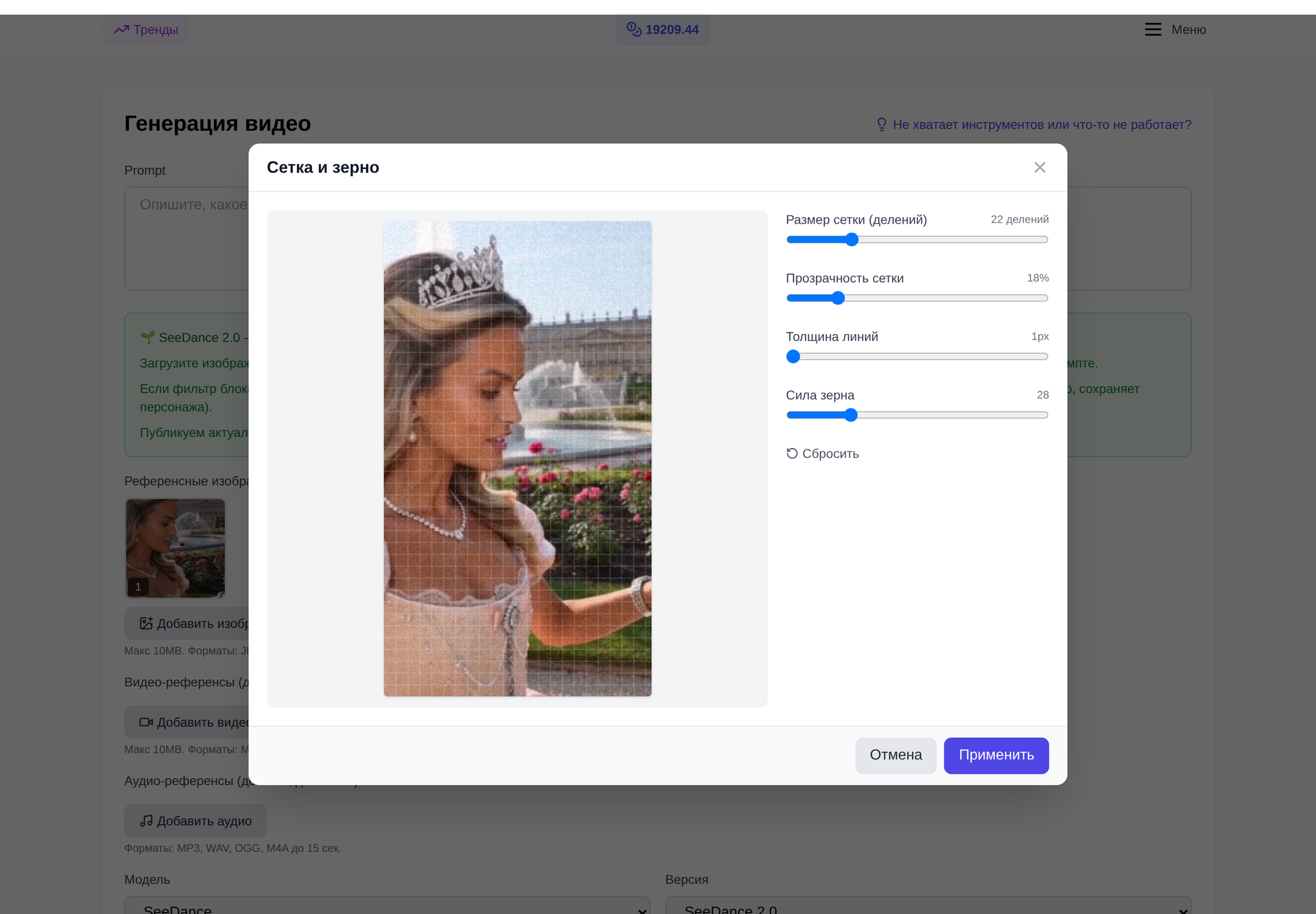
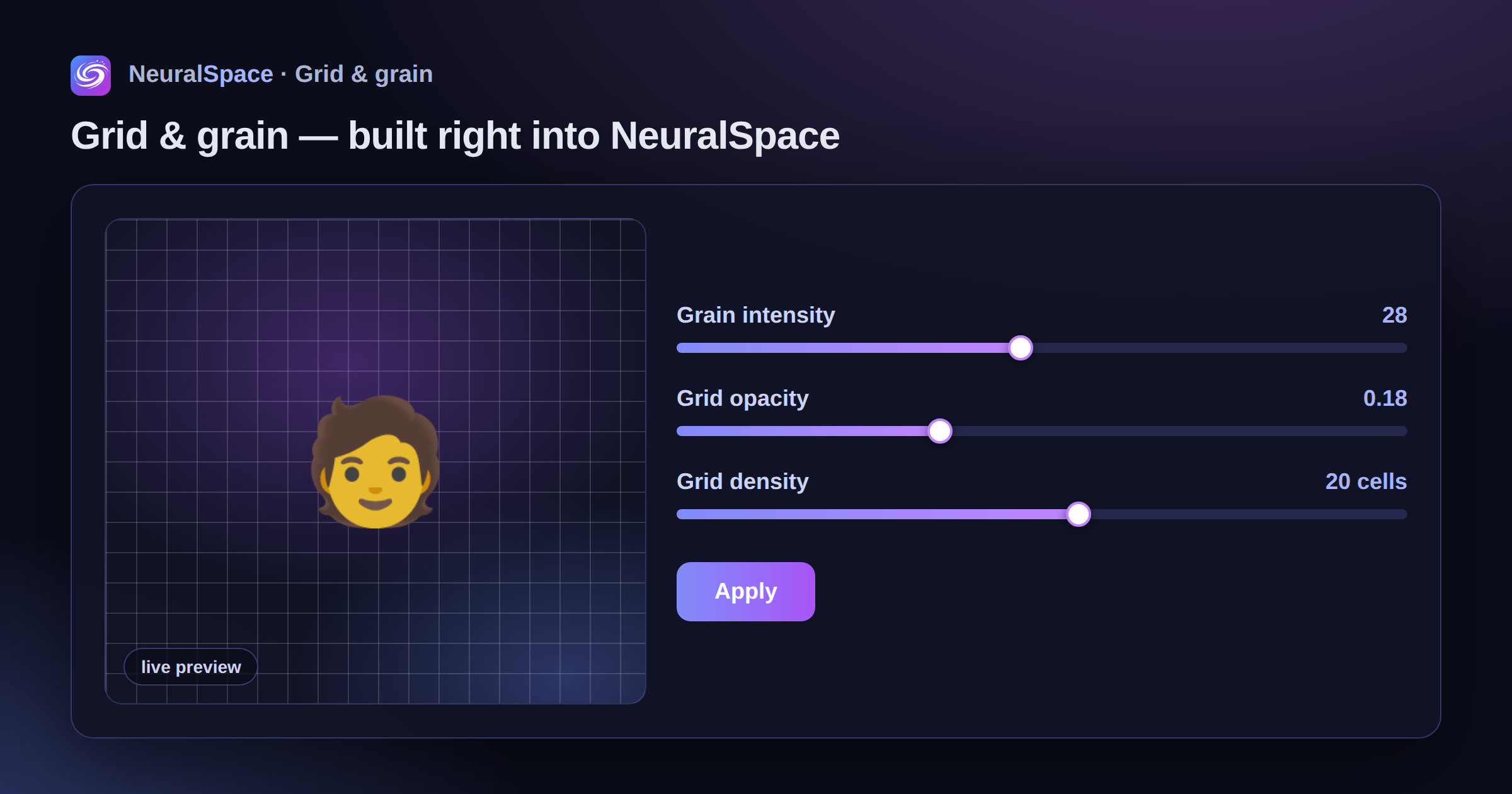
When you're on video generation page When you upload an image for image-to-video, the “Grid and Grain” button appears next to the preview. Click and a mini-editor opens. On the left is a preview, on the right are three sliders:
- grain intensity (default 28 is a good compromise);
- mesh transparency;
- mesh density - how many cells are on the short side.
When you move, you see how the picture changes in real time. Selected - click “Apply”, and the processed photo is substituted in Seedance instead of the original one. No third party editors, no Photoshop. My personal average run is as follows: grain 25–35, mesh 0.15–0.20 transparency, 18–24 divisions. This is enough for Seedance to stop being hysterical, but the quality of the video does not suffer visually - on the contrary, a slight “film-like” appearance appears, and the video looks even more textured.
Bonus: the same editor works for other models with aggressive moderation - for example, Kling 3.0 also regularly acts up on faces.
What this trick won't do
Immediately about fair restrictions, so that there are no disappointments later.
Mesh and grain won't helpif you:
- write the name of a real celebrity in the request - it is cut at the text level, the filter does not even reach the image;
- trying to generate NSFW - there is a separate post filter for the finished video, no grid will deceive it;
- upload a photo with a very recognizable face of a world star - face-match will still work, noise will only complicate detection, but will not disable it.
But for ordinary tasks - shoot a short video with a model for advertising, animate a client’s photo, make a video with yourself in the role - it works in 8 cases out of 10.
If it doesn’t let you in at all, there are alternatives
If a specific request stubbornly does not go through Seedance 2, do not resist. On NeuralSpace nearby are VEO 3.1, Sora 2, Kling 3.0 and image generation with more loyal moderation. This is what I usually do: if Seedance fails three times in a row, I switch to Sora, finalize it there, if necessary, take the last frame and feed it back to Seedance as a picture with a grid and grain. It turns out to be such a pipeline without screaming.
The main thing is not to break the system for the sake of porn or celebrity deepfakes. This is not only prohibited, but also a dead end: moderation catches up with such cases faster than it seems. But working honestly with ordinary faces, complex scenes and cinematic requests is a pain without these tools. It’s a normal working day with them.
Frequently asked questions (FAQ)
Question: How to get the best result from a neural network?
Answer: Use detailed prompts (descriptions) in English, set the style and details of the scene.
Question: Can these materials be used for commercial purposes?
Answer: Yes, the generated content is entirely yours.