GPT Image 2: new model OpenAI for generating images - and it’s already in NeuralSpace
Briefly about the main thing (BLUF)
GPT Image 2 is a new model of OpenAI for generating images, and it is already available in NeuralSpace. Let's look at what has changed compared to the first version, why 16 references are needed, how the built-in content check works, and how to try it.
Remember how ordinary image generators seemed like the ceiling? And then OpenAI quietly rolled out GPT Image 1 inside ChatGPT - and everyone ran to make themselves cartoon characters. So, now history is repeating itself. GPT Image 2 is a new model from OpenAI, which generates images noticeably better than its predecessor. And we have already added it to NeuralSpace.
What is GPT Image 2 anyway?
In short, this is the next generation of native image generation from OpenAI. Not a separate independent model for pictures, but the built-in ability GPT to create and edit pictures. Essentially, you write the request in text and the model draws.
The first version (GPT Image 1 / 1.5) was already surprising in quality. But she had problems: the text on the pictures often came out crooked, the detail was floating, and when trying to edit something, the model could completely redraw the image. GPT Image 2 is about working on mistakes. Serious work.
What has changed compared to the first version
The main thing is the quality of text rendering. If you've ever tried to generate a picture with a caption and ended up with an unreadable mess, forget it. GPT Image 2 draws text on images correctly. Latin, Cyrillic, even long phrases - it works much more stable.
The second point is resolution. Previously the ceiling was 1K. Currently GPT Image 2 supports 1K, 2K and 4K generation. Four thousand pixels is no longer a “picture for a post”, but a full-fledged illustration that can be printed.
And third - references. The model accepts up to 16 reference images simultaneously. Upload a photo, sketch, moodboard - and GPT Image 2 takes them into account when generating. Want to keep the face from the photo, but put the person in a different scenario? This is what references are for.
Why 16 references - practical scenarios
It sounds like a marketing number, but in practice it is really useful. Some examples:
- Consistent character. Upload 3-5 photos of the same person or character from different angles. The model “remembers” appearance and generates new scenes while maintaining facial features
- Stylistic reference + content. One image sets the style (for example, watercolor or pixel art), the other - the content. You receive content in the desired style
- Product photos. You photograph the product from different angles, add a reference background - you get a product shot without a photo studio
- Moodboard generation. Collect 10 inspiration pictures and describe what you want. The model synthesizes something at the junction
To be honest, earlier for this it was necessary to fence pipelines from ControlNet, IP-Adapter and a bunch of extensions for Stable Diffusion. And here I uploaded the pictures, wrote the text, pressed the button.
Built-in content checking
GPT Image 2 comes with nsfw_checker - moderation that filters explicit content on output. This is a decision OpenAI, not ours. For most tasks - design, illustration, marketing, entertainment - there is no limitation at all. But if you need complete freedom, NeuralSpace has other models without such filters: Midjourney, Flux 2 Pro, Nano Banana.
How to try in NeuralSpace
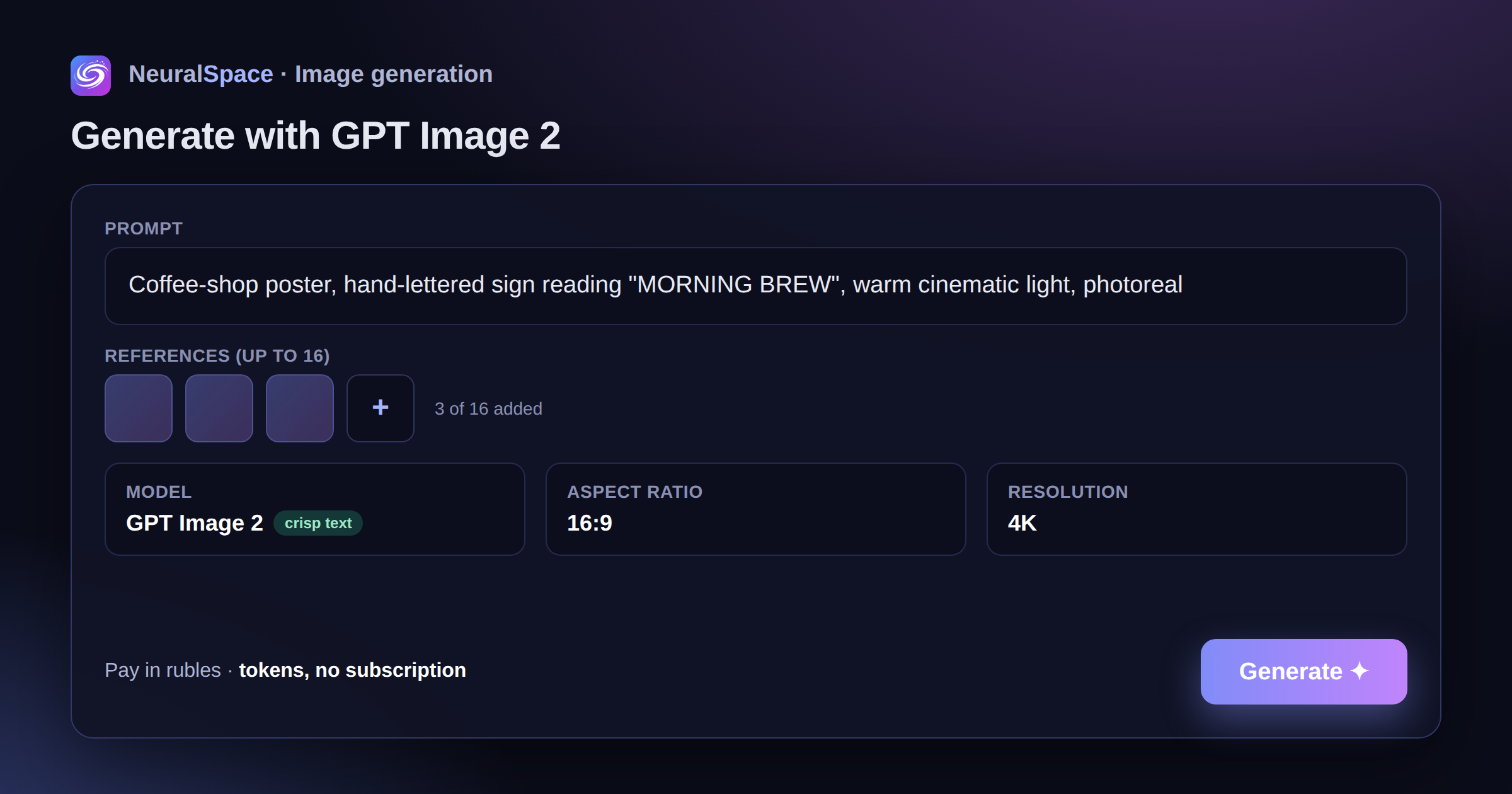
No dancing with VPN and foreign cards. Go to image generation page, select model “GPT Image 2” from the drop-down list. You write a request, if you wish, upload reference images (up to 16 pieces), select the aspect ratio and resolution, and generate it.
The settings are minimal, but sufficient:
- Aspect ratio: auto, 1:1, 9:16, 16:9, 4:3, 3:4
- Resolution: 1K, 2K, 4K
Payment - through any convenient method at replenishment page. No subscriptions: pay only for actual generation.
GPT Image 2 vs other models - when to choose what
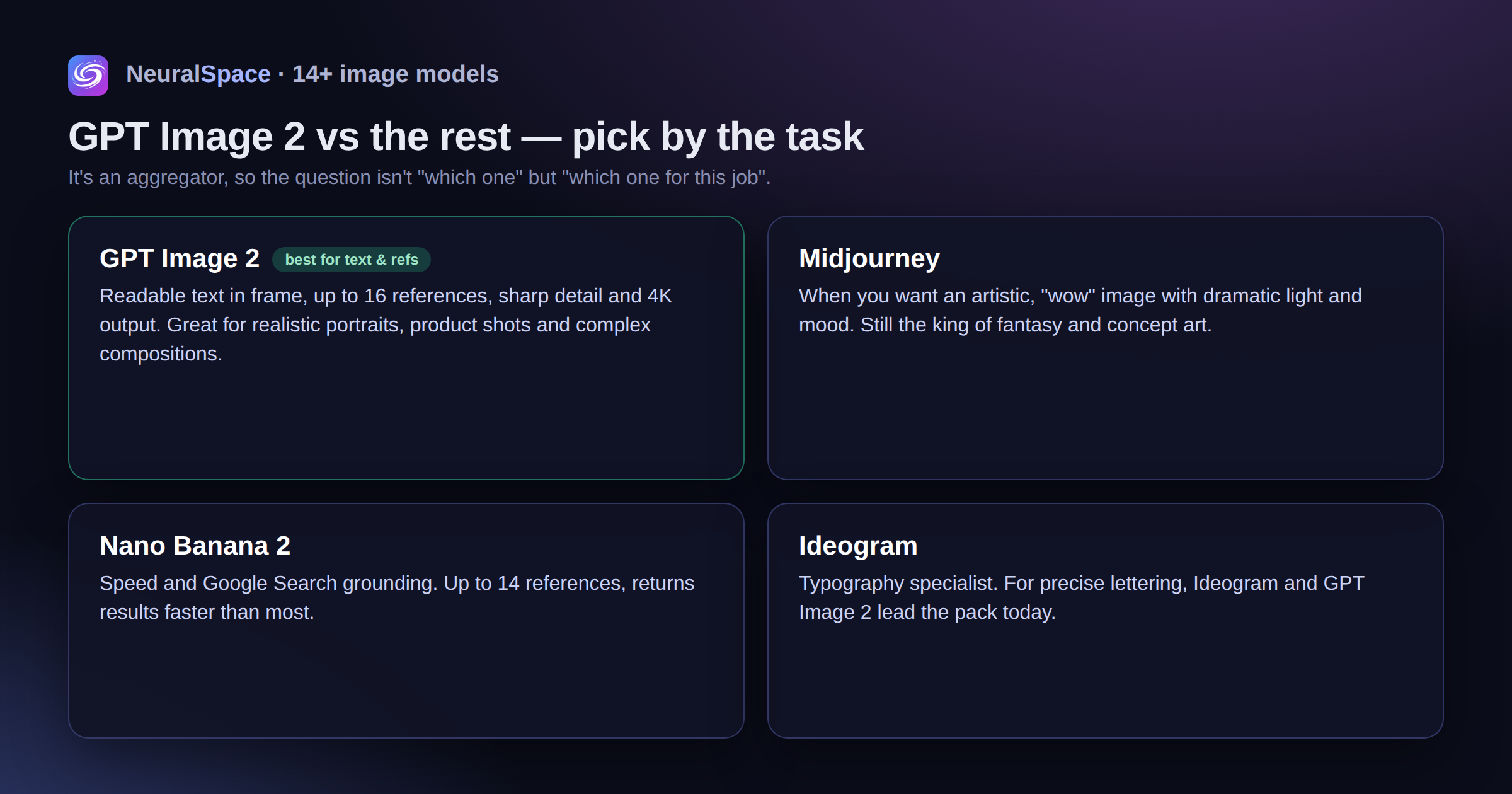
NeuralSpace is an aggregator, we have 14+ models for generating images. Therefore, the question is not “GPT Image 2 or nothing”, but “for which task which is better”.
GPT Image 2 — the best choice when you need text on a picture, working with references, high detail and resolution up to 4K. Excellent for realistic portraits, product illustrations and complex compositions.
Midjourney - if you need an artistic, “wow” picture with dramatic lighting and atmosphere. Midjourney is still better at fantasy and concept art.
Nano Banana 2 — for tasks where speed and work with Google Search are needed. Supports up to 14 references, produces results faster.
Ideogram - Specialization in typography and precise text. If you need an inscription, Ideogram and GPT Image 2 are now the leaders.
Try different models on the same query - the results may surprise you. All of them are available in one interface on generation page.
Resume
GPT Image 2 is not a revolution, but a very noticeable step forward. The text in the pictures is finally readable. 4K resolution is really useful. 16 references open up scenarios that previously required complex pipelines.
If you haven't tried it yet - register at NeuralSpace and test. And if you already use other models, just switch to GPT Image 2 in the list and compare. Bonus tokens upon registration will allow you to generate several images for free.
Frequently asked questions (FAQ)
Question: How to get the best result from a neural network?
Answer: Use detailed prompts (descriptions) in English, set the style and details of the scene.
Question: Can these materials be used for commercial purposes?
Answer: Yes, the generated content is entirely yours.