API NeuralSpace for AI agents: key directly from chat with code
Briefly about the main thing (BLUF)
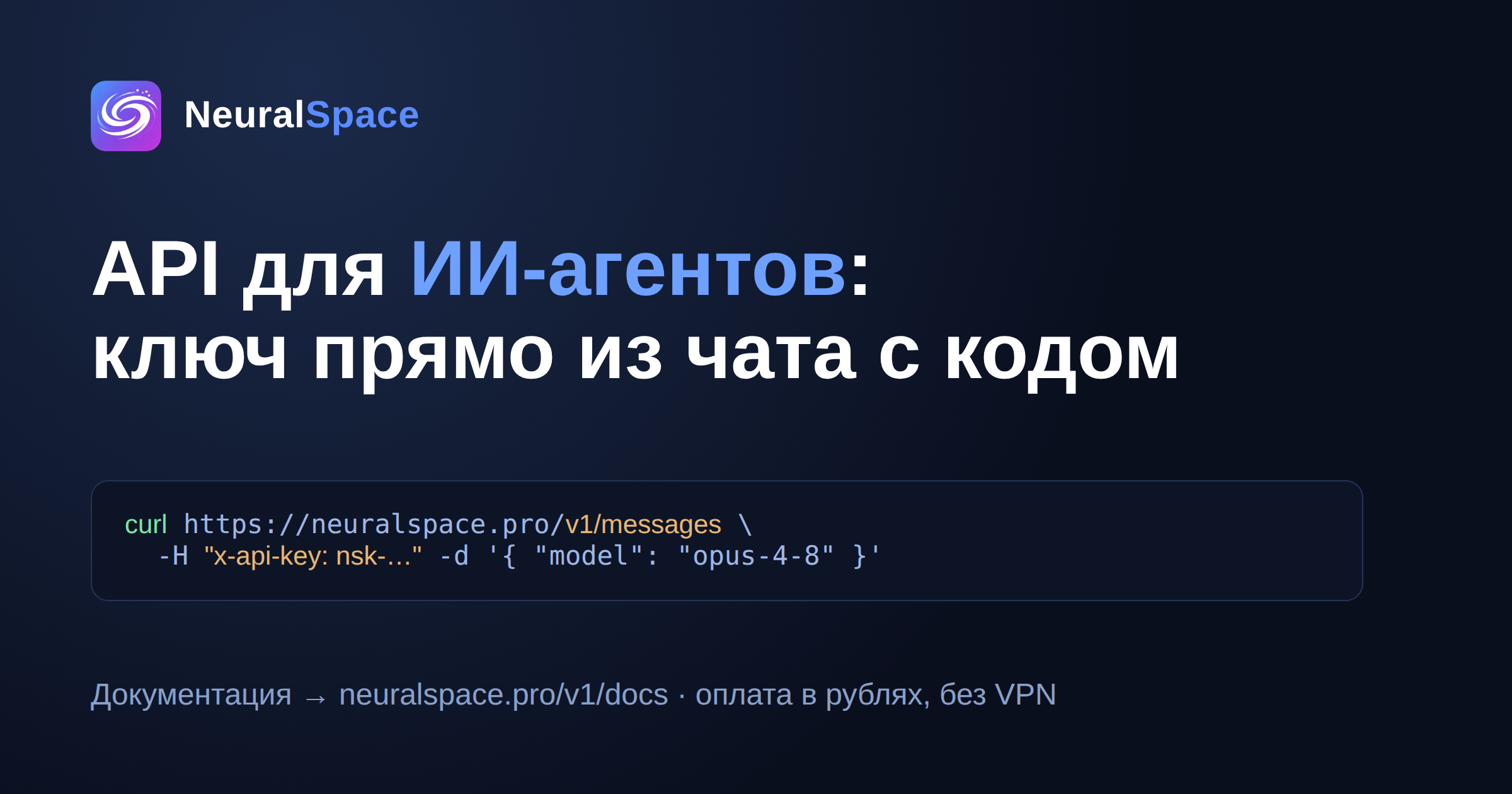
The API-key for AI agents in NeuralSpace is released directly from the chat with the code: the documentation on /v1/docs is open without a login, the key is in one click, and no one will quietly create it. We tell you what tools the agent receives and how much it costs.
A familiar situation. You ask the AI assistant to build you a bot or a mini-service - it cheerfully writes code, gets to the point of calling the neural network and gets up. Next you need the API-key. And the agent doesn’t know where to get it. You go into three tabs, register on some foreign service, link a card that is not accepted there. Sound familiar?
We removed this circus. Now the assistant is in the section "Code" releases the key to API NeuralSpace himself - and you just click “Confirm”. And the entire catalog of models - Claude, GPT, Nano Banana, Sora, Kling - can be opened with one key. No VPN.
The documentation is located at /v1/docs - and you don’t need to log in
You open neuralspace.pro/v1/docs and you immediately see everything: what endpoints are there, in what format to send the request, how much each model costs. The page is public - send the link to your agent or colleague, no registration required.
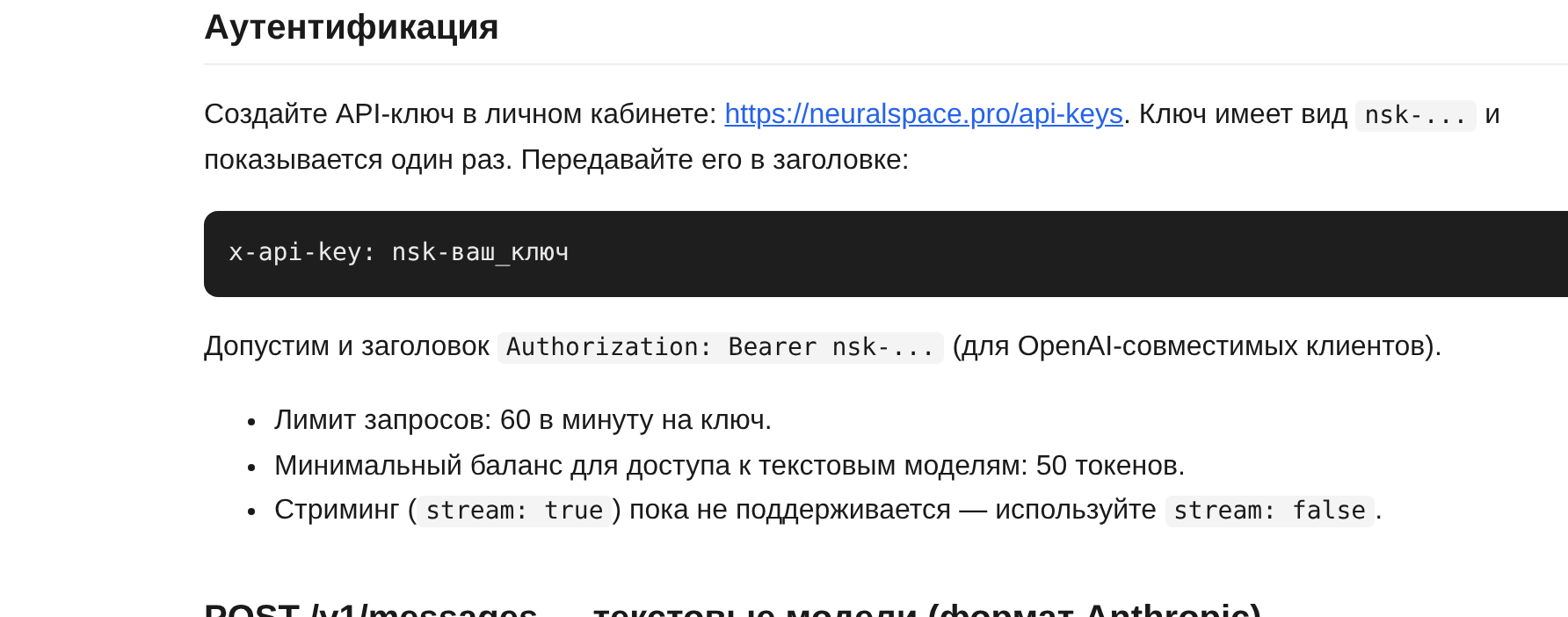
And this is what is important for those who have already tinkered with foreign API. We didn’t invent our own format. Text models respond in Anthropic - BLK0 format. If you had code for Claude, it would work almost without changes. There is also BLK1 in OpenAI format, for everything that was written for ChatGPT. Change the base URL and key. The rest is in place.
The key is issued in one click - but no one will create it quietly
This, to my taste, is the most pleasant thing. You go to the section "Code", you ask the assistant: “turn on the generation of pictures.” He realizes that a key is needed and starts releasing it.
But the key does not appear silently. A window pops up: what is the name, why, and a warning. If you want, you confirm. If you don't want it, you reject it. They did this on purpose: the key is both money and access, it should not be created without your knowledge. The decision is always up to the individual, even when the agent asks.
Confirmed - the key is shown exactly once, the assistant himself writes it into the BLK2 of the project and writes the code further. In the correspondence history, the key is stored as BLK3 and does not appear anywhere. And we tweaked the assistant’s prompt - he now knows about our public API and offers it himself when the code needs a neural network.
Where's the catch?
Honestly about the limitations, so that there are no surprises later:
- Keys per account - up to five. With a reserve, but you can’t produce endlessly.
- 60 requests per minute per key. Bot and pet project - behind the scenes; Consider the loaded product in advance.
- Streaming (BLK4) has not yet been connected - the answer comes in full.
- Minimum 50 tokens on balance, otherwise text models will not be allowed.
- The key is shown only once. Lost it - release a new one, recall the old one.
Pictures and videos work asynchronously: you create a task, poll the status, and take the result. In the dock for this there are ready-made examples of the polling cycle - in curl, Python and Node. Copy, paste, let's go.
How much does it cost
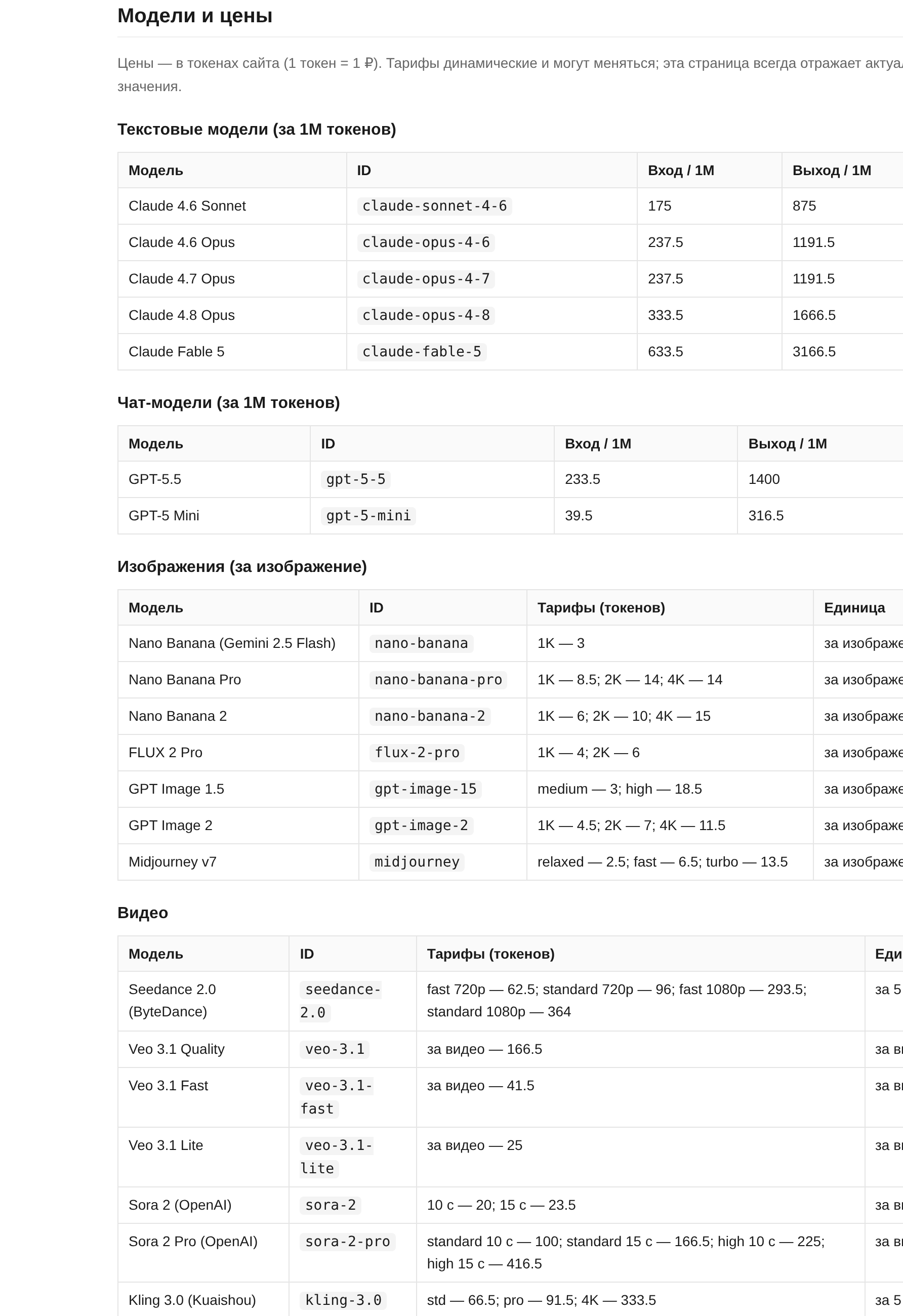
Prices are in tokens, and they honestly match those in your personal account. No separate “surcharge for API”. Claude, GPT-5.5, Nano Banana, Sora 2, Kling, Suno - all in one table, replenishment from any card. Tariffs are dynamic: the docket page always shows the current ones.
In short: open neuralspace.pro/v1/docs, copy the example, ask the assistant in the “Code” section to release the key - and in a minute your application is already chatting with the neural network. Without foreign cards and dances with proxies.
Frequently asked questions (FAQ)
Question: How to get the best result from a neural network?
Answer: Use detailed prompts (descriptions) in English, set the style and details of the scene.
Question: Can these materials be used for commercial purposes?
Answer: Yes, the generated content is entirely yours.