AI avatar speaking from a photo: how to animate a photo with a neural network
Briefly about the main thing (BLUF)
A talking AI avatar is made from one photo: upload the photo and the person in it blinks, moves his lips and speaks in your text. Previously it was like a trick, now it’s two minutes in the browser. We show how it works, why people need it and what the ethics are.
He sent a friend his childhood photo, and a minute later she “spoke” in his voice. It looked creepy and amazing at the same time. A talking AI avatar from a photo is a thing that seemed like a magic trick two years ago, but is now done in a couple of minutes in NeuralSpace.
How does it even work?
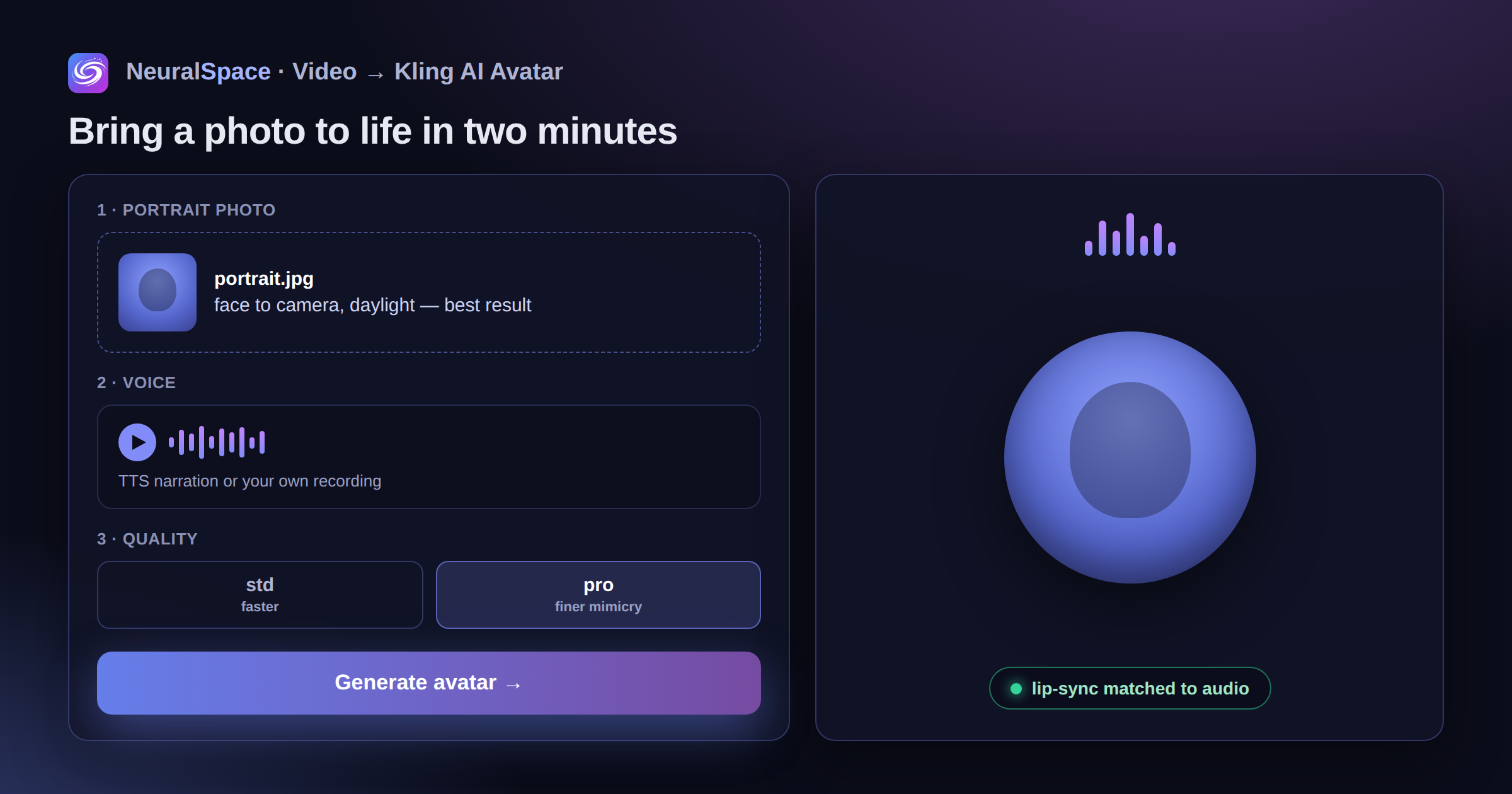
One photo is taken. The model (our name is Kling AI Avatar) builds a 3D map of the face and synchronizes lip movements with audio. The std and pro modes differ in detail: in pro the facial expressions are subtler, the eyebrows move, the look is lively. In std it is simpler, but generation is also faster.
Why do people need this?
- Online courses: the “face” of the teacher tells the lesson, but no one was actually filmed
- Video localization - the speaker “speaks” in Russian after AI voiceovers. Lips match
- Marketing videos - quickly and without a studio
- Bringing family photos to life. The grandmother in the old photo “tells” the story - it’s touching to the point of goosebumps
- Virtual presenter for a Telegram channel or YouTube
Make an avatar in 2 minutes
Upload a portrait photo (face in the frame, frontal, normal light), read out the text via TTS or record your voice, select Kling AI Avatar in the section "Video" - ready.
A little tip: taking photos from a difficult angle or in a dark room is a bad idea. The model will cope, but the result will be “wooden”. A simple frontal portrait in daylight gives the best results.
About ethics - seriously
Use only photos to which you have rights. Making a video where someone “says” something they didn’t say is not fun, it’s problematic. NeuralSpace logs generations and blocks abuse. You can delete your materials in privacy settings.
Try it — the starting tokens are enough for several avatars to understand whether the format is right for you.
Frequently asked questions (FAQ)
Question: How to get the best result from a neural network?
Answer: Use detailed prompts (descriptions) in English, set the style and details of the scene.
Question: Can these materials be used for commercial purposes?
Answer: Yes, the generated content is entirely yours.