ChatGPT Images 2.5 (Sunburst and Flare): what the new model
OpenAI has released a new generation of image generation — GPT-Image-2.5. The family includes two models: Sunburst, focused on sharper details, more natural lighting and greater control across edits, and Flare, built for speed. Both support transparent backgrounds and are available via the API. We have added both family variants to our site as ChatGPT Images 2.5 — you can generate and edit images right in the browser, no API keys or subscriptions needed: the model page on NeuralSpace (the link opens the generator with the model already selected).

What is new compared to the previous generation
According to OpenAI, Sunburst draws noticeably sharper details with more natural lighting, and — most importantly — gives you more control when editing: long series of edits on a single frame no longer fall apart. Flare is the fast sibling: it delivers high-quality images over 50% faster.
Both variants are available on the site: Sunburst for quality and precise edits, Flare for speed and trying ideas. The price does not depend on the variant — only on the resolution.
Two variants and three resolutions instead of quality levels
Generation 2.5 has no low-to-max scale: instead there is a variant and a resolution. Sunburst draws more precisely and respects edit boundaries; Flare delivers a finished frame noticeably faster. The resolution sets the detail and the price: 1K for drafts and trying ideas, 2K as the working middle for social media and websites, 4K as the final for print and large format.
The economical strategy: drafts on Flare 1K, one final on Sunburst 2K or 4K from the best prompt. The price is counted per picture and shown before you hit generate — no balance surprises, and if the generation fails, tokens are refunded automatically.
Series of edits from a single source image
The signature skill of this generation is editing. In OpenAI's official demo, a long series of edits is applied to one starting frame: change the jacket color, replace the background, add eyeglasses, switch the scene to rainy weather, redraw it in pastel or as an architectural watercolor — and every step changes only what was asked.
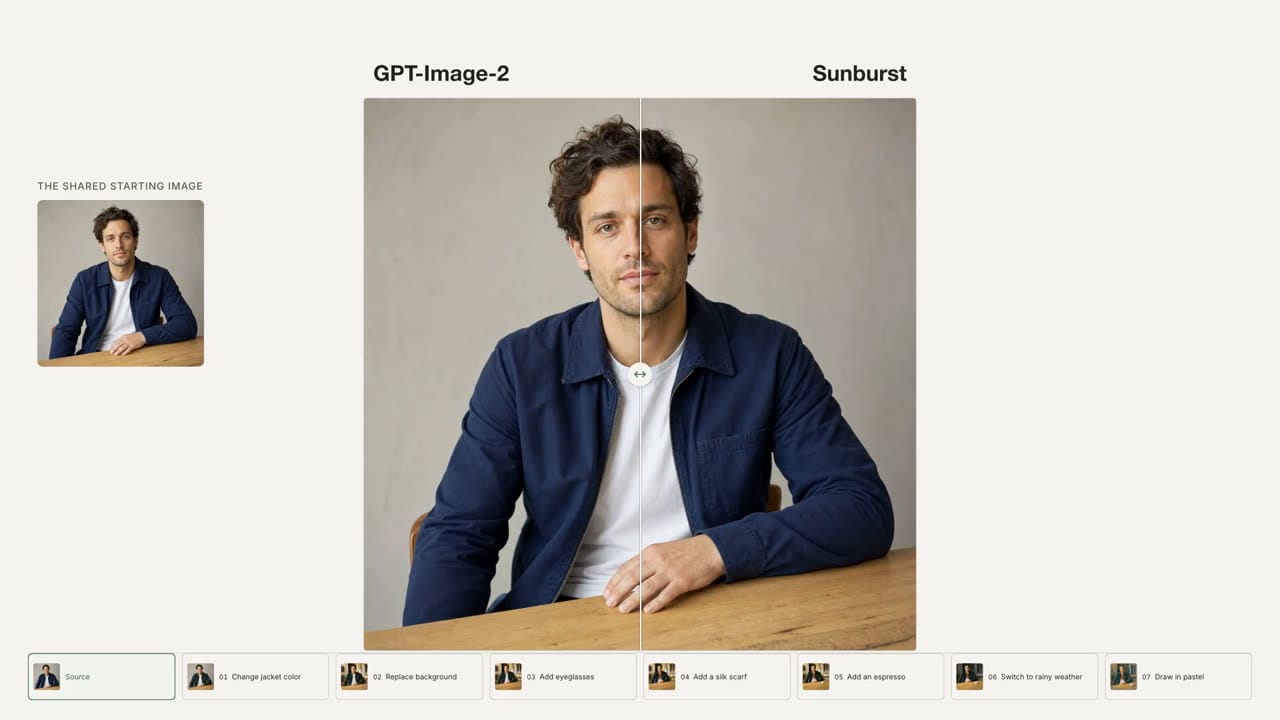
On the site, editing mode turns on automatically: attach from one to sixteen reference images (up to 30 MB each) and write an instruction. There is no separate toggle — the model understands the mode from the presence of images in the request.
What the ChatGPT app demo shows: sketch, targeted edits and templates
Alongside the model release, OpenAI refreshed the ChatGPT app itself, and hands-on reviews show the character of this generation well. First, sketch-based input: in the app you can draw a rough diagram of a scene (a box for the couch, windows, a dog silhouette) and the model turns the doodle into a full interior — it interprets the sketch even with no text instructions at all. Generation also feels noticeably faster than before.
Second, targeted editing tools on top of the finished frame: circle an area and ask to "put a cat here", leave several comments in one batch ("make this plant dead", "add a rainbow outside", "make the walls gray"), highlight an object with the eraser so the model understands what to remove and fills the gap cleanly. A background remover separates a clear subject from its background in one click.
Third, reference photos. Reviews show the model restoring old snapshots (remove the glare, clean it up, put the kid in a suit — and it is still the very same kid), redesigning real spaces (a gravel backyard becomes a rock garden) and compositing three separate portraits into one photo. Another standout skill is identity preservation: people and animals stay recognizably themselves across long edit series — the image does not deteriorate from iteration to iteration, which is where image models were usually criticized. The app also gained templates — starting points for popular formats: logos, posters, interior design, illustration.
The sketch input and templates are ChatGPT app conveniences and are not part of the API. On our site both variants — Sunburst and Flare — are available: text-to-image generation, reference-based editing (up to 16 images of 30 MB each — restoration, recoloring, background replacement, restyling), 1K/2K/4K resolutions and a dozen aspect ratios. To restore or rework a photo on the site, simply attach it as a reference and write an instruction.
A separate hands-on case from the review is video thumbnails: the author assembles a catchy YouTube preview through a series of edits (a punchier background, a large subject, a readable look) — the same targeted-edit mechanics, only the goal is "clickable" rather than "pretty". On the site this task works the same way: attach a frame as a reference and add an instruction about the background and the accent.
Precision in the details
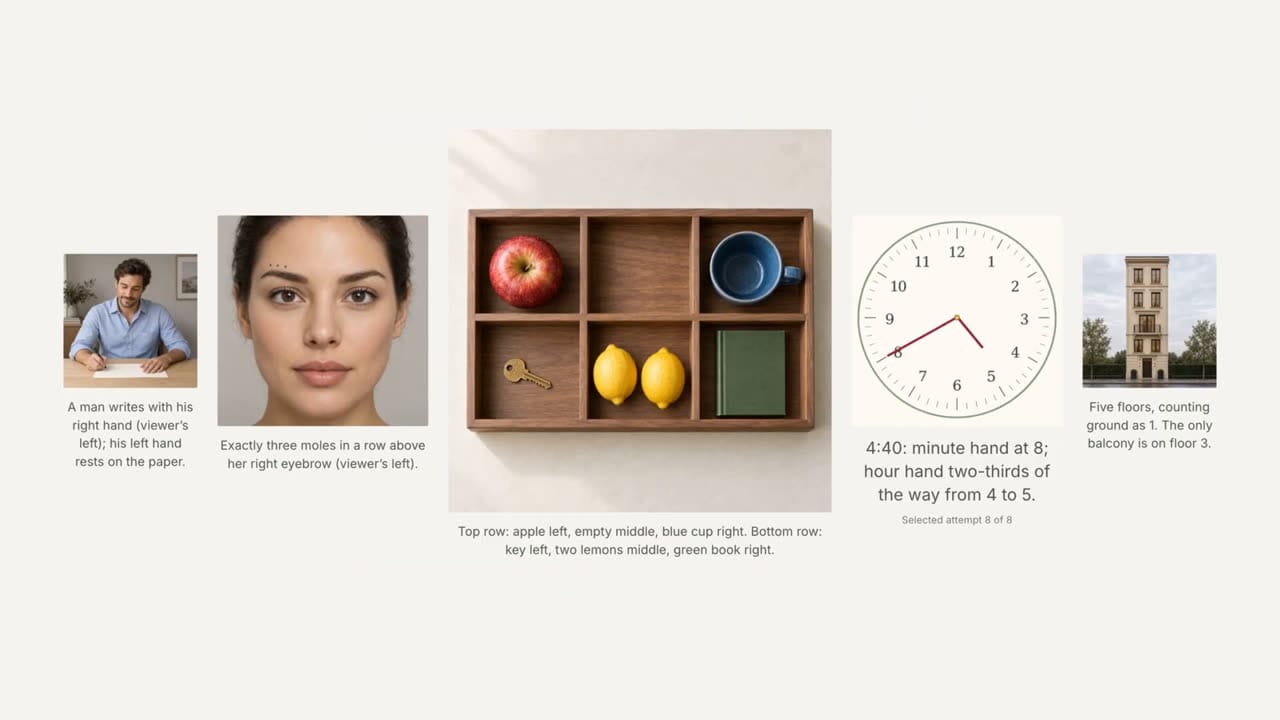
The second hallmark is prompt adherence down to small details: how many objects there are, on which side, what the clock reads, how many floors the building has. OpenAI's demo shows frames where the model reproduces several exact conditions from the description at once.
Native transparency out of the box
Both models in the family support native transparency: an object with a full alpha channel is instantly ready for collages, layouts or games — no manual cutouts. The demo shows an object composited onto new backgrounds.
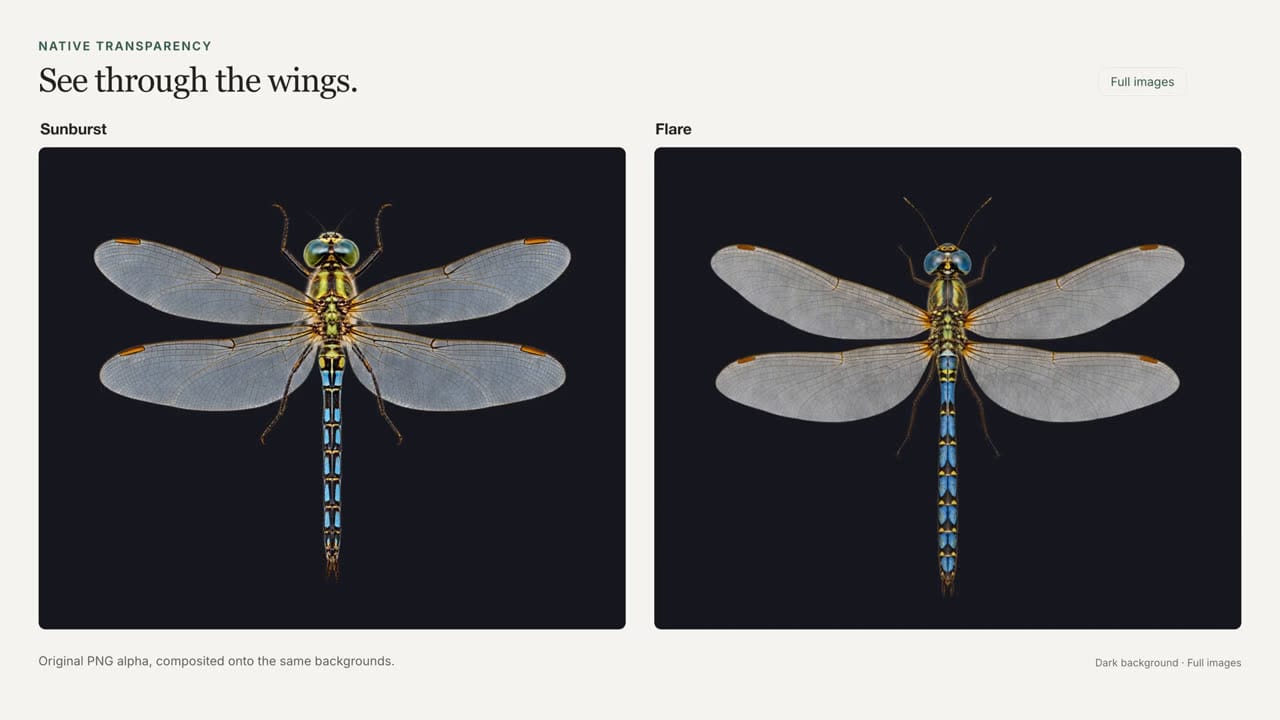
On the site the background is chosen right in the generation form: transparent, opaque or auto. The output is always PNG — there is no file format choice, so transparency is preserved as is. No manual cutout needed.
How much it costs
OpenAI's token rates for 2.5 match the previous generation, and on the site the per-image price depends only on the resolution (1K/2K/4K) — always shown before you hit generate. Drafts on Flare 1K, finals on Sunburst 2K or 4K. You pay from your internal token balance; no subscription required.
Try it in the browser
The model is already live in the image generation studio: pick "ChatGPT Images 2.5" in the model list, describe the frame and attach references if needed. Open ChatGPT Images 2.5 on NeuralSpace.